
Question: How do you import a SQL Server table into an Excel worksheet? Use Excel’s SQL Server data connector, select the table or view, and load the result as a table.

The pictures in my original example made this straightforward. They show WideWorldImporters and its Sales.InvoiceLines table through Excel’s older Data Connection Wizard. I’ll keep that route here and distinguish it from the Power Query route in current Windows Excel.
Current Windows Excel with Power Query
- Choose Data, Get Data, From Database, From SQL Server Database.
- Enter the server and optionally the database. Use an authorized Windows or database account with permission to read the intended table.
- In Navigator, select the table or view and inspect the preview.
- Choose Load to import it, or Transform Data to select columns and filter rows before loading.
You don’t need to write SQL to import a table. For a large source, bring only the data you need. A worksheet has a row limit, so a Data Model or an appropriately filtered query may be more suitable than loading every row into cells.
The original Data Connection Wizard
These retained pictures show the legacy workflow. Menu availability depends on Excel version and whether legacy import wizards are enabled.
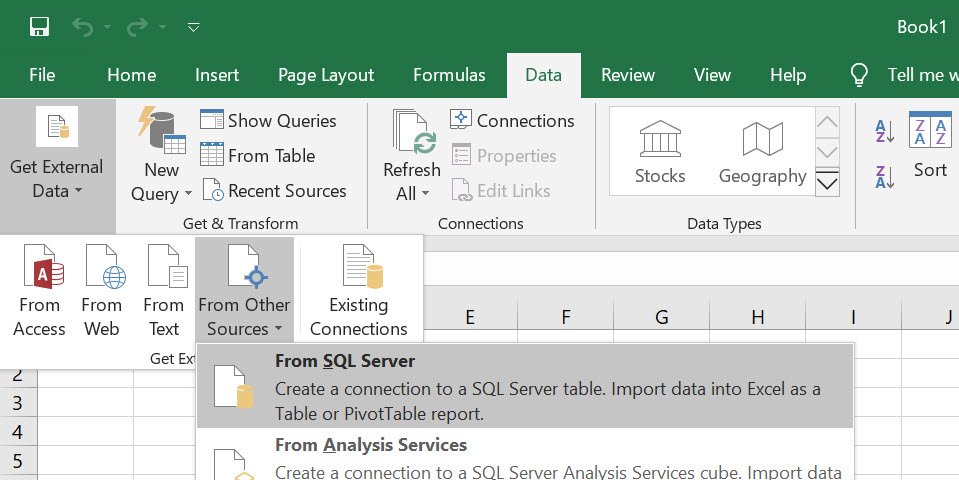
1. Open the Data tab, then Get External Data, From Other Sources, From SQL Server.
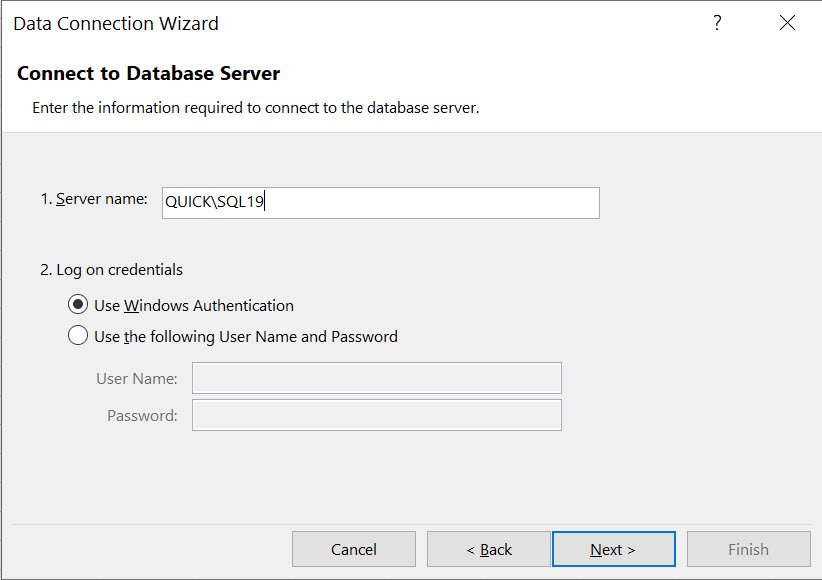
2. Enter the server and choose the permitted authentication method. The original connection uses Windows Authentication.
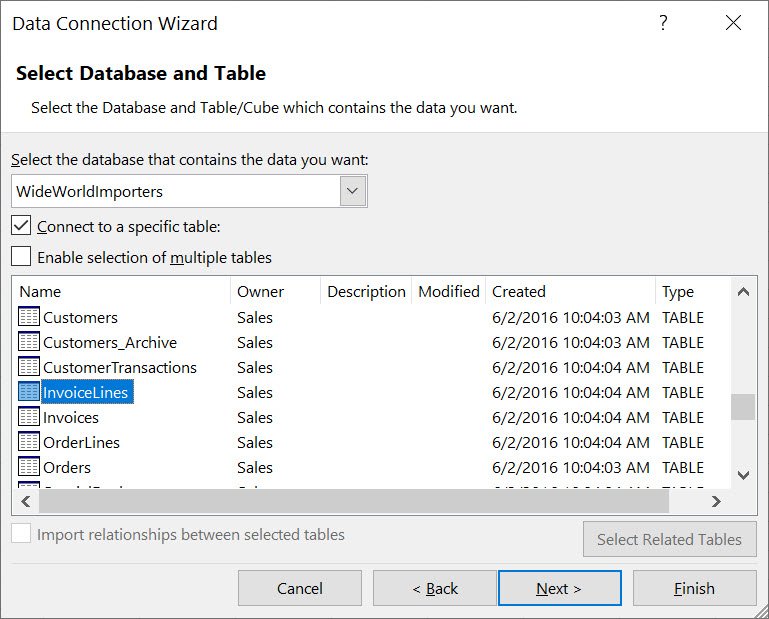
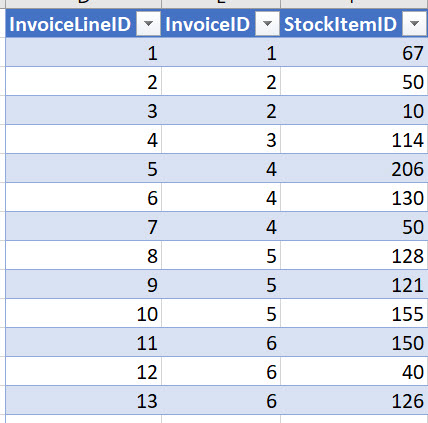
3. Select the database and table. The example selects WideWorldImporters, Sales.InvoiceLines.
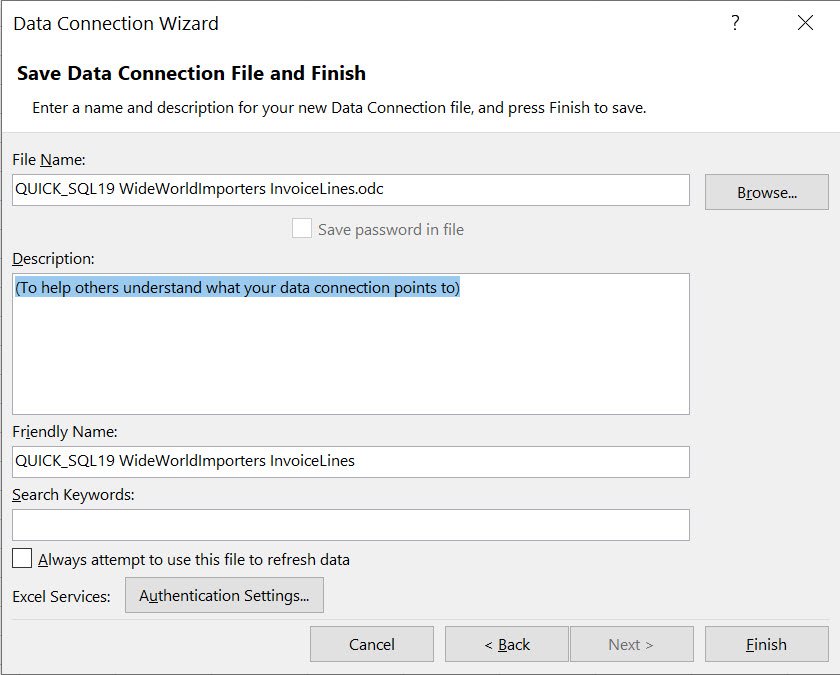
4. Give the connection a useful name, then select Finish. Don’t store a database password in a shared connection file.
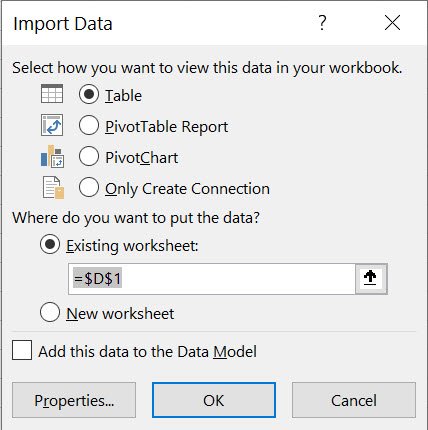
5. Choose Table and the destination cell, then OK.
Refresh is a read operation
The connection can retrieve new source data when refreshed. Editing imported worksheet cells does not update SQL Server. Review who can open the workbook, its connection and cached data before sharing it.
Related questions cover a full transaction log, TempDB contents and performance facets.
Send an interesting interview question through Twitter or LinkedIn. For help with SQL Server performance, see my health-check service.
Published by Pinal Dave on SQLAuthority. More of my work at pinaldave.com.
Discover more from SQL Authority with Pinal Dave
Subscribe to get the latest posts sent to your email.



1 Comment. Leave new
i have 2900000 record so its possible to create multiple sheet. because 1 sheet as around 1000000 limit