SSMS 18.5 fixed a scrollbar that used to open halfway down the Database Properties Options grid. This was excellent news for database administrators and a small personal tragedy for my comedy career. For years, I could count on that scrollbar to get a laugh during a SQL Server demo. Then Microsoft went and made the software easier to use.
Editor’s note: This is the story of a behavior I saw before SSMS 18.5 and the fix shipped in 2020. The original screenshots are historical evidence. A newer SSMS version may arrange this dialog differently.
The Scrollbar Had Already Gone Ahead Without Me
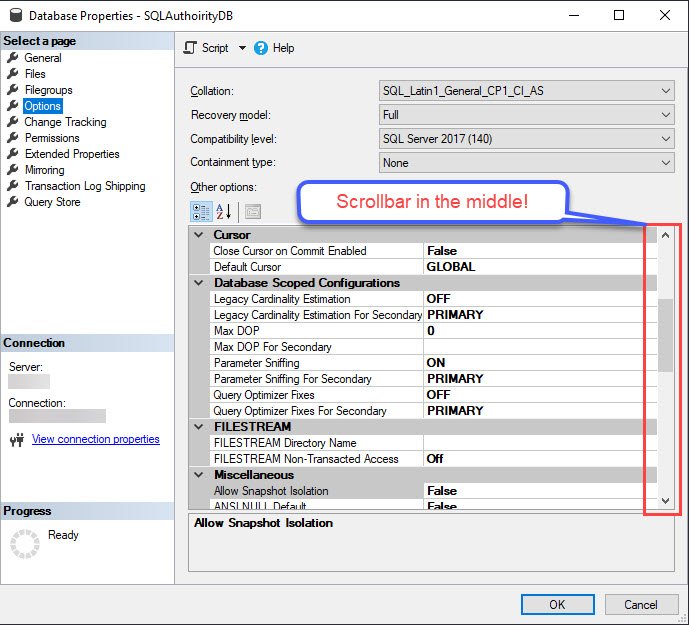
Here was my routine: in Object Explorer, right-click a database, open Properties, select Options, and look at the Other options grid. I wanted to inspect settings near the top, including the automatic statistics options. Instead, the grid greeted me partway down the list. Its scrollbar thumb was in the middle, as though I had arrived late to my own dialog.
To see those top settings, I had to scroll up. Yes, up. Before I could start at the beginning, I first had to find the beginning. I brought this up in talks, including a Bangalore SQL user group session. It was a dependable joke because the screen delivered the punch line for me.
The database settings themselves had not moved or changed. This was a starting-position problem in the SSMS interface. The old screenshot begins around Cursor and Database Scoped Configurations; the Automatic group is above the visible part of the grid. That distinction matters: a misplaced scrollbar is annoying, but it is not proof that SQL Server changed a configuration value.
Then SSMS 18.5 Retired My Best Bug
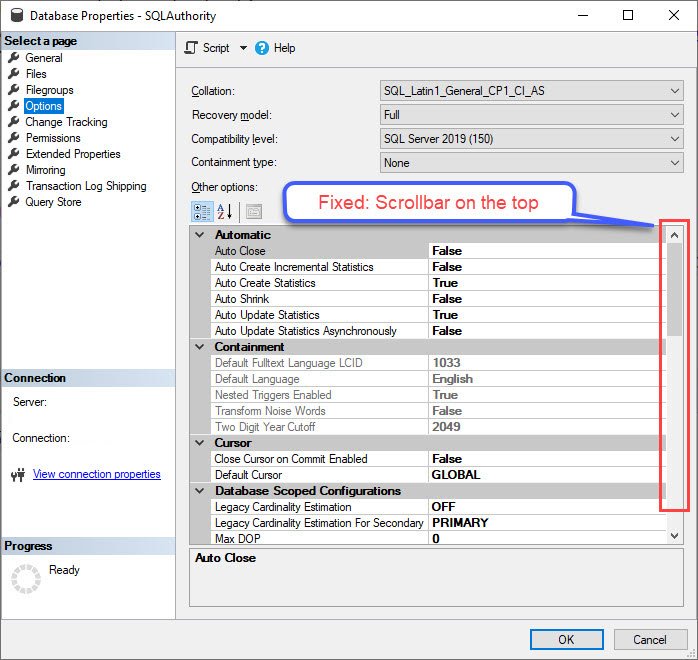
When I installed SSMS 18.5 for a demo, I opened the same dialog and found the scrollbar at the top. The Automatic group was visible first. My first reaction was relief. My second was to wonder what I was going to talk about for the next five minutes.
This was a real fix, not just my imagination or a lucky mouse wheel. Microsoft’s SSMS 18.5 announcement lists the Database Properties Options scrollbar starting in the middle among its bug fixes. I would love to claim one of my jokes made its way to the product team. I cannot prove that, so I will give the team credit for fixing it and keep the joke as a fond memory.
Why a Tiny UI Fix Matters
No query suddenly got faster because this scrollbar started at the top. SSMS 18.5 did not change the value of Auto Create Statistics or Auto Update Statistics by moving a thumb on the screen. What changed was the first thing a person saw when opening the dialog. If you inspect these options often, removing an unnecessary scroll is a welcome improvement. It also makes the top group harder to overlook.
The funny part is how long a small irritation can become part of your routine. I had almost promoted this one from “bug” to “demo material.” Microsoft fixed it anyway. That is the sort of product feedback loop I am happy to lose a joke for.
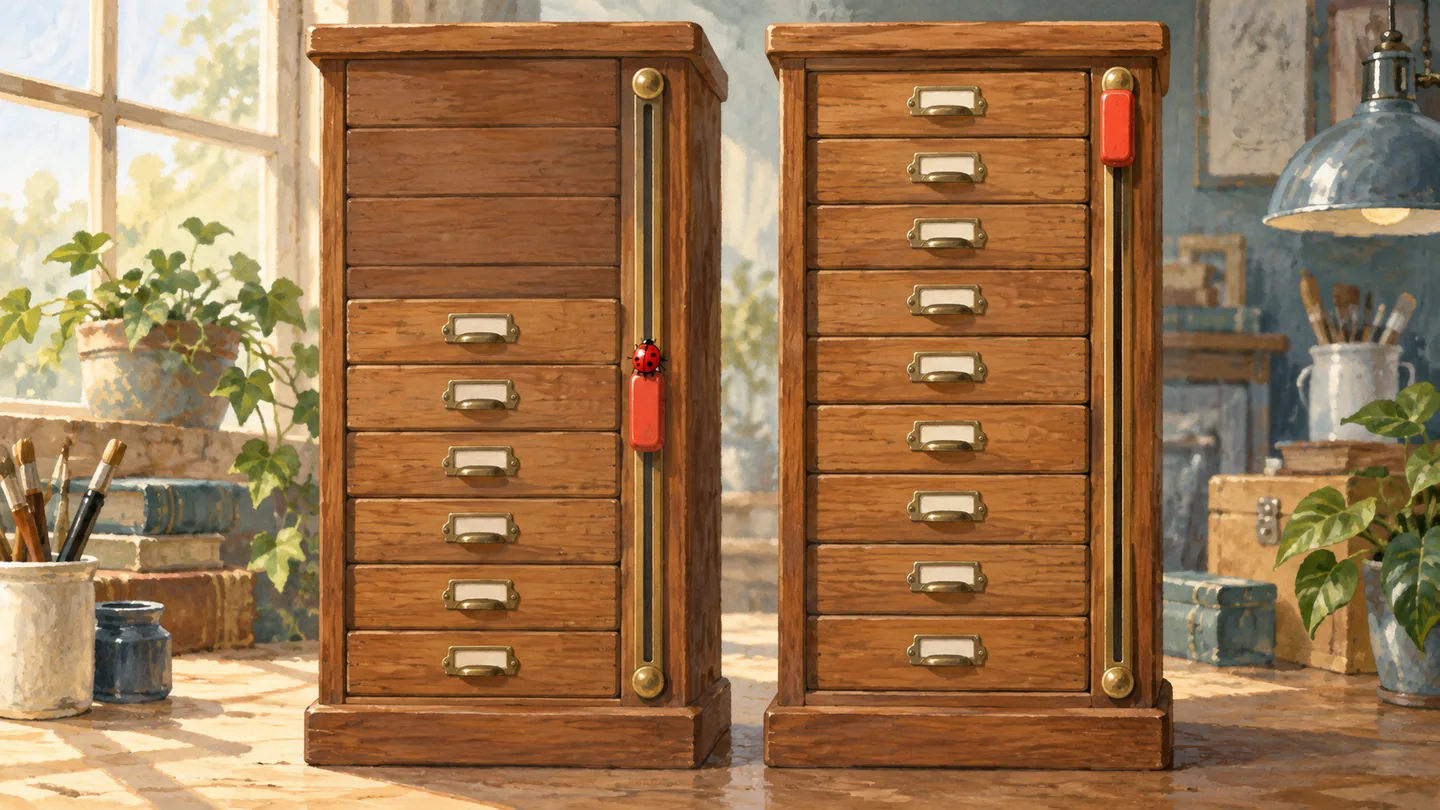
For readers who want to see exactly what I saw, the original before screenshot, SSMS 18.5 after screenshot, and release-note capture remain available. These are genuine historical screenshots; the two paintings in this revised article are illustrations, not SSMS screenshots.
The team also fixed another small Options-dialog oddity that gave me material: the multiple Miscellaneous categories. Apparently my future as a UI comedian was under serious threat in 2020.
What little SSMS annoyance have you seen disappear in a later release? Tell me in the comments. I am always glad to hear about a fix, even when it steals a punch line.
The best part of this story is simple: someone noticed a small problem, and SSMS 18.5 put the scrollbar back where a reader expected it, at the top.
Published by Pinal Dave on SQLAuthority. More of my work at pinaldave.com.
Discover more from SQL Authority with Pinal Dave
Subscribe to get the latest posts sent to your email.