
SQL terms vs MongoDB terms can cause confusion even when two people are discussing the same business data. Most of my work focuses on SQL Server performance through the Comprehensive Database Performance Health Check. One engagement reminded me how useful a shared vocabulary can be.

Why I Made This Comparison
A stockbroking client used both SQL Server and MongoDB. I worked with their MongoDB expert on a SQL Server performance problem. I would say row or table, while my colleague would say document or collection. We sometimes spent more time translating terms than discussing the problem.
Once we agreed on the vocabulary, the conversation became much easier. Here are the five basic comparisons that helped us. This refresh adds SQL Server queries that I tested, with the mongosh equivalent beside each one.
A Small SQL Server and MongoDB Glossary
| SQL Server term | MongoDB term | What to remember |
|---|---|---|
| Database | Database | A named container, but administration and deployment concepts differ. |
| Table | Collection | A useful vocabulary match, not a promise of identical schema rules. |
| Row or record | Document | A BSON document can contain nested documents and arrays. |
| Column | Field | Documents in a collection can have different fields or types unless validation restricts them. |
| Index | Index | Both help query access, but index options and query plans differ. |
The closest everyday matches are table to collection and row to document. They help people communicate, but they don’t define a migration design.
Read From a Table or a Collection
I built two small tables in a scratch database: users and their orders. The sample uses vegetarian menu items and fake names.
CREATE TABLE dbo.Users (UserId int PRIMARY KEY, UserName varchar(40) NOT NULL, City varchar(30) NOT NULL, Age int NOT NULL);
CREATE TABLE dbo.Orders (OrderId int PRIMARY KEY, UserId int NOT NULL REFERENCES dbo.Users (UserId), Item varchar(40) NOT NULL, Qty int NOT NULL);
INSERT INTO dbo.Users VALUES (1, 'Asha', 'Pune', 31), (2, 'Bharat', 'Mumbai', 35), (3, 'Chitra', 'Pune', 41), (4, 'Dev', 'Delhi', 29);
INSERT INTO dbo.Orders VALUES (10, 1, 'Paneer wrap', 2), (11, 1, 'Mango lassi', 1), (12, 3, 'Masala chai', 3);
This query requests all columns and rows of the table. In mongosh, with the intended database selected, the starting point for a collection named Users is find({}).
SELECT * FROM dbo.Users;
db.Users.find({})The empty filter matches every document. find() returns a cursor, so matching all documents doesn’t mean the shell loads the whole collection at once. Neither example asks for a particular order. For an application query, select the needed fields, apply a filter and sort when order matters.
Filter, Project and Sort
A column list in SELECT corresponds to a projection in MongoDB. A WHERE clause corresponds to the filter document. In my test, the filter on Pune returned Asha and Chitra, and the sort returned Chitra (41) and Bharat (35).
SELECT UserName, City FROM dbo.Users WHERE City = 'Pune';
SELECT TOP (2) UserName, Age FROM dbo.Users ORDER BY Age DESC;
db.Users.find({ City: "Pune" }, { UserName: 1, City: 1, _id: 0 })
db.Users.find({}, { UserName: 1, Age: 1, _id: 0 }).sort({ Age: -1 }).limit(2)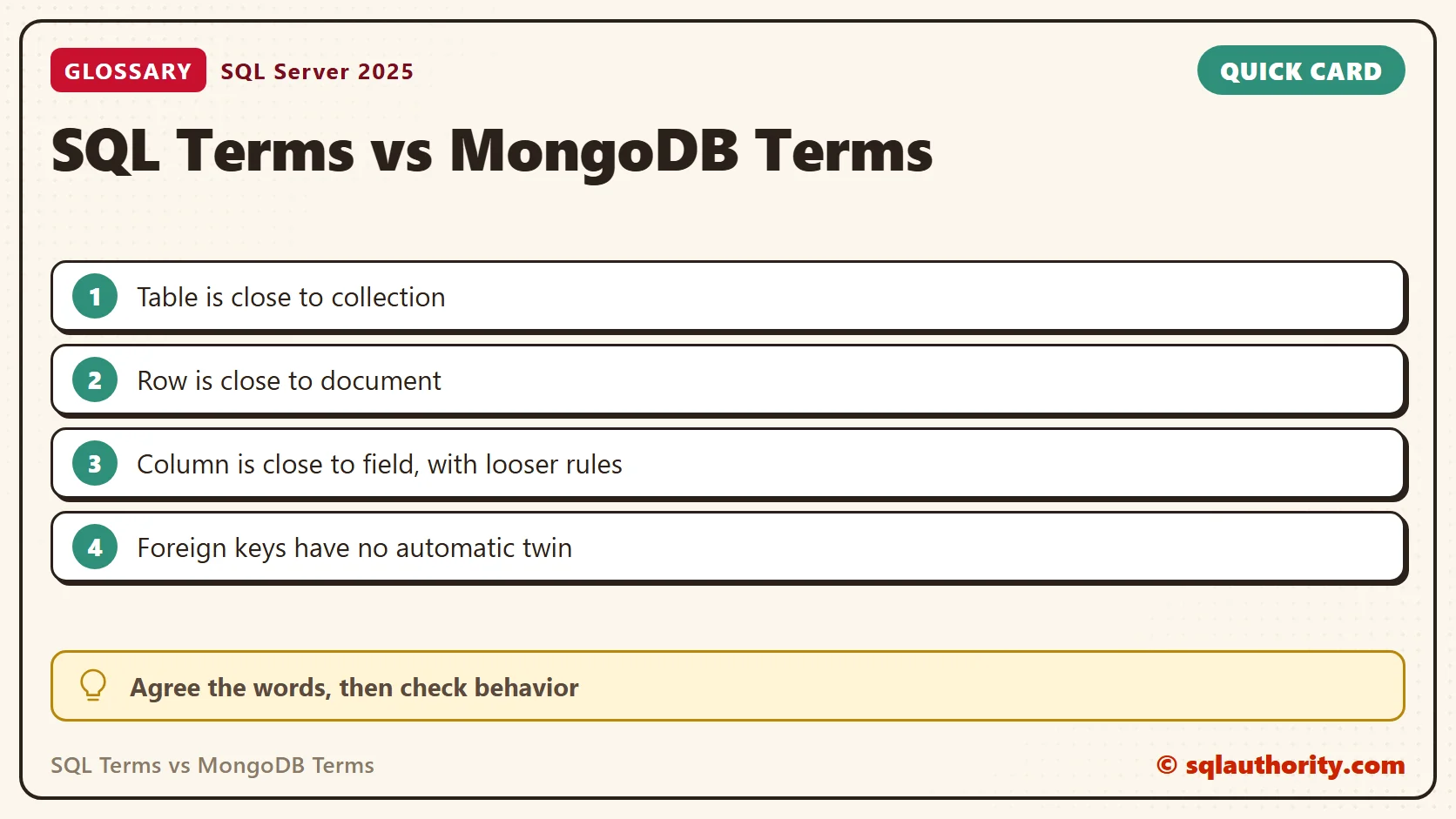
Group and Join
GROUP BY maps to the $group stage of an aggregation pipeline. A join maps to $lookup, which pulls matching documents from another collection. The SQL Server results were one user in Delhi, one in Mumbai and two in Pune. The Pune average age was 36. The join returned three order rows with user names.
SELECT City, COUNT(*) AS Users, AVG(Age) AS AvgAge FROM dbo.Users GROUP BY City ORDER BY City;
SELECT u.UserName, o.Item, o.Qty FROM dbo.Users AS u JOIN dbo.Orders AS o ON o.UserId = u.UserId ORDER BY o.OrderId;
db.Users.aggregate([{ $group: { _id: "$City", Users: { $sum: 1 }, AvgAge: { $avg: "$Age" } } }])
db.Orders.aggregate([{ $lookup: { from: "Users", localField: "UserId", foreignField: "UserId", as: "user" } }, { $unwind: "$user" }, { $project: { _id: 0, UserName: "$user.UserName", Item: 1, Qty: 1 } }])
I tested only the SQL Server side. The mongosh lines follow MongoDB’s documented syntax, and I didn’t run them against a MongoDB instance.
Where the Word Mapping Stops
Flexible schema still needs design. MongoDB permits documents with different shapes, and schema validation can require fields or types. Choose a document structure for how the application reads and updates its data.
Relationships need their own decision. MongoDB can represent related data through embedded documents or references. A reference isn’t an enforced SQL Server foreign key. In my test, SQL Server rejected an order for a user that doesn’t exist, with Msg 547.
INSERT INTO dbo.Orders VALUES (99, 42, 'Mango lassi', 1);
SQL Server can also hold a document. The native json type in SQL Server 2025 stored a nested document with an array. JSON_VALUE read a nested field, and it returned NULL where a document lacked the field. OPENJSON turned the array into rows. A CHECK constraint on a required field plays a role like schema validation. It rejected a document with no name.
CREATE TABLE dbo.Profile (ProfileId int PRIMARY KEY, Doc json NOT NULL,
  CONSTRAINT CK_Profile_Name CHECK (JSON_VALUE(Doc, '$.name') IS NOT NULL));
INSERT INTO dbo.Profile VALUES (1, '{"name":"Asha","tags":["tea","yoga"],"address":{"city":"Pune"}}'), (2, '{"name":"Bharat","tags":["lassi"]}');
SELECT ProfileId, JSON_VALUE(Doc, '$.name') AS Name, JSON_VALUE(Doc, '$.address.city') AS City FROM dbo.Profile ORDER BY ProfileId;
SELECT p.ProfileId, t.value AS Tag FROM dbo.Profile AS p CROSS APPLY OPENJSON(p.Doc, '$.tags') AS t ORDER BY p.ProfileId, t.[key];
INSERT INTO dbo.Profile VALUES (3, '{"tags":["chai"]}');The data model does not settle every capability question. For example, MongoDB supports multi-document transactions in supported deployments. Saying document database doesn’t mean saying no transactions. Check the actual requirements and deployment rather than inferring behavior from a glossary.
Continue With the MongoDB Articles
- Getting Started With mongosh: Databases, Collections and Documents
- MongoDB insertOne and insertMany: Adding Documents the Right Way
- MongoDB find: Filters, Projections and Sorting for SQL People
- MongoDB updateOne: $set, $inc and Upserts Without Surprises
- MongoDB deleteMany: The Empty Filter That Deletes Everything
- SQL to MongoDB: Mapping SELECT, WHERE, GROUP BY and JOIN
The main lesson from that engagement was simple. Agree on the words first. Then ask how each product stores, queries and protects the data.
A glossary is not a migration specification, it is a starting point for a clearer conversation.
Published by Pinal Dave on SQLAuthority. More of my work at pinaldave.com.
Discover more from SQL Authority with Pinal Dave
Subscribe to get the latest posts sent to your email.




2 Comments. Leave new
Hi Pinal, Can u pl share can u pl share when to consider between relational database and nosql db
Both are great. I have found them working equally good. There is no one rule I can say which will work.
However, use the database which works for you the best or you know the most.