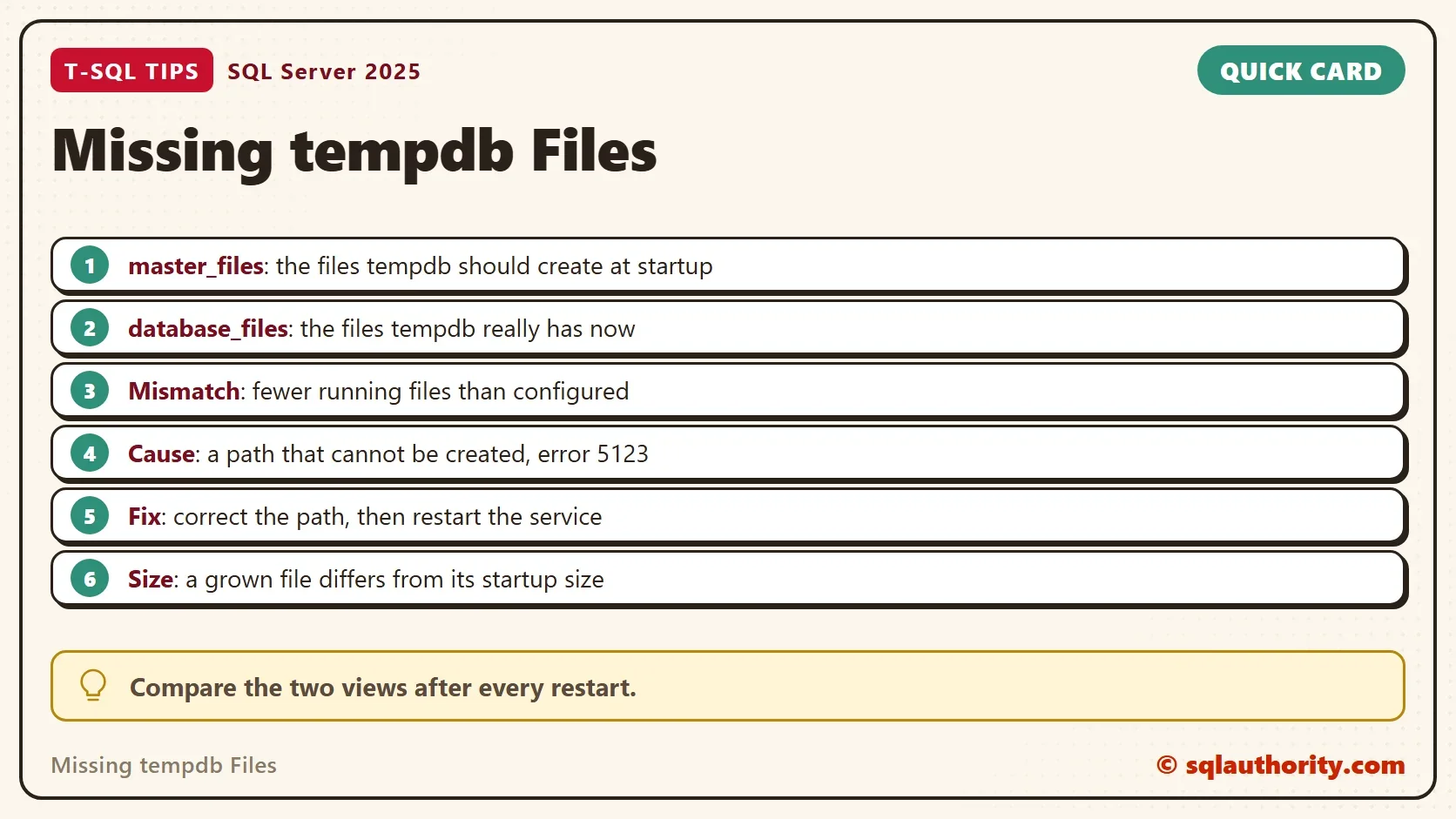
Missing tempdb files show up as a mismatch between sys.master_files and tempdb.sys.database_files. One view lists the files tempdb should have. The other lists the files it has. When the second list is shorter, a file could not be created.

A Restart and a Slow Server
A client contacted a consultant after a restart of the SQL Server service. Performance had dropped. The consultant found contention in tempdb and recommended more tempdb files. The client said the files already existed.
They did exist, in the configuration. A check of the two catalog views showed that tempdb was running with only two files. Missing tempdb files were the cause.
Two Views, Two Questions
sys.master_files holds the definition SQL Server reads at startup. It says which files tempdb should have and where they go. tempdb.sys.database_files lists the files tempdb has right now.
SQL Server builds tempdb again at every start. In the client’s case, tempdb came up without the extra files, and the two views stopped agreeing. The error log records why.
Compare Them in One Query
The script copies both lists into temporary tables first. That keeps the comparison readable and lets the next step change a copy safely. It reads only catalog views.
DROP TABLE IF EXISTS #Configured, #Running;
SELECT file_id, name, physical_name, size / 128 AS SizeMB
INTO #Configured
FROM sys.master_files
WHERE database_id = 2;
SELECT file_id, name, physical_name, size / 128 AS SizeMB
INTO #Running
FROM tempdb.sys.database_files;
The comparison joins the two lists on the file number. It marks a file as missing when the running list has no row for it. It also flags a different path or a different size.
SELECT COALESCE(c.file_id, r.file_id) AS FileId,
       COALESCE(c.name, r.name) AS FileName,
       c.SizeMB AS ConfiguredMB,
       r.SizeMB AS RunningMB,
       CASE WHEN r.file_id IS NULL THEN 'Missing from tempdb'
            WHEN c.file_id IS NULL THEN 'Not in master_files'
            WHEN c.physical_name <> r.physical_name THEN 'Different path'
            WHEN c.SizeMB <> r.SizeMB THEN 'Size changed'
            ELSE 'Match'
       END AS Status
FROM #Configured AS c
FULL OUTER JOIN #Running AS r ON r.file_id = c.file_id
ORDER BY FileId;| FileId | FileName | ConfiguredMB | RunningMB | Status |
|---|---|---|---|---|
| 1 | tempdev | 8 | 136 | Size changed |
| 2 | templog | 8 | 392 | Size changed |
| 3 | temp2 | 8 | 136 | Size changed |
| 4 | temp3 | 8 | 136 | Size changed |
| 5 | temp4 | 8 | 136 | Size changed |
| 6 | temp5 | 8 | 136 | Size changed |
| 7 | temp6 | 8 | 136 | Size changed |
| 8 | temp7 | 8 | 136 | Size changed |
| 9 | temp8 | 8 | 136 | Size changed |
Every row on this test server says the size changed. Tempdb grew while the server ran, and the definition still holds the size from the last start. That is a normal difference. It is not a missing file. The running sizes change as other work grows tempdb, so your numbers will differ.
Why the Sizes Differ
SQL Server creates each tempdb file at the size in the definition. Heavy queries then grow the files. The definition keeps the old size, and a restart returns tempdb to it. If tempdb always grows to the same size, set the definition to that size. Then the growth doesn’t happen in the busy hour, and the files start ready.
Simulate the Missing Files
You can’t break tempdb on a shared server to prove a point, so the next step breaks a copy. It deletes every running file after the first two, which is what the client’s server looked like. Then it runs the same comparison. The number of missing rows depends on how many files your tempdb has.
DELETE FROM #Running WHERE file_id > 2;
SELECT COALESCE(c.file_id, r.file_id) AS FileId,
       COALESCE(c.name, r.name) AS FileName,
       c.SizeMB AS ConfiguredMB,
       r.SizeMB AS RunningMB,
       CASE WHEN r.file_id IS NULL THEN 'Missing from tempdb'
            WHEN c.file_id IS NULL THEN 'Not in master_files'
            WHEN c.physical_name <> r.physical_name THEN 'Different path'
            WHEN c.SizeMB <> r.SizeMB THEN 'Size changed'
            ELSE 'Match'
       END AS Status
FROM #Configured AS c
FULL OUTER JOIN #Running AS r ON r.file_id = c.file_id
ORDER BY FileId;| FileId | FileName | ConfiguredMB | RunningMB | Status |
|---|---|---|---|---|
| 1 | tempdev | 8 | 136 | Size changed |
| 2 | templog | 8 | 392 | Size changed |
| 3 | temp2 | 8 | NULL | Missing from tempdb |
| 4 | temp3 | 8 | NULL | Missing from tempdb |
| 5 | temp4 | 8 | NULL | Missing from tempdb |
| 6 | temp5 | 8 | NULL | Missing from tempdb |
| 7 | temp6 | 8 | NULL | Missing from tempdb |
| 8 | temp7 | 8 | NULL | Missing from tempdb |
| 9 | temp8 | 8 | NULL | Missing from tempdb |
Missing tempdb files show up as seven rows that say the file is missing from tempdb. Nothing in tempdb changed. The simulation only shows the pattern to look for.
Find the Cause in the Error Log
A missing file leaves a message in the error log. Error 5123 means SQL Server could not create or open a file. This call reads the current log for that number.
EXEC sys.sp_readerrorlog 0, 1, N'5123';
In the client’s case, the log showed these lines right after the startup message for tempdb. They name the file and the reason.
Starting up database 'tempdb'.
Error: 5123, Severity: 16, State: 1.
CREATE FILE encountered operating system error 3(The system cannot find the path specified.) while attempting to open or create the physical file 'F:\MoreTempDBFiles\temp1.ndf'.
Operating system error 3 means the path does not exist. The extra files lived in a folder on another drive, and the folder was gone.
Fix It
Fix the cause first. Create the folder, or point the file at a folder that exists. The path is part of the definition in sys.master_files, and SQL Server uses it at the next start. Then restart the service.
If the path can’t come back, change the definition. The statement below is for a test server, and it needs the real folder name. After the restart, run the comparison again. Every row should say match, or size changed if tempdb has grown.
-- Test server only. Note the old path first, so the change can be undone.
ALTER DATABASE tempdb MODIFY FILE (NAME = N'temp2', FILENAME = N'<new folder>\tempdb_mssql_2.ndf');
-- Undo: run the same statement with the old path.
Is It Only a Restart Problem?
You could argue that the problem can’t last, since tempdb is rebuilt at every start. That is true when the cause is gone. A missing folder or a full drive keeps producing the same mismatch at every restart. Check the two views after each restart, especially after a change to the drives.
What to Remember
Missing tempdb files appear as a shorter running list than the configured list. It means a file could not be created. Read the error log for 5123 and the operating system error that follows. For more on tempdb settings, read TempDB Performance: Five Settings to Check in SQL Server.
The comparison query reads only catalog views and temporary copies, so there is nothing to clean up. The error log call needs sysadmin rights.
A tempdb file list is not a promise, it is a plan that startup can break.
Published by Pinal Dave on SQLAuthority. More of my work at pinaldave.com.
Discover more from SQL Authority with Pinal Dave
Subscribe to get the latest posts sent to your email.