
TempDB performance depends on five settings, and you can read all of them in a few minutes. TempDB serves every database on the instance. Sorts, temp tables, row versions and index rebuilds all use it. A bad setting there slows everyone.

Read the Files First
The first query lists every tempdb file. It shows the current size, the size SQL Server recreates at the next start, the growth step and the drive. Nothing changes, and the query is safe to run on a live server.
SELECT f.name AS FileName,
       f.type_desc AS FileType,
       f.size / 128 AS SizeMB,
       m.size / 128 AS ConfiguredMB,
       CASE f.is_percent_growth WHEN 1 THEN CONCAT(f.growth, N' percent') ELSE CONCAT(f.growth / 128, N' MB') END AS Growth,
       LEFT(f.physical_name, 3) AS Drive
FROM tempdb.sys.database_files AS f
JOIN sys.master_files AS m ON m.database_id = 2 AND m.file_id = f.file_id
ORDER BY f.type, f.file_id;
The test server restarted a short while ago. It has eight data files and one log file, each 8 MB now and 8 MB configured. Every file grows by 64 MB and sits on drive C. The next sections turn that list into five checks.
The Five Checks in One Query
The second query counts the data files and compares them with the CPUs. It checks that the sizes match, looks for percent growth and sees whether data and log share a drive. It also compares each file with the size SQL Server will recreate at the next start.
SELECT SUM(CASE WHEN f.type = 0 THEN 1 ELSE 0 END) AS DataFiles,
       (SELECT cpu_count FROM sys.dm_os_sys_info) AS LogicalCpus,
       (SELECT CASE WHEN cpu_count > 8 THEN 8 ELSE cpu_count END FROM sys.dm_os_sys_info) AS WantedDataFiles,
       COUNT(DISTINCT CASE WHEN f.type = 0 THEN f.size END) AS DistinctDataSizes,
       SUM(CASE WHEN f.is_percent_growth = 1 THEN 1 ELSE 0 END) AS FilesWithPercentGrowth,
       CASE WHEN COUNT(DISTINCT CASE WHEN f.type = 0 THEN LEFT(f.physical_name, 3) END) = 1
             AND MIN(CASE WHEN f.type = 1 THEN LEFT(f.physical_name, 3) END) = MIN(CASE WHEN f.type = 0 THEN LEFT(f.physical_name, 3) END)
            THEN N'Data and log share a drive' ELSE N'Data and log are apart' END AS DriveLayout,
       SUM(CASE WHEN f.size > m.size THEN 1 ELSE 0 END) AS FilesGrownSinceStart
FROM tempdb.sys.database_files AS f
JOIN sys.master_files AS m ON m.database_id = 2 AND m.file_id = f.file_id;| DataFiles | LogicalCpus | WantedDataFiles | DistinctDataSizes | FilesWithPercentGrowth | DriveLayout | FilesGrownSinceStart |
|---|---|---|---|---|---|---|
| 8 | 16 | 8 | 1 | 0 | Data and log share a drive | 0 |
Read the row against the five checks. Eight files for 16 CPUs is the right count, because the advice caps the count at 8. One distinct size means the files match. No file uses percent growth. The last two columns are the findings. Data and log share a drive. No file has grown yet. Each is configured at only 8 MB, so tempdb will grow under load. It starts again at 8 MB after every restart.
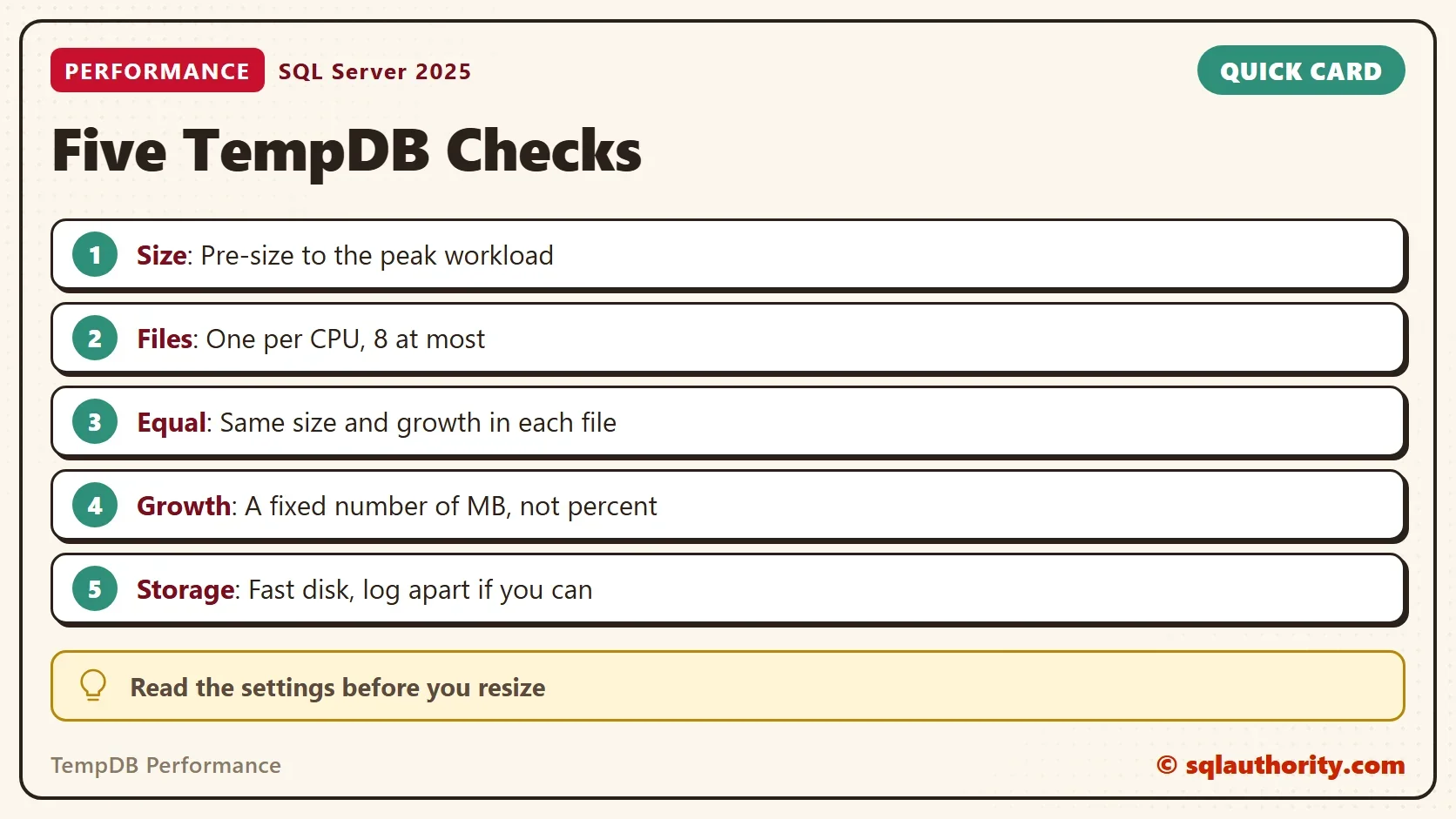
Size, Files and Growth
Size comes first, because TempDB performance suffers most while the files grow. A tempdb that starts small grows during the busiest hour. Every growth costs time, and the sessions that need the space wait for it. On the test server, the configured size is 8 MB for each file, so every restart starts small. A better start is a size that covers your peak workload, or your largest index rebuild. Treat that as a starting point and watch the growth afterward.
Files come second. Sessions that create and drop temp tables compete for the same allocation pages when tempdb has only a few files. One file per CPU, up to eight, spreads that work. The files should match in size and growth, so SQL Server fills them evenly. Since SQL Server 2016, setup creates these files for you, and tempdb grows all files together.
More than eight files help only when allocation page waits continue with eight equal files. The companion article shows how to tell. Automatic statistics are a separate topic. They do not decide tempdb allocation.
Growth comes third. Use a fixed number of megabytes. A percent step grows by a larger amount each time, and the pause grows with it. Pick a step that makes growth rare, and keep it the same for all data files.
Storage and Latency
Storage sets the ceiling for TempDB performance. The third query reads the average time of each read and write since the server started. It does not prove a problem by itself. It tells you whether the disk answers quickly under real load.
SELECT f.name AS FileName,
       s.num_of_reads,
       CONVERT(decimal(9,2), s.io_stall_read_ms * 1.0 / NULLIF(s.num_of_reads, 0)) AS AvgReadMs,
       s.num_of_writes,
       CONVERT(decimal(9,2), s.io_stall_write_ms * 1.0 / NULLIF(s.num_of_writes, 0)) AS AvgWriteMs
FROM sys.dm_io_virtual_file_stats(2, NULL) AS s
JOIN tempdb.sys.database_files AS f ON f.file_id = s.file_id
ORDER BY f.file_id;
Right after the restart, the numbers on the test PC are small, because the files have seen little work. A data file averaged about 1 millisecond per read, and the log about 2 per write. Your numbers will differ and change through the day. A fast disk keeps both low. Data files on one drive are fine when that drive is fast. A separate drive for the log helps most when tempdb writes heavily.
When TempDB Grows Without Warning
A sudden large growth can come from row versions. Read committed snapshot isolation and snapshot isolation keep old row versions in tempdb. One long open transaction keeps them from being cleaned. This query shows the version store size per database, on SQL Server 2017 and later.
SELECT DB_NAME(database_id) AS DatabaseName,
       reserved_page_count * 8 / 1024 AS VersionStoreMB
FROM sys.dm_tran_version_store_space_usage
ORDER BY reserved_page_count DESC;
Every row reads 0 on the quiet test server. On a server where tempdb ballooned, the database with the large number is the first suspect. Its oldest open transaction is the second. When sessions wait on PAGELATCH_UP, read PAGELATCH_UP Waits and Suspended Sessions: Find the Hot Page next.
You could argue that you should size the files exactly and never allow growth. That is a good aim, and it still needs a safety net. Keep a fixed growth step as the net, because a full tempdb stops queries.
What to Remember
Run the three queries and write the answers down. Then compare them with the five checks that shape TempDB performance. They are size, file count, equal files, fixed growth and fast storage. Fix the setting that failed, one change at a time.
Resize tempdb in a quiet window, and keep the old values so you can undo the change. Test the new layout on a copy of the workload first.
TempDB is not a dumping ground, it is the busiest shared workspace on the server.
Published by Pinal Dave on SQLAuthority. More of my work at pinaldave.com.
Discover more from SQL Authority with Pinal Dave
Subscribe to get the latest posts sent to your email.




6 Comments. Leave new
I was under the impression that you should try and get the datafile size correct and not let it expand, especially with multiple files as they could be different sizes.
That is also a good thought process and nothing wrong with that sir.
Hello Mr. Dave. I would like to consult you to get one of my database fixed in which I am facing a lot of performance issues. Kindly let me know your contact details so that we can discuss this.
pinal at sqlauthority.com
Hi Pinal,
I have a database with RCSI on, on which there are merge operations that changes every row of the table one at a time.
This is a one time activity and during this time TEMPDB grows to about 800 GB and I see a lot of PAGELATCH_SH and PAGELATCH_EX. Do you think adding more TEMPDB files help with speeding up the process? Currently we have 8 tempdb datafiles and we surely have enough logical processors.
Secondly I came across this article which says to disable AUTO CREATE STATISTICS and AUTO UPDATE STATISTICS to optimize tempdb performance. What do you think about it?
When you say “Multiple Data and Single Log Files”, does it mean the data files can be in one drive? Or the data files should be in separate drives?
Will it be very bad if we keep the data files in one drive?
Thanks