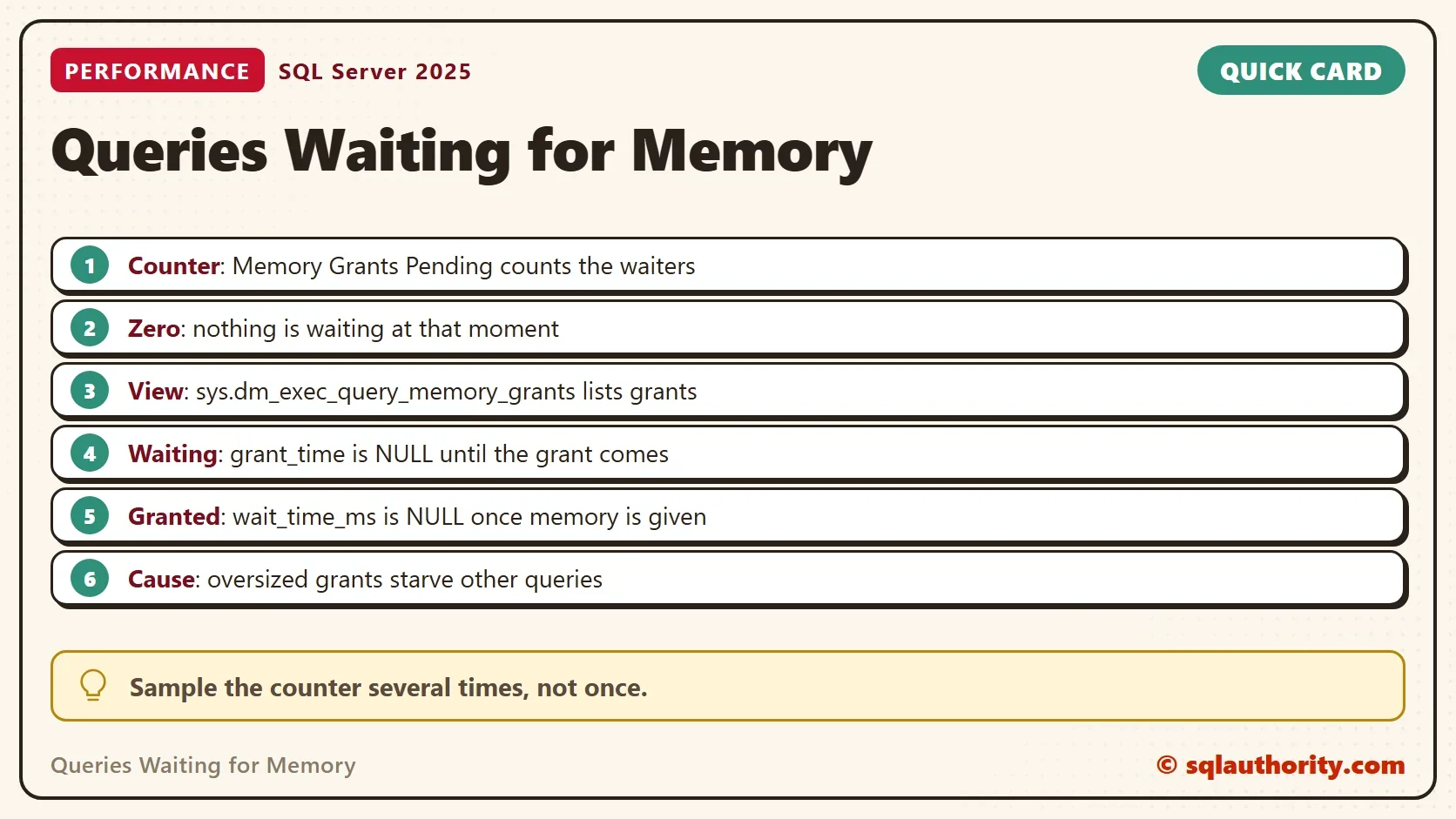
Queries waiting for memory show up in one performance counter and one view. The counter is Memory Grants Pending, and the view is sys.dm_exec_query_memory_grants. Both are cheap to read, and a few samples tell you if memory is the problem.

Why a Query Waits for Memory
A sort or a hash needs a memory grant before it starts. SQL Server hands grants out of a limited pool. When the pool is empty, the next request waits, and it does nothing until a grant frees up. The post on Memory Grant Feedback Explained: How SQL Server Learns explains how the size of a grant is chosen.
Queries waiting for memory do no work while they wait. A busy request list with a quiet CPU is a clue (documented, not measured here). The counter and the view below show the waiting directly.
Read the Counter
The counter lives in sys.dm_os_performance_counters. Memory Grants Pending counts requests that are waiting right now. Memory Grants Outstanding counts the ones that already have memory.
SELECT RTRIM(counter_name) AS counter_name, cntr_value
FROM sys.dm_os_performance_counters
WHERE object_name LIKE N'%Memory Manager%'
  AND counter_name IN (N'Memory Grants Pending', N'Memory Grants Outstanding')
ORDER BY counter_name;
| counter_name | cntr_value |
|---|---|
| Memory Grants Outstanding | 3 |
| Memory Grants Pending | 0 |
Pending is 0, which is good. No query waits at that moment. The outstanding count includes every session on this shared test server, so yours will differ.
A single sample proves little. A wait that starts and ends between two samples slips through. I read the counter several times over a minute before I trust a zero.
Read the Resource Semaphores
SQL Server gives out grants through resource semaphores. One view shows each of them: the target size, what is free, what is granted, and how many requests wait.
SELECT pool_id, resource_semaphore_id,
       target_memory_kb / 1024 AS TargetMB,
       available_memory_kb / 1024 AS AvailableMB,
       granted_memory_kb / 1024 AS GrantedMB,
       grantee_count AS Grantees,
       waiter_count AS Waiters
FROM sys.dm_exec_query_resource_semaphores
ORDER BY pool_id, resource_semaphore_id;| pool_id | resource_semaphore_id | TargetMB | AvailableMB | GrantedMB | Grantees | Waiters |
|---|---|---|---|---|---|---|
| 1 | 0 | 7207 | 7207 | 0 | 0 | 0 |
| 1 | 1 | 379 | 379 | 0 | 0 | 0 |
| 2 | 0 | 8788 | 8747 | 40 | 1 | 0 |
| 2 | 1 | 462 | 461 | 1 | 1 | 0 |
The Waiters column is the same story as the counter, split by pool. Semaphore 1 is for small requests, and semaphore 0 is for the rest. This reading is one moment on a shared server, so the numbers change.
Hold a Grant on Purpose
To see a grant in the per-query view, you need a query that holds one. A blocked query does. SQL Server gives the grant before the query reads a single row. So a query that waits on a lock sits on its memory.
The demo creates a database named GrantPendingDemo with 200,000 orders. Run it on a test server.
IF DB_ID(N'GrantPendingDemo') IS NULL CREATE DATABASE GrantPendingDemo;
GO
USE GrantPendingDemo;
GO
DROP TABLE IF EXISTS dbo.Orders;
CREATE TABLE dbo.Orders (
    OrderID int IDENTITY(1,1) NOT NULL PRIMARY KEY,
    Remarks varchar(200) NOT NULL
);
INSERT INTO dbo.Orders (Remarks)
SELECT REPLICATE(CONVERT(varchar(36), NEWID()), 3)
FROM GENERATE_SERIES(1, 200000) AS s;
Now use three query windows. Window 1 opens a transaction and updates one row. Leave it open.
BEGIN TRANSACTION;
UPDATE dbo.Orders SET Remarks = Remarks WHERE OrderID = 1;
Window 2 sorts the whole table. The lock from window 1 blocks it, so it waits. The derived table keeps the result to one row.
SELECT COUNT(*) AS SortedRows
FROM (SELECT OrderID, Remarks FROM dbo.Orders ORDER BY Remarks OFFSET 0 ROWS) AS sorted;
Window 3 reads the grant view. It finds the sort by its text and shows whether the grant was given.
SELECT mg.session_id,
       mg.resource_semaphore_id AS Semaphore,
       mg.is_small AS IsSmall,
       mg.requested_memory_kb AS RequestedKB,
       mg.granted_memory_kb AS GrantedKB,
       mg.used_memory_kb AS UsedKB,
       mg.ideal_memory_kb AS IdealKB,
       mg.wait_time_ms AS WaitMs,
       CASE WHEN mg.grant_time IS NULL THEN 'Waiting' ELSE 'Granted' END AS GrantState
FROM sys.dm_exec_query_memory_grants AS mg
CROSS APPLY sys.dm_exec_sql_text(mg.sql_handle) AS st
WHERE st.text LIKE N'%OFFSET 0 ROWS%'
  AND st.text NOT LIKE N'%dm_exec_query_memory_grants%'
ORDER BY mg.requested_memory_kb DESC;| session_id | Semaphore | IsSmall | RequestedKB | GrantedKB | UsedKB | IdealKB | WaitMs | GrantState |
|---|---|---|---|---|---|---|---|---|
| 74 | 0 | 0 | 41848 | 41848 | 0 | 41848 | NULL | Granted |
The sort asked for 41,848 KB and got all of it. It used 0 KB, because it has not read a row yet. The wait time is NULL, since the grant came at once. Session numbers will differ in your windows. To see Waiting, enough large grants must run at once to empty the pool. That is why the demo does not try it on a shared server.
When you finish, roll back in window 1. Window 2 then completes, and the view returns no row for it.
ROLLBACK TRANSACTION;
How to Spot a Waiting Request
Queries waiting for memory have no grant time. The view shows it with a NULL grant_time, and the query above labels it Waiting. Its wait time grows while it waits. The demo never produced one. That takes enough big grants to empty the pool. It would starve other sessions on a shared server.
When you see a Waiting row, look at the rows that are Granted. The biggest grants are the ones that hold the pool.
What Causes the Wait
The causes are few. Many queries ask for big grants at the same time. A few queries ask for far more than they use, which feedback fixes over time. Or the pool is small, because max server memory is low.
The first fix is to shrink the oversized requests. Feedback does that, as Memory Grant Feedback Loop: When SQL Server Stops Adjusting shows. It can also give up, as IsMemoryGrantFeedbackAdjusted Values: What Each Status Means explains.
Is a Zero Enough?
You could argue that a zero counter proves memory is fine. It proves that no query waits at that moment. Short waits between samples slip through, so sample several times, and check the grant view when users complain.
What to Remember
Read the counter, then the semaphores, then the grants. Pending above zero for several samples means queries waiting for memory. The biggest granted rows point at the cause.
The views need the VIEW SERVER STATE permission. When you finish, drop the demo database.
USE master;
GO
IF DB_ID(N'GrantPendingDemo') IS NOT NULL
BEGIN
    ALTER DATABASE GrantPendingDemo SET SINGLE_USER WITH ROLLBACK IMMEDIATE;
    DROP DATABASE GrantPendingDemo;
END;
A waiting query is not slow, it is parked.
Published by Pinal Dave on SQLAuthority. More of my work at pinaldave.com.
Discover more from SQL Authority with Pinal Dave
Subscribe to get the latest posts sent to your email.