
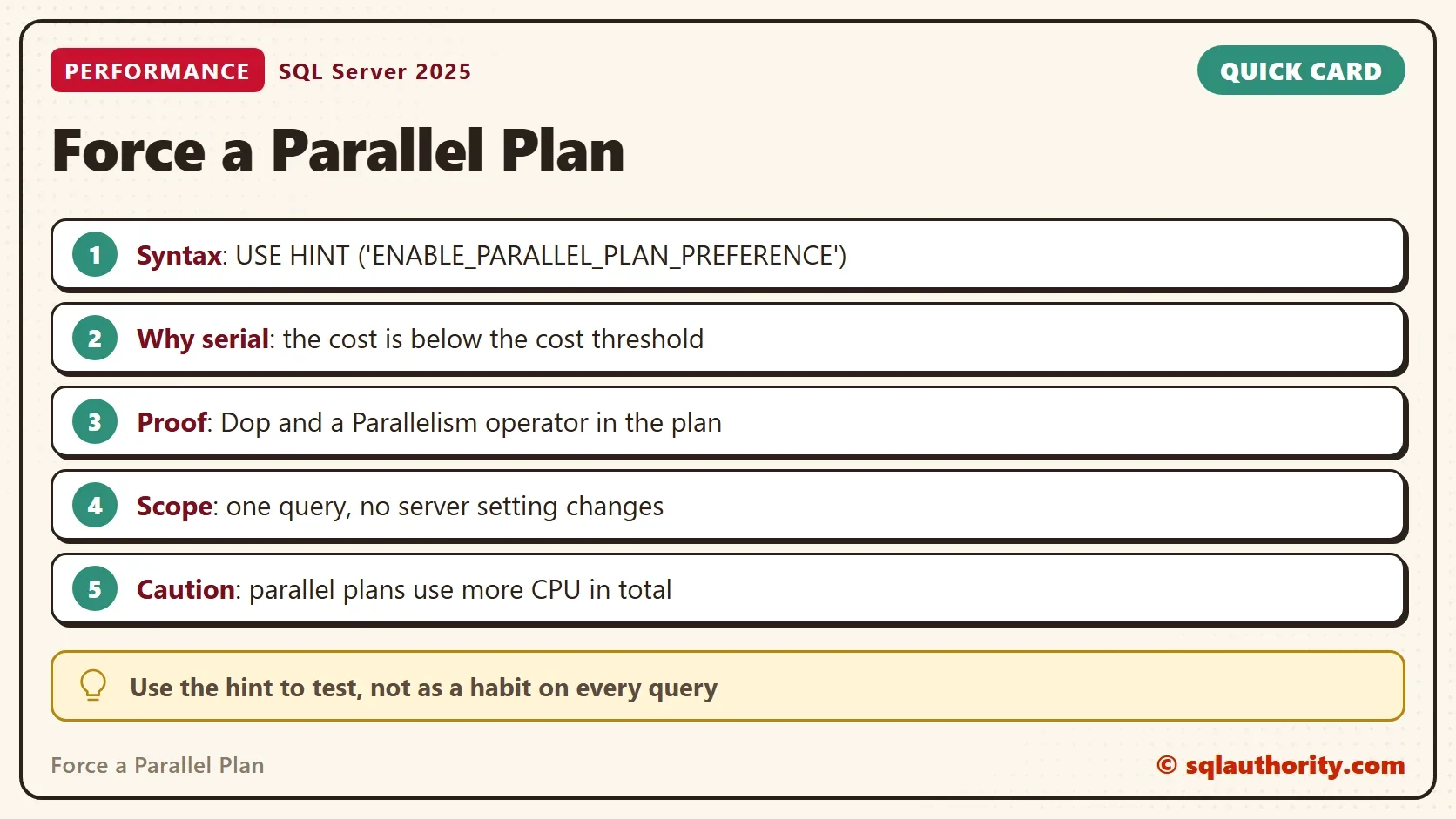
To force a parallel plan for one query, add the ENABLE_PARALLEL_PLAN_PREFERENCE hint to its OPTION clause. The hint tells the optimizer to prefer a parallel plan when it can build one. It is a preference, not a guarantee.

Why a Query Stays Serial
SQL Server builds a parallel plan only when the serial plan’s estimated cost passes the cost threshold. A cheap query, such as a lookup of one customer’s orders, never reaches it. The query runs on one processor, which is the right choice for a lookup. The first script reads the two settings that decide.
SELECT name, value_in_use
FROM sys.configurations
WHERE name IN (N'cost threshold for parallelism', N'max degree of parallelism')
ORDER BY name;
| name | value_in_use |
|---|---|
| cost threshold for parallelism | 50 |
| max degree of parallelism | 2 |
The test server has a threshold of 50 and a parallelism limit of 2. A query must look expensive before it gets a second processor. The hint skips the cost test, but it doesn’t change either setting.
Build the Demo
The demo database is named ParallelHintDemo. The Invoices table holds 500,000 rows, 500 for each of 1,000 customers. The script also switches on LAST_QUERY_PLAN_STATS for this database. That setting keeps the last actual plan of each cached query, and the next sections read it. Run the script on a test server.
IF DB_ID(N'ParallelHintDemo') IS NULL CREATE DATABASE ParallelHintDemo;
GO
USE ParallelHintDemo;
GO
ALTER DATABASE SCOPED CONFIGURATION SET LAST_QUERY_PLAN_STATS = ON;
GO
DROP TABLE IF EXISTS dbo.Invoices;
CREATE TABLE dbo.Invoices (InvoiceID int NOT NULL PRIMARY KEY, CustomerID int NOT NULL, DeliveredAt datetime2(0) NOT NULL, Amount decimal(10,2) NOT NULL, Note char(100) NOT NULL DEFAULT 'x');
INSERT INTO dbo.Invoices (InvoiceID, CustomerID, DeliveredAt, Amount)
SELECT n.n, 1 + n.n % 1000, DATEADD(SECOND, n.n, '2026-01-01'), 10 + n.n % 90
FROM (SELECT TOP (500000) ROW_NUMBER() OVER (ORDER BY (SELECT NULL)) AS n FROM sys.all_objects AS a CROSS JOIN sys.all_objects AS b CROSS JOIN sys.all_objects AS c) AS n;
CREATE INDEX IX_Invoices_CustomerID ON dbo.Invoices (CustomerID);
Run the Query Both Ways
The query lists the invoices of one customer in delivery order. It returns 500 rows. To keep the results grid empty, both versions put the values into variables. The comment at the start of each query lets the last section find its plan.
DECLARE @id int, @t datetime2(0);
/* serial-demo */ SELECT @id = InvoiceID, @t = DeliveredAt FROM dbo.Invoices WHERE CustomerID = 803 ORDER BY DeliveredAt;
Now the same query with the hint alone. Then once more with MAXDOP 4, which allows more processors than the server limit of 2 for this query.
DECLARE @id int, @t datetime2(0);
/* hintonly-demo */ SELECT @id = InvoiceID, @t = DeliveredAt FROM dbo.Invoices WHERE CustomerID = 803 ORDER BY DeliveredAt OPTION (USE HINT('ENABLE_PARALLEL_PLAN_PREFERENCE'));
GO
DECLARE @id int, @t datetime2(0);
/* hint-demo */ SELECT @id = InvoiceID, @t = DeliveredAt FROM dbo.Invoices WHERE CustomerID = 803 ORDER BY DeliveredAt OPTION (USE HINT('ENABLE_PARALLEL_PLAN_PREFERENCE'), MAXDOP 4);
Prove That the Plan Went Parallel
Don’t trust the hint. When you force a parallel plan, read the plan to prove it. The query below reads the last actual plan of each demo query. It reports the degree of parallelism, the Parallelism operator and the cost.
WITH XMLNAMESPACES (DEFAULT N'http://schemas.microsoft.com/sqlserver/2004/07/showplan')
SELECT CASE WHEN st.text LIKE N'%hintonly-demo%' THEN N'hint, server limit' WHEN st.text LIKE N'%hint-demo%' THEN N'hint, MAXDOP 4' ELSE N'plain' END AS Query,
       qp.query_plan.value('(//QueryPlan/@DegreeOfParallelism)[1]', 'int') AS Dop,
       qp.query_plan.exist('//RelOp[@PhysicalOp="Parallelism"]') AS HasParallelism,
       CAST(qp.query_plan.value('(//StmtSimple/@StatementSubTreeCost)[1]', 'float') AS decimal(9,3)) AS Cost
FROM sys.dm_exec_query_stats AS qs
CROSS APPLY sys.dm_exec_sql_text(qs.sql_handle) AS st
CROSS APPLY sys.dm_exec_query_plan_stats(qs.plan_handle) AS qp
WHERE (st.text LIKE N'%serial-demo%' OR st.text LIKE N'%hint-demo%' OR st.text LIKE N'%hintonly-demo%') AND st.text NOT LIKE N'%dm_exec_query_stats%'
ORDER BY Query;| Query | Dop | HasParallelism | Cost |
|---|---|---|---|
| hint, MAXDOP 4 | 4 | 1 | 1.632 |
| hint, server limit | 2 | 1 | 1.637 |
| plain | 1 | 0 | 1.616 |
The plain query ran with a degree of parallelism of 1 and no Parallelism operator. The hint alone gave a degree of 2, which is the server limit. With MAXDOP 4 the plan went to 4. The three costs are almost equal. The query is cheap, and only the hint made the optimizer choose a parallel plan.
These degrees assume a server with four or more CPUs. On a machine with two CPUs, MAXDOP 4 gives 2. A server with one CPU can’t build a parallel plan at all. A cheap query can’t gain from more processors, and the extra threads cost a little CPU. The degree of parallelism and the Parallelism operator are the facts to look for.
Read the Result Columns
Dop is the degree of parallelism the plan was built with. HasParallelism is 1 when the plan holds an exchange operator that gathers the rows of several threads. Cost is the optimizer’s estimate in its own units, not seconds. The plan stats view doesn’t change the plan, so reading it is safe.
Reading these views needs VIEW SERVER STATE, or VIEW SERVER PERFORMANCE STATE on SQL Server 2022 and later. The hint itself needs SQL Server 2016 SP2, SQL Server 2017 CU3 or later. The plan views and the database setting need SQL Server 2019 or later.
How the rows spread over the threads is a separate question, and the hint doesn’t promise an even split. See ENABLE_PARALLEL_PLAN_PREFERENCE Limits: Rows Per Thread for the measurements. See Rows Read Per Thread: Four Ways to See Them in SQL Server for more ways to read the counts.
Other Ways to Get a Parallel Plan
The hint is the narrowest tool to force a parallel plan. Lowering the cost threshold affects every query on the server. Raising the parallelism limit changes how wide each parallel plan gets. Both are server settings, and both need a test on the whole workload first. A hint changes one query and nothing else.
Even so, treat the hint as a test. If a query seems slow, run it with the hint and compare the plans and the times, as above. A query that turns fast with the hint points at a missing index or a bad estimate. Find that cause, and drop the hint.
You could argue that a hint on every slow query is a fast way to a fast server. It isn’t. Parallel plans use more CPU in total. A server full of them can run out of CPU, memory and worker threads. One query can gain. A server full of them loses. Fix the cause when you find it.
What to Remember
To force a parallel plan, use the hint on one query, and prove the result from the plan. A cheap query stays serial on purpose. The hint asks the optimizer to ignore the cost threshold, and it doesn’t promise a faster query.
Keep the hint out of production code unless a test shows a clear gain. When you finish, drop the demo database.
USE master;
GO
IF DB_ID(N'ParallelHintDemo') IS NOT NULL
BEGIN
    ALTER DATABASE ParallelHintDemo SET SINGLE_USER WITH ROLLBACK IMMEDIATE;
    DROP DATABASE ParallelHintDemo;
END;
A parallel plan is not a faster plan, it is a plan that spends more CPU to try.
Published by Pinal Dave on SQLAuthority. More of my work at pinaldave.com.
Discover more from SQL Authority with Pinal Dave
Subscribe to get the latest posts sent to your email.




4 Comments. Leave new
What versions does this work for Pinal?
I think for SQL Server 2016 SP2 onwards.
Well, it is quite simple. If a query seems to run slow and I try with this hint and it returns the results in milliseconds, then it is a good hint.
I run a set of simple SQL statements on a fairly large table to check that all data is consistent, example “select * from some_table where name is null” and it was slow so I killed it after 10 seconds. Then I reran the same SQL with this hint ENABLE_PARALLEL_PLAN_PREFERENCE and it returned result in milliseconds. I don’t need to run any elaborate analysis or some thing like that to understand that it works well in this scenario.
The downside with this approach is query execution time is how you are measuring success. What happens when another query comes along that performs slow? Add the hint? What about next year after you’ve deployed dozens of queries with the hint and your server is suffering massive resource contention (CPU, Memory, IO bottlenecks), deadlocks and timeouts? When that dreadful day comes, there is no easy button but rewriting expensive queries. Start when they crop up instead of pressing the “go fast” button. Try small changes, such as instead of SELECT * from SomeTable WHERE name IS NULL, try SELECT COUNT(1) FROM SomeTable WHERE name IS NULL. If the query is slow, look into your indexing and statistic refresh frequency. Measuring performance by how fast something runs must not be the only measurement in play.