The ENABLE_PARALLEL_PLAN_PREFERENCE limits are easy to miss. The hint can’t make every query parallel, and it can’t spread the rows evenly over the threads. A query with the hint can still run on one thread, or on one thread that does all the work.

What the Hint Promises
People ask whether a query with the hint always runs in parallel and shares its work over several CPUs. The answer is no. The hint asks the optimizer to prefer a parallel plan. It doesn’t change how the plan hands out the rows. It can’t override a query option or a construct that blocks parallelism. The post Force a Parallel Plan: ENABLE_PARALLEL_PLAN_PREFERENCE Hint shows how to use it.
Each limit below comes with proof from the last actual plan. The demo uses the same shape of data: 500,000 invoices, 500 for each of 1,000 customers. The script also creates a scalar function that SQL Server can’t inline, because of its loop. Run it on a test server. The plan views and the database setting need SQL Server 2019 or later. CREATE OR ALTER needs SQL Server 2016 SP1.
IF DB_ID(N'ParallelLimitsDemo') IS NULL CREATE DATABASE ParallelLimitsDemo;
GO
USE ParallelLimitsDemo;
GO
ALTER DATABASE SCOPED CONFIGURATION SET LAST_QUERY_PLAN_STATS = ON;
GO
DROP TABLE IF EXISTS dbo.Invoices;
CREATE TABLE dbo.Invoices (InvoiceID int NOT NULL PRIMARY KEY, CustomerID int NOT NULL, DeliveredAt datetime2(0) NOT NULL, Amount decimal(10,2) NOT NULL, Note char(100) NOT NULL DEFAULT 'x');
INSERT INTO dbo.Invoices (InvoiceID, CustomerID, DeliveredAt, Amount)
SELECT n.n, 1 + n.n % 1000, DATEADD(SECOND, n.n, '2026-01-01'), 10 + n.n % 90
FROM (SELECT TOP (500000) ROW_NUMBER() OVER (ORDER BY (SELECT NULL)) AS n FROM sys.all_objects AS a CROSS JOIN sys.all_objects AS b CROSS JOIN sys.all_objects AS c) AS n;
CREATE INDEX IX_Invoices_CustomerID ON dbo.Invoices (CustomerID) INCLUDE (Amount);
GO
CREATE OR ALTER FUNCTION dbo.AddTax (@Amount decimal(10,2)) RETURNS decimal(10,2)
AS
BEGIN
    DECLARE @r decimal(10,2) = @Amount, @i int = 0;
    WHILE @i < 1 BEGIN SET @r = @r * 1.07; SET @i += 1; END;
    RETURN @r;
END;
Limit One: A Small Seek Can Keep Its Rows on One Thread
The first query reads the 500 invoices of one customer through the index. It carries the hint and allows four processors. Every query puts its values into variables, so the grid stays empty. The comment in each query is a tag for the report.
DECLARE @id int;
/* seek-demo */ SELECT @id = InvoiceID FROM dbo.Invoices WHERE CustomerID = 803 ORDER BY DeliveredAt OPTION (USE HINT('ENABLE_PARALLEL_PLAN_PREFERENCE'), MAXDOP 4);
The second query seeks a large range, the invoices of customers 1 to 600, which is 300,000 rows. It groups by customer, so the plan can run in parallel.
DECLARE @c int, @s decimal(18,2);
/* range-demo */ SELECT @c = CustomerID, @s = SUM(Amount) FROM dbo.Invoices WHERE CustomerID BETWEEN 1 AND 600 GROUP BY CustomerID OPTION (USE HINT('ENABLE_PARALLEL_PLAN_PREFERENCE'), MAXDOP 4);
The third query scans the whole clustered index and adds the amounts of the rows above 50.
DECLARE @s decimal(18,2);
/* scan-demo */ SELECT @s = SUM(Amount) FROM dbo.Invoices WHERE Note = 'x' AND Amount > 50 OPTION (USE HINT('ENABLE_PARALLEL_PLAN_PREFERENCE'), MAXDOP 4);
Now ask the last actual plan how many rows each worker thread handled at the leaf operator. Thread 0 is the coordinator. The plan holds one counter set per thread.
WITH XMLNAMESPACES (DEFAULT N'http://schemas.microsoft.com/sqlserver/2004/07/showplan')
SELECT CASE WHEN st.text LIKE N'%seek-demo%' THEN N'small seek' WHEN st.text LIKE N'%range-demo%' THEN N'large seek' ELSE N'scan' END AS Query,
       th.t.value('@Thread', 'int') AS Thread, th.t.value('@ActualRows', 'bigint') AS ActualRows
FROM sys.dm_exec_query_stats AS qs
CROSS APPLY sys.dm_exec_sql_text(qs.sql_handle) AS st
CROSS APPLY sys.dm_exec_query_plan_stats(qs.plan_handle) AS qp
CROSS APPLY qp.query_plan.nodes('//RelOp') AS ops(r)
CROSS APPLY ops.r.nodes('RunTimeInformation/RunTimeCountersPerThread') AS th(t)
WHERE (st.text LIKE N'%seek-demo%' OR st.text LIKE N'%range-demo%' OR st.text LIKE N'%scan-demo%') AND st.text NOT LIKE N'%dm_exec_query_stats%'
  AND ops.r.value('@PhysicalOp', 'varchar(40)') IN (N'Index Seek', N'Clustered Index Scan')
  AND NOT (st.text LIKE N'%seek-demo%' AND ops.r.value('@PhysicalOp', 'varchar(40)') = N'Clustered Index Scan')
ORDER BY Query DESC, Thread;| Query | Thread | ActualRows |
|---|---|---|
| small seek | 0 | 0 |
| small seek | 1 | 500 |
| small seek | 2 | 0 |
| small seek | 3 | 0 |
| small seek | 4 | 0 |
| scan | 1 | 46738 |
| scan | 2 | 89230 |
| scan | 3 | 59568 |
| scan | 4 | 76669 |
| large seek | 1 | 75643 |
| large seek | 2 | 89189 |
| large seek | 3 | 67584 |
| large seek | 4 | 67584 |
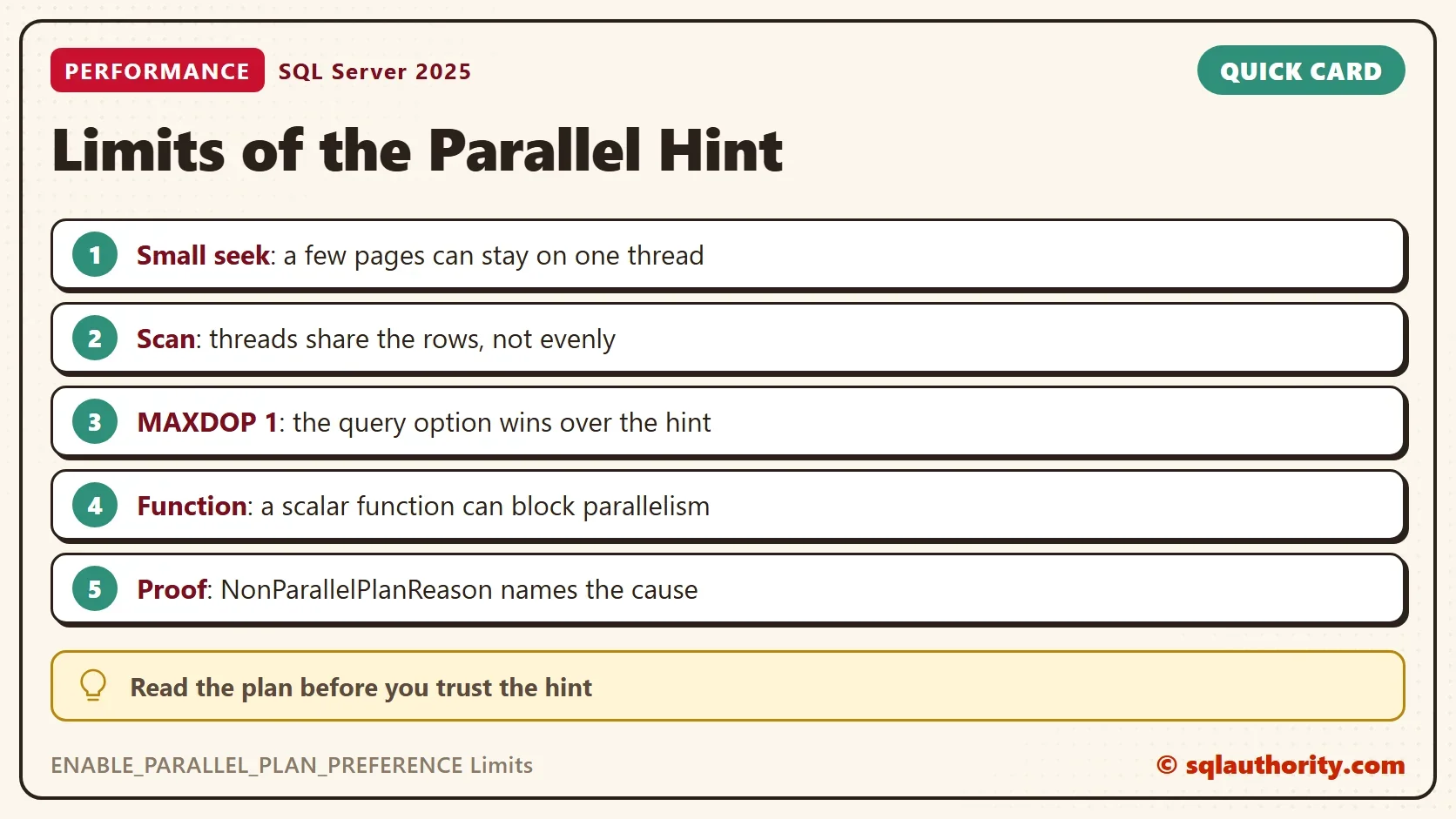
In the small seek, one worker thread returned all 500 rows. It was thread 1 in this run, and the thread number changes. The plan was parallel, with four worker threads available, and one of them did the work. A seek that finds a few pages hands them to one thread. There is nothing to split.
The large seek is different. It returned 300,000 rows, and all four threads shared them: 75,643, 89,189, 67,584 and 67,584. A seek over a wide range can be split over the threads, like a scan. The limit is not that a seek keeps its rows on one thread. It is that a small range gives the plan nothing to share.
The scan spread 272,205 rows over four threads: 46,738, 89,230, 59,568 and 76,669. The threads take pages as they finish their last ones. The split can be uneven, and it changes from run to run. An earlier run was almost even. Even a scan gives no promise of equal shares.
What a One Thread Parallel Plan Costs
A parallel plan has overhead. SQL Server starts threads, and an exchange operator moves the rows between them. When one thread does all the work, that overhead buys nothing. The result is a plan that pays for the overhead and gains no speed.
The fix for the small seek case is not more threads. It is a plan that reads fewer rows, such as a better index. Use the rows per thread as a test. When they sit on one thread, the plan has nothing to offer. For more ways to read them, see Rows Read Per Thread: Four Ways to See Them in SQL Server.
Limit Two: MAXDOP 1 Wins
A query option that limits the degree of parallelism to 1 beats the hint. The next batch asks for both. The plan stays serial, and it records why.
DECLARE @id int;
/* one-demo */ SELECT @id = InvoiceID FROM dbo.Invoices WHERE CustomerID = 803 ORDER BY DeliveredAt OPTION (USE HINT('ENABLE_PARALLEL_PLAN_PREFERENCE'), MAXDOP 1);
Limit Three: A Function That Blocks Parallelism
Some constructs can’t run in a parallel plan at all. A scalar function that SQL Server can’t inline is one of them. The function AddTax from the demo contains a loop, so it stays a real function call for every row. A query that calls it gets a serial plan, hint or not.
DECLARE @s decimal(18,2);
/* udf-demo */ SELECT @s = SUM(dbo.AddTax(Amount)) FROM dbo.Invoices WHERE CustomerID = 803 OPTION (USE HINT('ENABLE_PARALLEL_PLAN_PREFERENCE'), MAXDOP 4);
Read the Reason in the Plan
The plan stores the reason for a serial plan in an attribute named NonParallelPlanReason. This query lists it next to the degree of parallelism for the last three demo queries.
WITH XMLNAMESPACES (DEFAULT N'http://schemas.microsoft.com/sqlserver/2004/07/showplan')
SELECT CASE WHEN st.text LIKE N'%one-demo%' THEN N'MAXDOP 1' WHEN st.text LIKE N'%udf-demo%' THEN N'scalar function' ELSE N'scan' END AS Query,
       qp.query_plan.value('(//QueryPlan/@DegreeOfParallelism)[1]', 'int') AS Dop,
       qp.query_plan.value('(//QueryPlan/@NonParallelPlanReason)[1]', 'varchar(60)') AS NonParallelPlanReason
FROM sys.dm_exec_query_stats AS qs
CROSS APPLY sys.dm_exec_sql_text(qs.sql_handle) AS st
CROSS APPLY sys.dm_exec_query_plan_stats(qs.plan_handle) AS qp
WHERE (st.text LIKE N'%one-demo%' OR st.text LIKE N'%udf-demo%' OR st.text LIKE N'%scan-demo%') AND st.text NOT LIKE N'%dm_exec_query_stats%'
ORDER BY Query;| Query | Dop | NonParallelPlanReason |
|---|---|---|
| MAXDOP 1 | 0 | MaxDOPSetToOne |
| scalar function | 0 | TSQLUserDefinedFunctionsNotParallelizable |
| scan | 4 | NULL |
The scan row has a degree of 4 and no reason, because that plan is parallel. The other two rows are serial, and each names its cause. A serial plan reports a degree of 0 or 1, depending on why it is serial. Here, a degree of 0 comes with a reason, and the reason says why the plan stayed serial. Other constructs also keep a plan serial, such as some system table access and certain data modifications.
You could argue that the ENABLE_PARALLEL_PLAN_PREFERENCE limits make the hint pointless. They don’t. The hint is a quick test of whether a parallel plan helps. The limits only tell you what the test can show. A serial result with a reason in the plan is an answer too.
What to Remember
Check the ENABLE_PARALLEL_PLAN_PREFERENCE limits whenever the hint seems to do nothing. Read the degree of parallelism, the rows per thread and the reason for a serial plan from the actual plan. A query option or a blocking construct can win over the hint. One thread can still do all the work.
When you finish, drop the demo database.
USE master;
GO
IF DB_ID(N'ParallelLimitsDemo') IS NOT NULL
BEGIN
    ALTER DATABASE ParallelLimitsDemo SET SINGLE_USER WITH ROLLBACK IMMEDIATE;
    DROP DATABASE ParallelLimitsDemo;
END;
A parallel plan is not a fair split, it is a permission for threads to share work.
Published by Pinal Dave on SQLAuthority. More of my work at pinaldave.com.
Discover more from SQL Authority with Pinal Dave
Subscribe to get the latest posts sent to your email.