To fix error 3637, find out why your backup runs on a dedicated administrator connection. Then move it to a normal one. The message says a parallel operation cannot be started from a DAC connection, and a backup is one.

The Error and Where It Appears
The error shows up when a backup starts. To fix error 3637, first read its full text, as it appears on a failed backup.
Msg 3637, Level 16, State 3, Line 1
A parallel operation cannot be started from a DAC connection.
Msg 3013, Level 16, State 1, Line 1
BACKUP DATABASE is terminating abnormally.
Message 3013 is the general failure of the backup. Message 3637 names the cause. The connection that sent the backup is a DAC connection. The error isn’t about the database, the disk or the permissions. It is about how the session connected.
What a DAC Connection Is
DAC stands for dedicated administrator connection. It is an emergency door. Say a server is so busy that normal connections fail. An administrator can still get in through the DAC and fix the problem. The server reserves resources for it, and it allows one DAC session at a time.
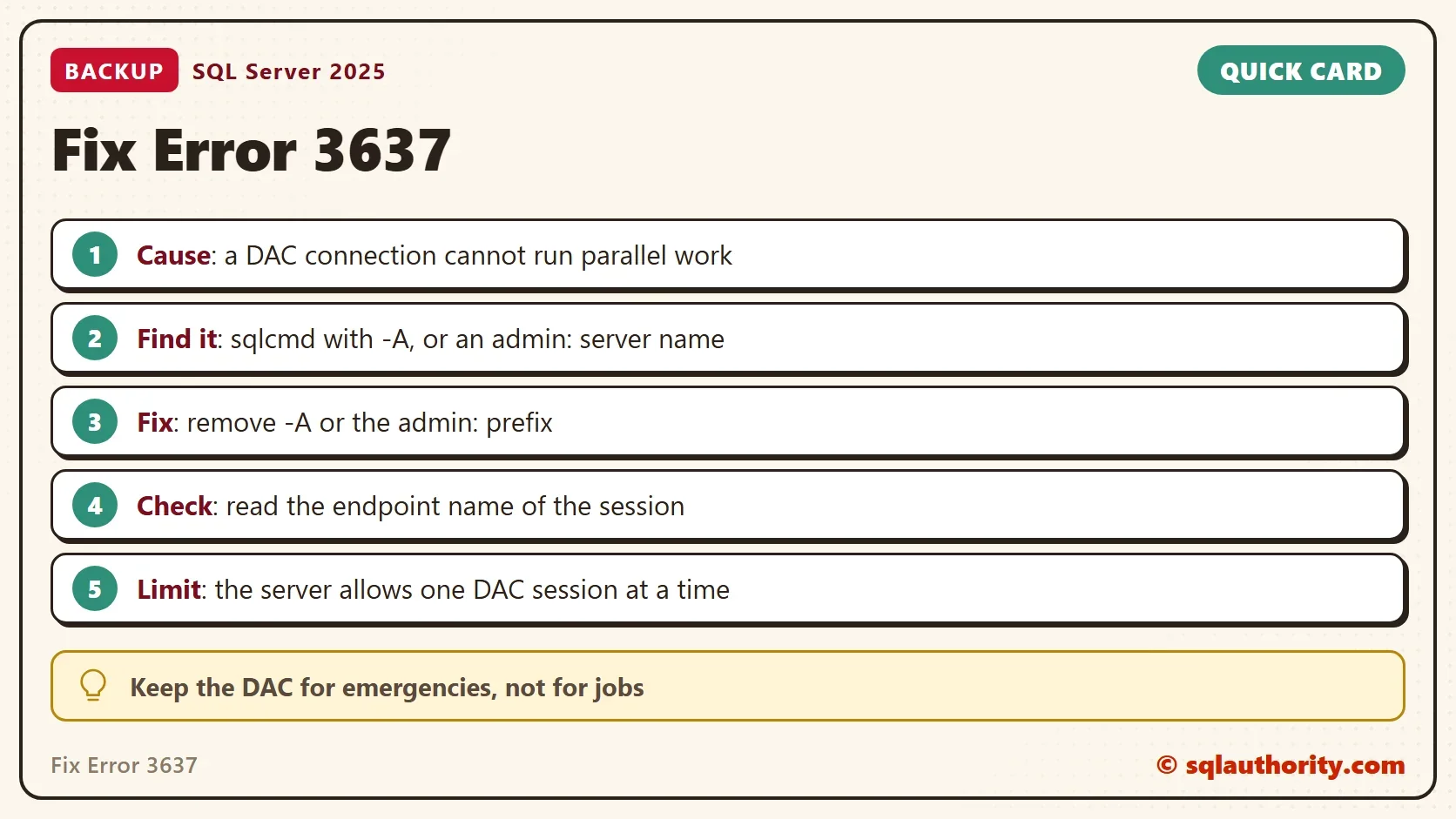
The price is a list of limits. A DAC session can’t run parallel statements. A backup is one of them, and so is a restore. In SSMS you reach the DAC by putting admin: in front of the server name. In sqlcmd you reach it with the -A switch. By default the DAC accepts only local connections. The option remote admin connections controls remote access, and it is 0 on the test instance here.
Reproduce the Error
The demo needs a small database named DacBackupDemo. It exists for this post only. The backup goes to the NUL device, which discards the data, so no backup file is created. This first block runs in a query window and creates the database.
IF DB_ID(N'DacBackupDemo') IS NULL CREATE DATABASE DacBackupDemo;
GO
BACKUP DATABASE DacBackupDemo TO DISK = N'NUL' WITH COPY_ONLY;
On a normal connection the backup works. It reports the pages it processed: 376 for the data file and 1 for the log file in this run. It finishes in a fraction of a second. Now run the same backup from a command prompt with the -A switch. Run the two commands in the block below at a command prompt. They are not T-SQL. The lines under each command are what sqlcmd prints. Replace .\SQLDEV with your server name.
C:\> sqlcmd -S .\SQLDEV -E -A -Q "BACKUP DATABASE DacBackupDemo TO DISK = N'NUL' WITH COPY_ONLY"
Msg 3637, Level 16, State 3, Line 1
A parallel operation cannot be started from a DAC connection.
Msg 3013, Level 16, State 1, Line 1
BACKUP DATABASE is terminating abnormally.

C:\> sqlcmd -S .\SQLDEV -E -Q "BACKUP DATABASE DacBackupDemo TO DISK = N'NUL' WITH COPY_ONLY"
Processed 376 pages for database 'DacBackupDemo', file 'DacBackupDemo' on file 1.
Processed 1 pages for database 'DacBackupDemo', file 'DacBackupDemo_log' on file 1.
BACKUP DATABASE successfully processed 377 pages in 0.038 seconds (77.341 MB/sec).
The two commands differ by one letter: the -A. With it, the backup fails with message 3637. Without it, the same statement works. -A and -a are different switches. The capital A selects the DAC. The lowercase a sets the packet size. A script written with the wrong case gets a DAC by accident.
Find the Job That Uses the DAC
The case behind this error looked like this. The server runs SQL Server Express, which has no Agent. Windows Task Scheduler starts a batch file for the backups. The batch file calls sqlcmd with -E for Windows authentication, and with -A, which selects the DAC. Every backup fails with message 3637. Open the batch file and read the sqlcmd line. A -A or an admin: prefix in the server name is the cause.
On SQL Server Express the DAC is off by default. A job that connects with -A means someone enabled it.
You can also ask SQL Server which endpoint a session uses. The view sys.dm_exec_sessions has an endpoint column, and sys.endpoints gives the name. A normal local connection reports the endpoint TSQL Local Machine.
SELECT e.name AS EndpointName
FROM sys.dm_exec_sessions AS s
JOIN sys.endpoints AS e ON e.endpoint_id = s.endpoint_id
WHERE s.session_id = @@SPID;
| EndpointName |
|---|
| TSQL Local Machine |
Run the same query through sqlcmd with -A, and the name is Dedicated Admin Connection. Remove the WHERE clause and the query lists every session and its endpoint. A DAC session that stays open also blocks every other administrator, because the server allows only one.
How to Fix Error 3637 in the Job
To fix error 3637, remove the -A from the sqlcmd line. A correct line for an Express instance uses -E and -i with the path of the script file. It needs nothing else. The backup then runs on a normal connection, and message 3637 is gone. In SSMS, remove the admin: prefix from the server name and reconnect.
You could argue that the DAC is the safe way to run a backup when the server is struggling. It is the way to get in. It isn’t the way to run a backup. If the server is that unhealthy, use the DAC to find and fix the problem first. Then run the backup on a normal connection.
What to Remember
To fix error 3637, start from its meaning. A statement that needs parallel work reached SQL Server through a DAC connection. Look for -A in sqlcmd lines and admin: in server names. Check the endpoint of the session if you’re not sure. Remove the DAC from any scheduled job.
Keep the DAC for emergencies, and keep its one slot free. When you finish with the demo, run the cleanup script. A backup to the NUL device still leaves a history row in msdb. The last line of the script removes it.
USE master;
GO
IF DB_ID(N'DacBackupDemo') IS NOT NULL
BEGIN
    ALTER DATABASE DacBackupDemo SET SINGLE_USER WITH ROLLBACK IMMEDIATE;
    DROP DATABASE DacBackupDemo;
END;
EXEC msdb.dbo.sp_delete_database_backuphistory @database_name = N'DacBackupDemo';
A DAC is not a back door for jobs, it is an emergency exit for the administrator.
Published by Pinal Dave on SQLAuthority. More of my work at pinaldave.com.
Discover more from SQL Authority with Pinal Dave
Subscribe to get the latest posts sent to your email.