While helping a client with Azure environment, I came across an interesting error. I this blog I would explain cause and fix of error “Authentication failed for account sqlauthprembackup and the provided key. Please provide a valid key and try again.”
In SQL Server Management Studio, there is an option to connect to storage to look at the backups.
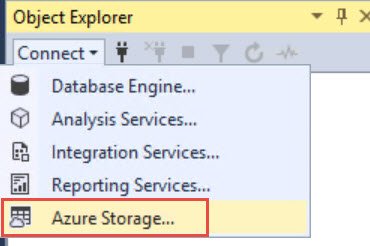
When I tried with one of my Azure storage accounts, it failed with below error:
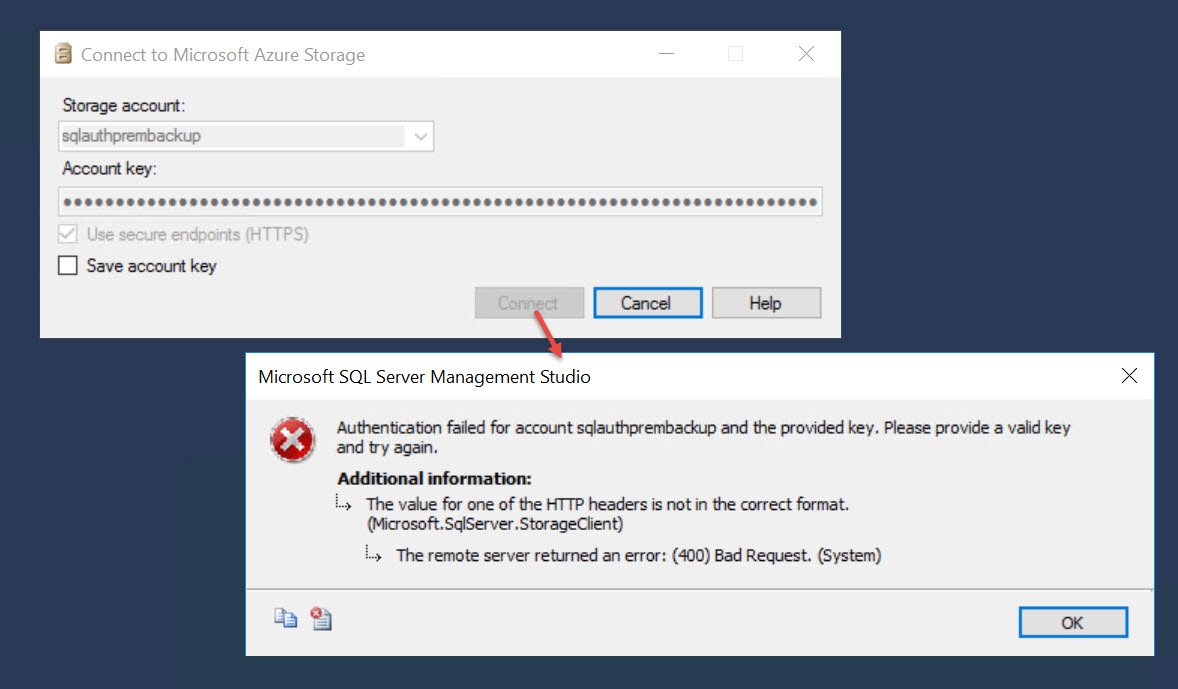
Authentication failed for account sqlauthprembackup and the provided key. Please provide a valid key and try again.
The value for one of the HTTP headers is not in the correct format. (Microsoft.SqlServer.StorageClient)
The remote server returned an error: (400) Bad Request. (System)
Here is the screenshot of the error
WORKAROUND/SOLUTION
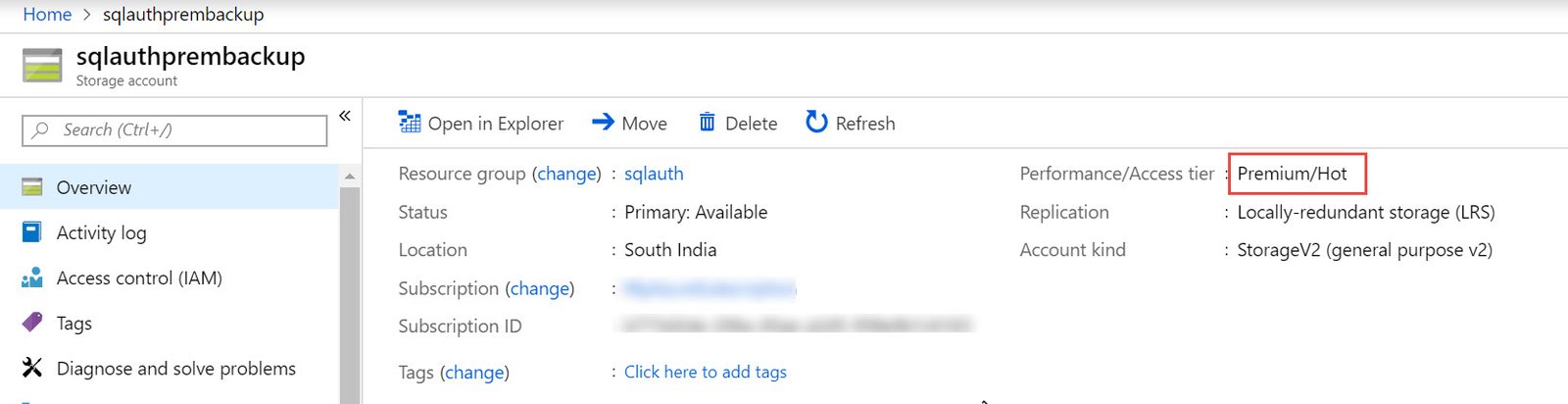
It turned out that storage account which I created was of “Premium” storage tier. As per documentation: (Refer Limitation section)
Backup to premium storage is not supported.
To verify you can refer properties as shown below.
I wish Microsoft should have provided some meaningful error rather than a cryptic error.
- The value for one of the HTTP headers is not in the correct format.
- The remote server returned an error: (400) Bad Request.
When I used an account of Standard tier, it worked fine, and I was able to connect to storage.
On a side note, when I used SQL Server Management Studio 18.1 (Preview), I can see that the UI is changed completely. In this version, we need to login to Azure using UI not via earlier ways of access keys.
Published by Pinal Dave on SQLAuthority. More of my work at pinaldave.com.
Discover more from SQL Authority with Pinal Dave
Subscribe to get the latest posts sent to your email.