To reduce IO waits in SQL Server, first find out which one you have. Each IO wait has a different fix. The wait names say whether the server waits for data reads, for log writes or for a backup device. Two of them are measured on a small demo below.

Why Start With IO
A slow query waits for something. SQL Server records each wait by name and keeps the totals, and those totals show where the time goes. The waits fall into three groups. Resource waits happen when a worker needs something that another worker holds. Queue waits happen when a worker is idle and waits for work. External waits happen when a worker waits for an event outside SQL Server.
IO is the first resource to tune, so reduce IO waits before you buy hardware. Adding CPU or memory to a running server is a project. A faster disk is a project too. Better queries, better indexes and sensible commit habits cost much less. They cut the IO the server asks for.
The IO Waits
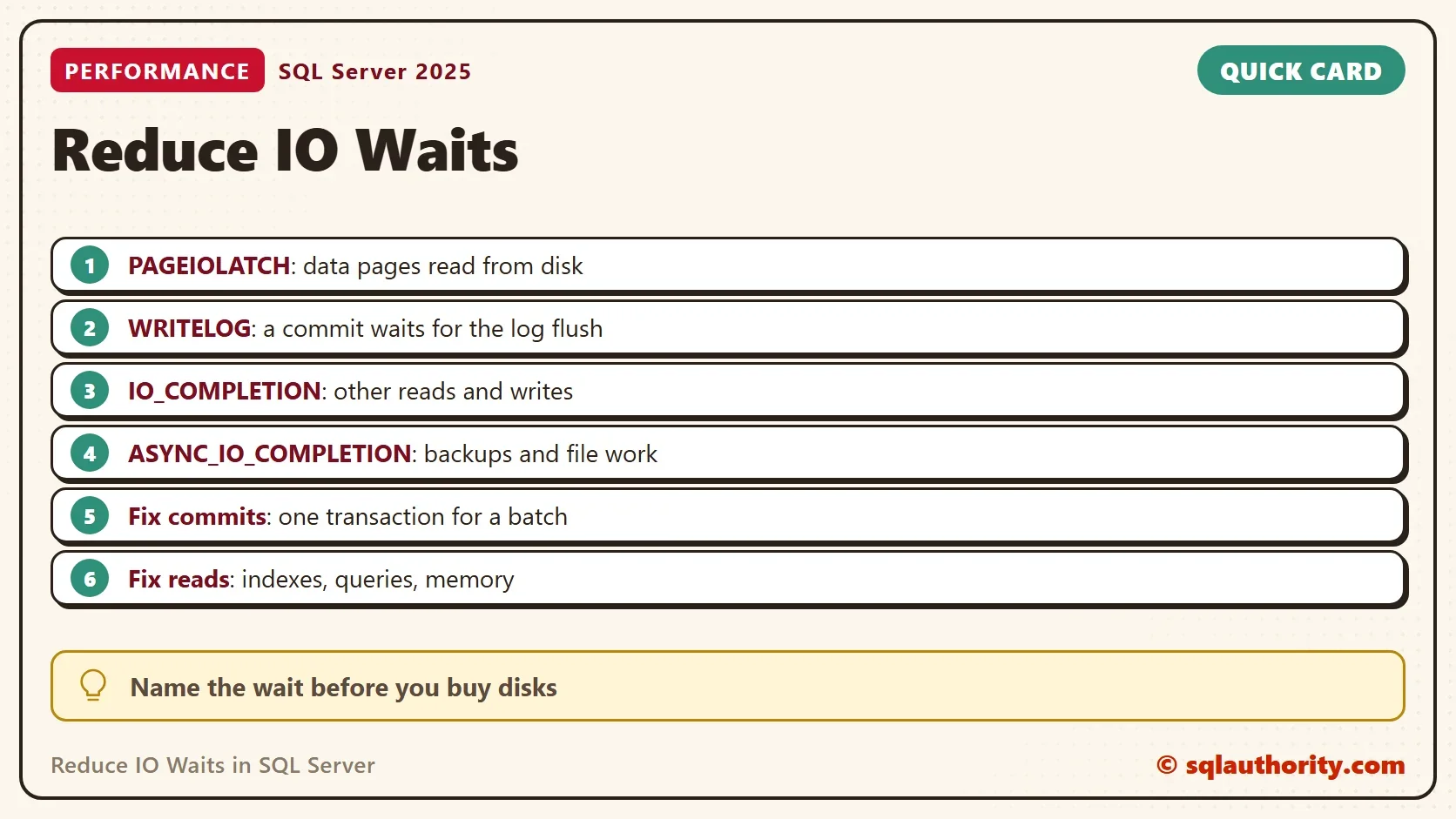
Five groups of wait types cover the disk related waits you meet first. Learn the names, because each one points to a different cause.
| Wait type | What the session waits for | Where to look |
|---|---|---|
| PAGEIOLATCH_SH and PAGEIOLATCH_EX | A data page read from disk into memory | Missing indexes, scans, too little memory |
| WRITELOG | The log flush that completes a commit | Many small commits, a slow log drive |
| IO_COMPLETION | Reads and writes that are not data pages | Sort and hash spills, file growth |
| ASYNC_IO_COMPLETION | Long file operations | Backups, database creation and changes |
| BACKUPIO and BACKUPBUFFER | The backup device | A slow backup target |
These are the documented meanings. The next sections measure the first two on a real session.
Build a Demo
The script creates IoWaitsDemo with two tables and a helper procedure. Readings starts empty. Archive holds 300,000 rows of about 400 bytes. The procedure compares the current waits of your session with a snapshot called #Before. It shows only the IO waits. The view sys.dm_exec_session_wait_stats needs SQL Server 2016. It keeps waits per session, so other activity on the server doesn’t disturb the numbers.
IF DB_ID(N'IoWaitsDemo') IS NULL CREATE DATABASE IoWaitsDemo;
GO
USE IoWaitsDemo;
GO
DROP TABLE IF EXISTS dbo.Readings, dbo.Archive;
CREATE TABLE dbo.Readings (
    ReadingID   int NOT NULL PRIMARY KEY,
    SensorValue int NOT NULL
);
CREATE TABLE dbo.Archive (
    ArchiveID int       NOT NULL PRIMARY KEY,
    Payload   char(400) NOT NULL
);
INSERT INTO dbo.Archive (ArchiveID, Payload)
SELECT TOP (300000) ROW_NUMBER() OVER (ORDER BY (SELECT NULL)), REPLICATE('a', 400)
FROM sys.all_objects AS a CROSS JOIN sys.all_objects AS b CROSS JOIN sys.all_objects AS c;
GO
CREATE OR ALTER PROCEDURE dbo.ShowIoWaits AS
    SELECT a.wait_type AS WaitType,
           a.waiting_tasks_count - ISNULL(b.waiting_tasks_count, 0) AS Waits,
           a.wait_time_ms - ISNULL(b.wait_time_ms, 0) AS WaitMs
    FROM sys.dm_exec_session_wait_stats AS a
    LEFT JOIN #Before AS b ON b.wait_type = a.wait_type
    WHERE a.session_id = @@SPID
      AND (a.wait_type LIKE N'PAGEIOLATCH%' OR a.wait_type IN (N'WRITELOG', N'IO_COMPLETION', N'ASYNC_IO_COMPLETION'))
      AND a.waiting_tasks_count - ISNULL(b.waiting_tasks_count, 0) > 0
    ORDER BY WaitMs DESC;
Measure WRITELOG
The first test inserts 20,000 rows, one statement at a time. Every statement commits on its own. A commit isn’t complete until SQL Server flushes the log to disk, so every row waits for one flush.
SET NOCOUNT ON;
DROP TABLE IF EXISTS #Before;
SELECT wait_type, waiting_tasks_count, wait_time_ms
INTO #Before
FROM sys.dm_exec_session_wait_stats
WHERE session_id = @@SPID;
DECLARE @started datetime2 = SYSDATETIME(), @i int = 1;
WHILE @i <= 20000
BEGIN
    INSERT INTO dbo.Readings (ReadingID, SensorValue) VALUES (@i, @i % 100);
    SET @i += 1;
END;
SELECT DATEDIFF(MILLISECOND, @started, SYSDATETIME()) AS ElapsedMs;
EXEC dbo.ShowIoWaits;| ElapsedMs |
|---|
| 2820 |
| WaitType | Waits | WaitMs |
|---|---|---|
| WRITELOG | 20000 | 1959 |
The second test inserts the same 20,000 rows inside one transaction. SQL Server flushes the log in large pieces, and the commit waits once.
SET NOCOUNT ON;
TRUNCATE TABLE dbo.Readings;
DROP TABLE IF EXISTS #Before;
SELECT wait_type, waiting_tasks_count, wait_time_ms
INTO #Before
FROM sys.dm_exec_session_wait_stats
WHERE session_id = @@SPID;
DECLARE @started datetime2 = SYSDATETIME(), @i int = 1;
BEGIN TRANSACTION;
WHILE @i <= 20000
BEGIN
    INSERT INTO dbo.Readings (ReadingID, SensorValue) VALUES (@i, @i % 100);
    SET @i += 1;
END;
COMMIT TRANSACTION;
SELECT DATEDIFF(MILLISECOND, @started, SYSDATETIME()) AS ElapsedMs;
EXEC dbo.ShowIoWaits;| ElapsedMs |
|---|
| 142 |
| WaitType | Waits | WaitMs |
|---|---|---|
| WRITELOG | 1 | 1 |
These numbers come from one run, and yours will differ. The first test produced one WRITELOG wait for every row. The second produced one for the whole batch. The elapsed time follows the waits. The data is the same, and so is the disk. Only the commit habit changed. Fixing a WRITELOG problem can mean batching work into fewer transactions, before anyone touches the log drive.
Measure PAGEIOLATCH
For the read side, the script takes the database offline and back online, which removes its pages from memory. It then scans the Archive table. Every page must come from disk.
USE master;
GO
ALTER DATABASE IoWaitsDemo SET OFFLINE WITH ROLLBACK IMMEDIATE;
ALTER DATABASE IoWaitsDemo SET ONLINE;
GO
USE IoWaitsDemo;
GO
DROP TABLE IF EXISTS #Before;
SELECT wait_type, waiting_tasks_count, wait_time_ms
INTO #Before
FROM sys.dm_exec_session_wait_stats
WHERE session_id = @@SPID;
SELECT COUNT(*) AS MatchingRows FROM dbo.Archive WHERE Payload LIKE 'b%';
EXEC dbo.ShowIoWaits;
| MatchingRows |
|---|
| 0 |
| WaitType | Waits | WaitMs |
|---|---|---|
| PAGEIOLATCH_SH | 3 | 0 |
The scan waited for the data file, but only a few times. Read-ahead hides most of the delay on fast storage, which is why only a few waits show. Run the same scan again, and the pages are in memory.
DROP TABLE IF EXISTS #Before;
SELECT wait_type, waiting_tasks_count, wait_time_ms
INTO #Before
FROM sys.dm_exec_session_wait_stats
WHERE session_id = @@SPID;
SELECT COUNT(*) AS MatchingRows FROM dbo.Archive WHERE Payload LIKE 'b%';
EXEC dbo.ShowIoWaits;
| MatchingRows |
|---|
| 0 |
The second run shows no rows from the helper procedure, which means no IO wait. A cached page needs no disk. That is the reason more memory reduces PAGEIOLATCH waits.
Check the Latency of Each File
The wait counts tell you how many. The latency tells you how long each request took. The view sys.dm_io_virtual_file_stats keeps the totals for each file since the database started. Divide the stall time by the number of requests, and you have the average.
SELECT mf.type_desc AS FileType,
       vfs.num_of_reads AS Reads,
       CAST(vfs.io_stall_read_ms * 1.0 / NULLIF(vfs.num_of_reads, 0) AS decimal(8,2)) AS AvgReadMs,
       vfs.num_of_writes AS Writes,
       CAST(vfs.io_stall_write_ms * 1.0 / NULLIF(vfs.num_of_writes, 0) AS decimal(8,2)) AS AvgWriteMs
FROM sys.dm_io_virtual_file_stats(DB_ID(), NULL) AS vfs
JOIN sys.master_files AS mf ON mf.database_id = vfs.database_id AND mf.file_id = vfs.file_id
ORDER BY mf.type_desc DESC;| FileType | Reads | AvgReadMs | Writes | AvgWriteMs |
|---|---|---|---|---|
| ROWS | 1598 | 0.37 | 1 | 0.00 |
| LOG | 11 | 0.45 | 8 | 0.13 |
Compare the averages with what your storage promises. A long average read points to the storage. A short average with many reads points to the queries. The counters also include the work that SQL Server did for the demo itself, such as creating the files.
Fix the Cause
To reduce IO waits caused by PAGEIOLATCH, read fewer pages. Add the index that a scan lacks. Narrow the columns a query returns. Give the server enough memory to keep the busy pages. For WRITELOG, use fewer, larger commits and keep each transaction short but not tiny. For IO_COMPLETION, look for spills and file growth. For ASYNC_IO_COMPLETION and the backup waits, look at the backup target.
You could argue that faster disks are the simplest fix. They help, but a query that reads a million pages it doesn’t need stays wasteful on any disk. Name the wait first. It tells you whether a disk upgrade would help at all.
What to Remember
To reduce IO waits, read the wait name before you change anything. Measure the waits of one session with sys.dm_exec_session_wait_stats, and the latency of each file with sys.dm_io_virtual_file_stats. Fix the workload first, and the hardware second.
When you finish with the demo, run the cleanup script.
USE master;
GO
IF DB_ID(N'IoWaitsDemo') IS NOT NULL
BEGIN
    ALTER DATABASE IoWaitsDemo SET SINGLE_USER WITH ROLLBACK IMMEDIATE;
    DROP DATABASE IoWaitsDemo;
END;
An IO wait is not a verdict on your disks, it is a question about your workload.
Published by Pinal Dave on SQLAuthority. More of my work at pinaldave.com.
Discover more from SQL Authority with Pinal Dave
Subscribe to get the latest posts sent to your email.