
To change database compatibility level in SQL Server, use one ALTER DATABASE statement, then watch your busiest queries. The statement takes a second. The watching is what keeps an upgrade from turning into a bad week.

Check the Current Level First
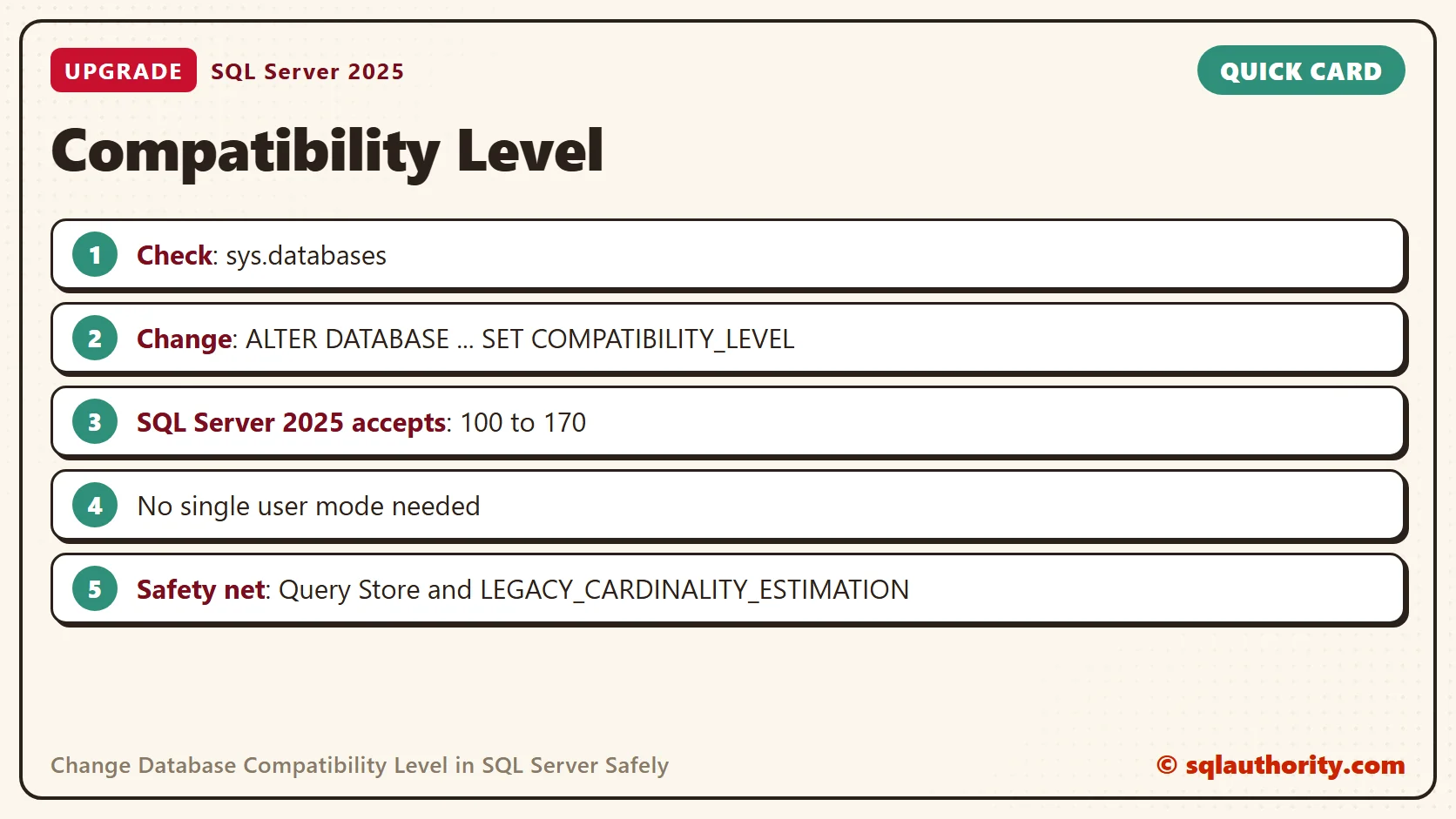
Every database carries its own compatibility level. It tells SQL Server which version’s rules to follow for that database. Start by looking at all of them.
SELECT name, compatibility_level
FROM sys.databases
ORDER BY name;
On my SQL Server 2025 test server, the system databases and every new database showed 170. A restored copy of WideWorldImporters still showed 130. That’s normal. A restored or attached database keeps the level it came with, as long as the new server supports it. So an upgraded server can run a database by older rules for years, and nobody notices.
Change It With ALTER DATABASE
Here is the statement. Replace the name and the number with your own.
ALTER DATABASE YourDatabase SET COMPATIBILITY_LEVEL = 170;
You’ll still find the older procedure sp_dbcmptlevel in many scripts. It still runs on SQL Server 2025. On my test database, it answered “The current compatibility level is 170.” It’s deprecated, though, so use ALTER DATABASE in anything new.
Old advice said to put the database in single user mode first. You don’t need to. I changed the level from 170 to 160 and back while another session was connected to the same database. Both changes finished at once, and the other session kept working.
Which Levels Your Server Accepts
Each version of SQL Server has its own number. A server accepts its own level and a range of older ones.
| Level | SQL Server version |
|---|---|
| 100 | SQL Server 2008 and 2008 R2 |
| 110 | SQL Server 2012 |
| 120 | SQL Server 2014 |
| 130 | SQL Server 2016 |
| 140 | SQL Server 2017 |
| 150 | SQL Server 2019 |
| 160 | SQL Server 2022 |
| 170 | SQL Server 2025 |
SQL Server 2025 accepts 100 through 170. I tried 90 and 180, and both failed with the same message: “Valid values of the database compatibility level are 100, 110, 120, 130, 140, 150, 160 or 170.” That’s Msg 15048. The levels below 100 belong to SQL Server 2005 and older, and today’s servers no longer take them.
What the Level Changes
The level changes how the query optimizer and some T-SQL features behave in that database. The biggest piece is the cardinality estimator. That’s the part of the optimizer that guesses how many rows each step of a plan will return. Every actual execution plan records which estimator built it.
I ran the same query at every level on my test database and read the CardinalityEstimationModelVersion attribute from each actual plan. You can see it yourself: include the actual plan in Management Studio with Ctrl+M, select the SELECT operator and open its properties.
| Compatibility level | Estimator version in the plan |
|---|---|
| 100 and 110 | 70, the legacy estimator |
| 120 to 170 | Matches the level: 120, 130, 140, 150, 160, 170 |
| 170 with LEGACY_CARDINALITY_ESTIMATION on | 70 |
That last row matters. You can raise the level to get the newer optimizer features, and still keep the old estimator for one database while you test.
The level doesn’t change the database’s file format. That answers a common question in the comments below. A backup from a newer SQL Server can’t be restored on an older one, whatever compatibility level the database has. And an upgrade from a very old version, such as SQL Server 7.0, has to pass through an intermediate version first.
A Safe Routine for Raising the Level
Most queries get faster or stay the same after an upgrade. A few get slower, and those few are what users remember. This routine catches them.
- Turn on Query Store at the current level and let it record a normal week.
- Raise the level in a quiet window.
- Compare the top queries by duration and CPU with the week before.
- For a query that got slower, force its old plan in Query Store.
- If many queries got slower, turn on the legacy estimator for that database, or set the old level back.
ALTER DATABASE YourDatabase SET QUERY_STORE = ON (OPERATION_MODE = READ_WRITE);

ALTER DATABASE YourDatabase SET COMPATIBILITY_LEVEL = 170;

USE YourDatabase;
ALTER DATABASE SCOPED CONFIGURATION SET LEGACY_CARDINALITY_ESTIMATION = ON;
Run the first statement a week before the upgrade, and the second on upgrade day. Keep the third for the day you need it. Going back is one more ALTER DATABASE with the old number, and it takes effect at once.
To be fair to the old advice, a planned window still makes sense. The change is instant, but the plans that follow it are new, and new plans deserve someone watching.
The compatibility level is not a version number, it is a promise about which rules your queries run by.
Published by Pinal Dave on SQLAuthority. More of my work at pinaldave.com.
Discover more from SQL Authority with Pinal Dave
Subscribe to get the latest posts sent to your email.




127 Comments. Leave new
Hi i have a similar problem. I an using sql server 2008. i make upgard scripts for a 2005ver. db. when i execute scripts like Declare @var int =0, they are executed on my environment but on client environment which has sql server 2005 installed, it throws error. i know how to correct this. but there any way to make settings of sql server 2008 make us know whether the script will run or not on sql server 2008.
I changed my server to SQL 2005 from 2000 using EXEC sp_dbcmptlevel TQM, 90;
It allowed me to use the PIVOT command but caused a strange problem.
On some old stored procecures, a previous developer had written a query like so:
SELECT
s.firstname,
c.carreg,
.s.surname /*notice .s.surname*/
FROM
staff s
INNER JOIN
car c ON c.StaffID = s.StaffID
I normally wouldnt write .s.surname because the table staff was aliased to s not .s
However thats how the code was written.
When i changed the compatibility level to 2005, the stored procedure didnt work anymore and when i changed it back to 2000 – it did…just thought it was worth mentioning.
So i removed the extra .’s from all stored procedures and its all fine but a strange bug…
Hi i have a similar problem. I am using sql server 2008. i make upgarde scripts for a 2005ver. db. when i execute scripts like Declare @var int =0; they are executed on my environment(sql server 2008) but on client environment which has sql server 2005 installed, it throws error. i know how to correct this. but there any way to make settings of sql server 2008 make us know whether the script will run or not on sql server 2005.
–new syntax
ALTER DATABASE test2008
SET COMPATIBILITY_LEVEL = 100
— Valid values of the database compatibility level are 90 (for 2005), 100 (for 2008), or 110 (for 2012).
Hi Gleb
Its not the Database compatiblity i need, Its the SQL SERVER Management studio compatiblity . when i run a script like
DECLARE @var nvarchar(max) = ‘test data’
On a DATABASE any compatiblity level , It does not give error if db is in sql studio 2008.
but it gives error if the DB is on sql server management studio 2005.
so i need a setting for my query window in sql server management studio 2008 to behave like sql server management studio 2005.
Thanks
Vipul
Hi Gleb
Its not the Database compatiblity i need, Its the SQL SERVER Management studio compatiblity . when i run a script like
DECLARE @var nvarchar(max) = ‘test data’
On a DATABASE any compatiblity level , It does not give error if db is in sql studio 2008.
but it gives error if the DB is on sql server management studio 2005.
so i need a setting for my query window in sql server management studio 2008 to behave like sql server management studio 2005.
Thanks
Vipul
Pinal Sir,
What is the significance of doing this. I am not able to get… Please reply me…
Im using sql server 2005,the Database Compatible Level 90 is not supporting in vb.net , it supports 80 only.
100 = SQL Server 2008
110 = SQL Server 2012
hello sir i developed a dotnet software with sql server 2005 as database,i want to install setup on the system which is not having sql server installed on that system.. . i am not able to do any database related operation with the setup because database is not there .. what is the solution for that? Please help me …
[email removed]
thank you sir
Hi Sir I want to restore database of sql server 2008 to sql server 2005 with data created within it. How is it possible Please tell me…
Hi:
Maybe Is too late to make this answer but it’s necesary for me obtain some kind of information about HOW CAN I MIGRATE a sql v 7.0 database to sql V 2012, if you could help me with this issue I’ll be so congratulaed with you.
Kind regards
direct migration from SQL 7.0 to SQL 2012 is not possible. Microsoft supports two version upgrade so you need to migrate to intermediate version and then final.
Hi Pinal,
Can you please share what are migration steps from SQL 2005 to SQL server 2008 R2 , from SQL server 2008 to SQL Server 2012 and so On . What are the known issues that we come across during migration
today i change the software package and also the databaseserver must be update but i cannot update this database error is database cannot read this all run in miscrosoft sql server 2005
Potoe – What is the exact error ?
If COMPATIBILITY_LEVEL changed how we can trace it?
Profiler can help. You can also use DDL trigger.