
To clear the plan cache for one database, run ALTER DATABASE SCOPED CONFIGURATION CLEAR PROCEDURE_CACHE inside that database. The plans of every other database stay where they are. That is the point.

Why Clear One Database and Not the Server
The plan cache holds the compiled plans that SQL Server reuses. After you tune a database, you want to see the new behavior from a clean start. Old plans would hide your changes. The first command most people think of is DBCC FREEPROCCACHE.
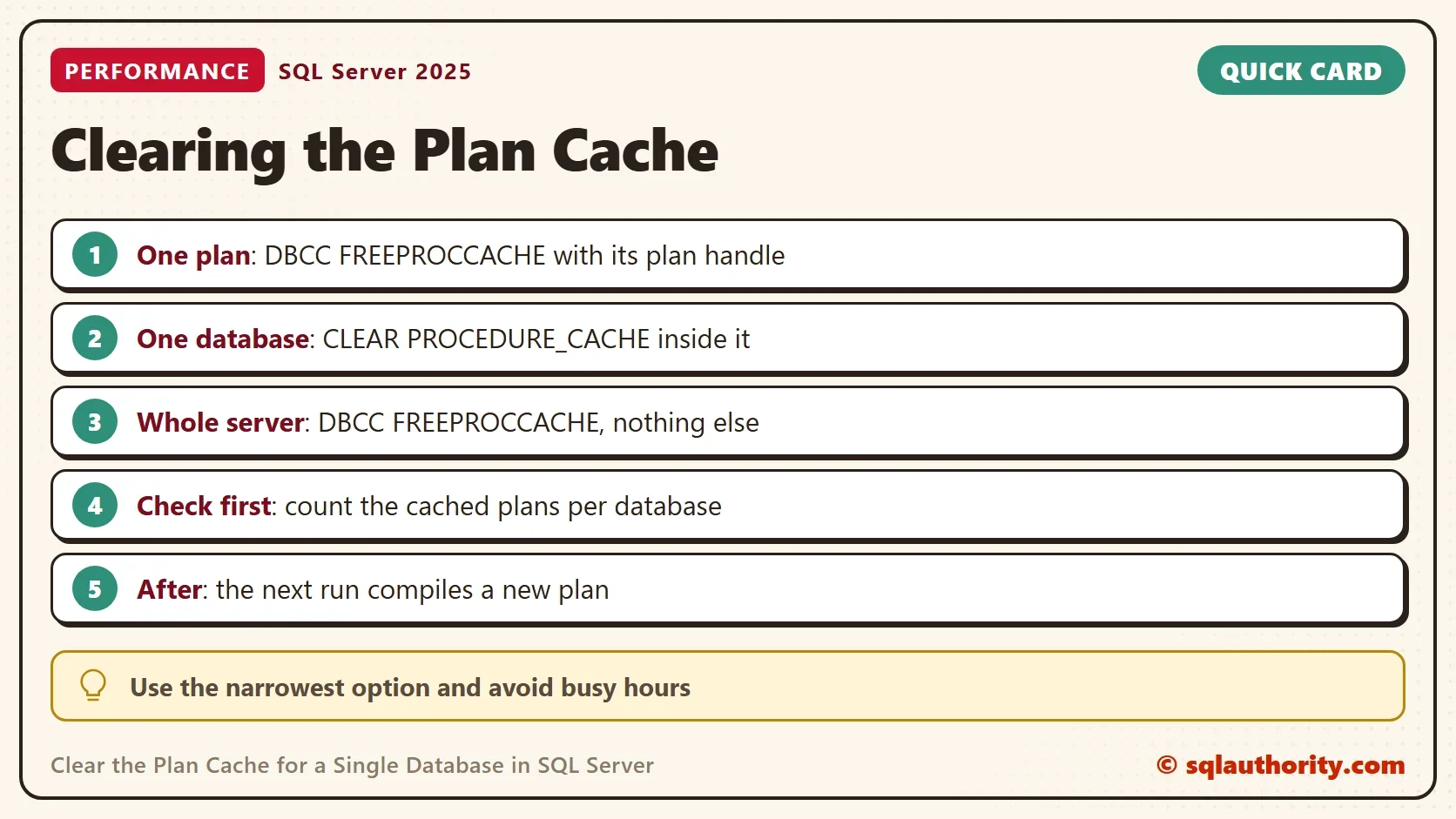
That command clears the plan cache of the whole instance. Every database loses its plans. During business hours, SQL Server must compile every plan again at once. That puts the server under pressure. If your tuning touched one database, clear the plan cache for that database only. Four commands clear plans, from the widest to the narrowest.
The Demo: Two Small Databases
The first script creates two databases for this post only. PlanCacheScopeDemo is the one you will clear. PlanCacheOtherDemo plays the bystander. Each database gets a small garden center table and a few stored procedures. One holds plants and the other holds seeds. The test server must not be a production server.
USE master;
IF DB_ID(N'PlanCacheScopeDemo') IS NULL CREATE DATABASE PlanCacheScopeDemo;
IF DB_ID(N'PlanCacheOtherDemo') IS NULL CREATE DATABASE PlanCacheOtherDemo;
GO
USE PlanCacheScopeDemo;
GO
DROP TABLE IF EXISTS dbo.Plants;
CREATE TABLE dbo.Plants (PlantID int NOT NULL PRIMARY KEY, PlantName nvarchar(40) NOT NULL, Price decimal(6,2) NOT NULL);
INSERT INTO dbo.Plants VALUES (1, N'Basil', 3.50), (2, N'Mint', 4.25), (3, N'Rosemary', 5.00);
GO
CREATE OR ALTER PROCEDURE dbo.GetPlant @PlantID int AS SELECT PlantName, Price FROM dbo.Plants WHERE PlantID = @PlantID;
GO
CREATE OR ALTER PROCEDURE dbo.ListPlants AS SELECT PlantName FROM dbo.Plants ORDER BY PlantName;
GO
USE PlanCacheOtherDemo;
GO
DROP TABLE IF EXISTS dbo.Seeds;
CREATE TABLE dbo.Seeds (SeedID int NOT NULL PRIMARY KEY, SeedName nvarchar(40) NOT NULL);
INSERT INTO dbo.Seeds VALUES (1, N'Sunflower'), (2, N'Poppy');
GO
CREATE OR ALTER PROCEDURE dbo.GetSeed @SeedID int AS SELECT SeedName FROM dbo.Seeds WHERE SeedID = @SeedID;
GO
USE master;
CREATE OR ALTER needs SQL Server 2016 SP1 or later. Now run the three procedures once. SQL Server compiles each one and keeps its plan in the cache.
EXEC PlanCacheScopeDemo.dbo.GetPlant @PlantID = 1;
EXEC PlanCacheScopeDemo.dbo.ListPlants;
EXEC PlanCacheOtherDemo.dbo.GetSeed @SeedID = 1;
Count the Plans Before You Clear Them
Always look first. The cache DMV lists plans, and the plan attributes function tells you the database each plan belongs to. The query below counts the procedure plans of the two demo databases. It runs from master, so its own plan isn’t counted with the demo plans.
SELECT DB_NAME(CAST(pa.value AS int)) AS DatabaseName, COUNT(*) AS CachedProcPlans
FROM sys.dm_exec_cached_plans AS cp
CROSS APPLY sys.dm_exec_plan_attributes(cp.plan_handle) AS pa
WHERE cp.objtype = N'Proc' AND pa.attribute = N'dbid'
  AND CAST(pa.value AS int) IN (DB_ID(N'PlanCacheScopeDemo'), DB_ID(N'PlanCacheOtherDemo'))
GROUP BY pa.value ORDER BY DatabaseName;
| DatabaseName | CachedProcPlans |
|---|---|
| PlanCacheOtherDemo | 1 |
| PlanCacheScopeDemo | 2 |
The scope database holds two plans, and the bystander holds one. These are the numbers to watch.
Clear the Plan Cache for One Database
The scoped configuration command clears the plans of the database you are in. It works in SQL Server 2016 and later, and it needs the ALTER ANY DATABASE SCOPED CONFIGURATION permission. Switch to the database first, because the command has no database argument.
USE PlanCacheScopeDemo;
ALTER DATABASE SCOPED CONFIGURATION CLEAR PROCEDURE_CACHE;
GO
USE master;
GO
SELECT DB_NAME(CAST(pa.value AS int)) AS DatabaseName, COUNT(*) AS CachedProcPlans
FROM sys.dm_exec_cached_plans AS cp
CROSS APPLY sys.dm_exec_plan_attributes(cp.plan_handle) AS pa
WHERE cp.objtype = N'Proc' AND pa.attribute = N'dbid'
  AND CAST(pa.value AS int) IN (DB_ID(N'PlanCacheScopeDemo'), DB_ID(N'PlanCacheOtherDemo'))
GROUP BY pa.value ORDER BY DatabaseName;
| DatabaseName | CachedProcPlans |
|---|---|
| PlanCacheOtherDemo | 1 |
The scope database has no plans left, and the bystander still has its one. The next call to each procedure in the scope database compiles a new plan. Compiling costs a little CPU, so the first run after a clear is slower than the runs after it.
One more effect matters for procedures with parameters. The new plan is built for the parameter value of the first call. If that value is unusual, the plan fits it and not the typical call. A cleared cache can change performance in both directions. Compare timings before and after, and don’t assume a gain.
The Older Command: DBCC FLUSHPROCINDB
Before the scoped command existed, DBCC FLUSHPROCINDB did this job. It takes a database id. Microsoft doesn’t document it, so a future version could drop it without warning. It still works on SQL Server 2025. The next script runs the procedures again to fill the cache, then flushes by database id and counts again.
EXEC PlanCacheScopeDemo.dbo.GetPlant @PlantID = 2;
EXEC PlanCacheScopeDemo.dbo.ListPlants;
GO
DECLARE @dbid int = DB_ID(N'PlanCacheScopeDemo');
DBCC FLUSHPROCINDB (@dbid);
GO
SELECT DB_NAME(CAST(pa.value AS int)) AS DatabaseName, COUNT(*) AS CachedProcPlans
FROM sys.dm_exec_cached_plans AS cp
CROSS APPLY sys.dm_exec_plan_attributes(cp.plan_handle) AS pa
WHERE cp.objtype = N'Proc' AND pa.attribute = N'dbid'
  AND CAST(pa.value AS int) IN (DB_ID(N'PlanCacheScopeDemo'), DB_ID(N'PlanCacheOtherDemo'))
GROUP BY pa.value ORDER BY DatabaseName;
The count is the same as before: no plans in the scope database, and one in the bystander. Prefer the scoped command, because it is documented and it is the one that will stay.
Free One Plan
Sometimes one procedure is the problem. Then clearing the whole database is too much. DBCC FREEPROCCACHE accepts a plan handle and removes that plan only. The script below runs both procedures again, finds the plan handle of GetPlant, and frees it. A second query lists the procedure plans that remain.
EXEC PlanCacheScopeDemo.dbo.GetPlant @PlantID = 3;
EXEC PlanCacheScopeDemo.dbo.ListPlants;
GO
DECLARE @handle varbinary(64);
SELECT @handle = cp.plan_handle
FROM sys.dm_exec_cached_plans AS cp
CROSS APPLY sys.dm_exec_sql_text(cp.plan_handle) AS st
WHERE cp.objtype = N'Proc' AND st.dbid = DB_ID(N'PlanCacheScopeDemo') AND st.objectid = OBJECT_ID(N'PlanCacheScopeDemo.dbo.GetPlant');
DBCC FREEPROCCACHE (@handle);
GO
SELECT DB_NAME(st.dbid) AS DatabaseName, OBJECT_NAME(st.objectid, st.dbid) AS ProcName
FROM sys.dm_exec_cached_plans AS cp
CROSS APPLY sys.dm_exec_sql_text(cp.plan_handle) AS st
WHERE cp.objtype = N'Proc' AND st.dbid IN (DB_ID(N'PlanCacheScopeDemo'), DB_ID(N'PlanCacheOtherDemo'))
ORDER BY DatabaseName, ProcName;
| DatabaseName | ProcName |
|---|---|
| PlanCacheOtherDemo | GetSeed |
| PlanCacheScopeDemo | ListPlants |
GetPlant is gone, and ListPlants and GetSeed are untouched. This is the safest option in production, because only one plan has to be compiled again.
Is Clearing the Cache Ever the Answer?
You could argue that you should never clear a plan cache. In production, I agree most of the time. A clear throws away good plans together with bad ones, and the next runs pay to compile them again. Use it in an extreme case, such as measuring a tuning change from a clean start on a test database. DBCC DROPCLEANBUFFERS is a different tool. It empties the data cache, not the plan cache.
What to Remember
Choose the narrowest tool to clear the plan cache. Free one plan with its handle. Clear one database with the scoped command. Keep DBCC FREEPROCCACHE without an argument for the rare case that needs the whole instance. Count the plans before and after, so you know what you removed.
When you finish, run the cleanup script to drop the two demo databases.
USE master;
GO
IF DB_ID(N'PlanCacheScopeDemo') IS NOT NULL
BEGIN
    ALTER DATABASE PlanCacheScopeDemo SET SINGLE_USER WITH ROLLBACK IMMEDIATE;
    DROP DATABASE PlanCacheScopeDemo;
END;
IF DB_ID(N'PlanCacheOtherDemo') IS NOT NULL
BEGIN
    ALTER DATABASE PlanCacheOtherDemo SET SINGLE_USER WITH ROLLBACK IMMEDIATE;
    DROP DATABASE PlanCacheOtherDemo;
END;
A cleared cache is not a fix, it is a fresh start that every query has to pay for.
Published by Pinal Dave on SQLAuthority. More of my work at pinaldave.com.
Discover more from SQL Authority with Pinal Dave
Subscribe to get the latest posts sent to your email.




1 Comment. Leave new
Hi Pinal,
In the last post received by email regarding to “SQL SERVER – Cleanup Plan Cache For a Single Database”, the commands were not displayed on the email.
Thanks and regards
Antonio