
Question: How do you find when a database file grew automatically?

Answer: Check recorded growth events, then connect their timing to the workload. For new monitoring, use Extended Events. If the SQL Server default trace is already available, its retained data can help investigate recent growth.
During a performance health check, an e-commerce database kept growing during its busiest period. An ETL job overlapped the order traffic. Recording the growth times helped us connect the problem to that overlap instead of guessing from the current file size.
-- Read retained history only. Do not turn a disabled trace on for this query.
DECLARE @trace_path nvarchar(260) =
    (SELECT path FROM sys.traces WHERE is_default = 1);
IF @trace_path IS NULL
    SELECT N'No default trace is available; use an Extended Events collection.' AS Notice;
ELSE
    SELECT StartTime, EndTime, DatabaseName, FileName,
           CASE EventClass WHEN 92 THEN N'Data' WHEN 93 THEN N'Log' END AS FileType,
           IntegerData * 8.0 / 1024 AS GrowthMB,
           LoginName, ApplicationName, SPID
    FROM sys.fn_trace_gettable(@trace_path, DEFAULT)
    WHERE EventClass IN (92, 93)
    ORDER BY StartTime DESC;
This SQL Server query reads existing trace files. Events 92 and 93 are data-file and log-file autogrowth; IntegerData records growth in 8 KB pages, which the query converts to MB. LoginName and ApplicationName describe the connection associated with the event. They do not prove who configured the growth setting or who is to blame for a capacity problem.
Default trace is deprecated, its files roll over, and it may be disabled or inaccessible to your account. An empty result does not prove growth never happened. For an ongoing investigation, configure an Extended Events session for file-size changes, retain its event files, and compare automatic growth with explicit file resizing and the application’s busy periods.
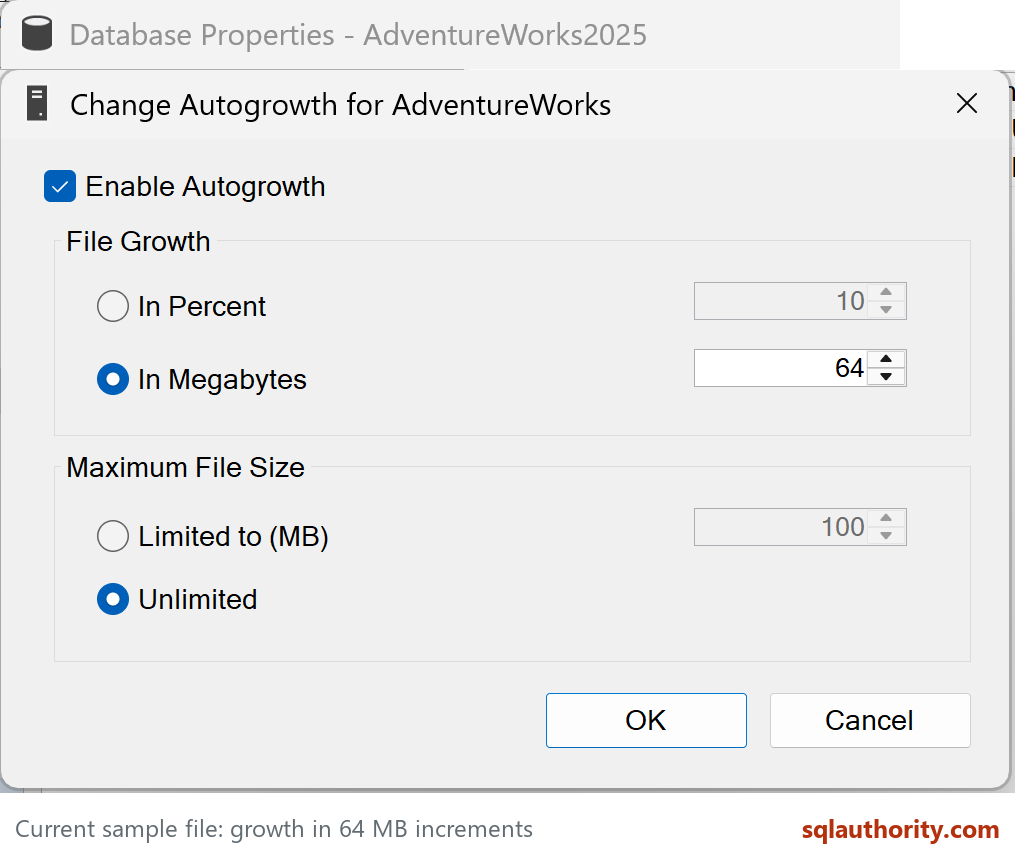
In our case, adjusting capacity and the growth increment helped. Pre-size files for expected demand and leave autogrowth as a fallback. Use measured fixed-size increments, allow for MAXSIZE and disk capacity, and check data and log files separately. A growth setting is not a schedule, and simply making it larger does not eliminate contention from an overlapping ETL job.
The original When/Who Did Auto Grow for the Database? post has the related investigation. My free performance tuning videos cover other settings worth understanding.
Published by Pinal Dave on SQLAuthority. More of my work at pinaldave.com.
Discover more from SQL Authority with Pinal Dave
Subscribe to get the latest posts sent to your email.




2 Comments. Leave new
Hi Pinal,
Have 2 questions here
1-what will be wait type for autogrowth process (how to make sure that its the cause of performance issue)
2-how to change the file growth to weekly bases
Thanks
1. PREEMPTIVE_OS_FILEOPS
2. Manually.