
Question: Is there a rowset alternative to DBCC INPUTBUFFER for seeing what a SQL Server session submitted?

When I first heard this question in an interview, it caught me off guard. The candidate did not know the answer either, so I decided to write it down. Around the same time I was exploring SQL Server 2016 SP1 and all the small improvements that arrive with a new release. I associated this discovery with that moment, but the version detail deserves a correction: Microsoft documents sys.dm_exec_input_buffer from SQL Server 2014 SP2 onward.
When a session is blocking another, DBAs often identify its session ID and then run DBCC INPUTBUFFER for that one connection. The function gives the same kind of submitted input as a rowset, so you can apply it to a list of sessions:
SELECT es.session_id,
       es.status,
       ib.event_type,
       ib.event_info
FROM sys.dm_exec_sessions AS es
CROSS APPLY sys.dm_exec_input_buffer(es.session_id, NULL) AS ib
WHERE es.is_user_process = 1
ORDER BY es.session_id;
The original two-column version demonstrates the same rowset shape:
SELECT es.session_id, ib.event_info
FROM sys.dm_exec_sessions AS es
CROSS APPLY sys.dm_exec_input_buffer(es.session_id, NULL) AS ib
WHERE es.session_id > 50;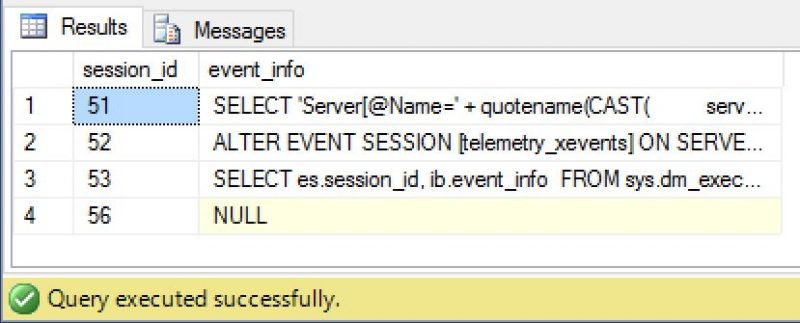
The useful change is the shape of the result. You can join or filter session details and inspect multiple input buffers in one query. The event_info column contains the text in that session’s input buffer; it is not a complete history of every statement the session has executed. A sleeping session may still have a last submitted batch, and a currently running request may need closer inspection through sys.dm_exec_requests.
Permissions matter. On releases before SQL Server 2022, VIEW SERVER STATE allows inspection of other sessions. Without the server-state permission for your SQL Server version, you may see only your own session. On SQL Server 2022 and later, Microsoft documents VIEW SERVER PERFORMANCE STATE for this function. Test with an appropriately authorized DBA account before concluding that other sessions have no input.
So my interview answer is sys.dm_exec_input_buffer. Its advantage over running DBCC INPUTBUFFER repeatedly is that it fits naturally into a query over sessions, which is exactly what you want when several connections may be involved.
Published by Pinal Dave on SQLAuthority. More of my work at pinaldave.com.
Discover more from SQL Authority with Pinal Dave
Subscribe to get the latest posts sent to your email.




1 Comment. Leave new
instead of “where es.session_id > 50” it’s better to use this “where e.is_user_process = 1”