
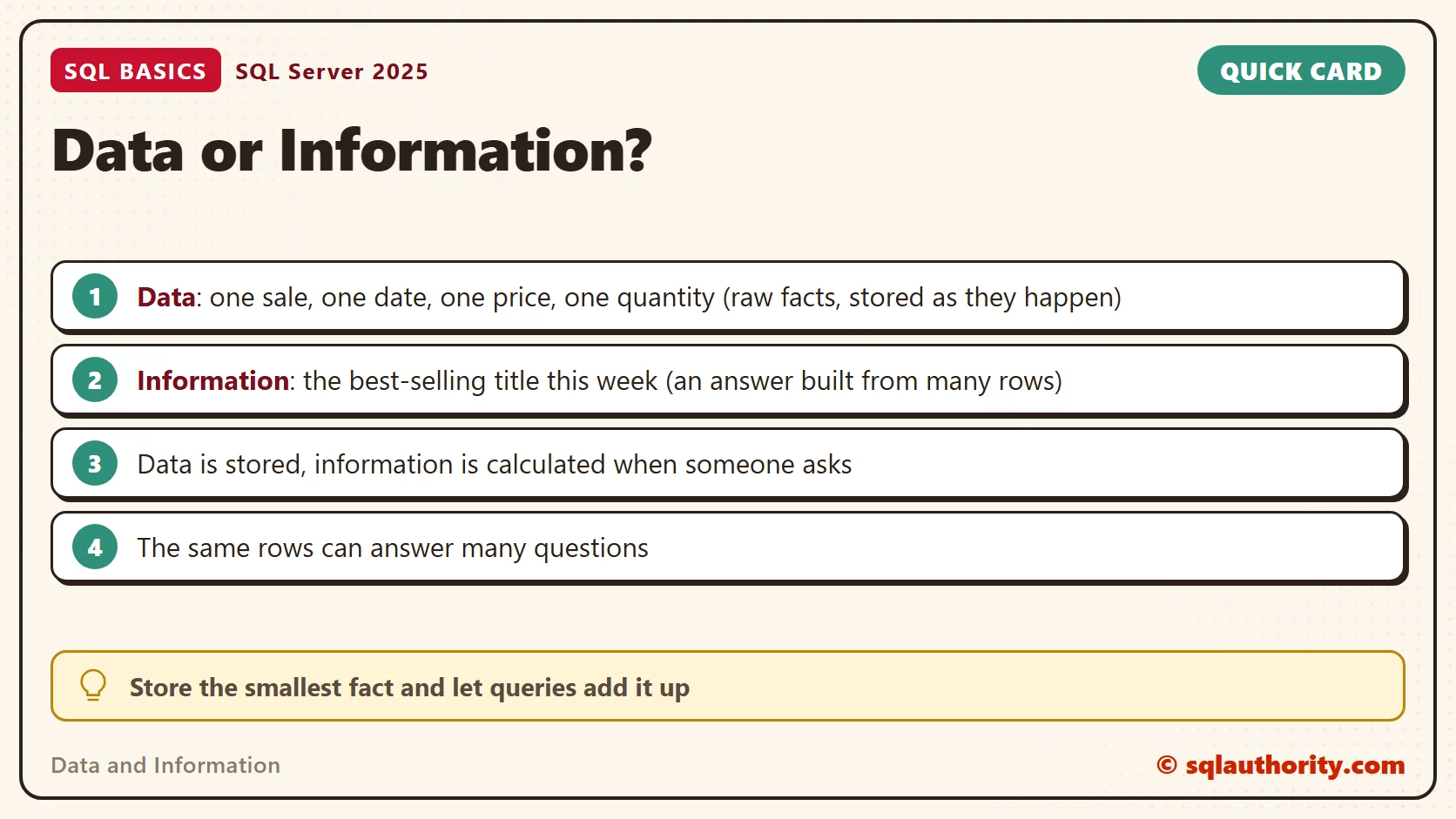
Data and Information are two different things, and a database is what turns the first into the second. A bookshop writes down every sale. That pile of notes is only data until someone asks a question about it.

Data and Information in Plain Words
Data is a raw fact that someone stored. One sale, one date, one price: each is a small piece that says little on its own. Information is what you get when you process those facts to answer a question. “Which book earned the most this week?” is a question, and the answer is information.
In this example, nobody stores the answer. The shop records sales as they happen, and the answer is worked out when someone asks. A real system can save totals too, but it builds them from the same facts. That’s why the same stored facts can give a manager a dozen different answers without anyone writing a new record.
The split between data and information shows up everywhere. A vegetable stall stores weights and prices, and the owner wants to know which crate to reorder. A school canteen stores meal choices, and the cook wants a headcount for tomorrow. In each case the shelf of stored facts is data, and the reorder list or the headcount is information.
What the Database Does for You
SQL Server is a database management system. That’s a long name for the software that stores your data, protects it and answers questions about it. You describe what you want in SQL, and the engine decides how to fetch it. You never open a file and count rows yourself.
This division of labor lets one person ask a question of millions of rows. The data sits in tables, and each table has a fixed shape. Because the shape is known, the engine knows what every value looks like. A fixed shape doesn’t guarantee speed, but good design can bring answers back in seconds.
A Small Bookshop Example
I’ll use a bookshop with one table of sales. The script creates a database named SqlBasicsData if it’s missing, used only for this example. It then drops and rebuilds the demo table inside it, so you can run it twice. Run it on a test instance.
IF DB_ID(N'SqlBasicsData') IS NULL CREATE DATABASE SqlBasicsData;
GO
USE SqlBasicsData;
GO
DROP TABLE IF EXISTS dbo.BookSales;
CREATE TABLE dbo.BookSales (
    SaleID    int            NOT NULL PRIMARY KEY,
    SaleDate  date           NOT NULL,
    Title     nvarchar(100)  NOT NULL,
    Quantity  int            NOT NULL,
    UnitPrice decimal(8,2)   NOT NULL
);
INSERT INTO dbo.BookSales (SaleID, SaleDate, Title, Quantity, UnitPrice)
VALUES (1, '2026-09-01', N'Garden Notes', 2, 12.50),
       (2, '2026-09-01', N'Tea Around the World', 1, 18.00),
       (3, '2026-09-02', N'Garden Notes', 1, 12.50),
       (4, '2026-09-03', N'Quiet Mornings', 3, 9.00),
       (5, '2026-09-03', N'Tea Around the World', 2, 18.00),
       (6, '2026-09-04', N'Garden Notes', 4, 12.50),
       (7, '2026-09-05', N'Quiet Mornings', 1, 9.00),
       (8, '2026-09-05', N'Tea Around the World', 1, 18.00);
Every row is one sale. Eight rows are easy to read, yet no single row tells you which title sells best. You’d end up adding numbers in your head. That’s the work a database should do for you.
Turning Rows Into Information
Run the setup script above first. One query does the adding. It groups the sales by title, counts the copies, and multiplies quantity by price to get the revenue.
SELECT Title,
       SUM(Quantity)             AS CopiesSold,
       SUM(Quantity * UnitPrice) AS Revenue
FROM dbo.BookSales
GROUP BY Title
ORDER BY Revenue DESC;
Garden Notes comes out first, with seven copies and 87.50 in revenue. Tea Around the World follows with 72.00, and Quiet Mornings has 36.00. A manager can act on three lines like these. Eight raw rows give them nothing to act on.
Ask a different question and you write a different query, while the stored rows stay exactly as they were. One number for the whole week takes only this.
SELECT SUM(Quantity * UnitPrice) AS TotalRevenue
FROM dbo.BookSales;
The answer is 195.50. Nothing in the table holds that figure. It exists only for as long as someone needs it, and that’s the point.
Both queries read the same eight rows, and neither one changed them. Reading data never uses it up, so you can ask as many questions as you like. Add a sale tomorrow and rerun a query, and the information updates itself. Nobody has to redo any arithmetic.
Why a Database Beats a Ledger
A paper ledger holds the same data and information too, only on paper. A new question there means someone re-adds columns by hand, and the work grows with every sale. A database does the adding for you, so a new question costs one query.
A spreadsheet is a fine tool for one person with a short list. It starts to strain when several people type at once or when a typo goes unnoticed. A database handles both jobs by design. Many users can work on the same data at the same time. Each column has a data type, so text can’t slip into a quantity. Each user gets only the permissions they need.
Size matters too. With millions of rows, an index can let the engine find what it needs without reading every row. The transaction log and your backups let you recover the data after a failure. A ledger or a loose file can’t promise that.
Store Facts at the Smallest Size
Notice that my table holds one row per sale, not one row per day with a total. You can always add sales up, but you can’t split a daily total back into sales. Store the small facts and let queries build the information. When I design a table, I ask which questions people will want answered later. Then I check that the detail needed is stored.
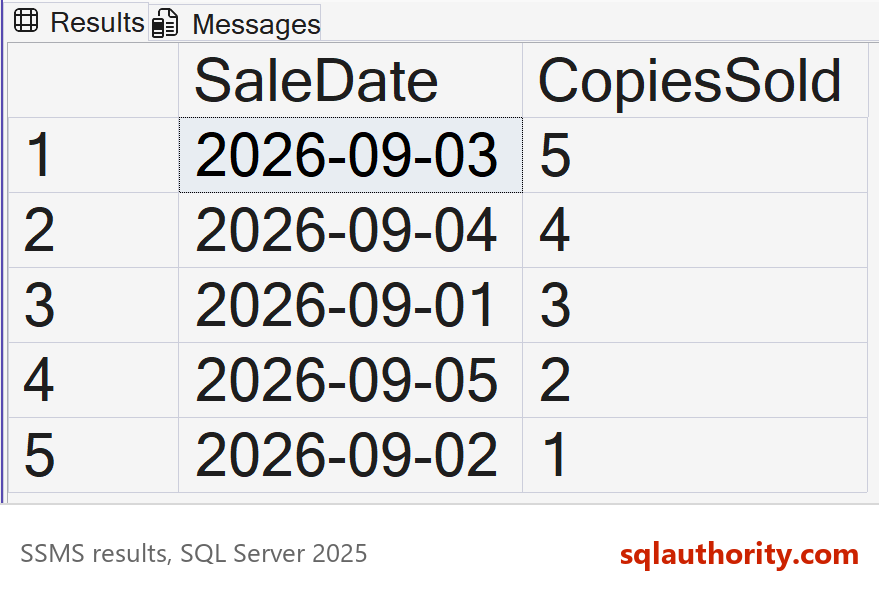
Try a new question on the same rows. Which day sold the most copies? Only the grouping changes.
SELECT SaleDate,
       SUM(Quantity) AS CopiesSold
FROM dbo.BookSales
GROUP BY SaleDate
ORDER BY CopiesSold DESC;
September 3 comes out on top with five copies. No single row ever showed you that. The answer appeared only after the engine processed all eight rows. That is how data becomes information.
Bad Data Gives Bad Information
Good information needs good data, because a query can only be as good as the rows behind it. If the same sale is entered twice, revenue doubles for that sale, and the report looks perfect while it’s wrong. A date typed as text, or a quantity left blank, causes the same kind of damage.
This is where the design of the table pays off. A primary key stops two rows from sharing an ID. NOT NULL refuses a missing value. The data type refuses a date that isn’t a date. I can’t stop every mistake, but I can make the table reject the obvious ones before they reach a report.
Related Reading
- Rows, Columns and Tables: How a Database Holds Information
- What Is a View in SQL Server?
- What Is a Data Type, and Why the Wrong One Costs You
A database is not a place to keep numbers, it is a way to get answers.
Published by Pinal Dave on SQLAuthority. More of my work at pinaldave.com.
Discover more from SQL Authority with Pinal Dave
Subscribe to get the latest posts sent to your email.




3 Comments. Leave new
You rock!! This is awesome!! ;)
nice article