Running SQL code in SSMS takes one key press, but what happens after that press decides whether your script works. SSMS sends your text to the server in pieces called batches. Knowing where a batch starts and ends explains several confusing errors.

Running SQL Code with F5 or the Execute Button
Open a new query window in SSMS and check that it’s connected to the right server. The toolbar has a database drop-down, and that database is where your code runs. The demo database doesn’t exist yet, so run the setup script further down first. After that, pick SqlBasicsRunCode in the drop-down, or write a USE statement at the top.
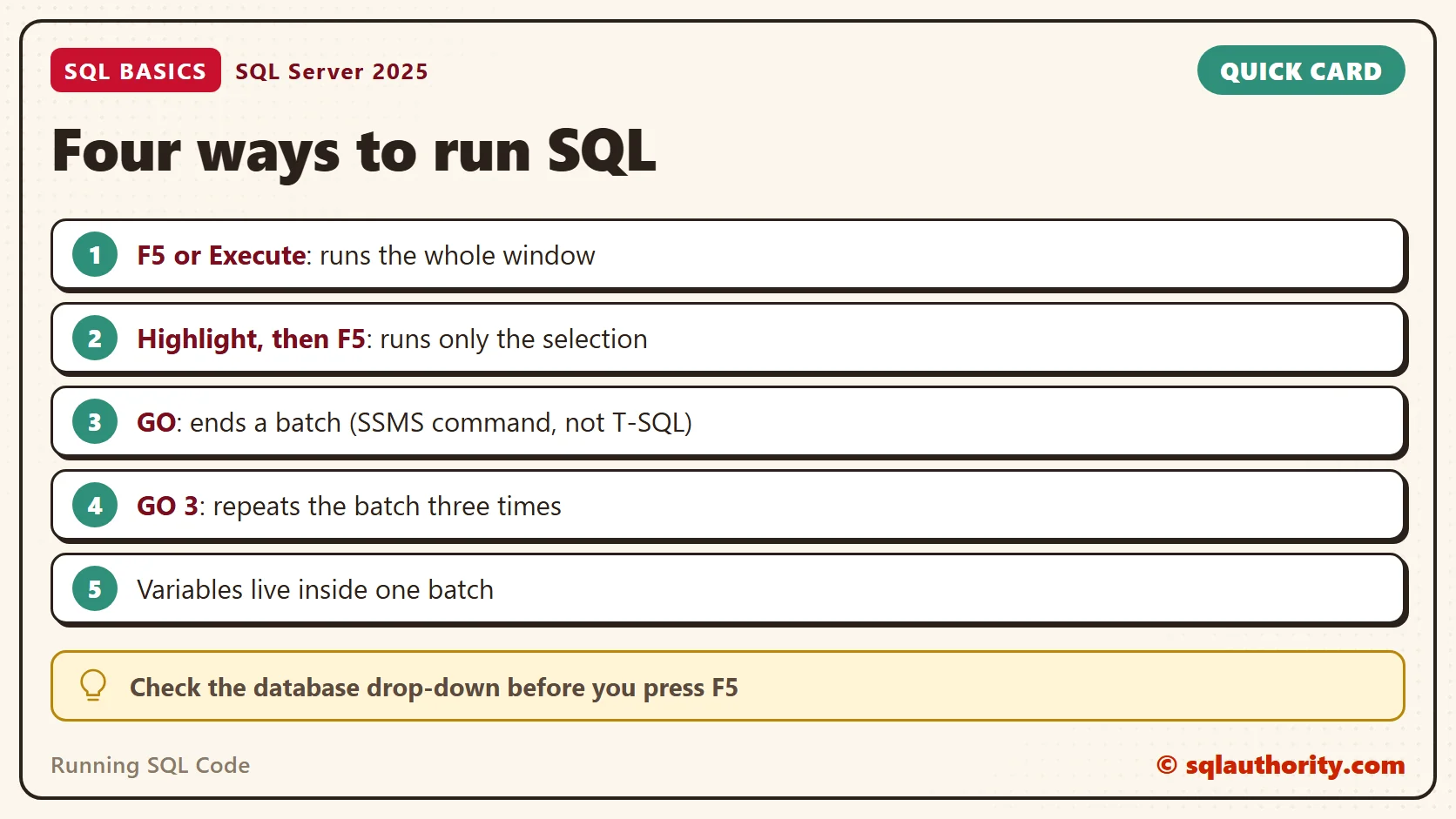
Press F5 or click the Execute button. If nothing is highlighted, SSMS runs the whole window. The rows appear in the pane below, in the Results tab, with the Messages tab next to it.
Here is a small script to practice on. It creates a database named SqlBasicsRunCode if it’s missing, used only for this example. Then it drops and rebuilds one shopping list table with five rows, so you can run it twice. Run it on a test instance.
IF DB_ID(N'SqlBasicsRunCode') IS NULL CREATE DATABASE SqlBasicsRunCode;
GO
USE SqlBasicsRunCode;
GO
DROP TABLE IF EXISTS dbo.ShoppingList;
CREATE TABLE dbo.ShoppingList (
    ItemID int NOT NULL CONSTRAINT PK_ShoppingList PRIMARY KEY,
    ItemName nvarchar(40) NOT NULL,
    Quantity int NOT NULL);
INSERT INTO dbo.ShoppingList (ItemID, ItemName, Quantity) VALUES
    (1, N'Basmati rice', 2), (2, N'Spinach', 3), (3, N'Green tea', 1),
    (4, N'Chickpeas', 4), (5, N'Mango', 6);
GO
SELECT ItemID, ItemName, Quantity FROM dbo.ShoppingList;
The script ends with a USE line, so this window now points at the new database. A new query window doesn’t. Each later example assumes the ShoppingList table from this script exists.
Check the Database Context First
Running SQL code in the wrong database is an easy mistake, and the drop-down is the first place to look. A query window keeps the database it was opened with until you change it. A USE statement changes it for the rest of the window. I confirm it with one line before I run anything that changes data.
SELECT DB_NAME() AS CurrentDatabase;
The result should read SqlBasicsRunCode. If it names master or another database, stop and fix the drop-down first. A script that only reads data is harmless there, but one that creates or drops tables is not.
Run Only the Part You Select
Highlight one statement and press F5. SSMS runs only the highlighted text and ignores the rest of the window. I use this to test a SELECT inside a longer script before I run the changes below it. Run the setup script first, so the ShoppingList table exists.
SELECT ItemName, Quantity FROM dbo.ShoppingList WHERE Quantity >= 3;
SELECT COUNT(*) AS ItemCount FROM dbo.ShoppingList;
Select the first line and run it. You get 3 rows: Spinach, Chickpeas and Mango. The second query never runs. The habit is also a safety check. If you press F5 with nothing selected, the whole window runs, including any DELETE you left lower down.
Comments Are Ignored
Two hyphens turn the rest of the line into a comment. A slash and an asterisk open a block comment, and an asterisk and a slash close it. SQL Server skips both, so use them to leave a note for the next reader.
-- Show items that need restocking
SELECT ItemName, Quantity FROM dbo.ShoppingList /* low stock only */ WHERE Quantity <= 2;
This returns Basmati rice and Green tea. A comment can also switch a line off while you test. Put two hyphens in front of a statement and it stops running, which is gentler than deleting it.
What a Batch Is
A batch is a group of statements that SSMS sends to SQL Server together. The server compiles the batch as one unit and runs it. Then the next batch arrives.
The word GO ends a batch. GO isn’t T-SQL. It’s a command that SSMS and sqlcmd understand, and SQL Server never sees it. SSMS reads your text, splits it at each GO line, and sends the pieces one at a time. Keep GO alone on its line.
This explains a rule that surprises people. CREATE VIEW must be the first statement in its batch. If a DROP VIEW comes right before it with no GO between them, SQL Server returns error 111. Add GO and it works.
DROP VIEW IF EXISTS dbo.BigShopping;
GO
CREATE VIEW dbo.BigShopping AS
SELECT ItemName, Quantity FROM dbo.ShoppingList WHERE Quantity >= 3;
GO
SELECT ItemName, Quantity FROM dbo.BigShopping;
Variables Do Not Survive GO
A variable lives only inside the batch that declares it. After GO, the next batch starts clean. Run both batches together. The second SELECT fails with error 137 on purpose, because @Pick no longer exists.
DECLARE @Pick nvarchar(40) = N'Green tea';
SELECT @Pick AS FirstBatch;
GO
SELECT @Pick AS SecondBatch;
The first SELECT returns Green tea. For the second, SSMS shows this in the Messages tab: Must declare the scalar variable “@Pick”. If a script needs the variable twice, keep both uses in one batch, and move the GO somewhere else.
Temporary tables behave differently. A local temporary table such as #Picks, created in a query window, survives a GO. It lives until the session ends or you drop it. One created inside a stored procedure is dropped when the procedure ends.
Repeating a Batch with GO n
Put a number after GO and the batch runs that many times. GO 3 runs the batch before it three times. It’s handy for loading a few test rows or for a small timing test.
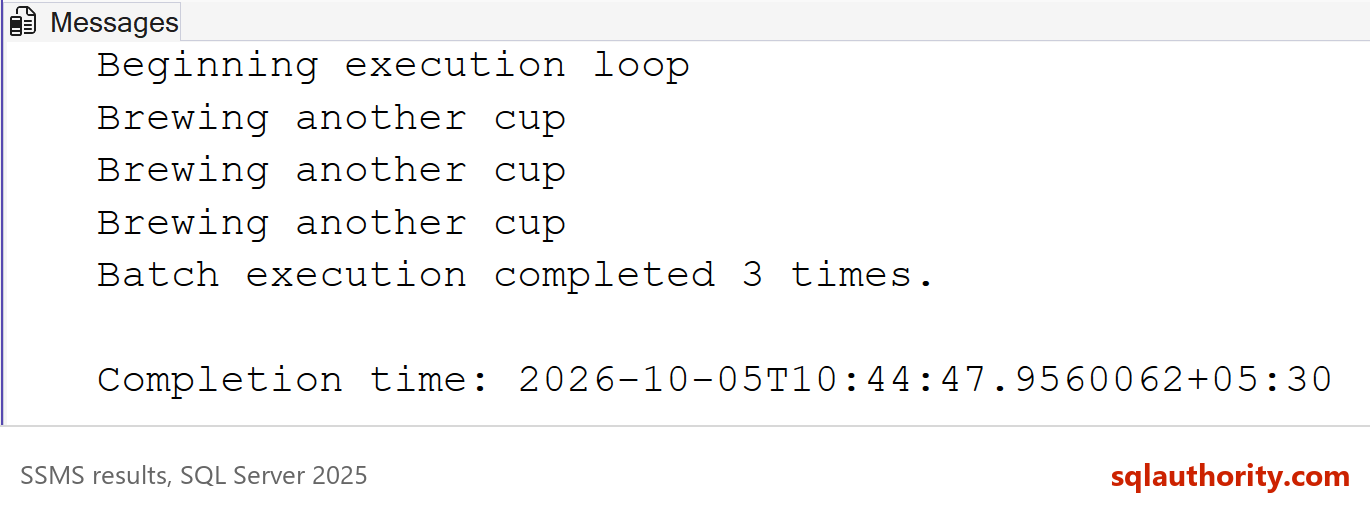
PRINT N'Brewing another cup';
GO 3
The Messages tab shows your text three times. SSMS also adds a line when the loop starts and when it ends. Each pass is a separate run of the same batch. A variable you set inside it starts fresh every time.
Where the Results Go
A SELECT puts its rows in the Results tab. Row counts, PRINT output and errors go to the Messages tab. When a statement returns no rows, the Messages tab is where the answer lives. I look at it after every run, before I read the grid.
You can also send results to text or to a file. Look in the Query menu under Results To. Text output is useful when you want to paste a small result into an email or a note.
Related reading
The Messages Tab in SSMS: Row Counts, Errors and Warnings: how to read everything that lands in that tab.
SSMS Keyboard Shortcuts Worth Learning: shortcuts that speed up a query window.
SQL SERVER – 2005 – SSMS – View/Send Query Results to Text/Grid/Files: more on choosing where results go.
How to Read a SQL Server Error Message: what the numbers in an error mean.
GO is not part of your SQL, it is a signal to SSMS about where each batch ends.
Published by Pinal Dave on SQLAuthority. More of my work at pinaldave.com.
Discover more from SQL Authority with Pinal Dave
Subscribe to get the latest posts sent to your email.