
The TRIM function removes unwanted spaces from the ends of a string.

This 2013 video demonstrates the older LTRIM and RTRIM approach. SQL Server 2017 introduced a built-in TRIM. The original statement that SQL Server has no TRIM function applies only to older versions. I tested every example on SQL Server 2025.
Watch the Original Video
The Method in the Original Lesson
LTRIM removes leading spaces on the left, and RTRIM removes trailing spaces on the right. Nest them to clean both ends. The brackets make the result easy to see. On a server before 2017, calling the built-in TRIM fails with ‘TRIM’ is not a recognized built-in function name.
DECLARE @String1 nvarchar(100) = N' String ';
SELECT N'[' + @String1 + N']' AS OriginalString,
       N'[' + RTRIM(LTRIM(@String1)) + N']' AS NestedTrim,
       N'[' + TRIM(@String1) + N']' AS BuiltInTrim;
The original value showed as [ String ]. Both trimmed versions returned [String]. On SQL Server 2017 and later, the built-in is shorter and easier to read.
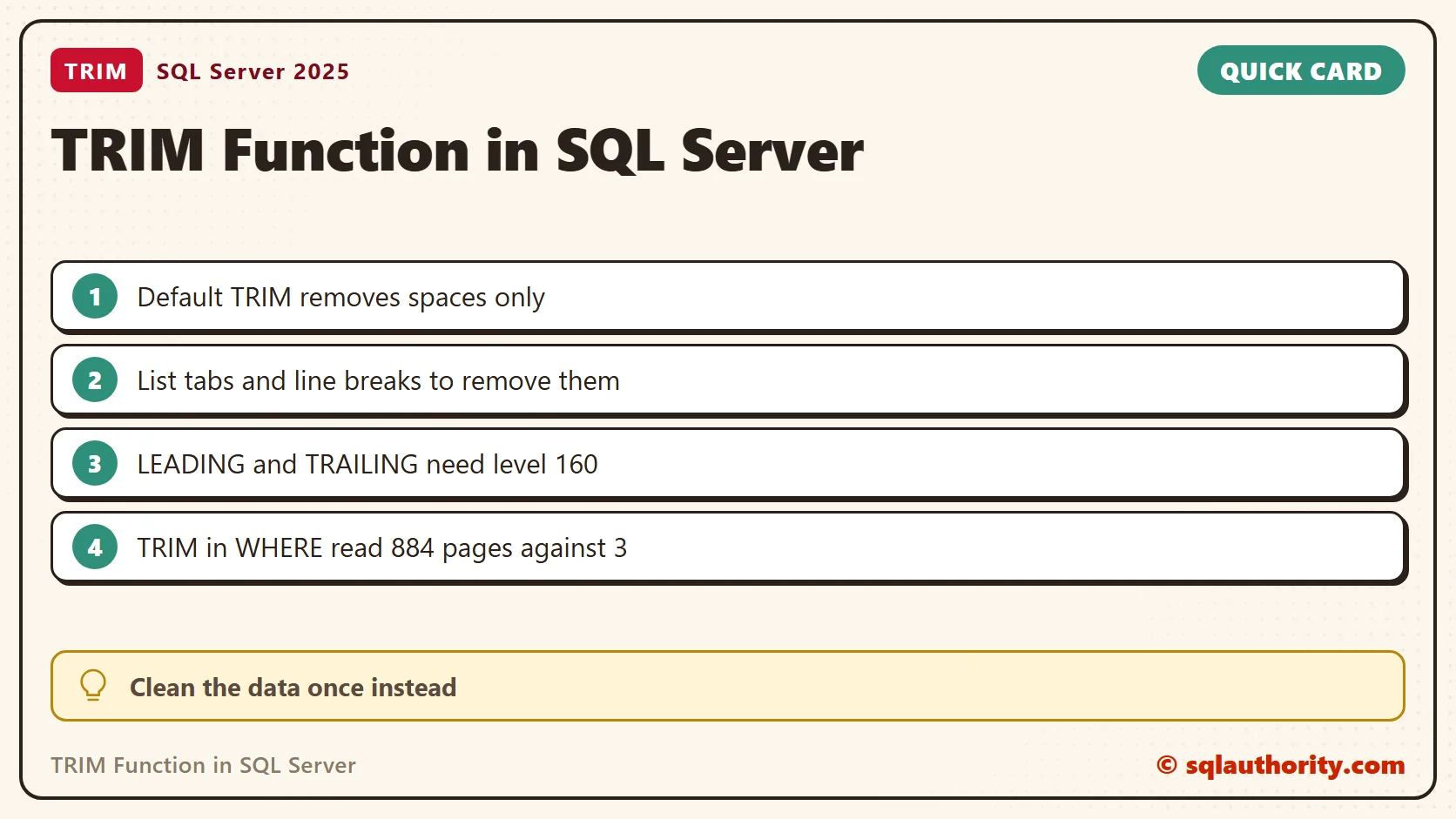
Default TRIM Removes Spaces Only
By default, TRIM removes the ordinary space character and nothing else. Tabs, line breaks and nonbreaking spaces stay. My test value began with a carriage return, a line feed and two spaces. It ended with two spaces and a tab. Default TRIM changed nothing, because neither end held a plain space at its edge. Listing the characters fixed it.
DECLARE @Messy nvarchar(50) = CHAR(13) + CHAR(10) + N'  Assam  ' + CHAR(9);
SELECT LEN(@Messy) AS LengthBefore,
       LEN(TRIM(@Messy)) AS AfterDefaultTrim,
       LEN(TRIM(CHAR(9) + CHAR(10) + CHAR(13) + N' ' FROM @Messy)) AS AfterListedCharacters;
SELECT LEN(TRIM(NCHAR(160) + N'Assam' + NCHAR(160))) AS NbspKept,
       LEN(TRIM(NCHAR(160) + N' ' FROM NCHAR(160) + N'Assam' + NCHAR(160))) AS NbspListed;
The messy value had 12 characters. Default TRIM left 12, and the listed version left 5. A nonbreaking space, the kind that arrives from web pages, survived default TRIM with a length of 7. Listing it brought the length to 5. Look for that character when a trimmed value still fails an equality test.
LEADING, TRAILING and BOTH
SQL Server 2022 added the keywords LEADING, TRAILING and BOTH. In my tests they needed a characters argument, because TRIM(LEADING FROM x) is a syntax error. They also need database compatibility level 160 or higher. At level 150, LEADING failed with Msg 102, and the plain characters FROM form still worked.
SELECT N'[' + TRIM(LEADING N' ' FROM N'  Assam  ') + N']' AS LeadingOnly,
       N'[' + TRIM(TRAILING N' ' FROM N'  Assam  ') + N']' AS TrailingOnly,
       N'[' + TRIM(BOTH N'x' FROM N'xxAssamxx') + N']' AS BothX;
The first column kept the trailing spaces, and the second kept the leading ones. The third removed every x from both ends.
Trailing Spaces in char Columns
A char(10) column pads every value to ten characters. LEN ignores trailing spaces, so it reports 5. DATALENGTH shows the real 10 bytes. Comparisons ignore trailing spaces too.
DECLARE @Fixed char(10) = 'Assam';
SELECT LEN(@Fixed) AS LenValue, DATALENGTH(@Fixed) AS BytesStored, DATALENGTH(TRIM(@Fixed)) AS BytesAfterTrim,
       CASE WHEN 'Assam' = 'Assam    ' THEN 'equal' ELSE 'different' END AS TrailingSpaceCompare;
The value stored 10 bytes and 5 after TRIM, and the two strings compared as equal. Trailing spaces rarely change a comparison. Leading spaces always do.
TRIM in a WHERE Clause Costs Reads
Wrapping a column in a function stops SQL Server from seeking an index on it. I built 200,000 customers with an index on Email. One address has stray spaces around it.
CREATE TABLE dbo.Customer (CustomerId int IDENTITY(1,1) PRIMARY KEY, Email varchar(60) NOT NULL);
INSERT INTO dbo.Customer (Email)
SELECT TOP (200000) CONCAT('user', ROW_NUMBER() OVER (ORDER BY (SELECT 1)), '@example.com')
FROM sys.all_objects AS a CROSS JOIN sys.all_objects AS b;
UPDATE dbo.Customer SET Email = '  ' + Email + ' ' WHERE CustomerId = 777;
CREATE INDEX IX_Customer_Email ON dbo.Customer (Email);
SET STATISTICS IO ON;
SELECT CustomerId FROM dbo.Customer WHERE Email = 'user5000@example.com';
SELECT CustomerId FROM dbo.Customer WHERE TRIM(Email) = 'user5000@example.com';
SET STATISTICS IO OFF;
The plain comparison read 3 pages. The TRIM version read 884, because it scanned the index. The same TRIM query also finds the padded address that the plain query misses. Clean the data once and compare plain columns afterwards.
UPDATE dbo.Customer SET Email = TRIM(Email) WHERE DATALENGTH(Email) <> DATALENGTH(TRIM(Email));
SELECT @@ROWCOUNT AS RowsCleaned;
It repaired the one padded row. I compared byte lengths because a plain <> ignores trailing spaces and would miss them. Trimming in the SELECT list still costs work, but it does not change how rows are found.
The Historical User-Defined Wrapper
The original article showed a small wrapper for older databases. I keep it here for context. You do not need it on a modern server. It takes varchar, so an application that sends Unicode text needs an nvarchar version.
CREATE FUNCTION dbo.TRIM(@string varchar(max))
RETURNS varchar(max)
AS
BEGIN
    RETURN LTRIM(RTRIM(@string));
END;
GO
SELECT N'[' + dbo.TRIM(' String ') + N']' AS Wrapper, N'[' + TRIM(' String ') + N']' AS BuiltIn;
The wrapper worked on SQL Server 2025, and the unqualified TRIM still called the built-in. Create the wrapper only if its name is free in your database. On a current server, I would rather call the built-in and keep the schema clean.
Related Tips
- TRIM() Function: UDF TRIM()
- TRIM() Function: User Defined Function
- Enhanced TRIM() Function: Remove Trailing Spaces, Leading Spaces, White Space, Tabs, Carriage Returns, Line Feeds
Trimming is not a rule for every string, it is a data-cleaning choice that should match the business requirement.
Published by Pinal Dave on SQLAuthority. More of my work at pinaldave.com.
Discover more from SQL Authority with Pinal Dave
Subscribe to get the latest posts sent to your email.



18 Comments. Leave new
Hi Pinal,
Small Mistake in below Post
2) RTRIM – Removes the Spaces on the left side (or trailing spaces) of the string.
*Thanks & Regards,*
Srinivas.K
How do you figure? RTrim removes the trailing spaces (i.e. thos which come AFTER the text), which are those on the Right. That’s why the “R” in RTrim. The spaces on the left are leadings spaces because they come first, thus the “L” in LTrim.
Hiii Pinal
In both the point you have written RTRIM function replace point 2 with LTRIM
Thanks Fixed!
Hi pinal
What are the best practices for keeping referential integrity across multiple databases?
question about Trim in comparison statements in where clause when data type is a fixed length char. At one time in SQL Server T-SQL at least it was not possible to get a correct match when look for “WHERE Field1 = ‘at’ ” when Field1 was a char column of length 5. It was necessary to do either “WHERE Field1 = ‘at ‘ ” or “WHERE RTrim(Field1) = ‘at’ “. Based on your recommendations against it are you saying that this is no longer necessary?
Hiii Pinal,
row1 has LEVEL. row2 has _Level(space created at pre),Please help me how to remove this pre space?
I strongly believe one has use the “Replace” function too. This too will work.
SELECT REPLACE(RTRIM(LTRIM(Column_Name)),’ ‘,”) FROM Table
This query works fine in SQL Server 2008 and R2
You have to be careful of the data you are comparing. Including the REPLACE function will remove spaces internally in the column data. If you are looking for a result with a space in it, this won’t work. Example, utilizing REPLACE would take the value “JOHN SMITH” and return “JOHNSMITH”. I would recommend only using REPLACE where you are sure you will need it rather than with every LTRIM or RTRIM call.
Thanks for the tip! I thought for sure that TRIM was a default function of MS SQL but leave it to M$ for being weird. Thanks for clearing this up man!
How about this? Trim spaces(left & right) but will return a null value if the the field only contains spaces.
can you call a user defined function in stored proc as well?
i have a column value ‘Sign_OR2408000391_221215FTO_257049_221215_261215_p2w.xml’ but i need the result to be selected as only ‘FTO_257049’ AFTER FTO_ UPTO THE NEXT _.
Hi Friends..Can you pls let me know that how to remove the space with datas(for example: ‘ HUWH-‘)from a table and this output report is compared to another table field?
Pinal, time to update that article with latest function from SQL 2017 :)
That would be a new article Mr. Trim :)
Thank you so much. It is very helpful.
I enjoyed reading this post.
Thanks for educating the community.
Guru DevoBhava