
Importing CSV file data into SQL Server means matching the file to a table, loading it and checking the result.

SQL in Sixty Seconds #018 introduces that workflow. The 2012 recording uses BULK INSERT. The examples below use the CSV support added in SQL Server 2017, and I ran them on SQL Server 2025.
Watch the Original CSV Import Episode
Start with a Small File
Save the following text as C:\Import\items.csv in UTF-8 with LF line endings. Notepad shows both settings at the bottom right. The first row names the columns. The file holds a quoted comma, an accented letter and one bad quantity, all on purpose.
ItemId,Description,Quantity
1,"Notebook, blue",4
2,Pencil,12
3,Müsli bar,many
4,Eraser,7
The path must be readable by the SQL Server service on the server machine. A path on your laptop is not visible to a remote server. The service account also needs permission to read the folder.
Load into a Typed Table
A temporary table lets you inspect the result without touching an application table. The columns use the types you want in the end.
CREATE TABLE #CsvItems (ItemId int NOT NULL, Description nvarchar(100) NOT NULL, Quantity int NOT NULL);
BULK INSERT #CsvItems FROM 'C:\Import\items.csv'
WITH (FORMAT = 'CSV', FIRSTROW = 2, CODEPAGE = '65001', ROWTERMINATOR = '0x0a');
SELECT ItemId, Description, Quantity FROM #CsvItems ORDER BY ItemId;
DROP TABLE #CsvItems;
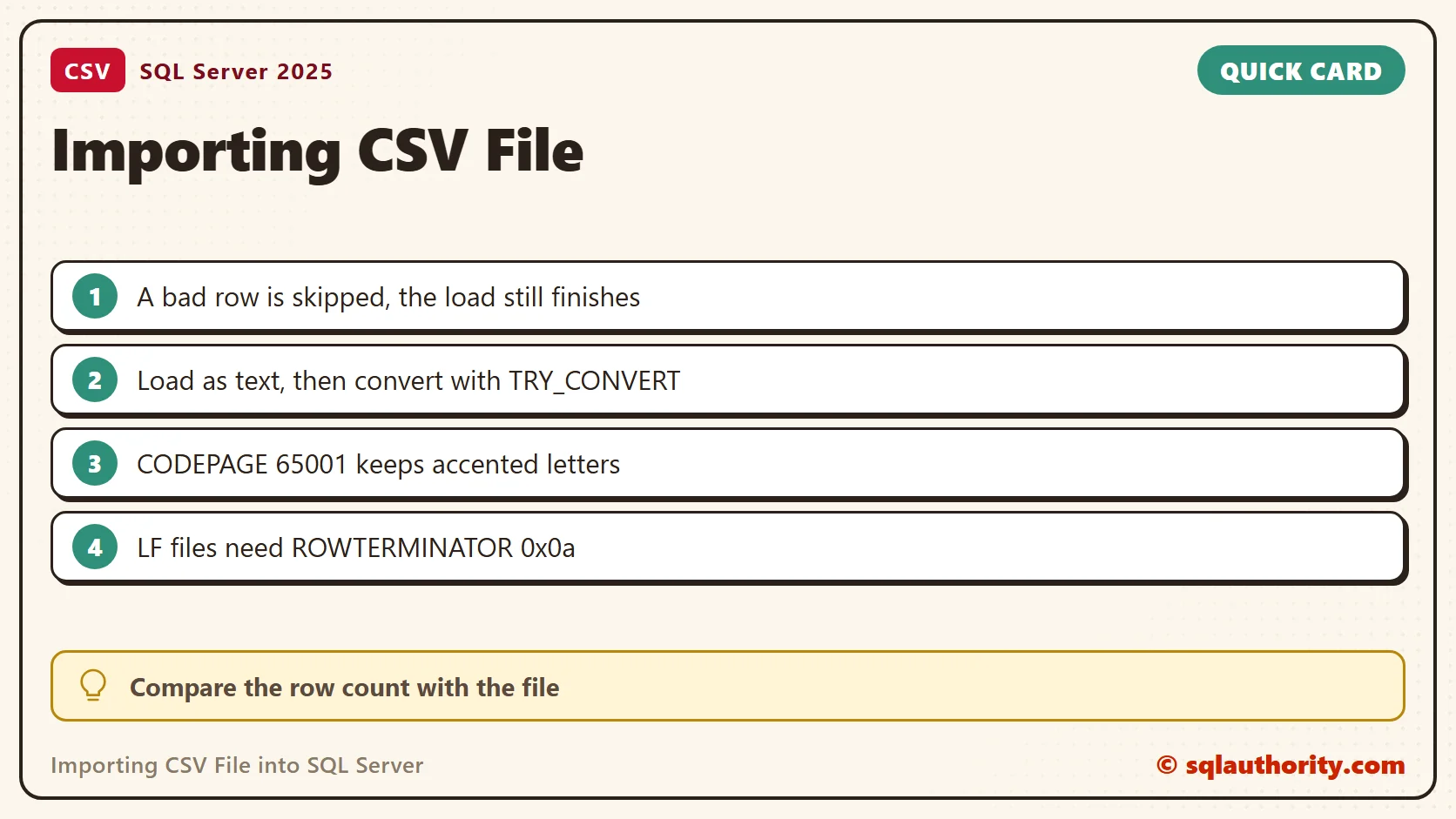
SQL Server printed Msg 4864 for row 4, column 3, which is the word many in Quantity. It skipped that row and loaded the other three. A TRY and CATCH block around the statement did not catch the message. So a load can finish with a printed error and a short table. BULK INSERT keeps going until it reaches its error limit, which is 10 by default. Compare the row count with the number of data lines in the file.
Load as Text, Then Convert
A safer pattern loads everything as text and converts afterwards. Nothing is skipped, and you can see every bad row. TRY_CONVERT returns NULL instead of an error when a value does not fit.
CREATE TABLE #Staging (ItemId nvarchar(20), Description nvarchar(100), Quantity nvarchar(20));
BULK INSERT #Staging FROM 'C:\Import\items.csv'
WITH (FORMAT = 'CSV', FIRSTROW = 2, CODEPAGE = '65001', ROWTERMINATOR = '0x0a');
SELECT ItemId, Description, Quantity FROM #Staging
WHERE TRY_CONVERT(int, ItemId) IS NULL OR TRY_CONVERT(int, Quantity) IS NULL;
SELECT TRY_CONVERT(int, ItemId) AS ItemId, Description, TRY_CONVERT(int, Quantity) AS Quantity
FROM #Staging
WHERE TRY_CONVERT(int, ItemId) IS NOT NULL AND TRY_CONVERT(int, Quantity) IS NOT NULL;
DROP TABLE #Staging;
All four rows arrived, so the staging count matched the four data lines in the file. The comma inside Notebook, blue stayed in one value. The first query isolated row 3, the one with the quantity many. The second returned the three good rows as real integers. Send the rejected row back to whoever owns the file. Do not drop it without a note. In a real load, I keep the staging table until the owner confirms the fix.
Match the Encoding
The file is UTF-8, so the load needs CODEPAGE = '65001'. I loaded the same file twice and measured the accented name.
CREATE TABLE #Raw (ItemId nvarchar(20), Description nvarchar(100), Quantity nvarchar(20));
BULK INSERT #Raw FROM 'C:\Import\items.csv' WITH (FORMAT = 'CSV', FIRSTROW = 2, ROWTERMINATOR = '0x0a');
SELECT LEN(Description) AS CharsNoCodepage, UNICODE(SUBSTRING(Description, 2, 1)) AS SecondChar FROM #Raw WHERE ItemId = N'3';
DELETE FROM #Raw;
BULK INSERT #Raw FROM 'C:\Import\items.csv' WITH (FORMAT = 'CSV', FIRSTROW = 2, CODEPAGE = '65001', ROWTERMINATOR = '0x0a');
SELECT LEN(Description) AS CharsCodepage, UNICODE(SUBSTRING(Description, 2, 1)) AS SecondChar FROM #Raw WHERE ItemId = N'3';
DROP TABLE #Raw;
Without the setting, the name had 10 characters and the second one was code 9500, a box drawing symbol. With it, the name had 9 characters and the second was code 252, the letter ü. Wrong encoding does not raise an error. It quietly damages the text, so check how the file was saved before you pick the code page.
Match the Line Endings
My file uses LF endings, so the load sets ROWTERMINATOR = '0x0a'. Without it, the same load failed with Msg 7301. A copy of the file with CRLF endings loaded with no terminator at all. Setting 0x0a on that copy left a carriage return at the end of the last text column. The value 4 had a length of 2. Check where the file came from before you choose.
The Import Flat File Wizard
For a one-time import into a new table, SSMS offers Tasks, Import Flat File on the database. Review the preview and the guessed column types before you finish. A wizard import still needs the same data check afterwards.

More CSV Examples
- Import CSV File Into SQL Server Using Bulk Insert
- Import CSV File into Database Table Using SSIS
- Create a Comma Delimited List Using SELECT Clause From Table Column
- Comma Separated Values (CSV) from Table Column
- Comma Separated Values (CSV) from Table Column, Part 2
A CSV import is not complete when the command finishes, it is complete when the data checks out.
Published by Pinal Dave on SQLAuthority. More of my work at pinaldave.com.
Discover more from SQL Authority with Pinal Dave
Subscribe to get the latest posts sent to your email.




21 Comments. Leave new
It may be simple here, but how often is it this simple in the real world with large datasets where data is missing, implicit casts fail etc.?
I have arround 16 crores of records in 16 csv files each having 1 crores of records. It is all about TRAI registred Mobile number and some other information.
I am using Mysql and Sql server also.
I am using bulk insert but it is too slow.
How efficiently I can upload and also Update new date for each week.(update twice in a week)
Please advice.
Brad has a point there. Microsoft’s parser is quite error-prone. Asu, I would advice that you write a CSV parser in whatever platform you’re developing. It’s quite easy. For a .Net example, see:
How about a quick video on simplest way to convert a user defined function into a script for testing purposes?
What would be really useful is a script that created the table and imported the data to that table. This seems quite tedious. For example, why would I go through all of the trouble creating the table, then creating a script identifying the table headers then importing all of the data.
What I would like to see here is a REAL USEFUL import CSV file, taking the first line as the header (Don’t forget to add the record Numbers Incremental) and then adding the data to those headers. Can this be done?
I am getting below error.
The OLE DB provider “BULK” for linked server “(null)” reported an error. The provider did not give any information about the error.
$value) $data[$key] = addslashes($data[$key]);
$con = mysql_connect($server,$DBusername,$DBpassword);
mysql_select_db($database, $con);
//mysql_connect($server, $DBusername, $DBpassword) or die (“$DatabaseError 54”);
echo $query = mysql_query(“INSERT INTO $tablename (
`name`,
`text`
)
VALUES(‘$data[0]’, ‘$data[1]’)”);
$result = mysql_query($query);
}
}
?>
thanks! that was very helpful!
I am using:
BULK INSERT mdb_cleanse.dbo.[@repository employee list]
FROM ‘C:\Users\fa01jjm\Documents\SQL Server Management Studio\Projects\Run Queries\Employee_List.csv’
WITH
(
FIELDTERMINATOR = ‘,’,
ROWTERMINATOR = ‘\n’
)
I get an error saying the OS cannot find the path specified
it’s the file on the same server as the db?
Great post. How can I load a file if I don’t have the name just the directory it suppose to be in?
Cannot bulk load because the file “C:\CSVData\Schools.csv” could not be opened. Operating system error code 3(The system cannot find the path specified.).
Hi i am getting this error, can you please help me in resolving?
The csv file must be onthe same server as the db
Correct flyfve. Thanks for helping Sarita.
Is there any way to programmatically import a csv’s contents into a table in SQL Server 2012 without putting the file on the same server as the DB? Permissions aren’t an issue, but I can’t create new files on a prod environment without going through a whole verification process–which violates the “programmatically” part of my question.
how to insert bulk data consist of arabic and english values
getting garbage values on inserting arabic data/values
Is there a way to read the csv files without their headlines? (many CSV files have text in the first row). Thank you
how to load csv format data in sql server table
that’s what i have demonstrated in video.
Getting this error ?
Msg 4866, Level 16, State 1, Line 16
The bulk load failed. The column is too long in the data file for row 1, column 12. Verify that the field terminator and row terminator are specified correctly.
Msg 7399, Level 16, State 1, Line 16
The OLE DB provider “BULK” for linked server “(null)” reported an error. The provider did not give any information about the error.
Msg 7330, Level 16, State 2, Line 16
Cannot fetch a row from OLE DB provider “BULK” for linked server “(null)”.