This WHERE Clause Quiz shows a query that looks fine and fails on the first run. It’s about a column alias and a filter that can’t find it. Read the setup, pick your answer, and then run the script to check yourself.

The Quiz
A shop keeps one row for each order line. Each row has a product, a price and a quantity. Riley wants every line worth more than 100. The query multiplies price by quantity and gives the result a name. Here is the query:
SELECT Price * Quantity AS LineTotal FROM dbo.OrderLines WHERE LineTotal > 100;
What happens when SQL Server runs this query?
A. It returns the lines worth more than 100
B. It fails with error 207, invalid column name
C. It returns every line, because the filter is ignored
D. It returns no rows, with a warning
Take a moment and pick one before you read on.
The Answer
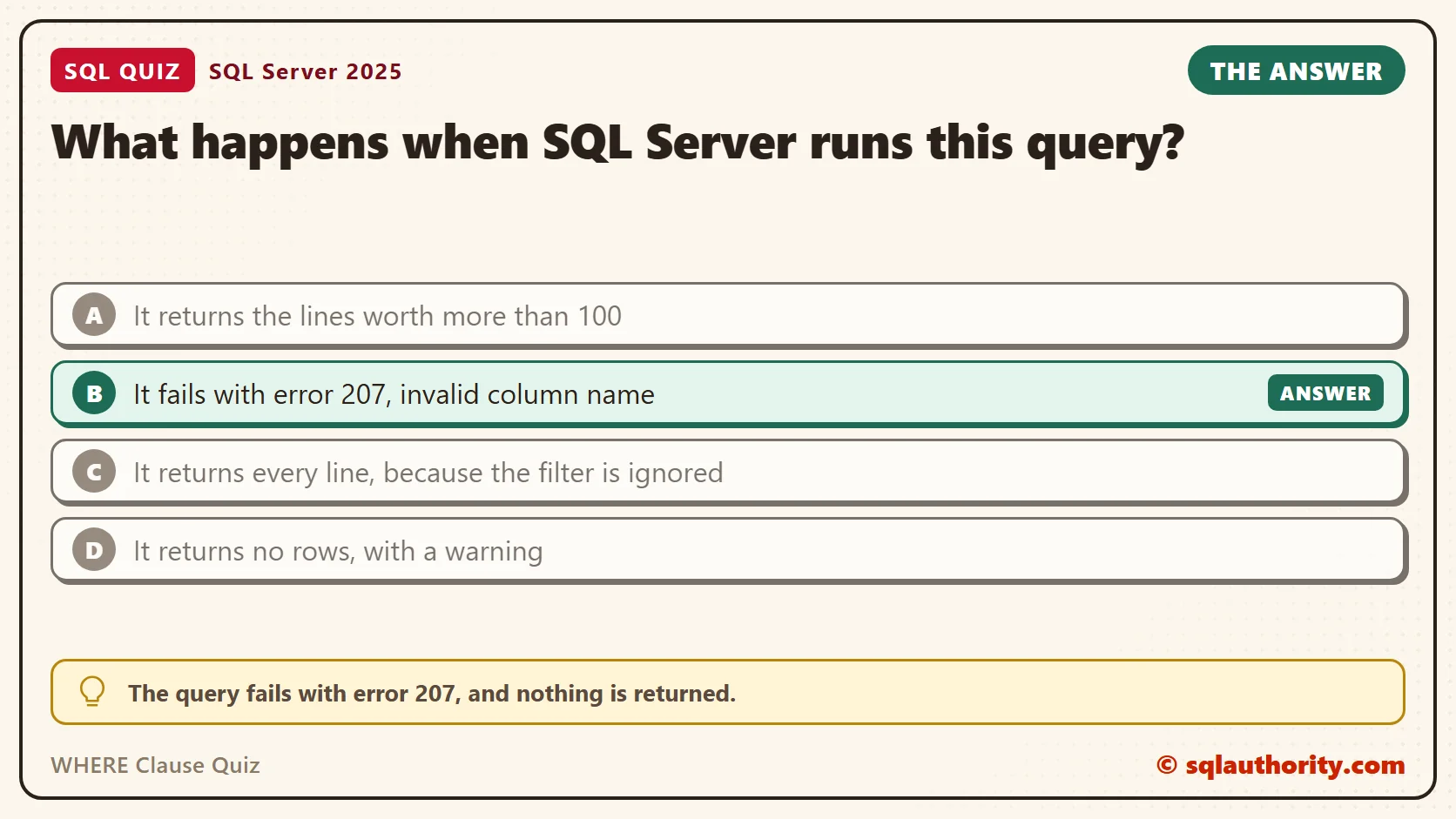
The answer is B. The query fails with error 207, and nothing is returned.
A query isn’t processed in the order you write it. SQL Server reads the clauses in a fixed logical order. FROM comes first, then WHERE, then GROUP BY and HAVING, and SELECT after those. The alias LineTotal is created in SELECT. When WHERE is processed, the name doesn’t exist yet.
This is the logical order, and it decides which names a clause can see. The optimizer can do the real work in another physical order if the result stays the same. It never changes which names are visible.
Prove It
The first script creates a small database called SqlQuizWhereClause. It is used only for this example, so run it on a test server. The script adds five order lines and then runs the failing query.
IF DB_ID(N'SqlQuizWhereClause') IS NULL CREATE DATABASE SqlQuizWhereClause;
GO
USE SqlQuizWhereClause;
GO
DROP TABLE IF EXISTS dbo.QuizOrderLine;
CREATE TABLE dbo.QuizOrderLine
(
    LineID int IDENTITY(1,1) PRIMARY KEY,
    Product nvarchar(40) NOT NULL,
    Price decimal(8,2) NOT NULL,
    Quantity int NOT NULL
);
INSERT INTO dbo.QuizOrderLine (Product, Price, Quantity)
VALUES (N'Notebook', 4.50, 10), (N'Desk lamp', 32.00, 4), (N'Stapler', 12.75, 4), (N'Backpack', 58.00, 2), (N'Pencil box', 6.25, 8);
GO
SELECT LineID, Product, Price * Quantity AS LineTotal
FROM dbo.QuizOrderLine
WHERE LineTotal > 100;
This is the text SSMS shows in the Messages tab. It is output, not code to run.
Msg 207, Level 16, State 1, Line 1
Invalid column name 'LineTotal'.
There are three ways to fix it. Each one returns the same rows. The first repeats the expression in WHERE. The second moves the calculation into a CTE. The third uses CROSS APPLY to create the name before WHERE runs.
SELECT LineID, Product, Price * Quantity AS LineTotal
FROM dbo.QuizOrderLine
WHERE Price * Quantity > 100;

WITH Lines AS
(
    SELECT LineID, Product, Price * Quantity AS LineTotal
    FROM dbo.QuizOrderLine
)
SELECT LineID, Product, LineTotal
FROM Lines
WHERE LineTotal > 100;

SELECT o.LineID, o.Product, x.LineTotal
FROM dbo.QuizOrderLine AS o
CROSS APPLY (SELECT o.Price * o.Quantity AS LineTotal) AS x
WHERE x.LineTotal > 100;
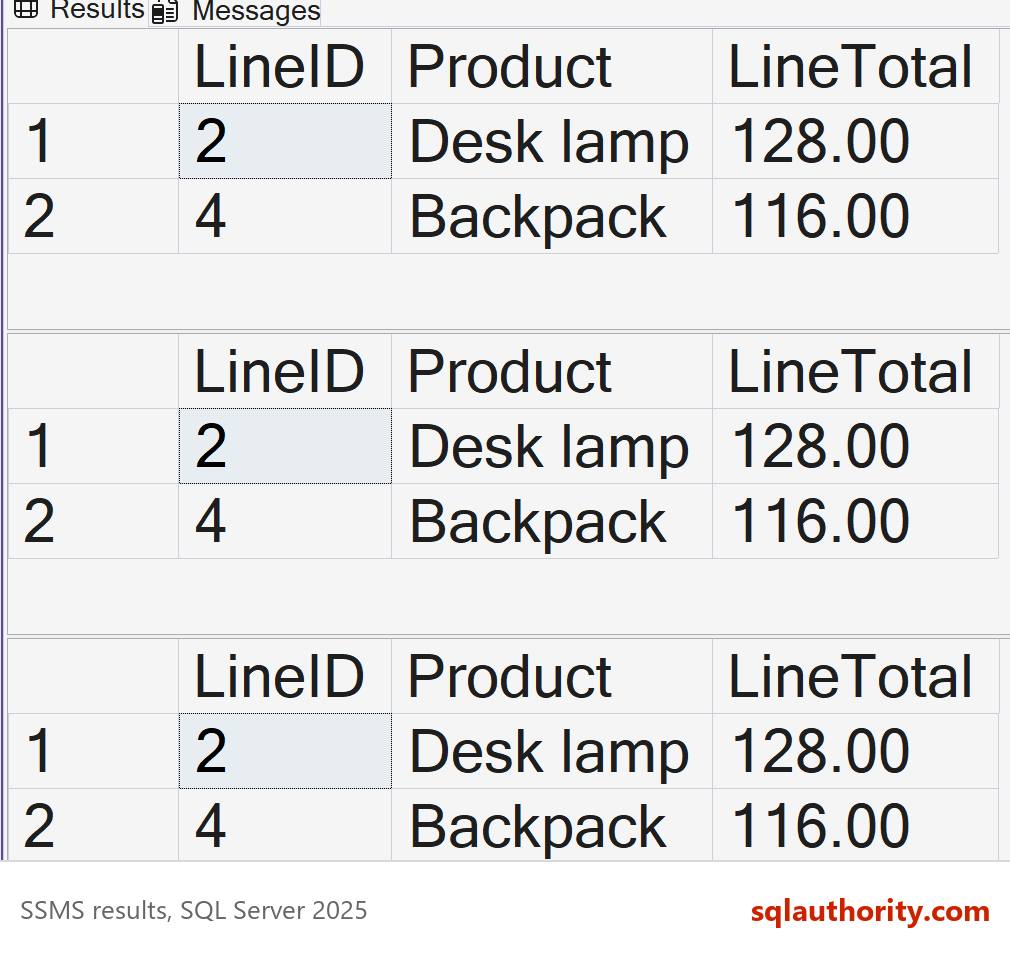
On SQL Server 2025, all three queries returned these two rows.
| LineID | Product | LineTotal |
|---|---|---|
| 2 | Desk lamp | 128.00 |
| 4 | Backpack | 116.00 |
Why the Other Answers Are Wrong
A is what the query asks for, and it’s the answer most people expect. SQL Server doesn’t guess what you meant. It looks for a column called LineTotal in the table, finds none, and stops.
C would mean that SQL Server drops a filter it doesn’t understand. It never does. An unknown name is an error, and an error returns no rows at all, not every row.
D is close, because no rows come back. But nothing runs, so there is no warning about an empty result. The query is rejected when SQL Server compiles it, before it reads a single row.
Where an Alias Does Work
The same order explains where aliases are allowed. ORDER BY runs after SELECT, so it can use the alias. GROUP BY and HAVING run before SELECT, so they can’t. In my test, GROUP BY on an alias and HAVING on an alias both failed with error 207.
SELECT LineID, Product, Price * Quantity AS LineTotal
FROM dbo.QuizOrderLine
ORDER BY LineTotal DESC;
The query returned the lines from the biggest total to the smallest: 128.00, 116.00, 51.00, 50.00 and 45.00. It sorted by the alias without any complaint.
There’s one limit. In ORDER BY, the alias has to stand alone. Put it inside an expression, such as LineTotal * -1, and the name is invalid again. Sort by the alias and add DESC, or repeat the full expression.
SELECT LineID, Product, Price * Quantity AS LineTotal
FROM dbo.QuizOrderLine
ORDER BY LineTotal * -1;
This is the text SSMS shows in the Messages tab. It is output, not code to run.
Msg 207, Level 16, State 1, Line 3
Invalid column name 'LineTotal'.
Reusing an Alias in the Same SELECT
The same rule applies inside the select list. One column can’t use an alias created beside it, so a tax column built on LineTotal fails. CROSS APPLY fixes that too, because the name exists before SELECT starts.
SELECT Product, Price * Quantity AS LineTotal, LineTotal * 0.08 AS Tax
FROM dbo.QuizOrderLine;
GO
SELECT o.Product, x.LineTotal, x.LineTotal * 0.08 AS Tax
FROM dbo.QuizOrderLine AS o
CROSS APPLY (SELECT o.Price * o.Quantity AS LineTotal) AS x
WHERE x.LineTotal > 100
ORDER BY o.LineID;
The first query fails with the same error 207, this time for the name LineTotal in the select list. The second one runs. This is the text SSMS shows in the Messages tab for the first query. It is output, not code to run.
Msg 207, Level 16, State 1, Line 1
Invalid column name 'LineTotal'.
The second query returned two rows, with a tax of 10.2400 for the desk lamp and 9.2800 for the backpack.
| Product | LineTotal | Tax |
|---|---|---|
| Desk lamp | 128.00 | 10.2400 |
| Backpack | 116.00 | 9.2800 |
The Trap: An Alias That Matches a Real Column
One case is worse than an error, because it gives a wrong answer without a message. Suppose the alias has the same name as a real column. WHERE can’t see the alias, but it can see the column, so it quietly uses the column.
SELECT LineID, Product, Price AS Quantity
FROM dbo.QuizOrderLine
WHERE Quantity > 5;
The result column called Quantity shows prices, but the filter used the real Quantity column. That’s why 4.50 and 6.25 appear, even though neither is greater than 5 as a price.
| LineID | Product | Quantity |
|---|---|---|
| 1 | Notebook | 4.50 |
| 5 | Pencil box | 6.25 |
Notebook has 10 units and Pencil box has 8, so both passed the filter. Give every alias a name that no column in the query already uses.
You can spot this trap in a review. Look for an alias that matches a column in the FROM clause. Qualifying the column with its table alias, such as o.Quantity, also makes the filter say which one it means.
What to Remember
WHERE, GROUP BY and HAVING can’t use a SELECT alias. ORDER BY can. When you need the name earlier, repeat the expression, or build it in a CTE or with CROSS APPLY.
When I write a filter on a calculated value, I repeat the expression if it’s short. If the calculation is long, I move it into a CTE so it exists in one place only. The result is the same, and the long version is easier to fix later.
When you finish testing, remove the example database.
USE master;
GO
ALTER DATABASE SqlQuizWhereClause SET SINGLE_USER WITH ROLLBACK IMMEDIATE;
DROP DATABASE SqlQuizWhereClause;
A column alias is not a name WHERE can use, it is a label SELECT hands out at the end.
Published by Pinal Dave on SQLAuthority. More of my work at pinaldave.com.
Discover more from SQL Authority with Pinal Dave
Subscribe to get the latest posts sent to your email.