
An Agent service missing in Configuration Manager can come from a wrong program path. The service exists, but Windows cannot find the file it points to.

The Symptom
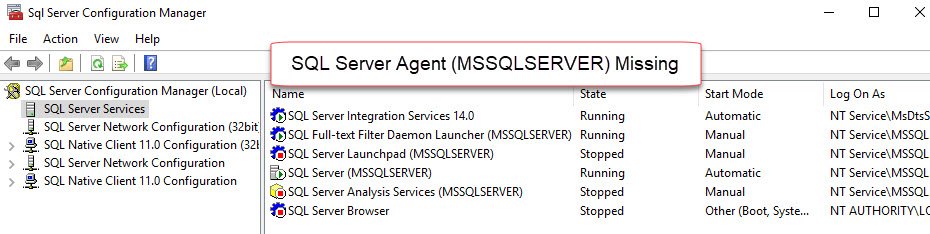
Services can go missing in many combinations. The common one is that every SQL Server service is missing from Configuration Manager. This post covers a narrower case. The Database Engine and the Browser are listed. Only the Agent service missing in Configuration Manager is the problem.
The picture has two halves. The Windows Services console, Services.msc, lists every SQL Server service, Agent included. Configuration Manager lists all of them except the Agent. In the original case the Agent was stopped, and starting it from Services.msc failed. The event log held Event ID 7000, The system cannot find the file specified. A separate post, Event ID 7000: The System Cannot Find the File Specified, covers the error itself.
Not Every Service Is on the List
First rule out a normal gap. Configuration Manager does not list every Windows service whose name starts with SQL. The two commands below compare the lists on the same machine. The first reads the Windows service list. The second reads the provider that Configuration Manager uses. They are PowerShell commands, not T-SQL, and they change nothing.
Get-CimInstance Win32_Service | Where-Object { $_.Name -like 'MSSQL*' -or $_.Name -like 'SQL*' } | Sort-Object Name | Select-Object Name, State, StartMode

Get-CimInstance -Namespace root\Microsoft\SqlServer\ComputerManagement17 -ClassName SqlService | Sort-Object ServiceName | Select-Object ServiceName, DisplayName
On the test machine, Windows lists six services. The Configuration Manager provider lists four. The first table is the Windows list.
| Name | State | StartMode |
|---|---|---|
| MSSQL$SQLDEV | Running | Auto |
| MSSQLLaunchpad$SQLDEV | Stopped | Disabled |
| SQLAgent$SQLDEV | Stopped | Manual |
| SQLBrowser | Running | Auto |
| SQLTELEMETRY$SQLDEV | Stopped | Disabled |
| SQLWriter | Stopped | Disabled |
The second table is the Configuration Manager list. The telemetry service and the VSS writer are missing from it. That gap is not a fault. The Agent is present, because its path is good. An Agent service missing in Configuration Manager is the case worth fixing.
| ServiceName | DisplayName |
|---|---|
| MSSQL$SQLDEV | SQL Server (SQLDEV) |
| MSSQLLAUNCHPAD$SQLDEV | SQL Server Launchpad (SQLDEV) |
| SQLAgent$SQLDEV | SQL Server Agent (SQLDEV) |
| SQLBrowser | SQL Server Browser |
Read the Path With T-SQL
The Agent service stores the path to its program, and Windows runs that path. You can read it from the engine, without opening the registry. The view sys.dm_server_services shows the command line of each service in the column filename. The second query reads the same text from the service key itself.
SELECT servicename, status_desc, startup_type_desc, filename
FROM sys.dm_server_services
WHERE servicename LIKE N'SQL Server Agent%';

SELECT value_name, value_data
FROM sys.dm_server_registry
WHERE registry_key LIKE N'%\Services\SQLAgent%' AND value_name = N'ImagePath';
| servicename | status_desc | startup_type_desc | filename |
|---|---|---|---|
| SQL Server Agent (SQLDEV) | Stopped | Manual | “C:\Program Files\Microsoft SQL Server\MSSQL17.SQLDEV\MSSQL\Binn\SQLAGENT.EXE” -i SQLDEV |
| value_name | value_data |
|---|---|
| ImagePath | “C:\Program Files\Microsoft SQL Server\MSSQL17.SQLDEV\MSSQL\Binn\SQLAGENT.EXE” -i SQLDEV |
The value has three parts: the quoted path of SQLAGENT.EXE, the switch -i, and the instance name. The question is whether the file exists at that path. Test it in PowerShell, with the path from your own server.
Test-Path 'C:\Program Files\Microsoft SQL Server\MSSQL17.SQLDEV\MSSQL\Binn\SQLAGENT.EXE'
The test returns True on the test machine. A False on yours is the answer. The path points to a file that is not there, a drive that was renamed, or a folder that moved.
Repair the Path
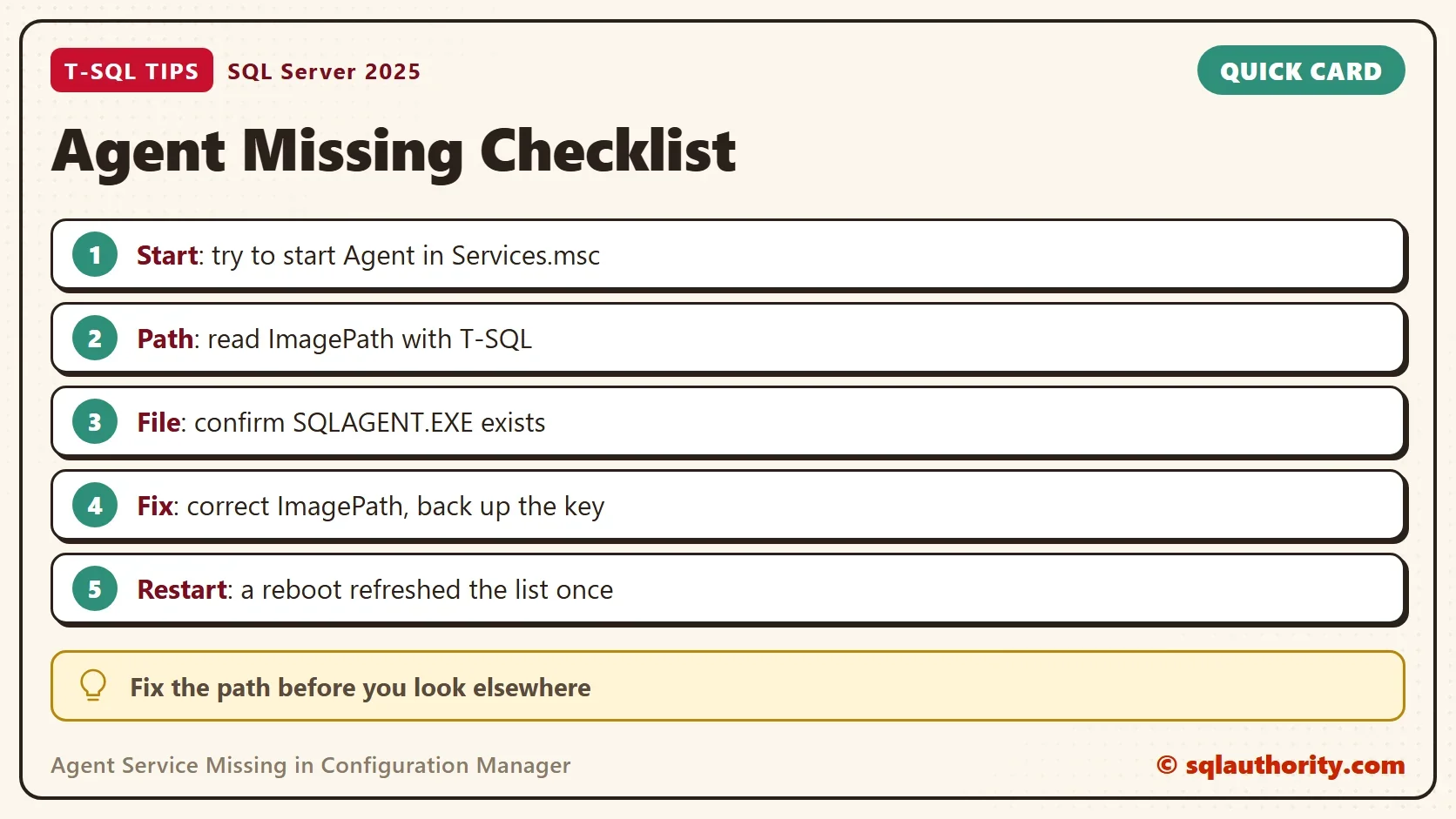
The old case reproduced the symptom by putting a wrong value into the ImagePath of a service. Configuration Manager then stopped listing that service. The repair is the reverse: put the correct path back. For a named instance, the key is HKEY_LOCAL_MACHINE\SYSTEM\CurrentControlSet\Services\SQLAgent$ followed by the instance name. Export the key to a file before you touch it, so you can restore the old value. Then edit ImagePath to hold the quoted path of SQLAGENT.EXE, the switch -i, and the instance name.
The command line does the same in two steps. Run both in an elevated Command Prompt, with the path from your own server. The first exports the key. The second sets the path. The inner quotes need a backslash, and the space after binPath= is required. To go back, run reg import SQLAgentService.reg. If the file itself is missing, repairing the SQL Server installation is the next step.
reg export "HKLM\SYSTEM\CurrentControlSet\Services\SQLAgent$SQLDEV" SQLAgentService.reg
sc.exe config "SQLAgent$SQLDEV" binPath= "\"C:\Program Files\Microsoft SQL Server\MSSQL17.SQLDEV\MSSQL\Binn\SQLAGENT.EXE\" -i SQLDEV"
Start the service from Services.msc to prove the fix. When it starts, Configuration Manager lists it again. One reader hit this after an upgrade from SQL Server 2012 to 2014. The Event ID 7000 article fixed the start, and the Agent appeared in Configuration Manager only after the server restarted. If the list stays stale, restart the machine.
Is a Missing Entry Worth Chasing?
You could argue that a missing entry in a management tool is cosmetic. It is not. The entry is missing because the service cannot start, and an Agent that cannot start runs no jobs. Backups and maintenance stop without a sound. Check that the service starts before you look for any other cause.
What to Remember
Start with the simple test. Try to start the Agent from Services.msc. If it starts, look for other causes. If it fails, fix that first. Read ImagePath with T-SQL, test the file, and correct the value, with a backup of the key. Do this before you chase an Agent service missing in Configuration Manager through other theories. This post changes nothing on the test server, so there is nothing to clean up.
A missing service is not a missing feature, it is a path that no longer points anywhere.
Published by Pinal Dave on SQLAuthority. More of my work at pinaldave.com.
Discover more from SQL Authority with Pinal Dave
Subscribe to get the latest posts sent to your email.



1 Comment. Leave new
From my side, this problem appears after an upgrade from SQL2012 to SQL2014. Impossible to restart the agent into services.msc. I followed your article about Event Id 7000 and it solved my problem. But to see again the agent into Configuration manager 2014, a restart of the server was necessary. Thanks a lot for all