
FOR XML AUTO turns a join into nested XML with one element per table. The table behind your first column becomes the outer element, and the rows from the other table sit inside it. Row order decides whether the nesting comes out tidy.
The Sample Tables
Three shelves and seven books. The books alternate between shelves on purpose, because row order matters later. Run this in any test database. Every result in this post comes from SQL Server 2025.
CREATE TABLE Shelves (ShelfID INT PRIMARY KEY, Section VARCHAR(20) NOT NULL);
CREATE TABLE Books (BookID INT PRIMARY KEY, Title VARCHAR(30) NOT NULL, ShelfID INT NOT NULL REFERENCES Shelves (ShelfID));
INSERT INTO Shelves (ShelfID, Section) VALUES (1, 'Gardening'), (2, 'Travel'), (3, 'Cooking');
INSERT INTO Books (BookID, Title, ShelfID) VALUES
  (1, 'Herb Gardens', 1), (2, 'Lisbon Walks', 2), (3, 'Soup Basics', 3), (4, 'Raised Beds', 1),
  (5, 'Alpine Trails', 2), (6, 'Bread at Home', 3), (7, 'Seed Saving', 1);
GO
Element Names Come From the Tables
AUTO names each element after its table, and the columns become attributes. The first query uses the plain table names, so the elements are called Shelves and Books.
SELECT Shelves.Section, Books.Title
FROM Shelves
JOIN Books ON Books.ShelfID = Shelves.ShelfID
ORDER BY Shelves.Section, Books.Title
FOR XML AUTO;
Table aliases rename the elements. In the next query, Shelf and Book read better than the plural table names. The books of each shelf sit inside it.
SELECT Shelf.Section, Book.Title
FROM Shelves AS Shelf
JOIN Books AS Book ON Book.ShelfID = Shelf.ShelfID
ORDER BY Shelf.Section, Book.Title
FOR XML AUTO;
Row Order Decides the Grouping
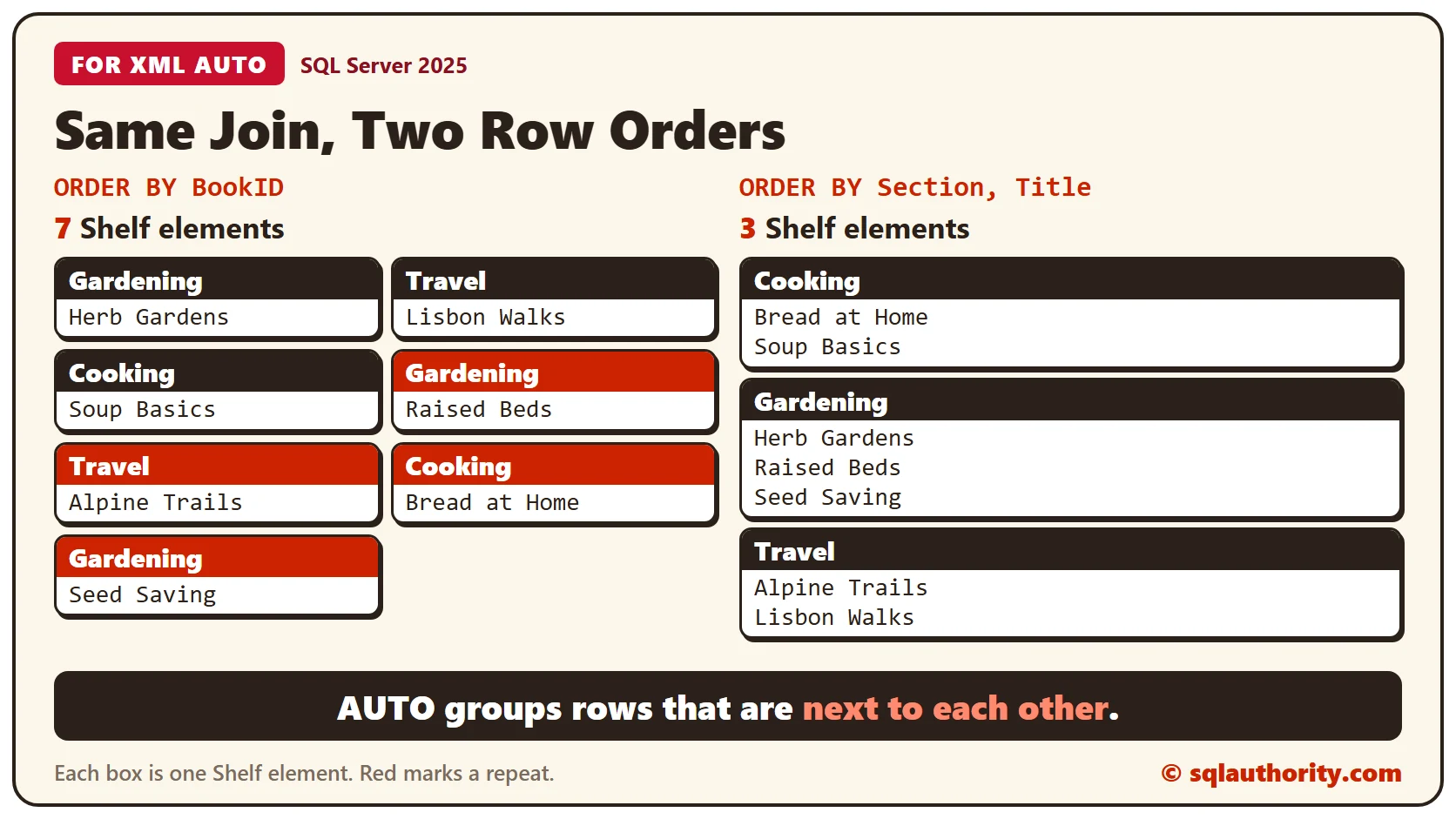
AUTO nests rows that sit next to each other, and it doesn’t sort them. If the rows of one shelf are scattered, the shelf appears again each time its rows come around. This query orders by BookID, so the books alternate between the three shelves.
SELECT Shelf.Section, Book.Title
FROM Shelves AS Shelf
JOIN Books AS Book ON Book.ShelfID = Shelf.ShelfID
ORDER BY Book.BookID
FOR XML AUTO;
Each book got its own Shelf element. Count them against the ordered query above.
DECLARE @Scattered xml = (SELECT Shelf.Section, Book.Title FROM Shelves AS Shelf JOIN Books AS Book ON Book.ShelfID = Shelf.ShelfID ORDER BY Book.BookID FOR XML AUTO, TYPE);
DECLARE @Grouped xml = (SELECT Shelf.Section, Book.Title FROM Shelves AS Shelf JOIN Books AS Book ON Book.ShelfID = Shelf.ShelfID ORDER BY Shelf.Section, Book.Title FOR XML AUTO, TYPE);
SELECT
  @Scattered.value('count(/Shelf)', 'int') AS ScatteredShelves,
  @Grouped.value('count(/Shelf)', 'int') AS GroupedShelves;
The counts are 7 and 3. Order by the outer table’s column first, and each shelf appears once.
Add a Root
ROOT wraps the result in one outer element. Without a name, SQL Server calls it root. This query returns only the Travel shelf to keep the output short.
SELECT Shelf.Section, Book.Title
FROM Shelves AS Shelf
JOIN Books AS Book ON Book.ShelfID = Shelf.ShelfID
WHERE Shelf.ShelfID = 2
ORDER BY Book.Title
FOR XML AUTO, ROOT;
Put a name in parentheses to choose your own. The nesting is still AUTO’s work.
SELECT Shelf.Section, Book.Title
FROM Shelves AS Shelf
JOIN Books AS Book ON Book.ShelfID = Shelf.ShelfID
ORDER BY Shelf.Section, Book.Title
FOR XML AUTO, ROOT('Library');
RAW mode accepts ROOT too, but it doesn’t nest a join. It returns one flat row element with the columns of both tables.
SELECT Shelf.Section, Book.Title
FROM Shelves AS Shelf
JOIN Books AS Book ON Book.ShelfID = Shelf.ShelfID
WHERE Shelf.ShelfID = 2
ORDER BY Book.Title
FOR XML RAW, ROOT('Library');
The SELECT List Decides Who Is Outside
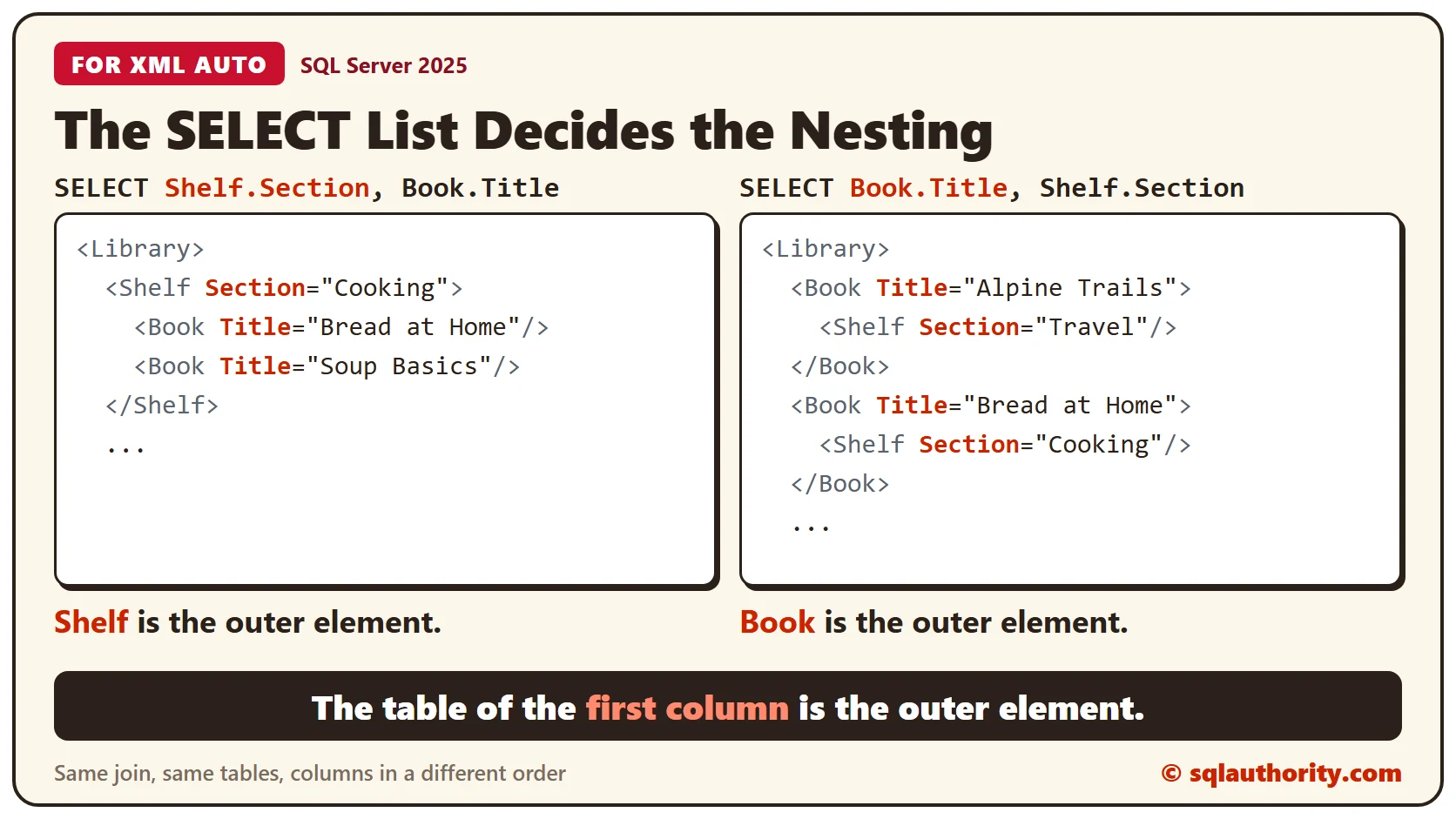
AUTO builds the nesting from the order of the columns in the SELECT list. The table behind the first column is the outer element. Swap the two columns, and the nesting flips.
SELECT Book.Title, Shelf.Section
FROM Shelves AS Shelf
JOIN Books AS Book ON Book.ShelfID = Shelf.ShelfID
ORDER BY Book.Title
FOR XML AUTO, ROOT('Library');
Every book is now the outer element, and its shelf sits inside it. Choose the column order that matches the shape your reader needs.
Elements Instead of Attributes
Add ELEMENTS and the attributes become child elements, as they do in RAW mode. Each Shelf then holds a Section element followed by its Book elements.
SELECT Shelf.Section, Book.Title
FROM Shelves AS Shelf
JOIN Books AS Book ON Book.ShelfID = Shelf.ShelfID
ORDER BY Shelf.Section, Book.Title
FOR XML AUTO, ELEMENTS, ROOT('Library');
A Shelf With No Books
A LEFT JOIN keeps a shelf that has no books. Add a Poetry shelf and query it next to Travel. The NULL title is left out, but the Book element stays.
INSERT INTO Shelves (ShelfID, Section) VALUES (4, 'Poetry');

SELECT Shelf.Section, Book.Title
FROM Shelves AS Shelf
LEFT JOIN Books AS Book ON Book.ShelfID = Shelf.ShelfID
WHERE Shelf.ShelfID IN (2, 4)
ORDER BY Shelf.Section, Book.Title
FOR XML AUTO, ROOT('Library');
Poetry comes back with an empty Book element. Treat an empty Book as no book when you read this XML.
Clean Up
Remove the two sample tables when you finish.
DROP TABLE Books;
DROP TABLE Shelves;
What to Remember
AUTO names elements after tables or aliases and nests by the order of your columns. It groups only rows that sit together, so put an ORDER BY on the outer table’s column. Add ROOT when another program needs a single root.
To go further, read FOR XML PATH: Choose Attributes and Nested Elements With Aliases, XML nodes: Turn Repeated Elements Into Rows and FOR XML PATH: Decode Escaped Text Through TYPE.
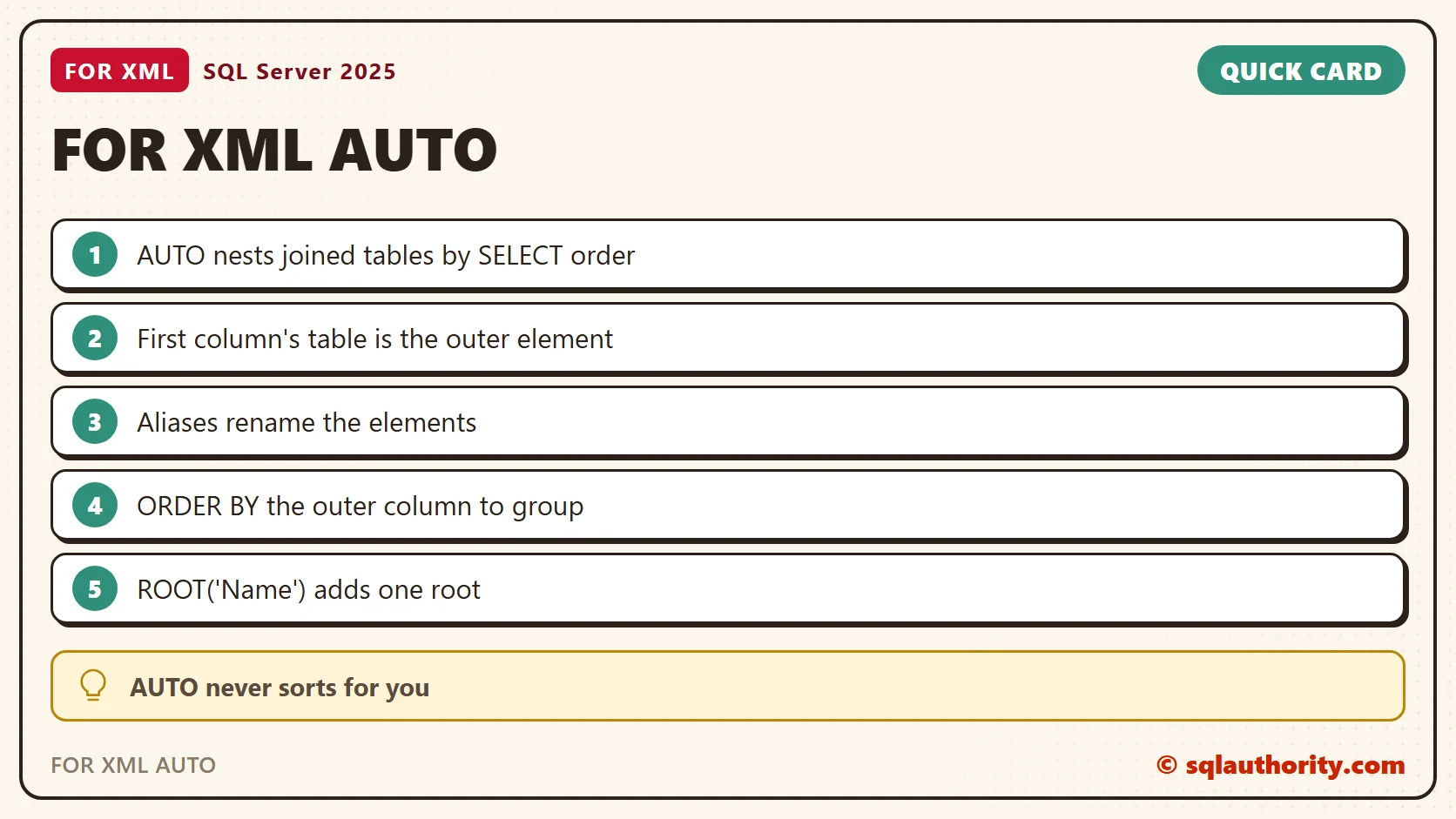
AUTO is not a sort, it is a grouping of rows that already sit together.
Published by Pinal Dave on SQLAuthority. More of my work at pinaldave.com.
Discover more from SQL Authority with Pinal Dave
Subscribe to get the latest posts sent to your email.




2 Comments. Leave new
I believe that the correct answer is #3
FOR XML AUTO, ROOT
Also, this article demonstrated nice nested output especially when the result was ordered.
I am from USA
Option 1 & 3
Explanation :
FOR XML RAW produces what we call attribute-based XML. FOR XML RAW essentially creates a flat representation of the data where each row returned becomes an element and the returned columns become the attributes of each element. FOR XML RAW also doesn’t interpret joins in any special way.
FOR XML AUTO produces attribute-based XML by default and can create nested results based on the tables in the query’s join clause.
So, using FOR XML AUTO and FOR XML AUTO ROOT, we can fulfill our requirement for creating a well formed, attribute based XML.
-Richa
Country – USA