
FOR XML RAW turns each row of a query result into one XML element. By default the element is named row, the columns become attributes, and there is no root. Four options change that, and one of them decides what happens to NULL values.
The Sample Table
Five library borrowers, and one of them has no branch yet. That NULL matters later. Run this in any test database. Every result in this post comes from SQL Server 2025.
CREATE TABLE Borrowers (BorrowerID INT PRIMARY KEY, FirstName VARCHAR(20) NOT NULL, LastName VARCHAR(20) NOT NULL, BranchID INT NULL);
INSERT INTO Borrowers (BorrowerID, FirstName, LastName, BranchID) VALUES
  (1, 'Priya', 'Shah', 1), (2, 'Marcus', 'Webb', 1), (3, 'Elena', 'Rossi', 2),
  (4, 'Omar', 'Haddad', NULL), (5, 'Grace', 'Lin', 2);
GO
The Default Output
Add FOR XML RAW to the end of a query.
SELECT BorrowerID, FirstName, LastName, BranchID FROM Borrowers ORDER BY BorrowerID
FOR XML RAW;
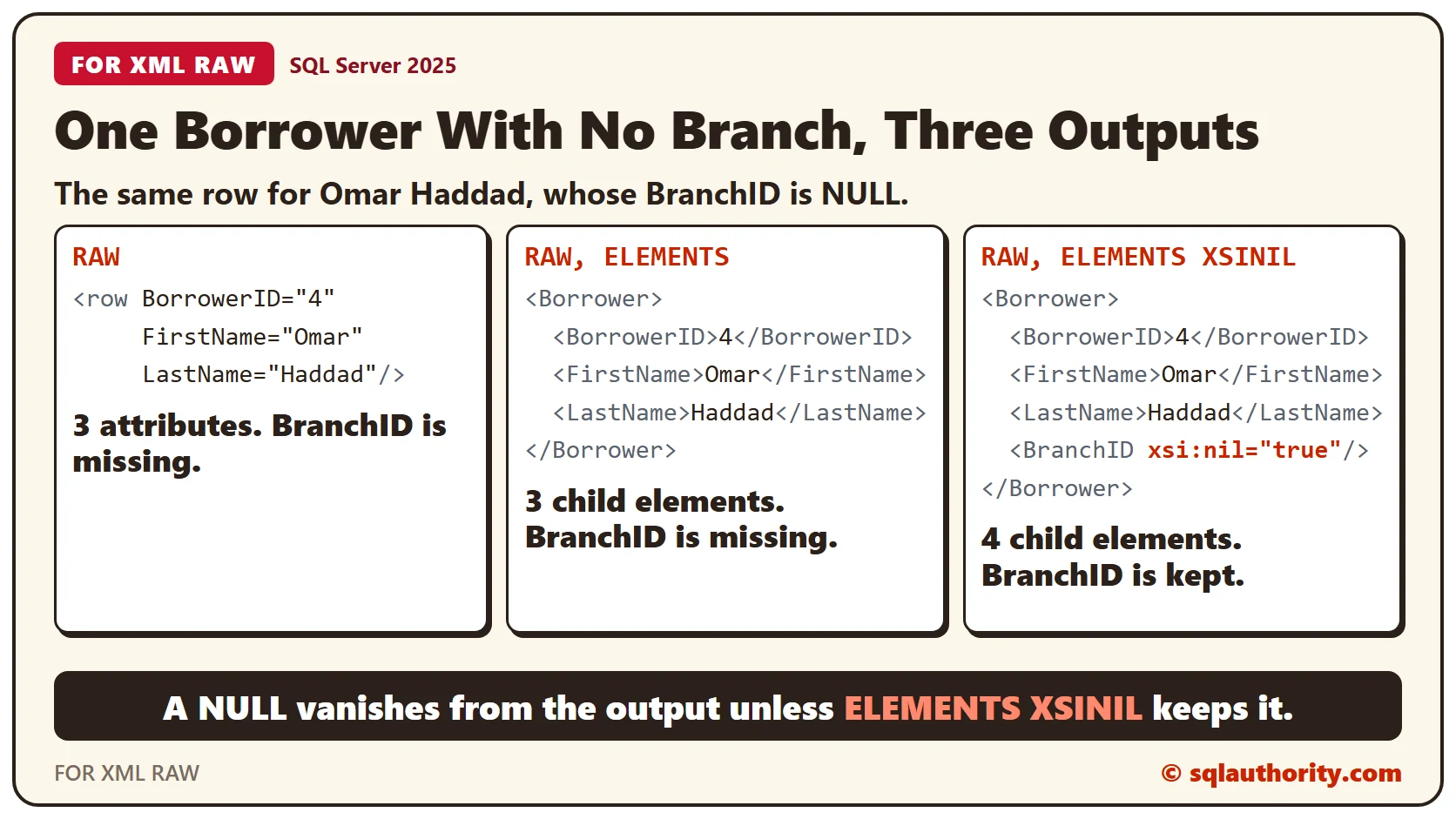
Each row became an element named row, and each column that isn’t NULL became an attribute. Omar Haddad has no branch, so borrower 4 has only three attributes. The BranchID column isn’t empty in the output. It’s missing.
Name the Rows and Add a Root
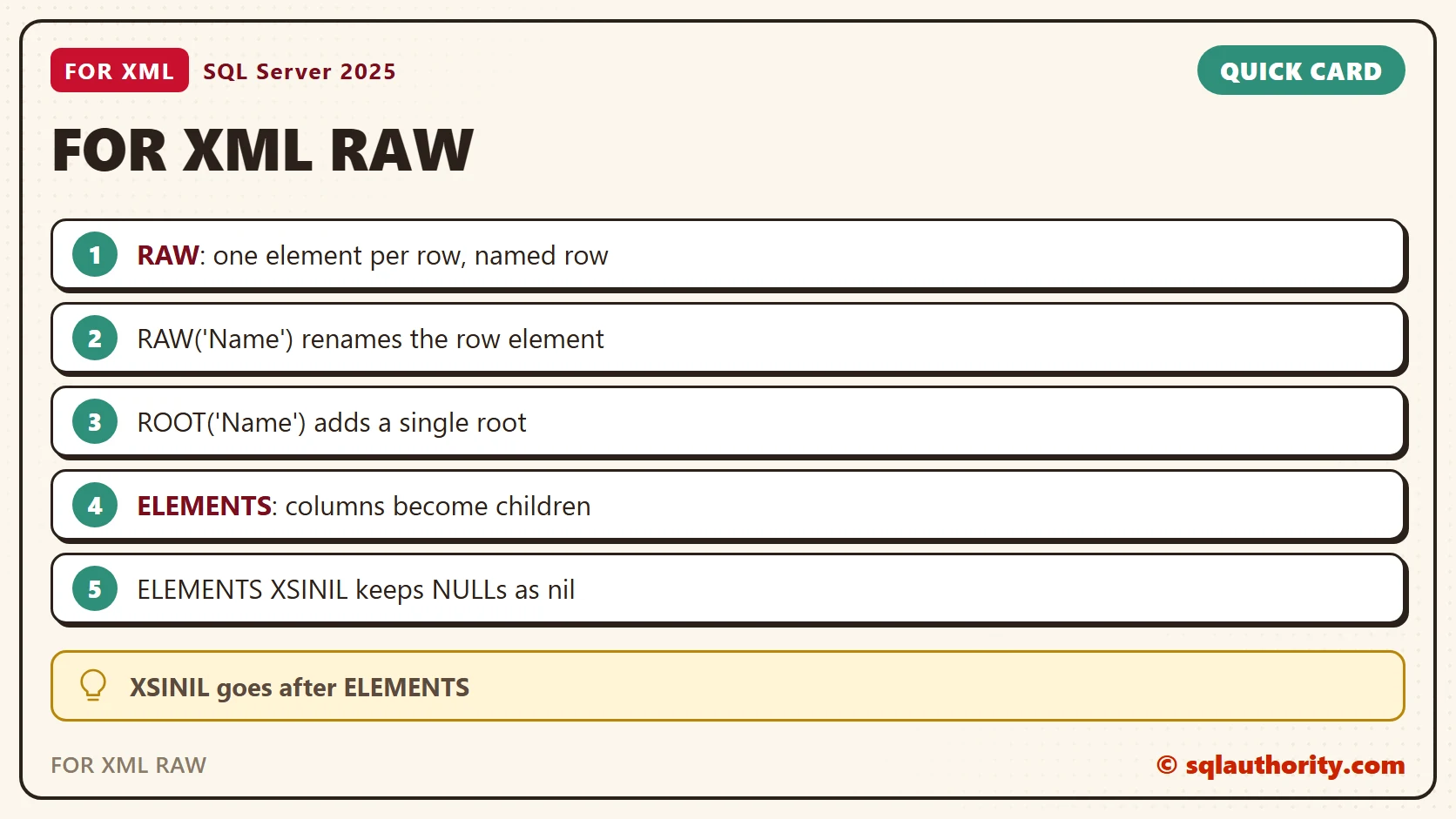
Put a name in parentheses after RAW to rename the row element. ROOT wraps the whole result in one outer element. The output is then a complete XML document with a single root.
SELECT BorrowerID, FirstName, LastName, BranchID FROM Borrowers ORDER BY BorrowerID
FOR XML RAW('Borrower'), ROOT('Borrowers');
Count the top-level elements to see what the root changes. TYPE returns the result as the xml data type, so the xml methods can read it. Without ROOT there is one top-level element per borrower. With ROOT there is exactly one.
DECLARE @NoRoot xml = (SELECT BorrowerID, FirstName FROM Borrowers ORDER BY BorrowerID FOR XML RAW('Borrower'), TYPE);
DECLARE @WithRoot xml = (SELECT BorrowerID, FirstName FROM Borrowers ORDER BY BorrowerID FOR XML RAW('Borrower'), ROOT('Borrowers'), TYPE);
SELECT
  @NoRoot.value('count(/*)', 'int') AS TopLevelWithoutRoot,
  @WithRoot.value('count(/*)', 'int') AS TopLevelWithRoot;
A column alias renames the attribute or the child element, so the XML doesn’t have to use your column names. The query below returns two borrowers with Id, Given and Family. The ORDER BY sets the order of the elements, because FOR XML doesn’t sort for you.
SELECT BorrowerID AS Id, FirstName AS Given, LastName AS Family FROM Borrowers WHERE BorrowerID <= 2 ORDER BY BorrowerID FOR XML RAW('Borrower'), ROOT('Borrowers');Elements Instead of Attributes
Attributes are compact, but many programs expect child elements. Add ELEMENTS, and every column becomes a child element.
SELECT BorrowerID, FirstName, LastName, BranchID FROM Borrowers ORDER BY BorrowerID
FOR XML RAW('Borrower'), ROOT('Borrowers'), ELEMENTS;
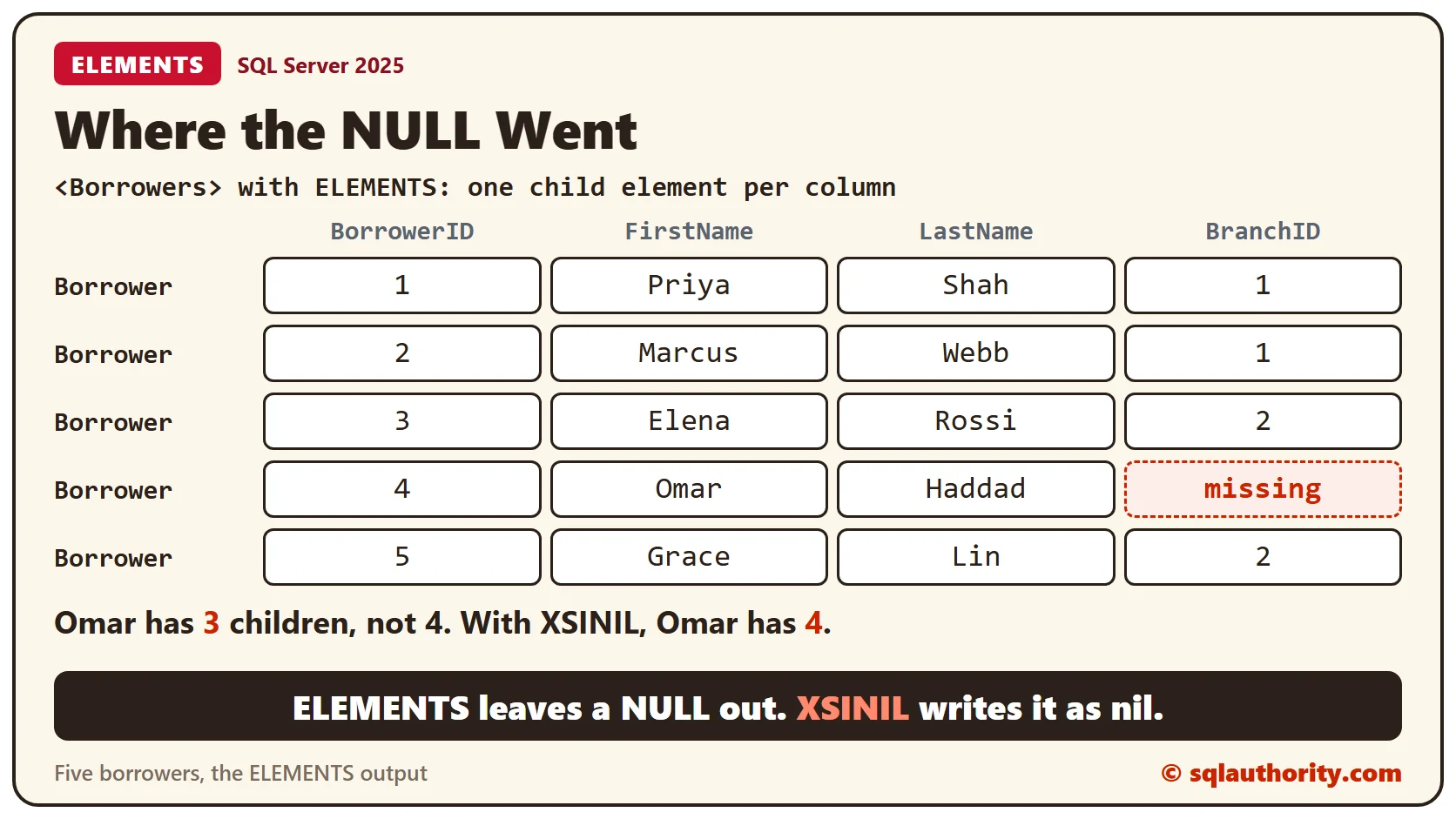
Now the NULL has a cost. Four borrowers have four child elements, and Omar has three. A program that expects all four has to handle that row.
Keep the NULL With XSINIL
XSINIL is an option of ELEMENTS, so it goes right after it. It writes the missing element and marks it with xsi:nil=”true”. SQL Server also adds the xsi namespace to the root.
SELECT BorrowerID, FirstName, LastName, BranchID FROM Borrowers ORDER BY BorrowerID
FOR XML RAW('Borrower'), ROOT('Borrowers'), ELEMENTS XSINIL;
Omar now has a BranchID element, and it says plainly that the value is NULL. Don’t put XSINIL anywhere else. Without ELEMENTS it’s a syntax error, message 102 near XSINIL.
SELECT BorrowerID, FirstName, LastName, BranchID FROM Borrowers ORDER BY BorrowerID
FOR XML RAW('Borrower'), ROOT('Borrowers'), XSINIL;
Check the Child Counts
Count the child elements to confirm the difference. The first two columns count borrowers 1 and 4 in the plain ELEMENTS output. The last two count the same borrowers in the XSINIL output.
DECLARE @plain xml = (SELECT BorrowerID, FirstName, LastName, BranchID FROM Borrowers ORDER BY BorrowerID FOR XML RAW('Borrower'), ROOT('Borrowers'), ELEMENTS, TYPE);
DECLARE @nil xml = (SELECT BorrowerID, FirstName, LastName, BranchID FROM Borrowers ORDER BY BorrowerID FOR XML RAW('Borrower'), ROOT('Borrowers'), ELEMENTS XSINIL, TYPE);
SELECT
  @plain.value('count(/Borrowers/Borrower[1]/*)', 'int') AS PlainFirst,
  @plain.value('count(/Borrowers/Borrower[4]/*)', 'int') AS PlainFourth,
  @nil.value('count(/Borrowers/Borrower[1]/*)', 'int') AS NilFirst,
  @nil.value('count(/Borrowers/Borrower[4]/*)', 'int') AS NilFourth;
The counts are 4, 3, 4 and 4. Only borrower 4 changed, and only because of XSINIL.
Which Shape to Choose
Choose attributes when you want short output and every column has a value. Choose ELEMENTS when the reader expects the same children in every row. Add XSINIL when a missing child would break that expectation. These are my rules of thumb, not SQL Server rules.
Clean Up
Remove the sample table when you finish.
DROP TABLE Borrowers;What to Remember
Name the row, add ROOT, and pick attributes or elements. Decide what a NULL should look like before you hand the XML to anyone.
To go further, read FOR XML XSINIL: Emit Missing Fields as Explicit Nil Elements, FOR XML PATH: Choose Attributes and Nested Elements With Aliases and FOR XML PATH: Decode Escaped Text Through TYPE.
A NULL is not a missing tag, it is a value you have to decide how to write.
Published by Pinal Dave on SQLAuthority. More of my work at pinaldave.com.
Discover more from SQL Authority with Pinal Dave
Subscribe to get the latest posts sent to your email.



2 Comments. Leave new
correct Answer:3)No tags are present for null values.
but XSINIL means i do not know ?
which is special keyword ;(mystryalso)
krishan kumar mishra
India
The answer for the above question is #3
No tags are present for null values.
As very well explained by you
Some more Explanation :
The ELEMENTS directive constructs XML in which each column value maps to an element in the XML. If the column value is NULL, no element is added. By specifying the optional XSINIL parameter on the ELEMENTS directive, you can request that an element also be created for the NULL value. In this case, an element that has the xsi:nil attribute set to TRUE is returned for each NULL column value.
We can override the schema declaration when setting xsi:nil attribute to value “true”. The schema must allow this by setting attribute “nillable” to “true”
Diljeet kumari
Country : INIDA