
A page split in SQL Server happens when a row belongs on a data page that is already full. SQL Server moves part of that page to a new page to make room. The extra work and the half-empty pages are why page splits have a bad reputation. This post makes one happen and shows you exactly what moved.

The Bookshelf Idea
Picture a shelf that holds four books, kept in order by title. A new book belongs in the middle, but the shelf is full. You move the last two books to a fresh shelf and slide the new one in. Now both shelves have gaps, and the shelves are no longer next to each other.
The Sample Table
Visitors sign in with a badge number. BadgeNo is the clustered primary key, so rows are stored in badge order. The Filler column makes each row about 1.9 KB, so four rows fill an 8 KB page. Six rows need two pages, and the first one is full. Run this in any test database. Every result below comes from SQL Server 2025.
CREATE TABLE Visitors (BadgeNo INT NOT NULL PRIMARY KEY CLUSTERED, VisitorName VARCHAR(20) NOT NULL, Filler CHAR(1900) NOT NULL DEFAULT '');
GO

INSERT INTO Visitors (BadgeNo, VisitorName) VALUES
  (10, 'Asha'), (20, 'Ben'), (30, 'Chen'), (40, 'Dara'), (50, 'Eli'), (60, 'Farah');
GO
Before the Split
The helper sys.fn_PhysLocFormatter shows the page of every row. It’s undocumented, so keep it in test databases. Badges 10 to 40 fill page 376, and badges 50 and 60 sit on page 378. The page query reports 2 pages that are 71.2 percent full on average.
SELECT BadgeNo, VisitorName, sys.fn_PhysLocFormatter(%%physloc%%) AS Location FROM Visitors ORDER BY BadgeNo;

SELECT page_count AS Pages, record_count AS Records, CAST(avg_page_space_used_in_percent AS DECIMAL(5,1)) AS AvgPageFullPercent
FROM sys.dm_db_index_physical_stats(DB_ID(), OBJECT_ID('Visitors'), 1, NULL, 'DETAILED')
WHERE index_level = 0;
The Insert That Splits
Badge 25 belongs between 20 and 30, which are on the full page 376. SQL Server can’t squeeze a fifth row in, so it splits the page. Run the two queries above again after this insert.
INSERT INTO Visitors (BadgeNo, VisitorName) VALUES (25, 'Gita');Page 376 now holds badges 10, 20 and 25. A new page, 379, holds 30 and 40. Badges 50 and 60 stay where they were. The table grew from 2 to 3 pages, and the average fullness fell from 71.2 to 55.3 percent.
The transaction log records each split. This query reads it with an undocumented function, so run it in a test database only. It returns 1 after the insert and 0 before it.
SELECT COUNT(*) AS PageSplits
FROM sys.fn_dblog(NULL, NULL)
WHERE Operation = 'LOP_DELETE_SPLIT' AND AllocUnitName LIKE 'dbo.Visitors%';
Inserts at the End Don’t Split
A badge higher than every other badge goes on the last page. Page 378 has room, so badge 70 joins 50 and 60 with no split. The table stays at 3 pages, and the split count stays at 1.
INSERT INTO Visitors (BadgeNo, VisitorName) VALUES (70, 'Hugo');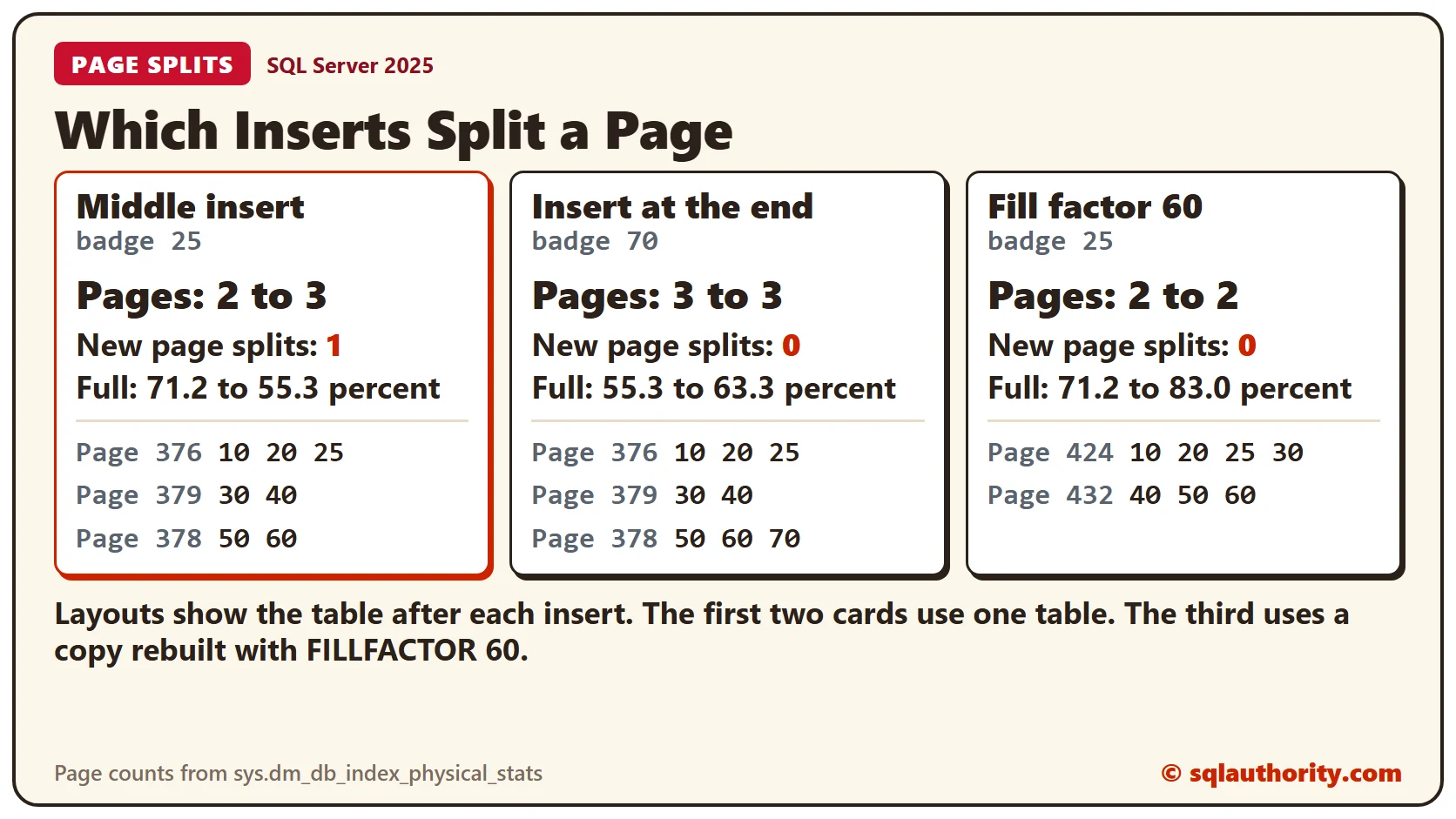
Leave Room With Fill Factor
Fill factor tells an index rebuild how full to make each page. A copy of the table rebuilt with FILLFACTOR 60 puts three rows on each page instead of four. Every page keeps room for one more. The same insert of badge 25 now finds space on the first page.
CREATE TABLE VisitorsRoomy (BadgeNo INT NOT NULL PRIMARY KEY CLUSTERED, VisitorName VARCHAR(20) NOT NULL, Filler CHAR(1900) NOT NULL DEFAULT '');
GO

INSERT INTO VisitorsRoomy (BadgeNo, VisitorName) VALUES
  (10, 'Asha'), (20, 'Ben'), (30, 'Chen'), (40, 'Dara'), (50, 'Eli'), (60, 'Farah');
GO

ALTER INDEX ALL ON VisitorsRoomy REBUILD WITH (FILLFACTOR = 60);
INSERT INTO VisitorsRoomy (BadgeNo, VisitorName) VALUES (25, 'Gita');The copy stays at 2 pages, and the log shows 0 splits for it. The room isn’t permanent. Fill factor applies only when an index is built or rebuilt. Busy pages fill up again, and the splits return.
Why It Matters
Keys that only grow, such as an identity value or a date, add rows at the end. They rarely split a page. Random keys land anywhere, so they split pages all the time. Choose the clustered key with this in mind. Measure splits in a test database before you change a production index.
Clean Up
Remove the two sample tables when you finish.
DROP TABLE VisitorsRoomy;
DROP TABLE Visitors;
To go further, read Measure Page Splits in SQL Server With T-SQL, SQL SERVER – Identify Page Splits Using Extended Events in SQL Server and Instance Level Fill Factor or Index Level: What to Set.
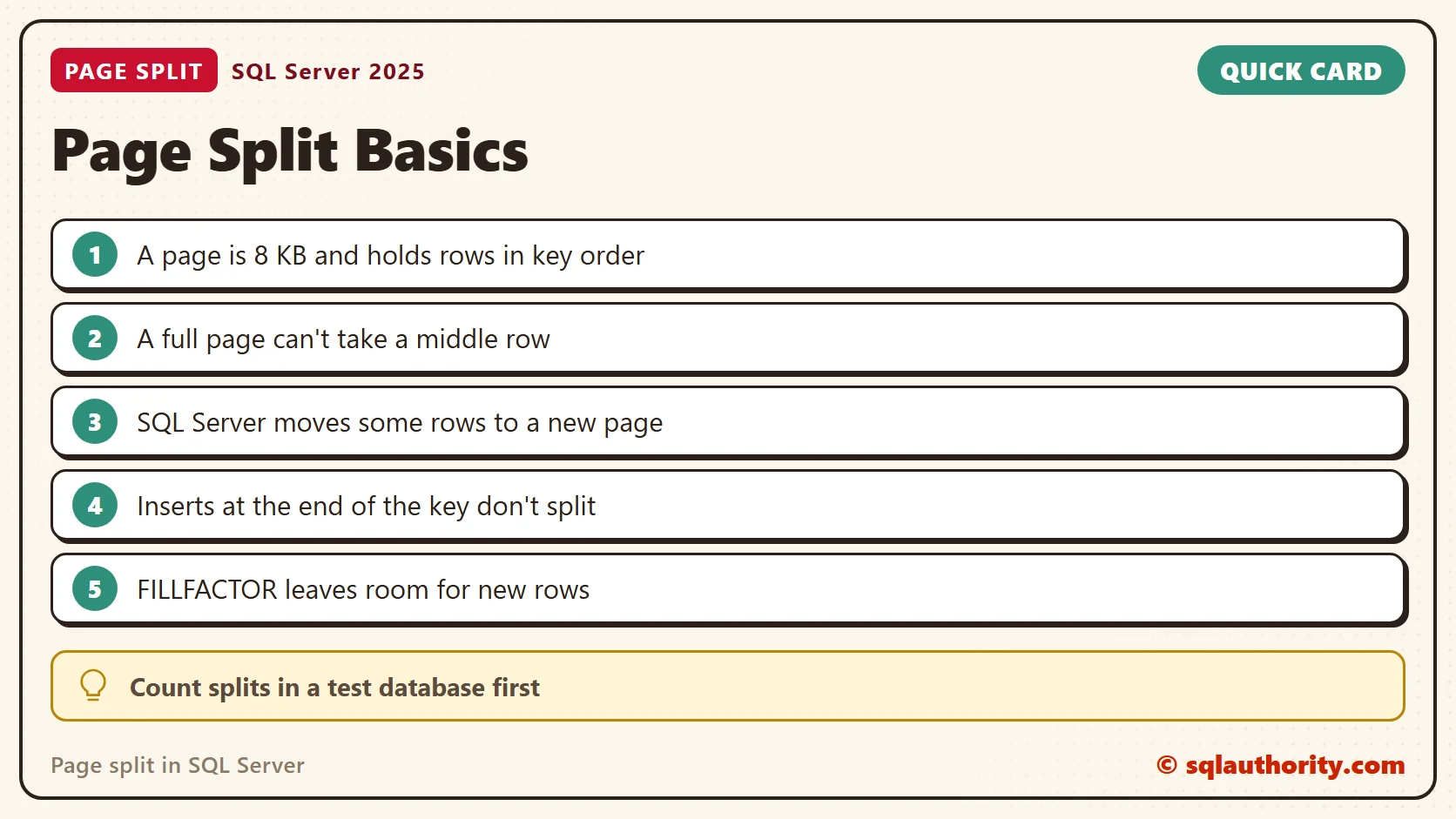
A page split is not a bug, it is SQL Server making room for a middle row.
Published by Pinal Dave on SQLAuthority. More of my work at pinaldave.com.
Discover more from SQL Authority with Pinal Dave
Subscribe to get the latest posts sent to your email.



3 Comments. Leave new
Hi All
I want to ask one question.
I have one table Emp and Field is EmpId and EmpName
If I create non-clustered index on empid then will my query perform well.
with regds
Premchand
@premchand
If your EmpID field is an identity field, then it will make most sense to make this index to be clustered for the best performance, in my opinion
it is very good post i am junior in sql