
SQL statistics are small summaries of your data that tell the optimizer how many rows a query will return. A good guess gets a good plan, and a bad guess gets a bad one. A shop works the same way: it stocks umbrellas before the rainy season because earlier years show what’s coming.
The Sample Table
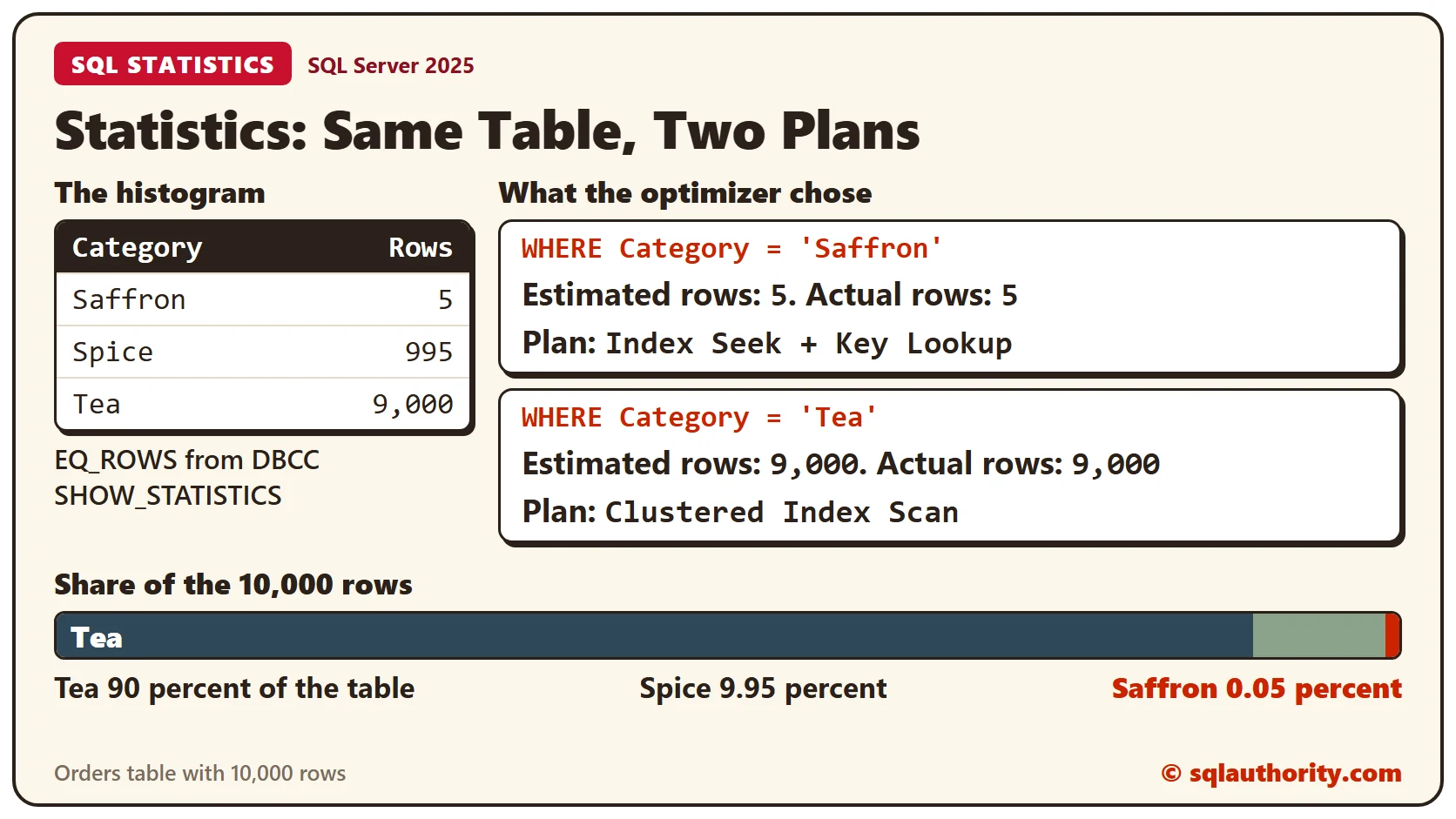
Orders holds 10,000 rows. Nine thousand are Tea, 995 are Spice, and only five are Saffron. An index on Category gives the optimizer a choice between a seek and a scan. Run this in any test database. Every result below comes from SQL Server 2025.
CREATE TABLE Orders (OrderID INT IDENTITY(1,1) PRIMARY KEY, Category VARCHAR(20) NOT NULL, Qty INT NOT NULL, Note CHAR(100) NOT NULL DEFAULT '');
GO

WITH n AS (SELECT TOP (10000) ROW_NUMBER() OVER (ORDER BY (SELECT NULL)) AS i FROM sys.all_objects a CROSS JOIN sys.all_objects b)
INSERT INTO Orders (Category, Qty)
SELECT CASE WHEN i <= 5 THEN 'Saffron' WHEN i <= 1000 THEN 'Spice' ELSE 'Tea' END, i % 7 + 1 FROM n;
GO

CREATE INDEX IX_Orders_Category ON Orders (Category);
GO
Statistics Already Exist
Creating the index also created a statistic with the same name. The catalog view sys.stats lists it, next to one for the primary key. Both show AutoCreated as 0.
SELECT name AS StatName, auto_created AS AutoCreated FROM sys.stats WHERE object_id = OBJECT_ID('Orders') ORDER BY stats_id;Now filter on Qty, a column with no index. SQL Server builds a statistic for it when a query needs an estimate. Run the catalog query again, and a third row appears. Its name starts with _WA_Sys_00000003_ and ends in hex digits. The 3 is the position of Qty in the table, and AutoCreated is 1.
SELECT COUNT(*) AS QtyThree FROM Orders WHERE Qty = 3;The Histogram
The command DBCC SHOW_STATISTICS with HISTOGRAM prints what a statistic stores. Each row is a Category value. RANGE_HI_KEY is the value, and EQ_ROWS is how many rows equal it.
DBCC SHOW_STATISTICS ('Orders', 'IX_Orders_Category') WITH HISTOGRAM;Saffron matches 5 rows, Spice 995 and Tea 9,000. That’s selectivity. A filter on Saffron keeps almost nothing, so Saffron is highly selective. A filter on Tea keeps most of the table, so Tea isn’t. The properties function adds when the statistic was built and from how many rows.
SELECT s.name AS StatName, sp.rows AS TableRows, sp.rows_sampled AS RowsSampled, sp.modification_counter AS Changes
FROM sys.stats AS s
CROSS APPLY sys.dm_db_stats_properties(s.object_id, s.stats_id) AS sp
WHERE s.object_id = OBJECT_ID('Orders') AND s.name = 'IX_Orders_Category';
It reports 10,000 rows, all 10,000 sampled, and 0 changes since the last update.
What the Optimizer Does With Them
Turn on the actual execution plan with Ctrl+M, or read it with SET STATISTICS XML ON, and run both queries.
SELECT OrderID, Qty FROM Orders WHERE Category = 'Saffron';

SELECT OrderID, Qty FROM Orders WHERE Category = 'Tea';
For Saffron the optimizer estimated 5 rows. It chose an Index Seek, with a Key Lookup for each match. For Tea it estimated 9,000 rows and chose a Clustered Index Scan. The optimizer expects one scan to beat nine thousand lookups. The actual row counts matched both estimates.
When Statistics Go Stale
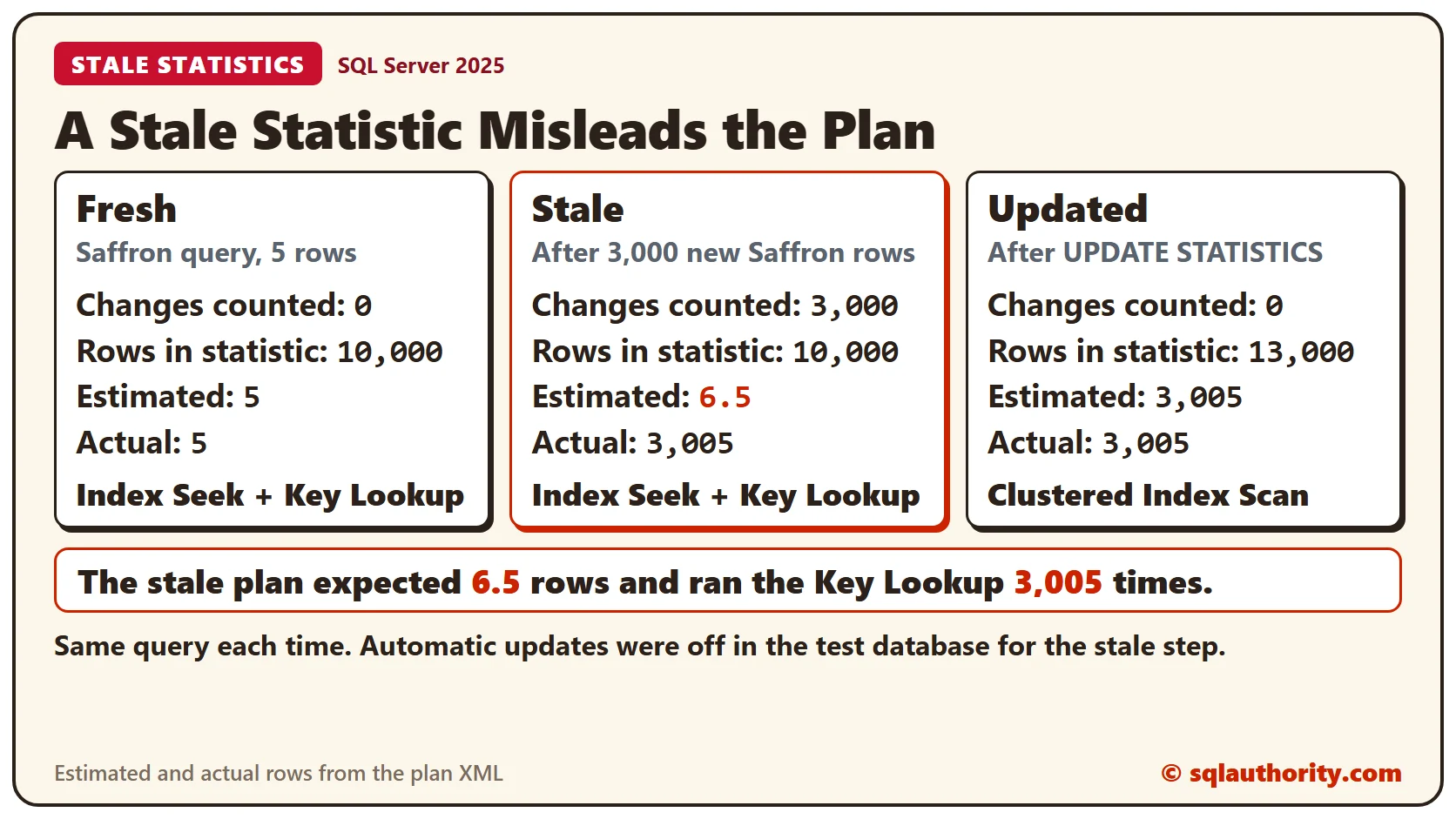
SQL Server updates statistics by itself when enough rows change, and that setting is on by default. To see a stale statistic, switch it off in this test database only. Then add 3,000 more Saffron rows.
ALTER DATABASE CURRENT SET AUTO_UPDATE_STATISTICS OFF;

WITH n AS (SELECT TOP (3000) ROW_NUMBER() OVER (ORDER BY (SELECT NULL)) AS i FROM sys.all_objects a CROSS JOIN sys.all_objects b)
INSERT INTO Orders (Category, Qty) SELECT 'Saffron', i % 7 + 1 FROM n;
The statistic doesn’t know. It still reports 10,000 rows, and its change counter reads 3,000. Run the properties query and the Saffron query again. The estimate is 6.5 rows, and the query returns 3,005. The plan is unchanged, so it runs the Key Lookup 3,005 times.
Update the statistic by hand, then run the Saffron query once more.
UPDATE STATISTICS Orders IX_Orders_Category;The statistic now reports 13,000 rows and 0 changes. The estimate becomes 3,005, and the plan switches to a Clustered Index Scan. It’s the same query on the same table with a different plan, because the guess improved.
Turn the setting back on if you used a database you keep. The second query reports 1 when it’s on.
ALTER DATABASE CURRENT SET AUTO_UPDATE_STATISTICS ON;

SELECT is_auto_update_stats_on AS AutoUpdateOn FROM sys.databases WHERE name = DB_NAME();
Clean Up
Remove the sample table when you finish.
DROP TABLE Orders;What to Remember
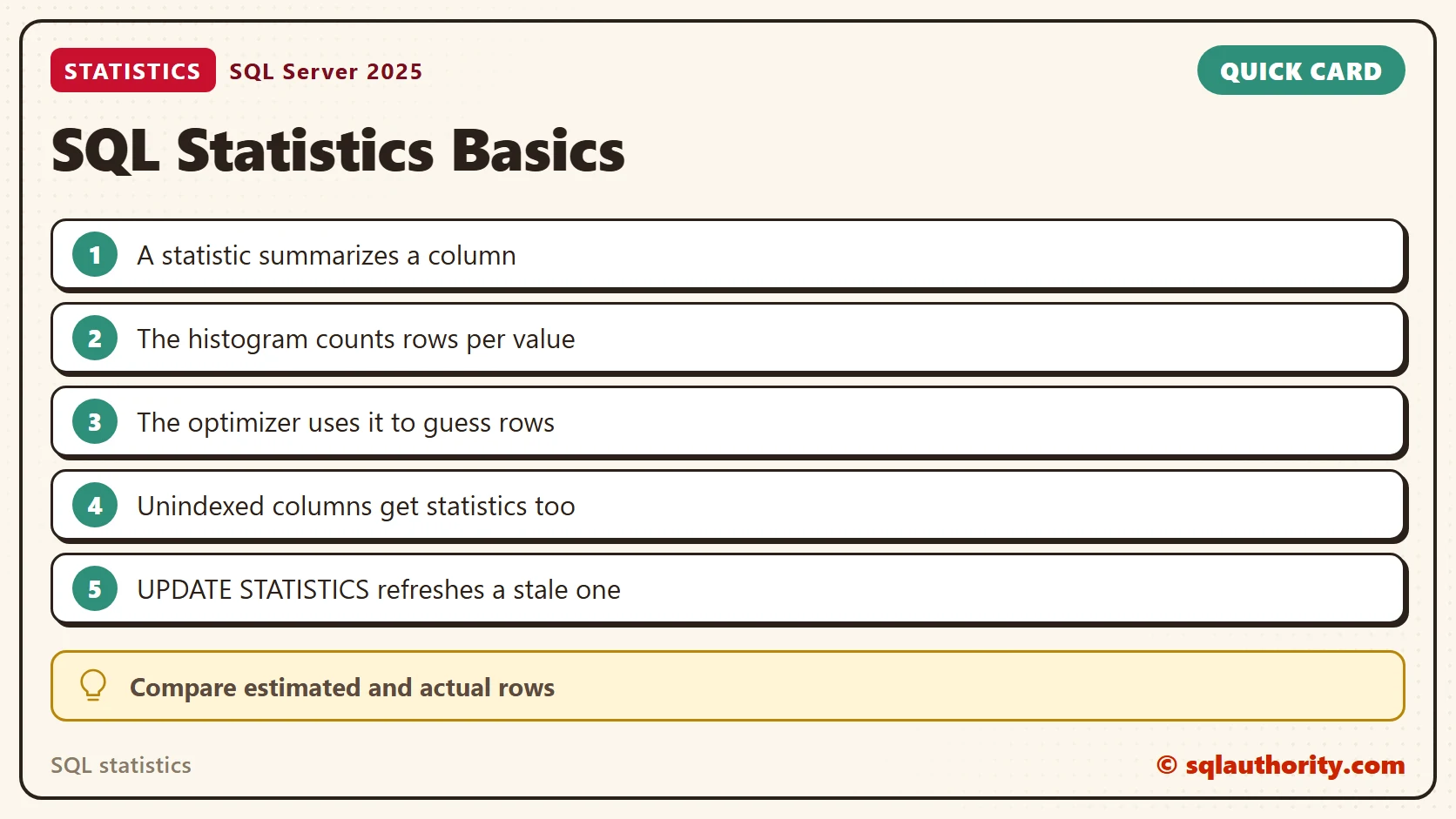
Statistics are the optimizer’s memory of your data. They describe how many rows match each value, and they exist on columns without an index too. They age as data changes, and UPDATE STATISTICS refreshes them. When a plan looks wrong, compare estimated and actual rows first.
To go further, read Statistics Histograms Explained, Reading DBCC SHOW_STATISTICS Step by Step and Stale Statistics: Detecting and Updating Them.
A statistic is not a copy of your data, it is a summary the optimizer trusts.
Published by Pinal Dave on SQLAuthority. More of my work at pinaldave.com.
Discover more from SQL Authority with Pinal Dave
Subscribe to get the latest posts sent to your email.




2 Comments. Leave new
Hi Pinal,
I’m very glad to post this, I’m following and learning your Interview questions series list, It is very useful for me to prepare for my Interview as well as it is an good option to learn more about Sql Server. Already you mentioned that you will post complete list in a PDF format for offline purpose.
Please, consider my request and post a Complete List of Interview questions in PDF format, it will be helpful for all.
Thanks in advance.
How do you find out port id and ip address in sql server 2008