
This post shows the OUTPUT clause in simple examples, with INSERT, UPDATE and DELETE. Normally SQL Server tells you only a row count, such as 2 rows affected. OUTPUT hands you the changed rows themselves.

The Sample Table
Five kinds of seeds, with the number of packets in stock. SeedID is an identity column, so SQL Server numbers the rows. Run this in any test database. Every result in this post comes from SQL Server 2025.
CREATE TABLE Seeds (SeedID INT IDENTITY(1,1) PRIMARY KEY, Name VARCHAR(20) NOT NULL, Packets INT NOT NULL);
INSERT INTO Seeds (Name, Packets) VALUES ('Basil', 10), ('Mint', 4), ('Tomato', 25), ('Okra', 7), ('Coriander', 12);
GO
INSERT: The inserted Table
OUTPUT reads from two temporary tables that SQL Server builds for each statement. An INSERT fills the inserted table with the new rows. Add OUTPUT between the column list and VALUES, and you see them.
INSERT INTO Seeds (Name, Packets)
OUTPUT inserted.SeedID, inserted.Name, inserted.Packets
VALUES ('Dill', 6), ('Sage', 9);
The result shows SeedID 6 and 7. The identity column created those numbers, and OUTPUT returned them without a second query.
UPDATE: Old and New Side by Side
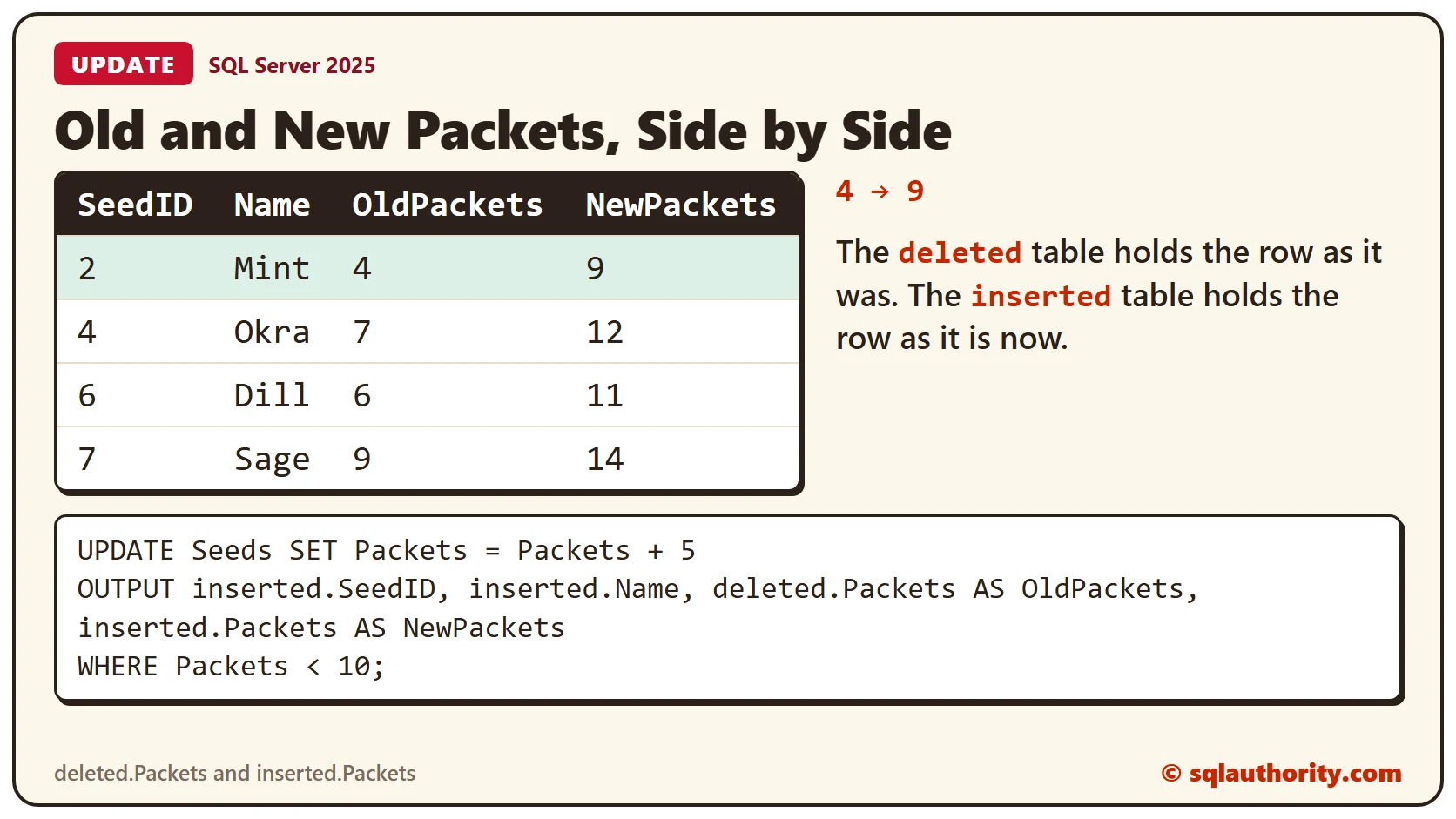
An UPDATE changes a row in place, so it fills both tables. The deleted table holds the row as it was, and the inserted table holds the row after the change. Give the columns clear names, and the old and new values sit side by side.
UPDATE Seeds SET Packets = Packets + 5
OUTPUT inserted.SeedID, inserted.Name, deleted.Packets AS OldPackets, inserted.Packets AS NewPackets
WHERE Packets < 10;
Four seeds were under 10 packets, and each got 5 more. Mint went from 4 to 9. The same row also tells you which SeedID changed.
DELETE: The deleted Table
A plain DELETE answers with a count only.
DELETE FROM Seeds WHERE Name = 'Dill';SQL Server says 1 row affected, but not which one. Dill is gone, and the message doesn’t name it. Now delete two more rows with OUTPUT in front of the WHERE clause.
DELETE FROM Seeds
OUTPUT deleted.SeedID, deleted.Name, deleted.Packets
WHERE Name IN ('Mint', 'Okra');
The rows are removed, yet you see them: Mint and Okra, with the packet counts they had when they went. This is a cheap way to keep a record of what a delete touched.
Asking for the Wrong Table
An INSERT has no deleted table, because no row existed before. Ask for one anyway, and SQL Server complains.
INSERT INTO Seeds (Name, Packets)
OUTPUT deleted.Name
VALUES ('Fennel', 3);
The error is message 4104, which says the multi-part identifier deleted.Name could not be bound. Use inserted for an INSERT, deleted for a DELETE, and both for an UPDATE.
Saving the Rows With INTO
Without INTO, OUTPUT sends the rows to whoever ran the statement. Add INTO and a table, and SQL Server stores them there. A table variable works well.
DECLARE @Changes TABLE (SeedID INT, OldPackets INT, NewPackets INT);
UPDATE Seeds SET Packets = Packets - 2
OUTPUT inserted.SeedID, deleted.Packets, inserted.Packets INTO @Changes
WHERE Name = 'Basil';
SELECT SeedID, OldPackets, NewPackets FROM @Changes;
The change table now holds the old and new packets for Basil, 10 and 8. The target must be a table or a table variable. A scalar variable fails.
DECLARE @NewID INT;
UPDATE Seeds SET Packets = Packets OUTPUT inserted.SeedID INTO @NewID WHERE Name = 'Basil';
SQL Server answers with message 1087, which says it must declare the table variable @NewID. To capture one value, put it in a one-column table variable and read it back.
Triggers Change the Rules
A table with an enabled trigger can’t use OUTPUT without INTO. Create a small trigger and try.
CREATE TRIGGER trgSeedsUpdate ON Seeds AFTER UPDATE AS
BEGIN
  SET NOCOUNT ON;
END;
UPDATE Seeds SET Packets = Packets + 1 OUTPUT inserted.SeedID WHERE Name = 'Basil';The error is message 334. It says the target table can’t have enabled triggers when the statement has an OUTPUT clause without INTO. Add INTO, and the same change works.
DECLARE @Changes TABLE (SeedID INT);
UPDATE Seeds SET Packets = Packets + 1 OUTPUT inserted.SeedID INTO @Changes WHERE Name = 'Basil';
SELECT SeedID FROM @Changes;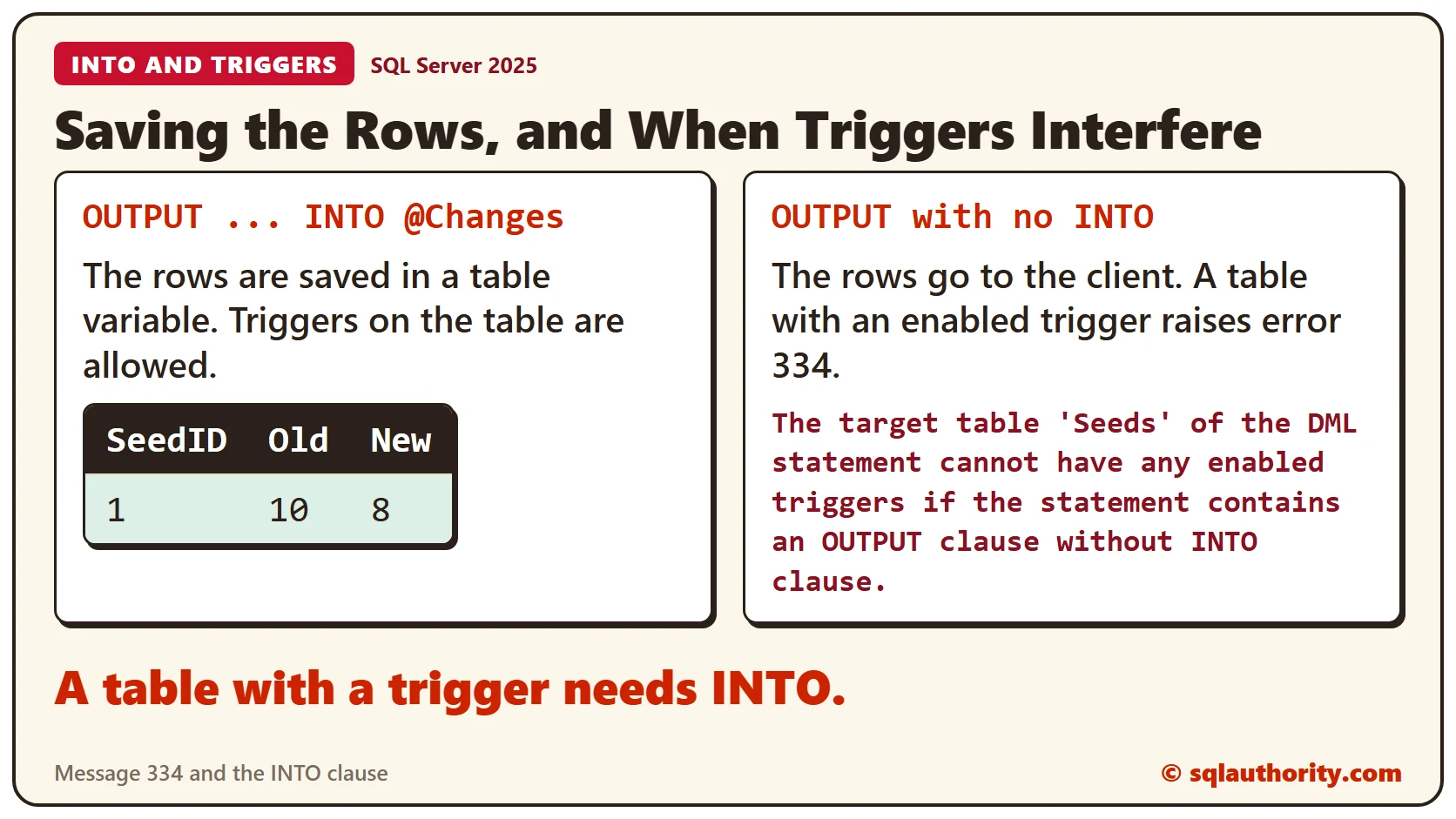
To see where the seeds stand now, query the table. Basil lost 2 packets and then gained 1, so it shows 9.
SELECT SeedID, Name, Packets FROM Seeds ORDER BY SeedID;Clean Up
Dropping the table removes its trigger too.
DROP TABLE Seeds;What to Remember
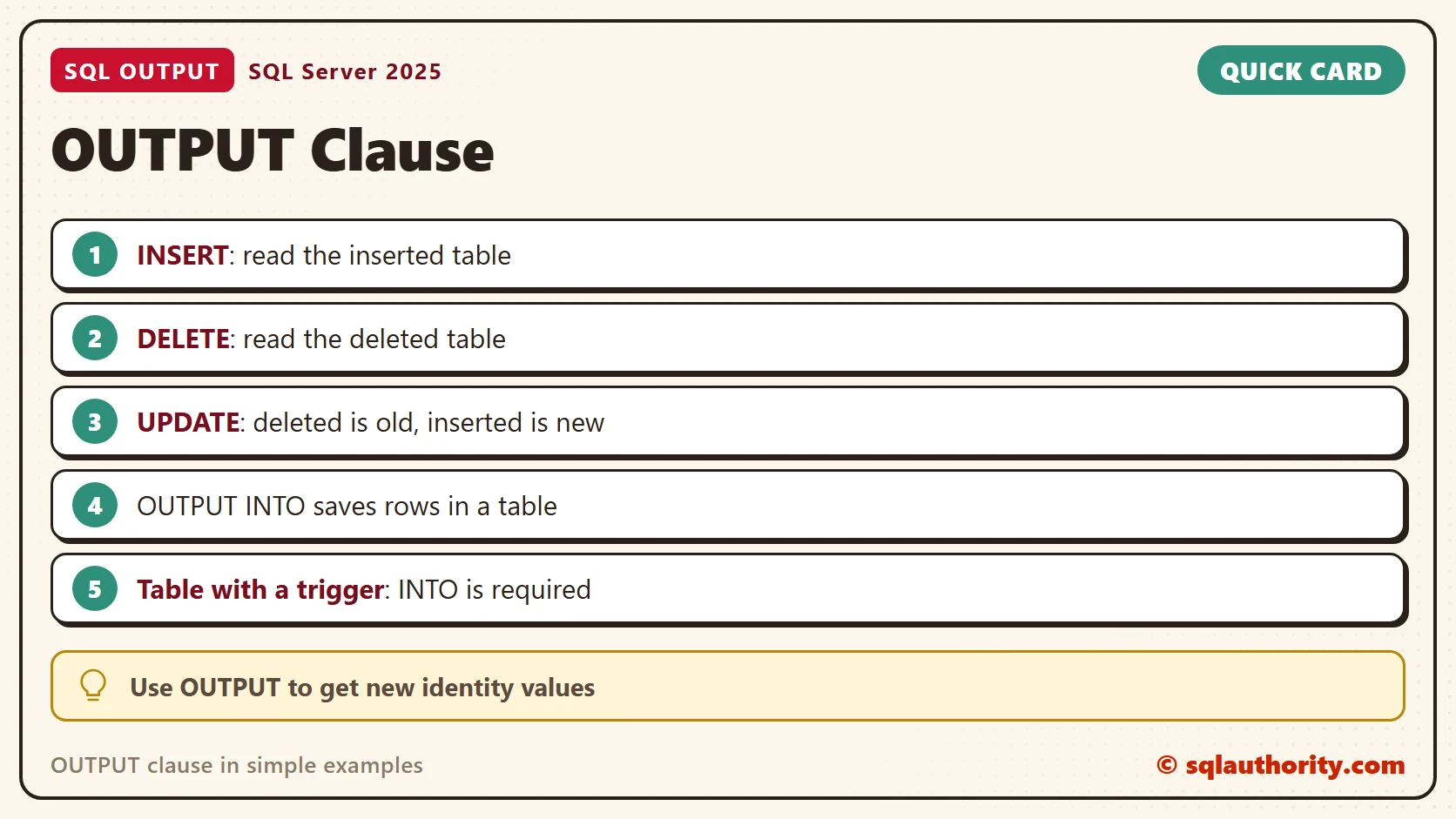
OUTPUT turns a row count into the rows themselves. Read inserted after an INSERT, deleted after a DELETE, and both after an UPDATE. Add INTO when you need to keep the rows, and always when the table has a trigger.
To go further, read OUTPUT INTO: Record Old and New Values in One Write, Destructive Reads: Pulling Work From a Queue Table With OUTPUT and SQL SERVER – 7 Questions about OUTPUT Clause Answered.
A row count is not a record of what changed, it is only a receipt total.
Published by Pinal Dave on SQLAuthority. More of my work at pinaldave.com.
Discover more from SQL Authority with Pinal Dave
Subscribe to get the latest posts sent to your email.




2 Comments. Leave new
Hi Dave,
Can u clarify my doubt?
I want to insert the output values into another #result table , how can it possible.
or i want to assign the output values to a variable?
Please give me the query.
Example:
create table #tbl (id int identity(1,1) , name varchar(10) , dept varchar(10) )
insert into #tbl (name , dept )
output inserted.*
select ‘abhIShek Online4All’ , ‘d’
/*———————————————————-
Result:
id name dept
1 abhIShek Online4All d
———————————————————-
*/
———————————————————-
–i want to insert above result into #result table.
———————————————————-
Thanks in advance,
Regards,
abhIShek Online4all
Very Very nice article. Thanks a lot