
This slow query cartoon started a useful conversation at Community TechDays in Ahmedabad. I showed one version before my indexing presentation and another afterward. Readers later asked me to share both cartoons here.
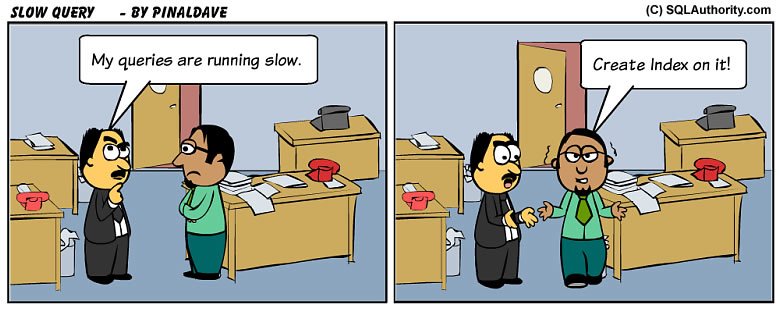
The event was a wonderful opportunity to meet the community. I shared more about it in Community TechDays in Ahmedabad. These cartoons came from my session, “The Other Side of Index.”
Before the Presentation
The first cartoon shows a familiar exchange. One person says the queries are running slow. The other answers, “Create Index on it!” It is a quick answer to a question that needs more information.
I understand the instinct. Indexes are an important part of tuning. A complaint alone doesn’t tell us whether the query needs another one.
After the Presentation
In the second cartoon, the same complaint gets a different answer. One bubble says “Evaluate Index, Use Filtered Index.” The other says “Careful with Function, Use Filtered Index.” I read that as three checks, and I tested each one on SQL Server 2025.

Those bubbles are discussion points, not three changes to apply to every slow query. Removing every function or creating every suggested index is not the lesson. Each check needs a number from your own query before you act on it.
Evaluate the Index
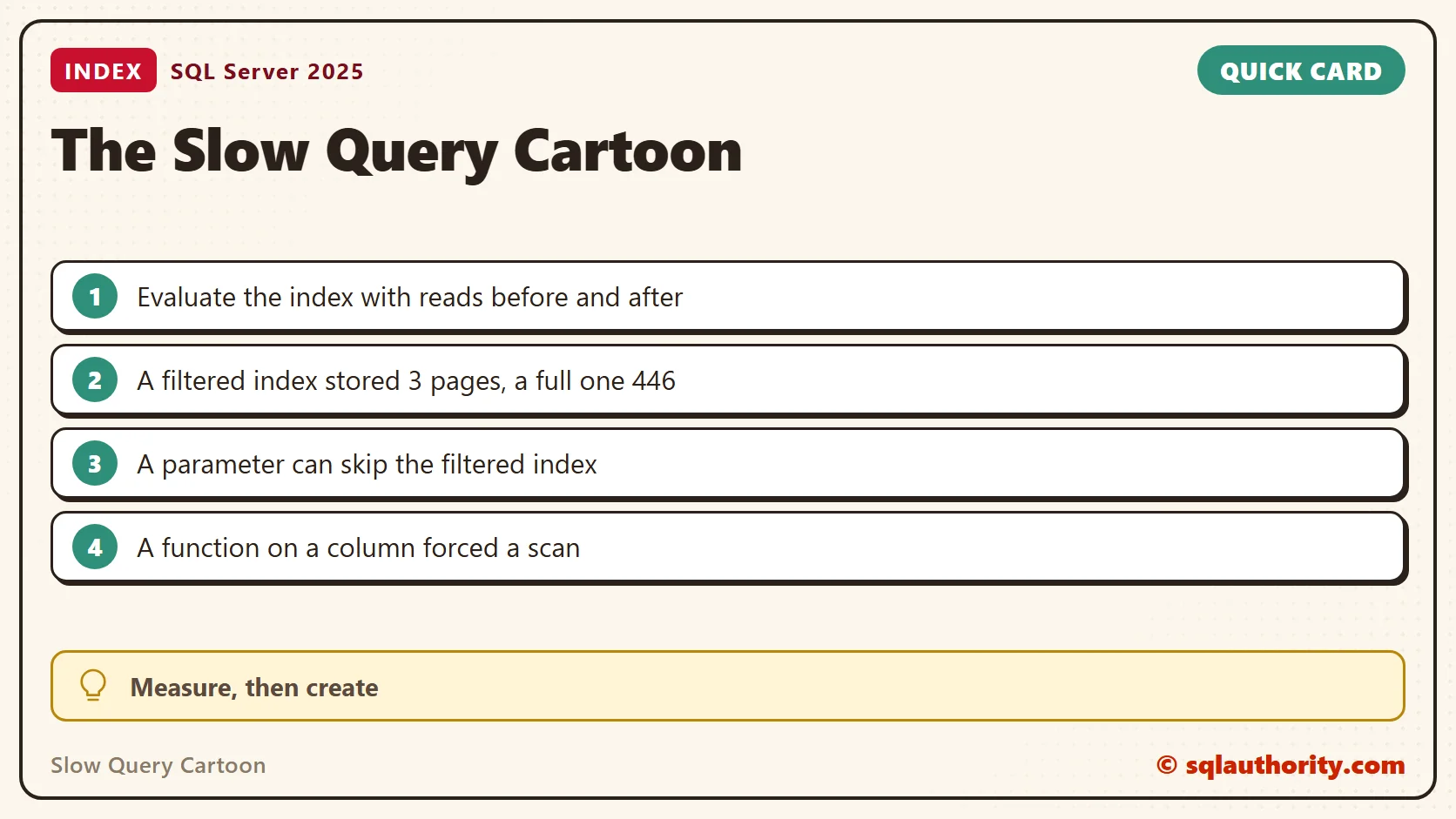
To evaluate an index, I measure the query before and after. My test table holds 200,000 orders, and only 1,000 of them have the status O for open. With no index on Status, the query scans the whole table and reads 4,184 pages.
CREATE TABLE dbo.Orders (
    OrderId int IDENTITY(1,1) PRIMARY KEY,
    CustomerId int NOT NULL,
    OrderDate date NOT NULL,
    Status char(1) NOT NULL,
    Item nvarchar(60) NOT NULL,
    Notes char(120) NOT NULL DEFAULT 'x');
INSERT dbo.Orders (CustomerId, OrderDate, Status, Item)
SELECT value % 5000 + 1,
       DATEADD(DAY, value % 1095, '2024-01-01'),
       CASE WHEN value % 200 = 0 THEN 'O' ELSE 'S' END,
       CHOOSE(value % 4 + 1, N'Paneer wrap', N'Masala chai', N'Veg biryani', N'Lemon rice')
FROM GENERATE_SERIES(1, 200000);
Logical reads count the 8 KB pages a query touches. They repeat on the same data, so they make a steady before and after number. Elapsed time moves with whatever else the machine is doing.
SET STATISTICS IO ON;
SELECT COUNT(*) AS found, MAX(CustomerId) AS top_customer, MIN(OrderDate) AS first_date
FROM dbo.Orders WHERE Status = 'O';
Use a Filtered Index
A regular index on Status brings the same query down to 5 reads. It also stores all 200,000 rows. A filtered index stores only the 1,000 open rows and gives the same 5 reads.
CREATE INDEX IX_Orders_Status ON dbo.Orders (Status) INCLUDE (CustomerId, OrderDate);
GO
SELECT COUNT(*) AS found, MAX(CustomerId) AS top_customer, MIN(OrderDate) AS first_date
FROM dbo.Orders WHERE Status = 'O';
SELECT i.name, ps.in_row_data_page_count AS pages
FROM sys.indexes AS i
JOIN sys.dm_db_partition_stats AS ps ON ps.object_id = i.object_id AND ps.index_id = i.index_id
WHERE i.object_id = OBJECT_ID('dbo.Orders') AND i.index_id > 1;
DROP INDEX IX_Orders_Status ON dbo.Orders;
CREATE INDEX IX_Orders_Open ON dbo.Orders (CustomerId, OrderDate) WHERE Status = 'O';
GO
SELECT COUNT(*) AS found, MAX(CustomerId) AS top_customer, MIN(OrderDate) AS first_date
FROM dbo.Orders WHERE Status = 'O';
SELECT i.name, ps.in_row_data_page_count AS pages
FROM sys.indexes AS i
JOIN sys.dm_db_partition_stats AS ps ON ps.object_id = i.object_id AND ps.index_id = i.index_id
WHERE i.object_id = OBJECT_ID('dbo.Orders') AND i.index_id > 1;| Setup | Logical reads | Index pages |
|---|---|---|
| No index on Status | 4,184 | none |
| Full index on Status | 5 | 446 |
| Filtered index, Status = ‘O’ | 5 | 3 |
The filtered index is tiny because it holds only the open rows. A write to one of the other 199,000 rows doesn’t touch it. That is the trade I look for: a small index that serves one hot slice of the table. It fits a stable slice such as open orders, active accounts or unprocessed rows.
A filtered index also needs the query and the filter to line up. Sent as a parameter, the same query read 4,184 pages and skipped the index. Plans for parameters have to work for every value. Adding OPTION (RECOMPILE) brought it back to 5 reads. Why a Filtered Index Is Ignored by Parameterized Queries explains the options.
EXEC sys.sp_executesql
    N'SELECT COUNT(*) AS found FROM dbo.Orders WHERE Status = @s',
    N'@s char(1)', @s = 'O';
EXEC sys.sp_executesql
    N'SELECT COUNT(*) AS found FROM dbo.Orders WHERE Status = @s OPTION (RECOMPILE)',
    N'@s char(1)', @s = 'O';
Careful With a Function
A function around a column hides the column from the index. I indexed OrderDate and counted one year of orders two ways. YEAR(OrderDate) = 2025 scanned the whole index and read 423 pages. A date range on the bare column seeked and read 143. Both counted 66,775 rows.
CREATE INDEX IX_Orders_Date ON dbo.Orders (OrderDate) INCLUDE (CustomerId);
GO
SELECT COUNT(*) AS n FROM dbo.Orders WHERE YEAR(OrderDate) = 2025;
SELECT COUNT(*) AS n FROM dbo.Orders WHERE OrderDate >= '2025-01-01' AND OrderDate < '2026-01-01';
The index on OrderDate existed in both runs. Only the shape of the predicate changed. A second index on the same column wouldn’t have helped the first query.
The fix is to move the function to the other side of the comparison. SARGable Date Filters: Stop Wrapping Columns in Functions covers more patterns.
What I Ask First
I ask for the query, its parameters and an actual execution plan. I also ask whether it’s always slow or only slow at certain times. What to Record Before Tuning a Slow Query lists what I collect first. Then I change one thing and compare the reads with the baseline. If the number doesn’t move, the change didn’t help.
A slow query is not a request for an index, it is a request for evidence.
Published by Pinal Dave on SQLAuthority. More of my work at pinaldave.com.
Discover more from SQL Authority with Pinal Dave
Subscribe to get the latest posts sent to your email.




7 Comments. Leave new
Hillarious Sir!
Please share the presentation as well.
Very interesting! Good one.
cute…..see how expression changes after its like from :( to :)
haha
Good One…
Hello sir,
Both cartoons are very good and
you are also good cartoonist but
technical cartoonist for sqlserver.
It’s looking nice.
Hi Chandan,
Tempdb is re-created everytime when sql server started.
In simple way..
1. Tem tables
2. Stored procs
are dropped automtically when sql will be down and no connection are in active state, backup and restore operation are also not allowed. Due to that there is nothing to save for later use by SQl server.