

The latest SQL Server Management Studio now includes the Performance Dashboard by default. Here is the free SSMS download link and a quick look at it.

SQL SERVER – Discovery Report – How to Find Information About Installed Features?
No DBA needed: the Installed SQL Server Features Discovery Report in Installation Center lists every SQL Server feature and version on a machine in one place.

SQL SERVER – Performance Dashboard – Historic Information
Travels with my daughter taught me the value of history. The Historic Information section of Performance Dashboard does the same for your SQL Server.

SQL SERVER – Performance Dashboard: Current Activity Section Reports
The Current Activity section of Performance Dashboard shows what is running right now, split into user requests and user sessions, taken from two DMVs.
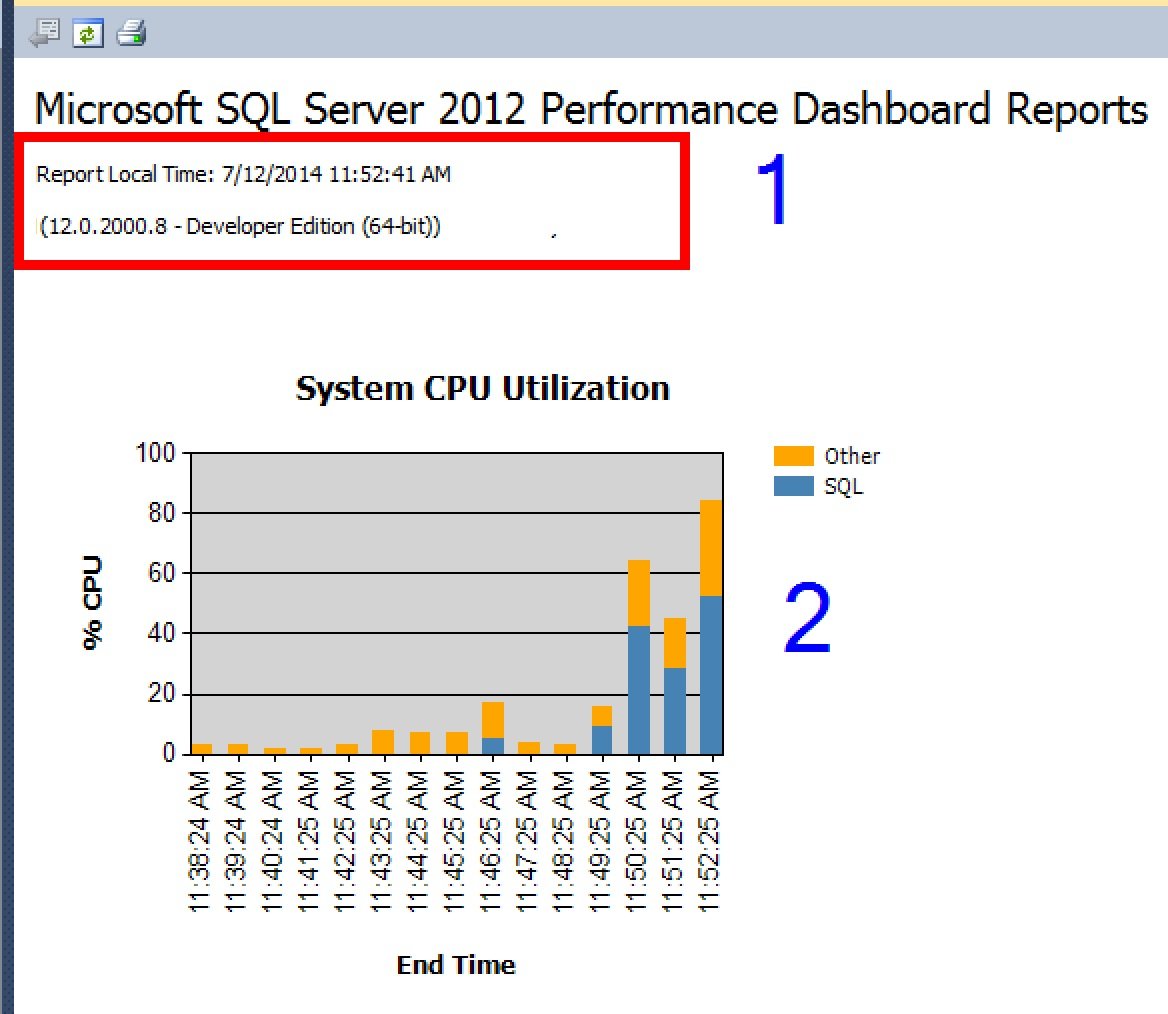
SQL SERVER – SSMS: Performance Dashboard Reports – Home Page details
Here are the Performance Dashboard home page details: lots of server information in one view. I walk through its six sections one after another.
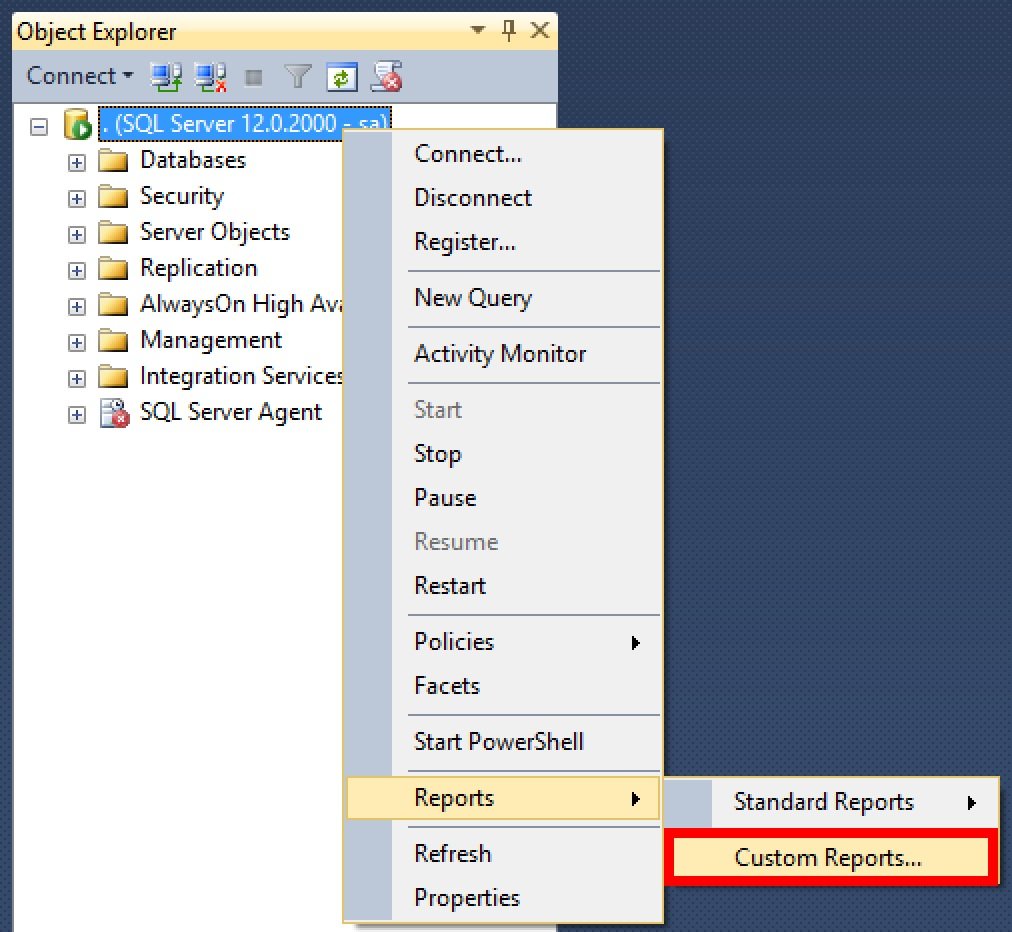
SQL SERVER – SSMS: Performance Dashboard Installation and Configuration
Performance Dashboard reports are free custom reports from the Microsoft SQL Server Support team. Here is the Performance Dashboard installation and setup in SSMS.
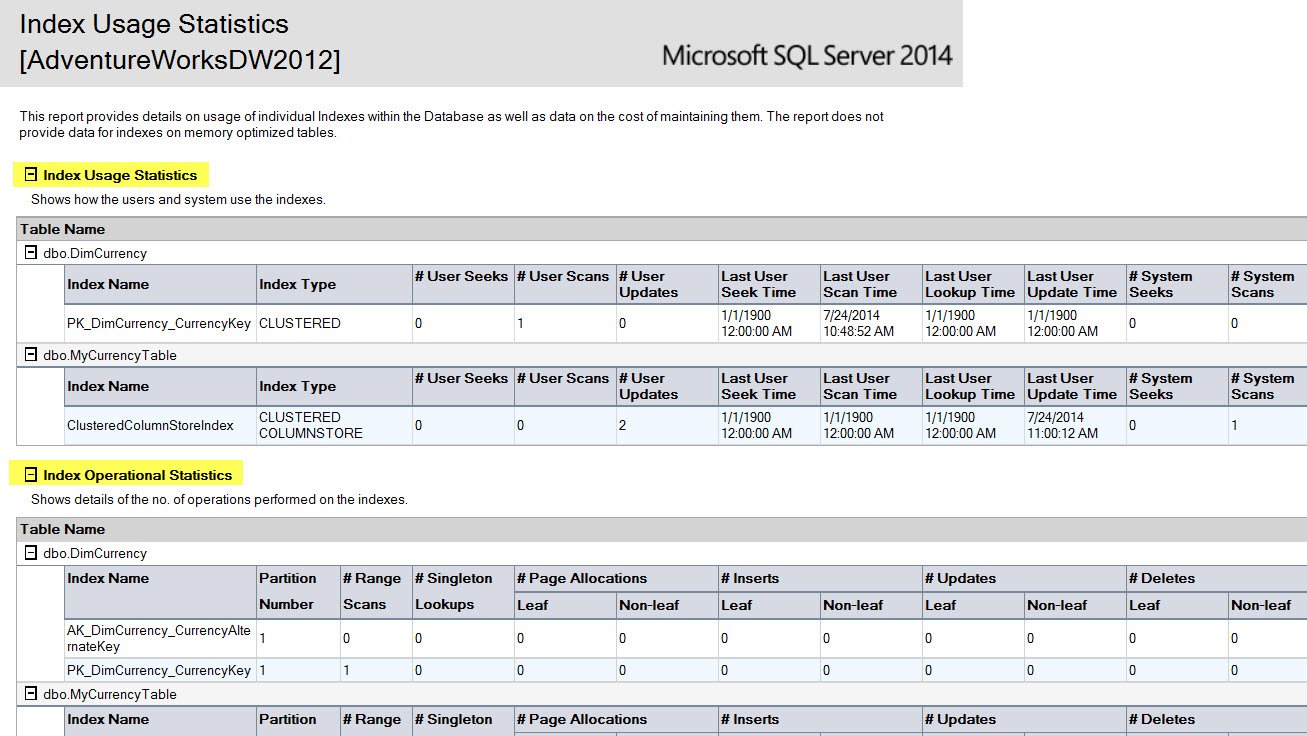
SQL SERVER – SSMS: Index Usage Statistics, Physical Statistics & User Statistics
Creating indexes is a science, not rules of thumb. I look at the SSMS reports for Index Usage Statistics, Physical Statistics and User Statistics.