

A story about my daughter’s school drawing contest leads into the Top Transaction reports in SSMS and what they tell you about your server.

SQL SERVER – SSMS: Transaction Log Shipping Status Report
Like timber floating downstream, log shipping moves logs from one server to another. Here is how to read the Transaction Log Shipping Status report in SSMS.

SQL SERVER – SSMS: Activity – All Blocking Transactions
Bengaluru traffic after a rainy day has a lot in common with blocked queries. I look at the All Blocking Transactions report in SSMS and what it shows.

SQL SERVER – Activity Reports – Dormant Sessions
A parent-teacher meeting tells me more than a report card. In the same way, the SSMS activity report on Dormant Sessions shows idle connections on your server.

SQL SERVER – SSMS: Memory Consumption Report
‘My SQL Server eats RAM and never gives it back’ is a common complaint. The SSMS Memory Consumption report shows where that memory goes and why.
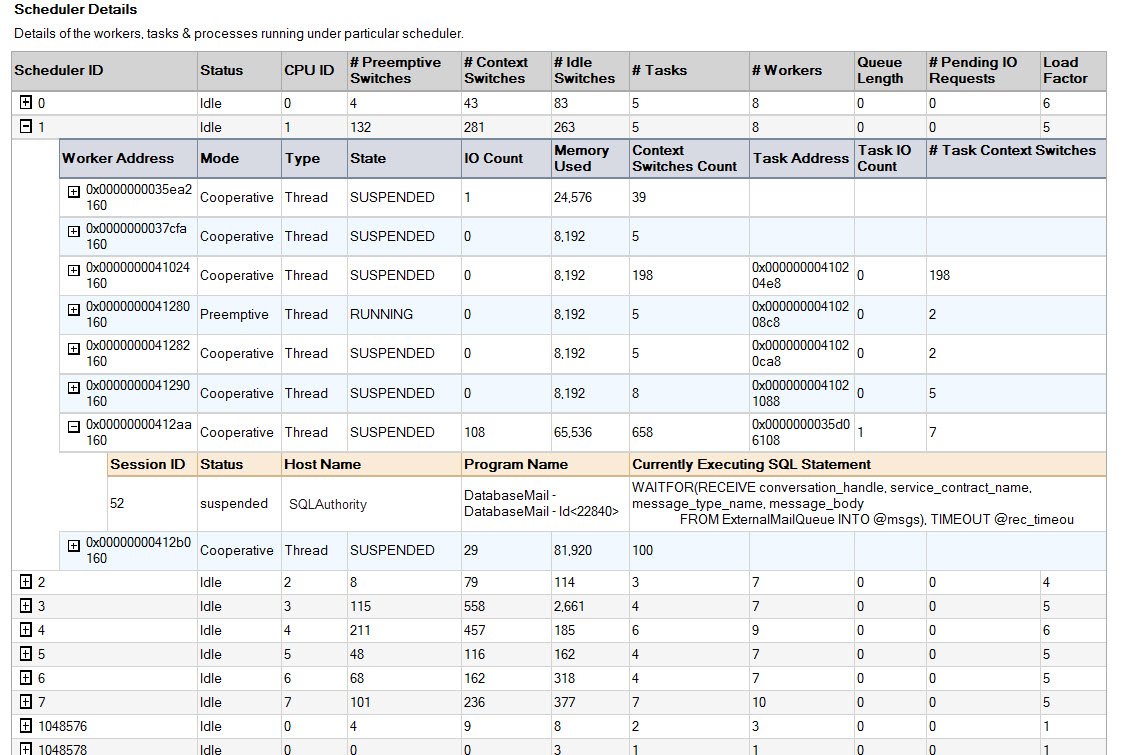
SQL SERVER – SSMS: Scheduler Health Report
Like a conductor at a concert, the scheduler makes sure every task in SQL Server gets its turn. Here is how the SSMS Scheduler Health Report shows its state.
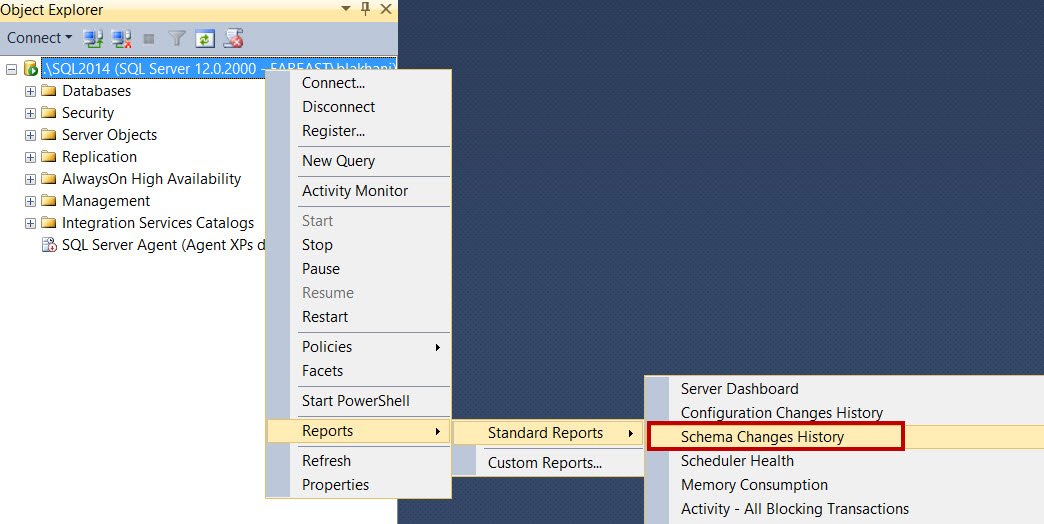
SQL SERVER – SSMS: Schema Change History Report
Who created, dropped or altered a database or object? Young DBAs in Delhi gave me many answers, but the SSMS Schema Change History report answers it quickly.