SQL SERVER – 2012 RC0: Fix Setup Error: File format is not valid
I recently had long email conversation with one of the blog reader who was struggling with installing SQL Server 2012 RC0 installation. I just thought I will publish what we have done and how we solved problem so if you are facing the same issue, you can avoid the same. In this blog post we will see how to fix setup error.
SQL SERVER – Fix: Error: File Cannot be Loaded Because the Execution of Scripts is Disabled on This System
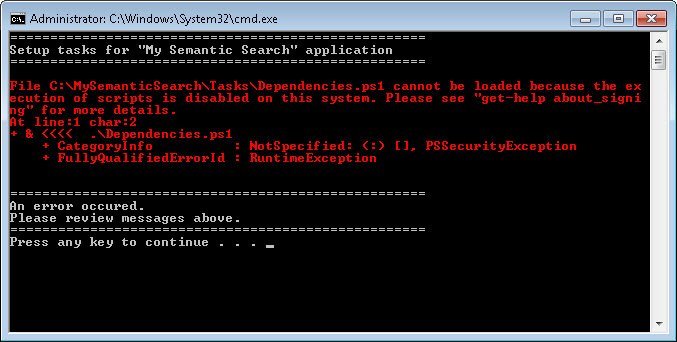
Yesterday I formatted my computer and did a fresh install as it was due from a long time. After the fresh install when I tried to install Semantic Search application using PowerShell, I was stopped by the following error. The error was related to an execution of scripts.Â
SQL SERVER – Dedicated Access Control for SQL Server Express Edition – An error occurred while obtaining the dedicated administrator connection (DAC) port.
SQL SERVER – FIX – ERROR – Service Logon Failure (ObjectExplorer)
SQL SERVER – Error: Failed to retrieve data for this request. Microsoft.SqlServer.Management.Sdk.Sfc – ‘DATABASEPROPERTY’ is not a recognized built-in function name. (Microsoft SQL Server, Error: 195)
SQL SERVER – FIX – ERROR : Msg 3201, Level 16 Cannot open backup device . Operating system error 5(Access is denied.)
Recently I formatted my computer and installed fresh SQL Server in it. I installed the AdventureWorks database in my database. Once done, I wanted to run few test scripts on my database. Just like every DBA, I decided to take backup of my database – this way I can restore it back to attain an original database state. As soon as I ran the backup command I ended up with the following error. This error is due to a permissions issue on the local disk and user account which is running SQL Server. In this blog post we will talk about the operating system error.