
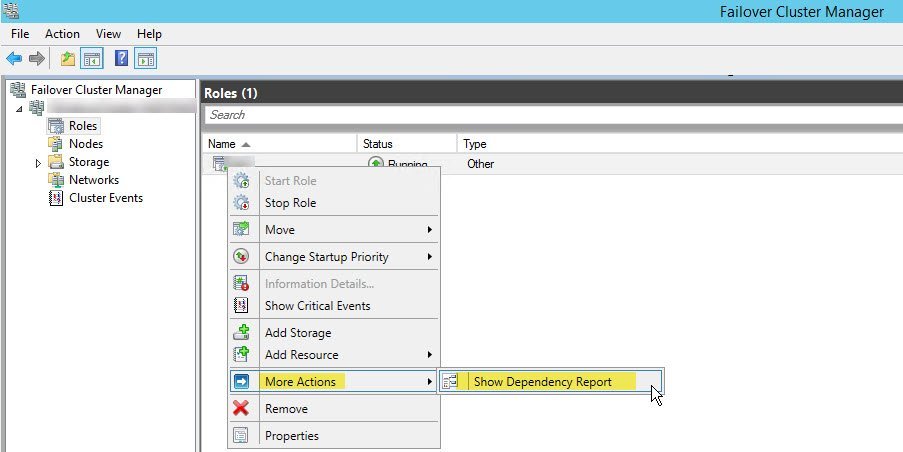
When it rains, it pours. In the last few days last few contacts from my customers were for cluster related issues. Once again, the SQL Server resource was not coming online in failover cluster manager. I asked them to check if ERRORLOG is being generated and if yes, share the content. SQL SERVER – Where is ERRORLOG? Various Ways to Find ERRORLOG Location. Let us learn how to fix Unable to Bring Resource Online.
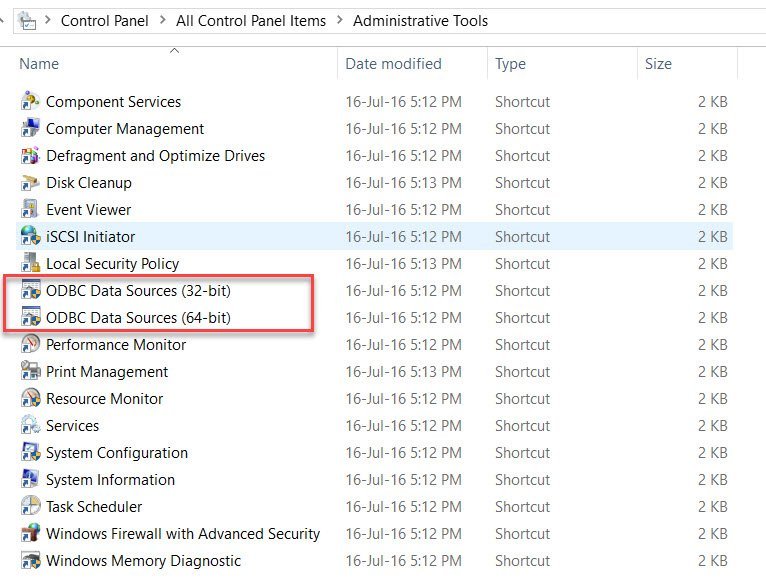
SQL SERVER – Unable to bring resource online. Error – Data source name not found and no default driver specified
One of my blog readers reported a strange issue to me. As per the issue described, they were unable to bring SQL Server resource in cluster online, only on one node of the cluster. I always use for error messages, but they said that SQL resource goes to online pending state and after some time, it goes to failed state. Let us learn how to fix the error where data source name not found.

SQL SERVER – Added New Node in Windows Cluster and AlwaysOn Availability Databases Stopped Working
Almost all the time, whenever there is a wizard, it’s a human habit to go with the defaults and finally click finish. Once of my client sent below email to me. In this blog post we are going to learn about Added New Node in Windows Cluster and AlwaysOn Availability Databases Stopped Working.

SQL SERVER – Fix Error Msg 10794, Level 16 – The operation ‘CREATE INDEX’ is not supported with memory optimized tables.
Whenever I write something as a new concept, I do see people reading the blog do give it a try. Many a times I get queries that the script didn’t work for them after they learnt the concepts about memory optimized tables. The blog I wrote on how In Memory OLTP was supporting ColumnStore – read it: SQL SERVER – Creating Clustered ColumnStore with InMemory OLTP Tables

SQL SERVER – Cannot Show Requested Dialog – Property Size is Not Available for Database
Freelancing gives me a lot of opportunity to see issues which I have not seen earlier. Learning never stops for me and I love sharing what I learn every day. Let us learn about how to fix the error Property Size is Not Available for Database.
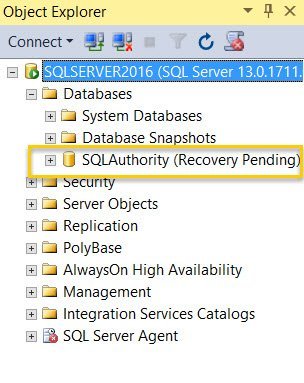
SQL SERVER – Unable to Attach Database – File Activation Failure – The Log Cannot be Rebuilt
Once I was in a situation where there was a disaster faced by my client. They lost the drive which was having transaction log file. Since they did not have effective monitoring, they realized that the backup jobs were failing. So essentially they only have MDF files for user databases and they were left with option to rebuild the log. Let us learn about how file activation failure can create an interesting error.

SQL SERVER – Creating Clustered ColumnStore with InMemory OLTP Tables
When SQL Server 2016 was released, there were a number of enhancements that were discussed around how InMemory OLTP removed which were as limitations. I personally saw some real boot to some of the capabilities coming into InMemory OLTP especially around the concept called as Operational Analytics that Microsoft calls in this release. I am going to talk about this concept in my SQLPass session later this month in October but here is a teaser for what I learnt from this concept.