Do you still use SQL Server Management Studio or do you use Azure Data Studio? I was recently asked during my recent Comprehensive Database Performance Health Check, Well, the answer is I am still using SQL Server Management Studio (SSMS) as I find it very comfortable and it still has many features which are not available in Azure Data Studio (ADS). I do not think that ADS is a replacement of SSMS. They are built for a totally different purpose for a different audience.
Logistic Step 1: Connecting Via SQL Slack for Server Performance Tuning Practical Workshop for EVERYONE
It is just 12 days before we have a SQL Server Performance Tuning Practical Workshop for EVERYONE. If you have ever attended any of my previous SQL Sessions, you know that the session will be extremely interactive. Many of you have asked me how will we do Interactive Part of this popular Workshop. Well, it is very simple we will be using the Slack for it.
SQL SERVER – FIX: Install Error: A Network-Related or Instance-Specific Error Occurred While Establishing a Connection to SQL Server
One of the most common connectivity errors which I have heard about it is “A network-related or instance-specific error occurred while establishing a connection to SQL Server.” In this blog, we would learn about how to fix this error if it comes during the installation of SQL Server.
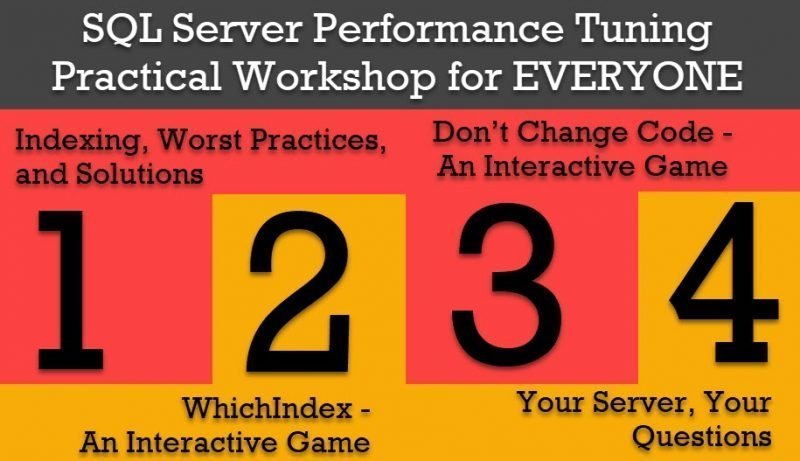
14 Days to #SQL Server Performance Tuning Practical Workshop for EVERYONE
SQL Server Performance Tuning is extremely easy subject and that is why I build my career of SQL Server Performance Tuning expert. I welcome everyone to join me in my quest to learn my business secret to become a SQL Server Performance Tuning Consultant. It is just only 14 days left to my the most anticipated and extremely popular course SQL Server Performance Tuning Practical Workshop for EVERYONE. Due to the high demand of the class and registration, I have just opened up 5 more seats to this class. You can sign up for the course by clicking directly going over here:
Get-AzureStorageBlob: The Remote Server Returned an Error: (403) Forbidden. HTTP Status Code: 403 – HTTP Error Message: This Request is Not Authorized to Perform This Operation
I was working with one of my clients and they wanted to clean up old backup blobs from Azure. I have already blogged and shared my script. In this blog we would learn how to fix error: (403) Forbidden – This request is not authorized to perform this operation. SQL SERVER – PowerShell Script – Remove Old SQL Database Backup Files From Azure Storage
SQL SERVER – Identify the column(s) responsible for “String or binary data would be truncated.”
I am happy to write this blog post as I am really happy that finally, SQL Server Engineering team has decided to fix the error which we all have been struggling for many years. I will say Since the year 2000, I have been working with SQL Server and it has always bothered me that every time when I try to insert data into my table which is larger than the data type of the column, I got an annoying error String or binary data would be truncated. I recently demonstrated this to my Comprehensive Database Performance Health Check.
How to Compile Queries and Not Execute Them? – Interview Question of the Week #219
Question: How to Compile Queries and Not Execute them?
Pinal Dave is an SQL Server Performance Tuning Expert and independent consultant with over 24 years of hands-on experience. He holds a Masters of Science degree and numerous database certifications.
Pinal has authored 14 SQL Server database books and 109 Pluralsight courses. To freely share his knowledge and help others build their expertise, Pinal has also written more than 5,800 database tech articles on his blog at https://blog.sqlauthority.com.
Pinal is an experienced and dedicated professional with a deep commitment to flawless customer service. If you need help with any SQL Server Performance Tuning Issues, please feel free to reach out at pinal@sqlauthority.com.
Pinal is also a CrossFit Level 1 Trainer (CF-L1) and CrossFit Level 2 Trainer (CF-L2).
Nupur Dave is a social media enthusiast and an independent consultant. She primarily focuses on the database domain, helping clients build short and long-term multi-channel campaigns to drive leads for their sales pipeline.
Shaivi Pinalkumar Dave is a book author and a women’s artistic gymnast.
Is your SQL Server running slow and you want to speed it up without sharing server credentials? In my Comprehensive Database Performance Health Check, we can work together remotely and resolve your biggest performance troublemakers in less than 4 hours.
Once you learn my business secrets, you will fix the majority of problems in the future.

Have you ever opened any PowerPoint deck when you face SQL Server Performance Tuning emergencies? SQL Server Performance Tuning Practical Workshop is my MOST popular training with no PowerPoint presentations and 100% practical demonstrations.
Essentially I share my business secrets to optimize SQL Server performance.