Pages and Extents are how SQL Server divides a data file into pieces it can manage. Every row you store lands on an 8 KB page. Pages are handed out in groups of eight called extents. Once you know the sizes, table growth and wide rows start to make sense.

The Page
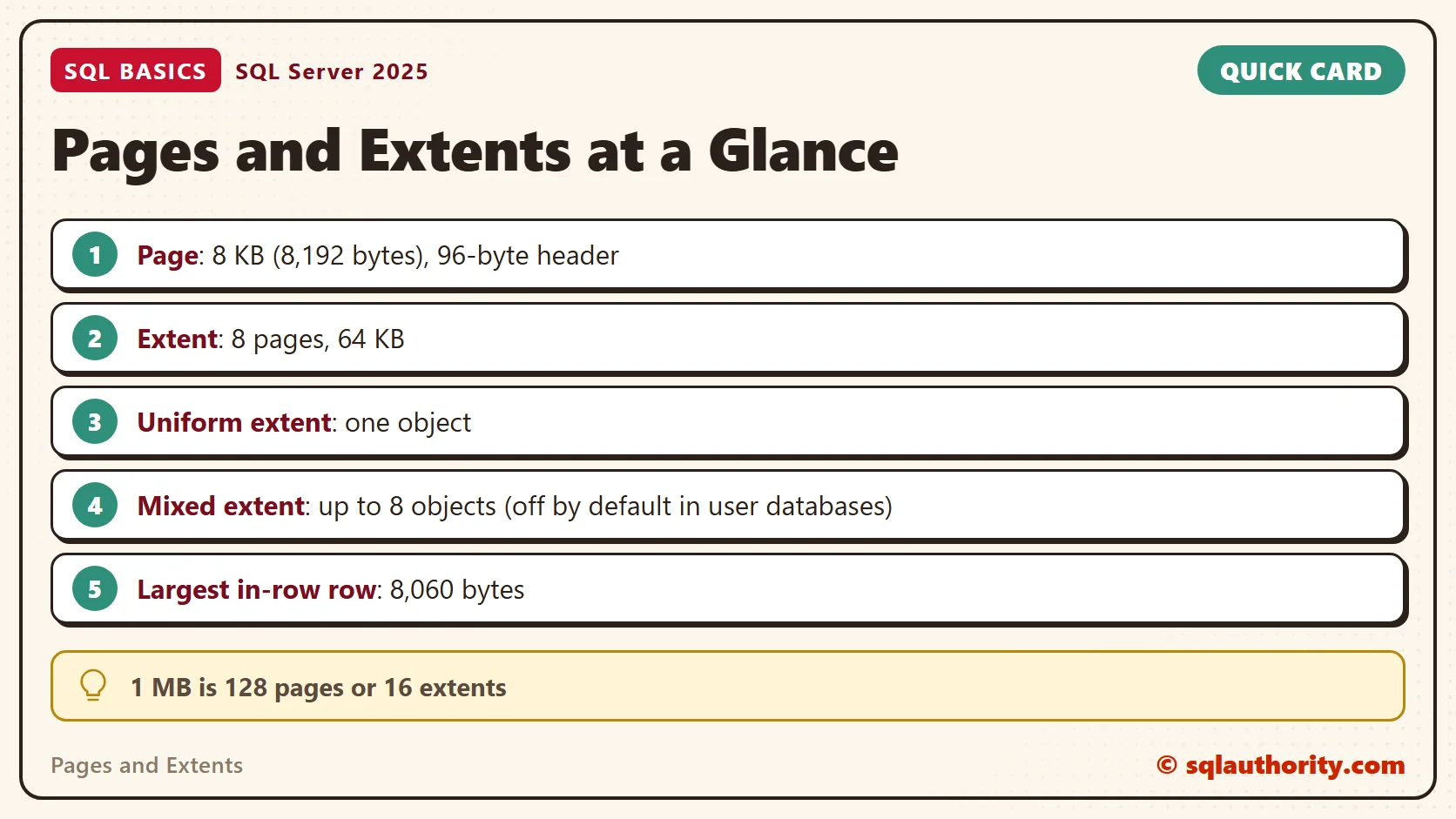
This post covers ordinary disk-based rowstore tables, the kind you create by default. A page is 8 KB, which is 8,192 bytes. A megabyte holds 128 of them. SQL Server reads and writes whole pages, never single rows. When you ask for one row, the server fetches the full page that holds it. The page is also the unit SQL Server checks for damage. A corruption report names pages, not rows.
Each page begins with a 96-byte header that says what kind of page it is. The rows sit below the header. A small offset table at the bottom of the page tracks where each row starts. Data pages and index pages hold your rows. Other page types, such as GAM, SGAM, PFS and IAM, are maps. They record which pages are in use and which are free.
The Extent
An extent is eight pages that sit side by side in the file. That makes it 64 KB, and a megabyte holds 16 extents. SQL Server hands out space in extents. A table grows in steps of 64 KB, not one page at a time.
Allocation maps keep that bookkeeping cheap. A single GAM page tracks about 64,000 extents, which is roughly 4 GB of file. A large file needs only a few of those map pages. Finding a free extent doesn’t mean scanning the file.
Mixed and Uniform Extents
A uniform extent belongs to one object, such as one table or one index. A mixed extent is shared by up to eight objects, one page each. Older versions started every new table in mixed extents, so tiny tables wasted little space. After a table reached eight pages, it moved to uniform extents.
Since SQL Server 2016, user databases use uniform extents from the start. The change cuts contention on the allocation pages that track mixed extents. The price is space. A new table reserves a whole 64 KB extent, even for one row. A database option called MIXED_PAGE_ALLOCATION brings the old behavior back, and it’s off by default for user databases. With thousands of tiny tables, the reserved space adds up. I check it before I blame the data for the file size.
This script creates SqlBasicsPages, a database used only for this example, when it’s missing. Later scripts drop and rebuild the demo tables inside it, so run them on a test instance. The query then shows the setting.
USE master;
GO
IF DB_ID(N'SqlBasicsPages') IS NULL
    CREATE DATABASE SqlBasicsPages;
GO
SELECT name, is_mixed_page_allocation_on
FROM sys.databases
WHERE name = N'SqlBasicsPages';
Counting Pages and Extents in a Table
The view below wraps sys.dm_db_partition_stats in plain column names. It reports rows, data pages, overflow pages, LOB pages and the pages the table has reserved. I keep a view like this in my scratch databases, because I run the same check every week. The view returns one row per index per partition. The tables here are unpartitioned, so each index is one row. A partitioned table would show a row for each partition.
USE SqlBasicsPages;
GO
CREATE OR ALTER VIEW dbo.PageUsage
AS
SELECT t.name AS table_name,
       ps.index_id,
       ps.row_count,
       ps.in_row_data_page_count AS data_pages,
       ps.row_overflow_used_page_count AS overflow_pages,
       ps.lob_used_page_count AS lob_pages,
       ps.used_page_count AS used_pages,
       ps.reserved_page_count AS reserved_pages
FROM sys.dm_db_partition_stats AS ps
JOIN sys.tables AS t ON t.object_id = ps.object_id;
GO
Now build a table with one fixed-width column, and put a single row in it. Check the page counts, add 9,999 more rows, and check again. The table has a primary key, so index_id 1 is the table itself. Create the view first, because these queries read it.
The script uses GENERATE_SERIES. That needs SQL Server 2022 or later and database compatibility level 160 or higher. SQL Server 2025 still needs level 160 or higher. A new database on SQL Server 2025 starts at a higher level.
DROP TABLE IF EXISTS dbo.PageDemo;
CREATE TABLE dbo.PageDemo (Id int NOT NULL PRIMARY KEY, Note char(200) NOT NULL);
INSERT INTO dbo.PageDemo (Id, Note) VALUES (1, 'first row');
SELECT * FROM dbo.PageUsage WHERE table_name = N'PageDemo';
INSERT INTO dbo.PageDemo (Id, Note) SELECT value, 'tea row' FROM GENERATE_SERIES(2, 10000);
SELECT * FROM dbo.PageUsage WHERE table_name = N'PageDemo';
Four numbers matter here. Data pages hold the rows. Overflow pages hold values moved off the row. Used pages count every page the table is using, including pages that track the data. Reserved pages count the whole extents set aside, used or not.
In my run, the first result showed one row, 1 data page, 2 used pages and 9 reserved pages. That’s the uniform extent rule at work. One row gets a whole 8-page extent, plus one page that tracks it. The second result showed 10,000 rows, 264 data pages, 266 used pages and 281 reserved pages. Each row takes about 210 bytes, so a page holds a bit under 40 of them. The table claims whole extents, so the reserved count sits above the used count.
Here are all three readings from the test run in one place.
| table_name | row_count | data_pages | overflow_pages | used_pages | reserved_pages |
|---|---|---|---|---|---|
| PageDemo (one row) | 1 | 1 | 0 | 2 | 9 |
| PageDemo (10,000 rows) | 10000 | 264 | 0 | 266 | 281 |
| OverflowDemo | 1 | 1 | 2 | 4 | 18 |
When a Row Doesn’t Fit on a Page
A page is 8,192 bytes, and the header and offset table take some of it. The largest row that can stay on a single page is 8,060 bytes. Fixed-length columns have no escape: if their total passes that limit, CREATE TABLE fails.
Variable-length columns, such as varchar and nvarchar, have a way out. When a row grows past 8,060 bytes, SQL Server moves one or more of those columns to a row-overflow page. It leaves a pointer behind. The values of the max types, like varchar(max), go to separate LOB pages once they don’t fit in the row. Both tricks work. A moved value needs extra pages, and reading it needs extra I/O.
This table is built to overflow. Two columns of up to 5,000 bytes each could add up to more than a page. SQL Server accepts the table without complaint, because variable-length columns can move off the page. The row we insert is 10,000 bytes of data. The last query reads dbo.PageUsage from the earlier script and shows where the data went.
DROP TABLE IF EXISTS dbo.OverflowDemo;
CREATE TABLE dbo.OverflowDemo (Id int NOT NULL PRIMARY KEY, PartA varchar(5000) NOT NULL, PartB varchar(5000) NOT NULL);
INSERT INTO dbo.OverflowDemo (Id, PartA, PartB) VALUES (1, REPLICATE('a', 5000), REPLICATE('b', 5000));
SELECT * FROM dbo.PageUsage WHERE table_name = N'OverflowDemo';
In my run, data_pages was 1, overflow_pages was 2, used_pages was 4 and reserved_pages was 18. One row needed several pages, and reading the moved values needs extra I/O. For a lookup table, nobody cares. For a table with millions of rows, wide rows hurt. I keep rows narrow and give long text its own table.
Why the Page Size Matters Day to Day
Memory works in pages too. SQL Server keeps recently used pages in a cache called the buffer pool. It reads from disk only when a page isn’t there. A narrow row means more rows per page. More rows per page means fewer reads and more useful data in the same memory.
Indexes follow the same rules. Each index is its own set of pages and extents. A wide index key fits fewer entries on each page. That’s one reason to pick small data types for keys. When a query feels slow, the pages it touches are a better clue than the rows it returns.
Related Reading
Data Files and Log Files: What Each One Does in SQL Server
What Is an Index in SQL Server?
A page is not a row, it is the smallest piece SQL Server will read or write.
Published by Pinal Dave on SQLAuthority. More of my work at pinaldave.com.
Discover more from SQL Authority with Pinal Dave
Subscribe to get the latest posts sent to your email.