
Aggregate and detail columns in one query need a plan, because a plain aggregate collapses your rows. SUM turns many rows into one. To keep the rows and show a total as well, you choose GROUP BY, a subquery or OVER.
The Sample Table
Eight pledges to a community garden fund. The anonymous pledge has a NULL MemberID. Run this in any test database. Every result in this post comes from SQL Server 2025.
CREATE TABLE Pledges (PledgeID CHAR(3) NOT NULL PRIMARY KEY, Cause VARCHAR(20) NOT NULL, MemberID INT NULL, Amount DECIMAL(8,2) NOT NULL);
GO

INSERT INTO Pledges (PledgeID, Cause, MemberID, Amount) VALUES
  ('P01', 'Rain barrels', 7, 450.00), ('P02', 'Seed library', 2, 150.00), ('P03', 'Tool shed roof', 7, 800.00), ('P04', 'Fruit trees', NULL, 600.00),
  ('P05', 'Bee hives', 4, 600.00), ('P06', 'Compost bins', 3, 500.00), ('P07', 'Greenhouse', 10, 1400.00), ('P08', 'Path lighting', 7, 300.00);
GO
One Total, One Row
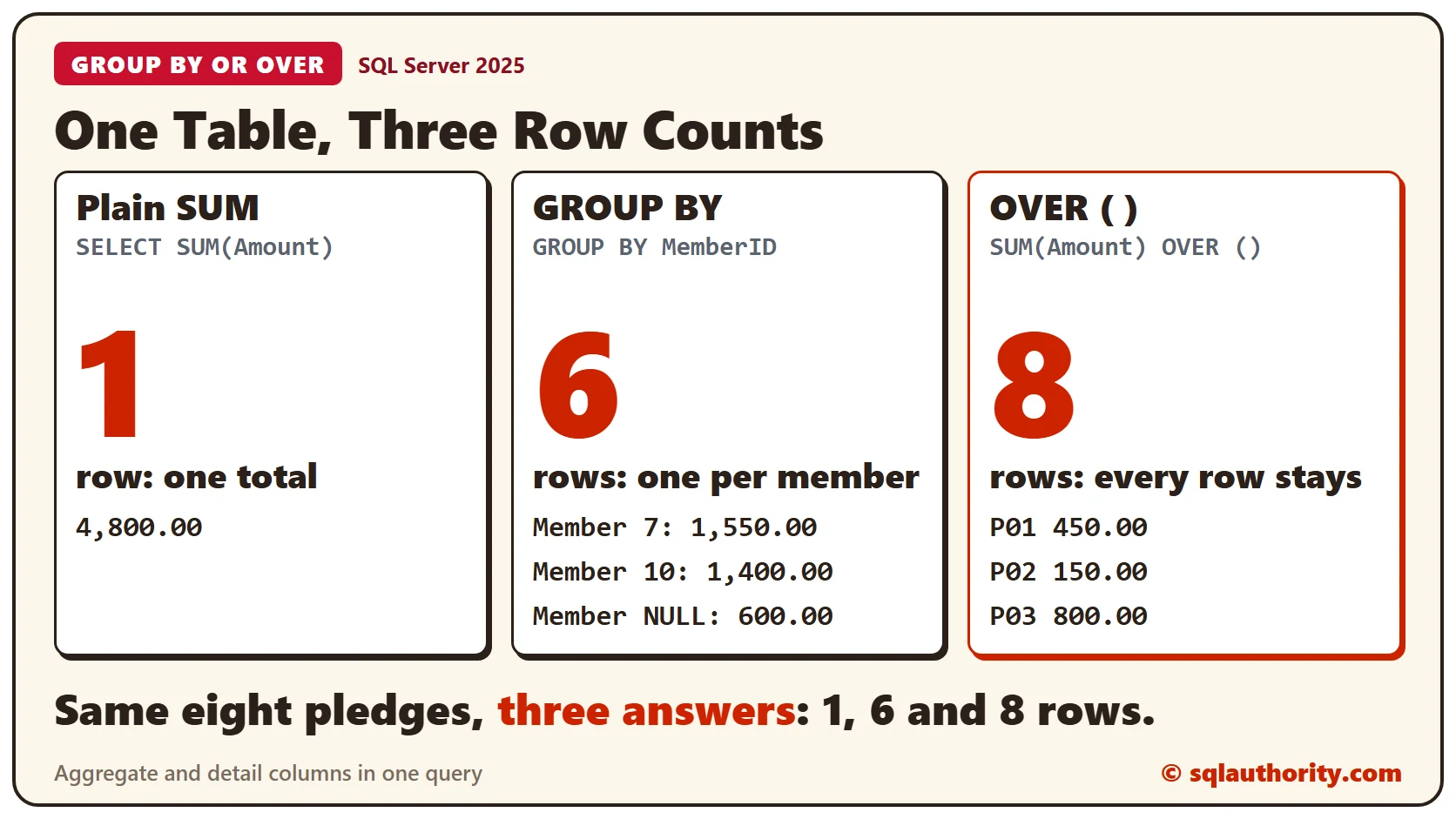
SUM adds up the whole table and returns one row.
SELECT SUM(Amount) AS TotalPledged FROM Pledges;The total is 4,800.00.
Why Detail Columns Fail
Add a detail column beside the SUM, and SQL Server stops. A WHERE clause that leaves a single row doesn’t help.
SELECT *, SUM(Amount) FROM Pledges WHERE PledgeID = 'P07';The error is Msg 8120. PledgeID isn’t inside an aggregate function or a GROUP BY clause. SQL Server reads the query text to decide this. It doesn’t look at how many rows would come back.
Road One: GROUP BY
GROUP BY accepts the aggregate by making the group the row. You get one row per member, and the details are gone.
SELECT MemberID, SUM(Amount) AS MemberTotal FROM Pledges GROUP BY MemberID ORDER BY MemberTotal DESC;The query returned 6 rows. Member 7 has the largest total, 1,550.00. The anonymous pledge forms a group of its own with a NULL member. PledgeID and Cause can’t appear in this query.
Road Two: A Subquery
A scalar subquery calculates the total on its own and repeats it on every row.
SELECT *, (SELECT SUM(Amount) FROM Pledges) AS TotalPledged FROM Pledges ORDER BY PledgeID;All 8 rows are back, each with 4,800.00. SQL Server reads the table twice, once for the rows and once for the total.
Road Three: OVER
OVER after the aggregate keeps every row. Empty parentheses mean the whole result is one group.
SELECT *, SUM(Amount) OVER () AS TotalPledged FROM Pledges ORDER BY PledgeID;The output matches the subquery. This script shows what each one costs on these eight rows.
SET STATISTICS IO ON;
SELECT *, (SELECT SUM(Amount) FROM Pledges) AS TotalPledged FROM Pledges ORDER BY PledgeID;
SELECT *, SUM(Amount) OVER () AS TotalPledged FROM Pledges ORDER BY PledgeID;
SET STATISTICS IO OFF;
The subquery scanned Pledges twice, for 4 logical reads. OVER scanned it once, for 2 logical reads, and added a worktable with 21 more. On a table this small the gap means nothing. Measure on your own data before you choose one for speed.
PARTITION BY: A Total for Each Group
Put a column inside OVER, and the total is worked out for each group.
SELECT *, SUM(Amount) OVER (PARTITION BY MemberID) AS MemberTotal FROM Pledges ORDER BY MemberID, PledgeID;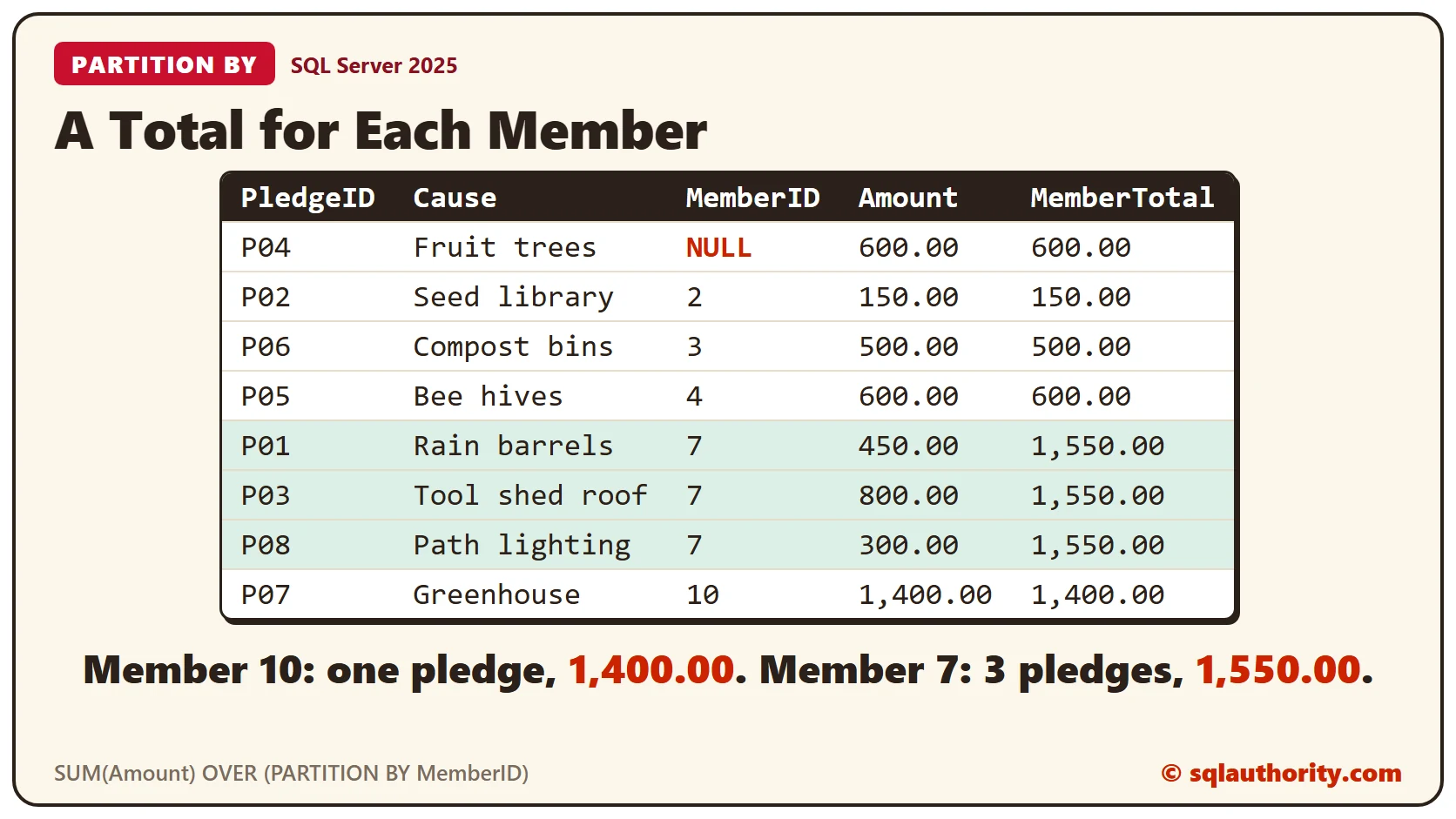
Member 10 made the largest single pledge, 1,400.00. Member 7 made three smaller pledges that add up to 1,550.00. The subtotal beside each row makes that easy to see.
Share of the Total
With the total next to each row, a share is one division. Divide the pledge by the total for a ratio. Multiply by 100 for a percent.
SELECT PledgeID, Cause, Amount,
  SUM(Amount) OVER () AS TotalPledged,
  CAST(Amount / SUM(Amount) OVER () AS DECIMAL(5,4)) AS Ratio,
  CAST(Amount / SUM(Amount) OVER () * 100 AS DECIMAL(5,1)) AS PctOfTotal
FROM Pledges
ORDER BY Amount DESC;
The Greenhouse pledge has a ratio of 0.2917, or 29.2 percent. You could estimate that in your head. OVER gives the exact figure for every row at once.
GROUP BY and OVER Together
The two can share a query. GROUP BY runs first and makes the groups. OVER then works on the grouped rows, so SUM(SUM(Amount)) OVER () is the total of the member totals.
SELECT MemberID, SUM(Amount) AS MemberTotal,
  SUM(SUM(Amount)) OVER () AS AllPledges,
  CAST(SUM(Amount) * 100.0 / SUM(SUM(Amount)) OVER () AS DECIMAL(5,1)) AS PctOfAll
FROM Pledges
GROUP BY MemberID
ORDER BY MemberTotal DESC;
Member 7 gave 32.3 percent of everything pledged. The 6 shares add up to 100 percent.
Clean Up
Remove the sample table when you finish.
DROP TABLE Pledges;What to Remember
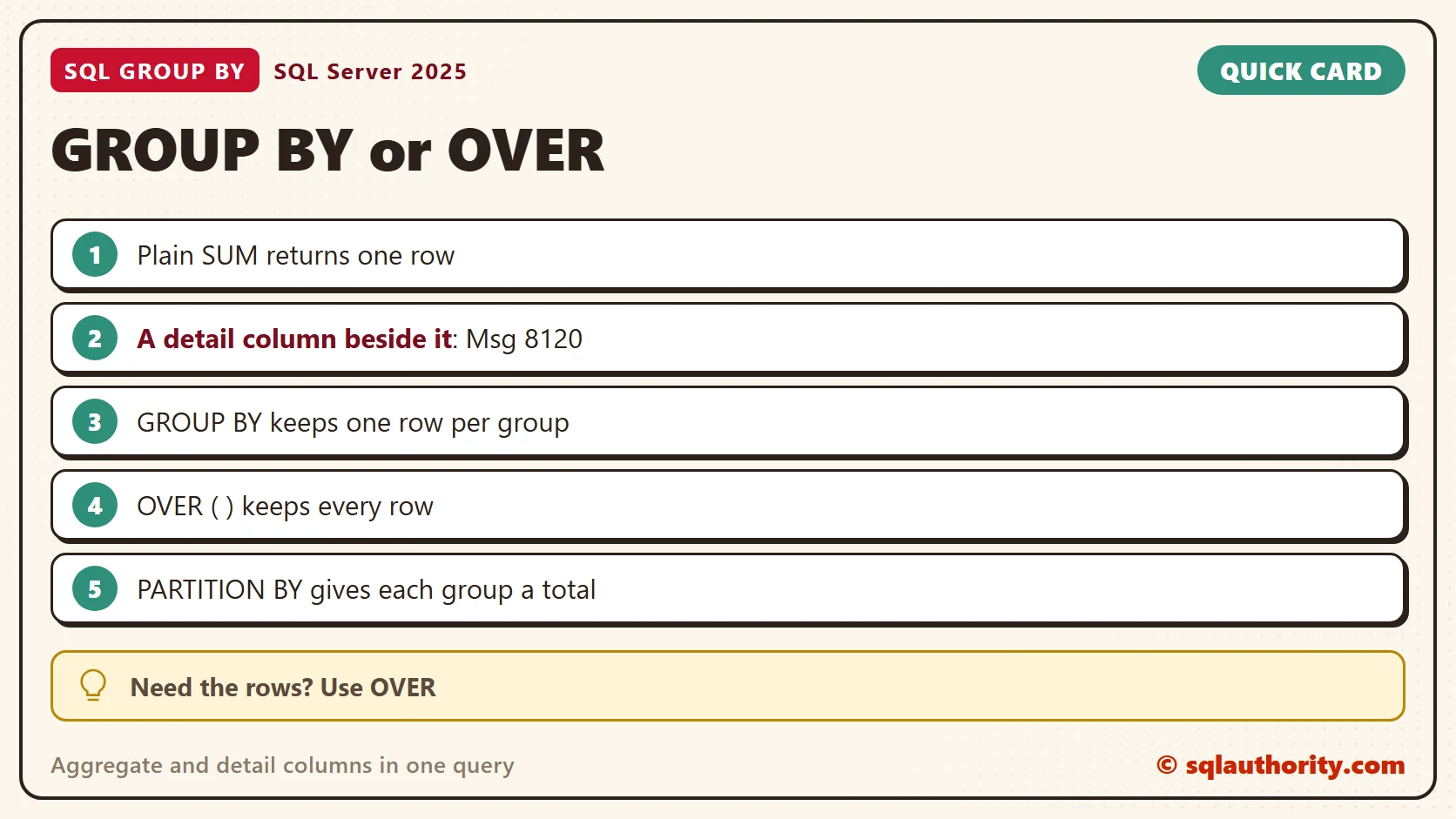
Use GROUP BY when one row per group is enough. Use OVER when the rows must stay. Put a column in PARTITION BY for a total per group, and divide by the total for a share.
To go further, read Aggregates With the OVER Clause: A Total Beside Every Row, Partitioned Aggregates: Compare Each Row to Its Own Group and Percent of Total With SUM() OVER() in One Query.
A total is not a reason to lose the rows, it is one more column.
Published by Pinal Dave on SQLAuthority. More of my work at pinaldave.com.
Discover more from SQL Authority with Pinal Dave
Subscribe to get the latest posts sent to your email.
![SQL SERVER - Clustered Instance Online Error - SQL Server Network Interfaces: Error Locating Server/Instance Specified [xFFFFFFFF]](https://blog.sqlauthority.com/wp-content/uploads/2016/11/sql-clus-01-350x309.jpg)



9 Comments. Leave new
Excellent Pinal…..
Really nice info OVER()… you hit 6 to every ball..
Outstanding!
Really helpful……
Really great Pinal ji.
Excellent post, this info ever help to good developers!!!
thank you. very nicely done
very nice ,,,,
I was even not able to write a sql with simple join but with the help of this site i learn a lots of things on sql …..Really helpful pinal thanks a lot….keep going….:)