
Why we use code comments comes down to one fact: SQL Server skips them. A comment is text inside a query that SQL Server ignores when it runs. You write it for the next reader, or to switch part of a query off while you test.
The Sample Tables
Six books and three shelves. One book, Kite Stories, has no shelf yet. Run this in any test database. Every result in this post comes from SQL Server 2025.
CREATE TABLE Shelves (ShelfID INT NOT NULL PRIMARY KEY, Room VARCHAR(20) NOT NULL);
CREATE TABLE Books (BookID INT NOT NULL PRIMARY KEY, Title VARCHAR(30) NOT NULL, ShelfID INT NULL, Status VARCHAR(12) NULL);
GO

INSERT INTO Shelves (ShelfID, Room) VALUES (1, 'Reading Room'), (2, 'Archive'), (3, 'Kids Corner');
INSERT INTO Books (BookID, Title, ShelfID, Status) VALUES
  (1, 'Garden Basics', 1, NULL), (2, 'Tea Journeys', 1, NULL), (3, 'Map Making', 2, 'On loan'),
  (4, 'Bread at Home', 3, NULL), (5, 'Night Sky Guide', 2, NULL), (6, 'Kite Stories', NULL, 'Needs repair');
GO
Comments That Explain
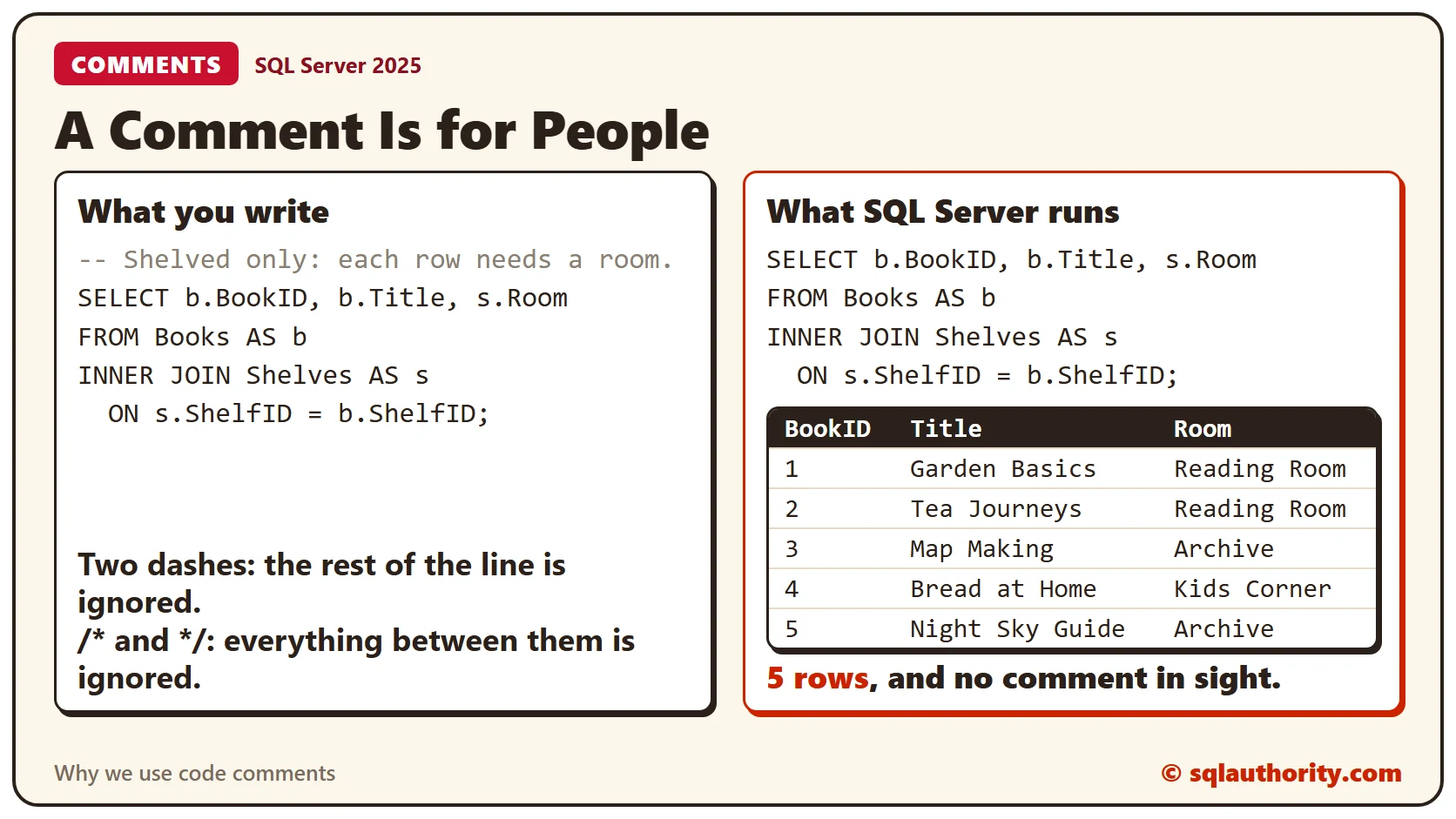
Two dashes start a single-line comment. Everything after them on that line is ignored. The first line of this query is a comment, and it records a decision.
-- Shelved only: each row needs a room.
SELECT b.BookID, b.Title, s.Room
FROM Books AS b
INNER JOIN Shelves AS s
  ON s.ShelfID = b.ShelfID;
The query returns 5 books, and Kite Stories isn’t one of them. The comment says why: every row in the list needs a room. Compare that with a comment such as — join Books to Shelves. It repeats what the code already says. Write the reason, because the reader can see the action.
Comments That Travel With the Code
A comment inside a stored procedure is saved with it. Anyone who scripts the procedure later sees the note.
CREATE PROCEDURE ShelfReport @ShelfID INT
AS
-- Shows the books on one shelf. Added for the weekend volunteers.
SELECT Title, Status FROM Books WHERE ShelfID = @ShelfID;
SELECT OBJECT_DEFINITION(OBJECT_ID('ShelfReport')) AS StoredText;The text that comes back still holds the comment line, word for word. Saving the procedure doesn’t strip it.
Single-Line Comments for Troubleshooting
Say a teammate reports a missing book. You suspect the join. Put two dashes in front of the join lines, and run what is left.
SELECT *
FROM Books AS b
--INNER JOIN Shelves AS s
--  ON s.ShelfID = b.ShelfID;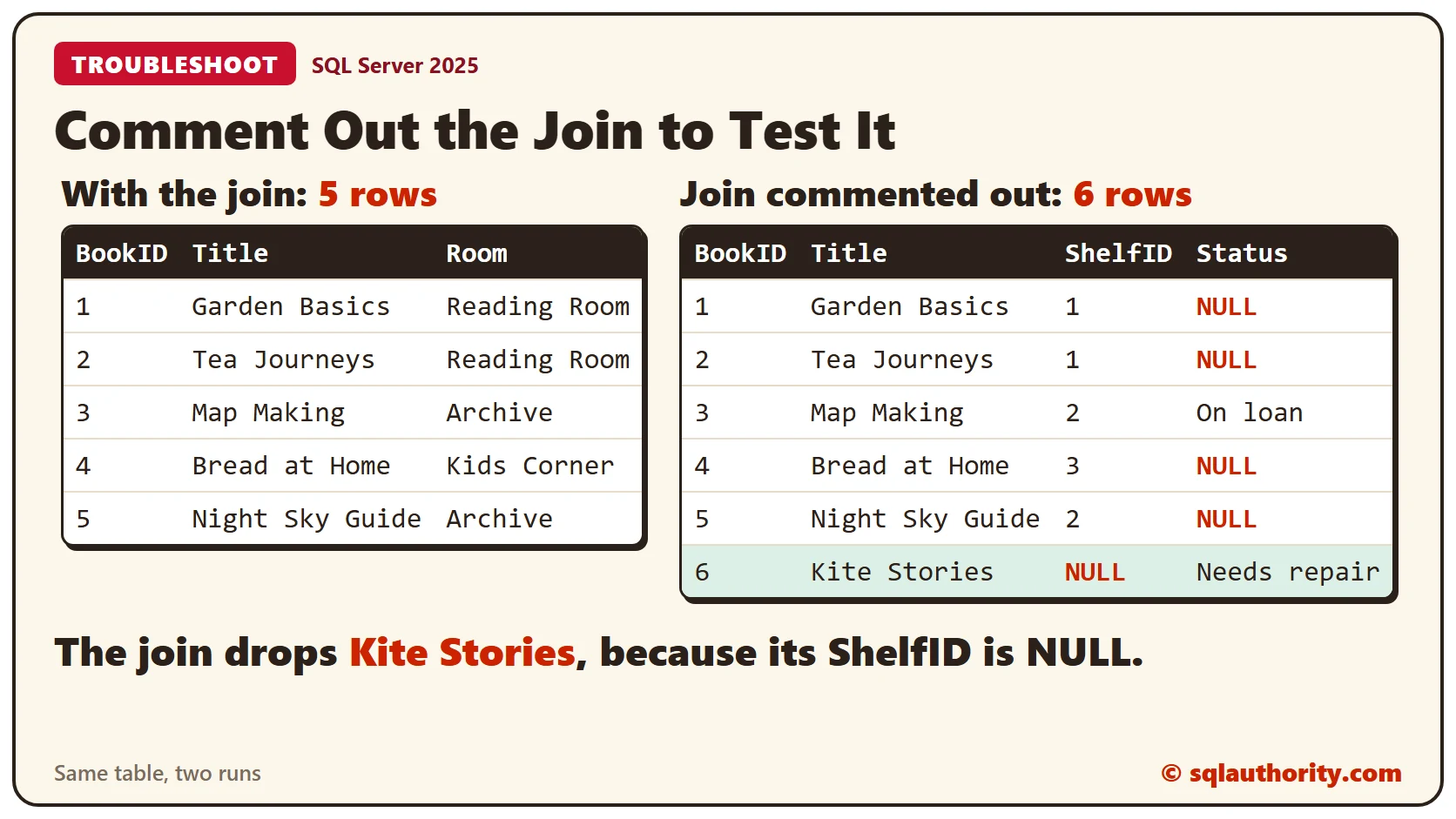
All 6 books return, with only the Books columns. The join is what drops Kite Stories, because its ShelfID is NULL. You tested the idea without deleting a line. Remove the dashes and the join is back.
Multi-Line Comments
To switch off many lines at once, wrap them in /* and */. Each mark is two characters with no space between them.
SELECT *
FROM Books AS b
/*INNER JOIN Shelves AS s
  ON s.ShelfID = b.ShelfID*/;
The result matches the single-line version, all 6 books. A block comment also suits a header at the top of a script.
/*
  Purpose: list the books that wait for repair.
  Note: Status stays NULL for books in good shape.
*/
SELECT Title FROM Books WHERE Status = 'Needs repair';
The query returns Kite Stories, the one book that needs repair.
In-Line Comments and Msg 156
Sometimes you want to switch off one word inside a line. Two dashes can’t do that, because they hide everything to the end of the line. Try them on the select list.
SELECT --BookID, Title, Status
FROM Books
WHERE ShelfID = 2;
SQL Server now sees SELECT followed by FROM. It stops with Msg 156, incorrect syntax near the keyword FROM. A block comment fixes this, because it has an end.
SELECT /*BookID,*/ Title, Status
FROM Books
WHERE ShelfID = 2;
The query returns two rows, Map Making and Night Sky Guide, without the BookID column.
The Nested Comment Trap
A reader asked what happens when a select list holds /*BookID,/*/ and a column name after it. SQL Server lets block comments nest. This query is fine, because every /* has its own */.
SELECT Title /* outer /* inner */ still a comment */ FROM Books WHERE BookID = 1;The reader’s version is different. The second /* opens an inner comment, and nothing closes it.
SELECT /*BookID,/*/ Title
FROM Books;
SQL Server answers with Msg 113, missing end comment mark. To drop only the first column name, write /*BookID,*/ and leave the rest alone.
Do Comments Slow a Query?
Another reader asked this, and the answer is no. The comment doesn’t change the plan. Turn on the actual plan as XML, then run the same query twice, once with a long comment above it.
SET STATISTICS XML ON;
GO
SELECT Title FROM Books WHERE BookID = 1;
GO
-- A long note about why this query exists, who asked for it and when it last changed.
SELECT Title FROM Books WHERE BookID = 1;
GO
SET STATISTICS XML OFF;
Both plans show the same statement text, and neither contains the comment. Both carry the same QueryPlanHash, so the plans have the same shape. Comment as much as you need.
Clean Up
Remove the sample objects when you finish.
DROP PROCEDURE ShelfReport;
DROP TABLE Books;
DROP TABLE Shelves;
What to Remember
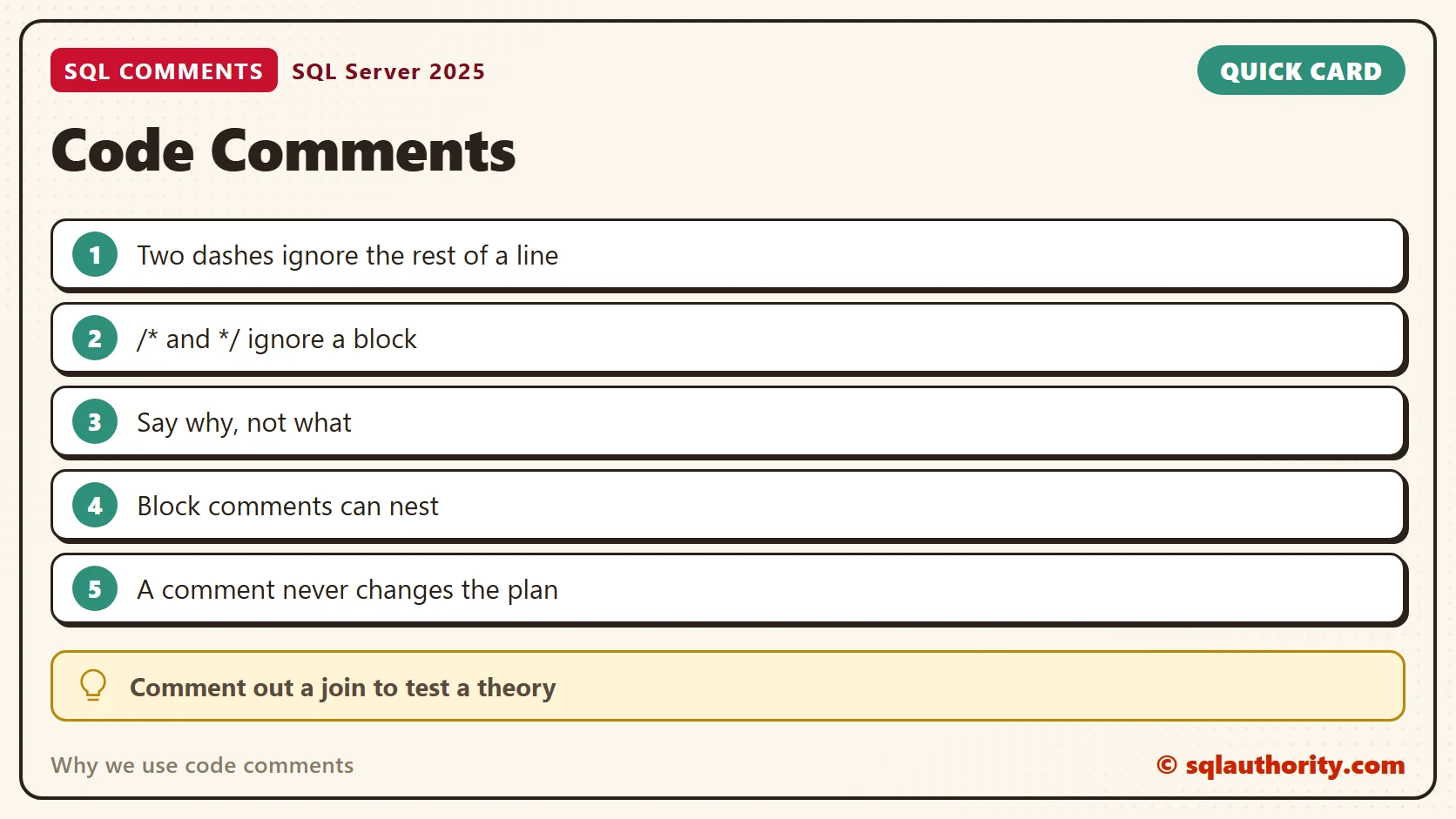
Use two dashes for one line and /* */ for a block. Say why, since the code already says what. Comment out code to test a theory, and remove the marks when you finish.
To go further, read Commenting Out Code: Testing Safely in SSMS, SQL Code Comments: Notes Your Future Self Can Read and SQL SERVER – Execution Plan Ignores Tabs, Spaces and Comments.
A comment is not decoration, it is a note to the next reader.
Published by Pinal Dave on SQLAuthority. More of my work at pinaldave.com.
Discover more from SQL Authority with Pinal Dave
Subscribe to get the latest posts sent to your email.


4 Comments. Leave new
Pinal, I wanted to ask your expertise on the best way to modify all the columns in my database from numeric(12,4) to numeric (18,4) while keeping all data correct with no losses. I am using sql 2008 and have a huge database and not sure the best way to make this change to allow for more characters throughout my entire database. There are many many tables that have this datatype that needs to be changed. Any advice you can provide will be greatly appreciated.
Hi Pinal , if we use 2 / at the end then how we will handle this.
Example:
SELECT /*GrantID,/*/ GrantName, EmpID, Amount
FROM [Grant]
WHERE EmpID IS NULL
— OR Amount < 10000
OR EmpID = 7
Can you have too many comments in your code? Do comments impact on performance?
Comments do not impact performance.