
Partitioned aggregates let each row see a number for its own group, such as how many plants share its bed. An empty OVER ( ) compares a row to the whole table. Add PARTITION BY, and it compares the row to a category instead.

The Sample Table
Thirteen seedlings in four groups: three garden beds, plus two plants that haven’t been given a bed yet. Run this in any test database. Every result in this post comes from SQL Server 2025.
CREATE TABLE Seedlings (Plant VARCHAR(20) NOT NULL, Bed VARCHAR(10) NULL, Height INT NOT NULL);
INSERT INTO Seedlings (Plant, Bed, Height) VALUES
  ('Basil', 'North', 30), ('Mint', 'North', 25), ('Thyme', 'North', 15), ('Sage', 'North', 40), ('Dill', 'North', 61),
  ('Tomato', 'South', 80), ('Pepper', 'South', 55), ('Okra', 'South', 91),
  ('Spinach', 'East', 20), ('Lettuce', 'East', 22), ('Kale', 'East', 46),
  ('Rosemary', NULL, 35), ('Chives', NULL, 20);
GO
How a Partition Works
Think of PARTITION BY as sorting the rows into piles by Bed. SQL Server works out the aggregate once for each pile and hands that number to every row in the pile. Rows from different piles never see each other.
That’s useful whenever a row only makes sense next to its peers. A score belongs next to its class, and a sale belongs next to its region.
One Count for Each Group
COUNT(*) OVER ( ) counts all thirteen rows. COUNT(*) OVER (PARTITION BY Bed) counts only the rows that share the current row’s bed.
SELECT Plant, Bed,
  COUNT(*) OVER () AS AllPlants,
  COUNT(*) OVER (PARTITION BY Bed) AS BedCount
FROM Seedlings
ORDER BY Bed, Plant;
Each North plant shows 5, and each South and East plant shows 3. The two plants with no bed have a NULL Bed. PARTITION BY puts all NULL values in one group, so those two share a count of 2.
GROUP BY can return the same counts, but it behaves differently. It returns one row per bed, and the plant names are gone.
SELECT Bed, COUNT(*) AS BedCount FROM Seedlings GROUP BY Bed ORDER BY Bed;That’s four rows against thirteen. PARTITION BY keeps every row, so you can compare each plant to its group.
The Integer Division Trap
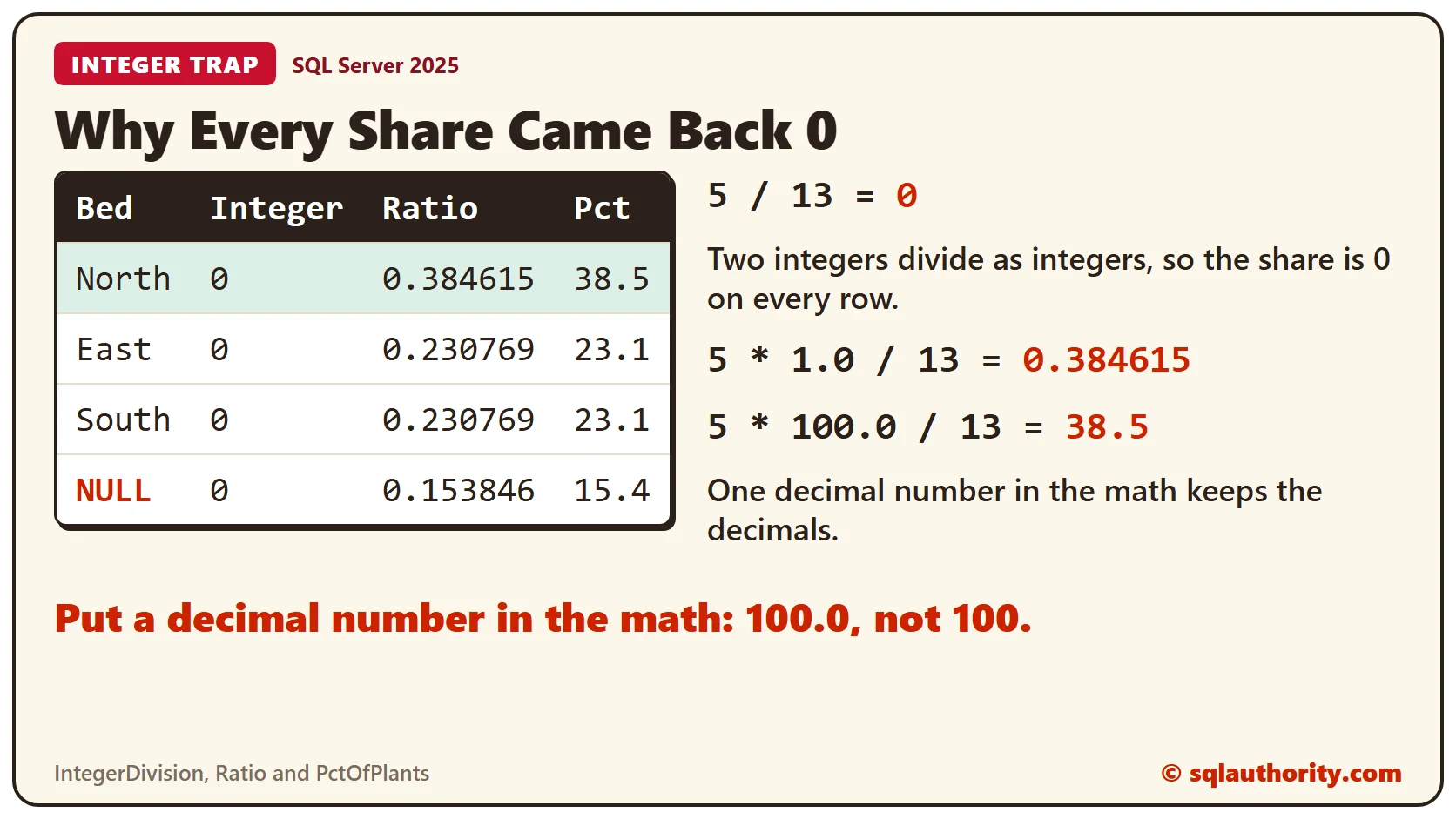
Next, work out each bed’s share of all the plants. The first column divides the two counts as they are. The other two columns use a decimal number to keep the fraction.
SELECT Plant, Bed,
  COUNT(*) OVER (PARTITION BY Bed) / COUNT(*) OVER () AS IntegerDivision,
  COUNT(*) OVER (PARTITION BY Bed) * 1.0 / COUNT(*) OVER () AS Ratio,
  CAST(COUNT(*) OVER (PARTITION BY Bed) * 100.0 / COUNT(*) OVER () AS DECIMAL(5,1)) AS PctOfPlants
FROM Seedlings
ORDER BY PctOfPlants DESC, Plant;
IntegerDivision is 0 on every row. Both counts are integers, so SQL Server divides integers, and 5 divided by 13 becomes 0. Multiplying by 1.0 gives a ratio of about 0.384615 for the North bed. Multiplying by 100.0 gives a percent, and the CAST rounds it to 38.5.
One Row for Each Group
The result above repeats the same numbers on every plant in a bed. Add DISTINCT and drop the plant names, and each group appears once.
SELECT DISTINCT Bed,
  COUNT(*) OVER (PARTITION BY Bed) AS BedCount,
  CAST(COUNT(*) OVER (PARTITION BY Bed) * 100.0 / COUNT(*) OVER () AS DECIMAL(5,1)) AS PctOfPlants
FROM Seedlings
ORDER BY PctOfPlants DESC, Bed;
North holds 38.5 percent of the plants. East and South hold 23.1 percent each, and the plants with no bed hold 15.4 percent. Sorting by the percent puts the biggest bed first.
Other Aggregates Work Too
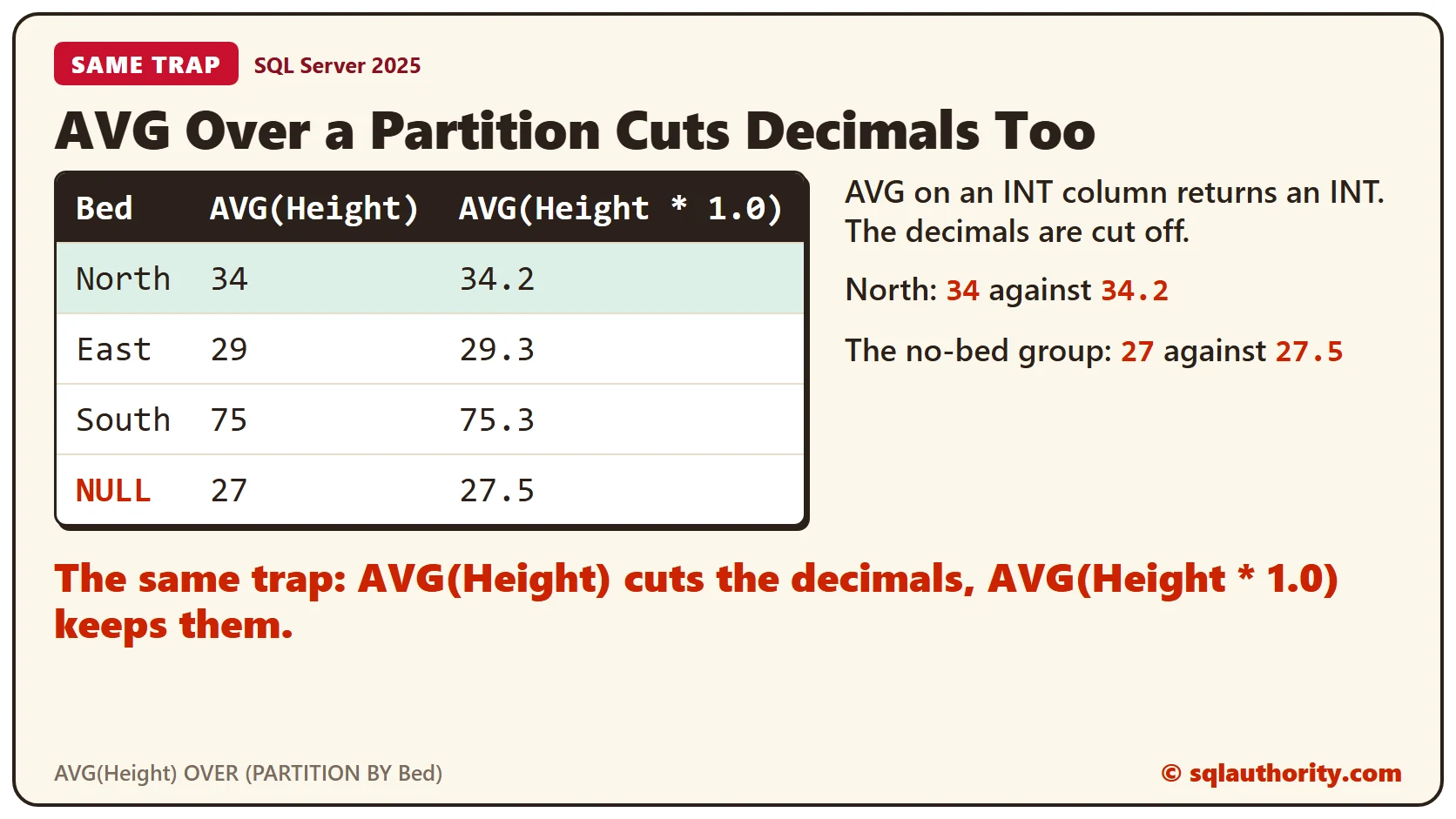
A partition can hold any aggregate, not only COUNT. This query compares each plant’s height with the average height in its bed. The first average column shows the integer trap again, because AVG on an INT column returns an INT.
SELECT Plant, Bed, Height,
  AVG(Height) OVER (PARTITION BY Bed) AS WholeNumberAverage,
  CAST(AVG(Height * 1.0) OVER (PARTITION BY Bed) AS DECIMAL(5,1)) AS BedAverage,
  CAST(Height - AVG(Height * 1.0) OVER (PARTITION BY Bed) AS DECIMAL(5,1)) AS Difference
FROM Seedlings
ORDER BY Bed, Height DESC;
The North bed averages 34.2, but the whole-number column shows 34. For the plants with no bed, 27.5 becomes 27. Dill has the largest gap above its bed’s average, at 26.8, and Pepper has the largest gap below, at 20.3.
Clean Up
Remove the sample table when you finish.
DROP TABLE Seedlings;What to Remember
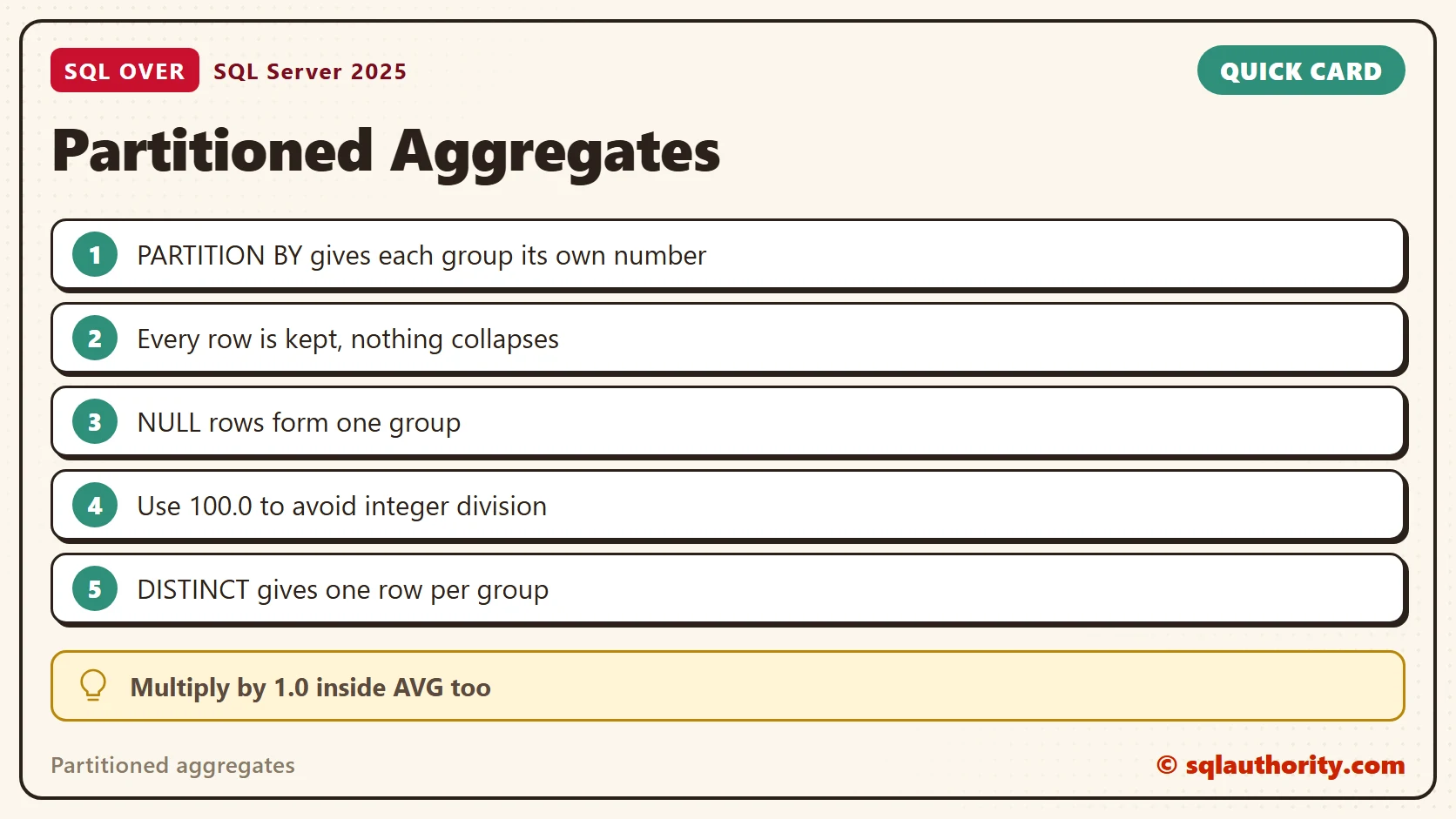
Use PARTITION BY when each row needs a number from its own group and you still want every row. Use GROUP BY when one row per group is enough. Multiply by 1.0 or 100.0 before you divide, so integer division doesn’t turn every share into 0.
To go further, read SQL SERVER – Adding Values WITH OVER and PARTITION BY, Percent of Total With SUM() OVER() in One Query and Running Totals That Reset Every Month.
A group is not a smaller table, it is a number every row can see.
Published by Pinal Dave on SQLAuthority. More of my work at pinaldave.com.
Discover more from SQL Authority with Pinal Dave
Subscribe to get the latest posts sent to your email.


2 Comments. Leave new
Check SQL Server 2011 “Denali” Books Online – there are a lot of improvements to analytical/ranking functions. Also OVER clause was enhanced very much.
Thanks for the post. Really helpful.