
Aggregates with the OVER clause put a total, an average or a minimum next to every row. A plain SUM can’t do that, because it squeezes your rows into one. This post shows the error you get, the fix, and how to turn the total into a percent.

The Sample Table
Eight costs from a trip budget, each with a booking date. Run this in any test database. Every result in this post comes from SQL Server 2025.
CREATE TABLE TripCosts (Item VARCHAR(20) NOT NULL, Cost DECIMAL(8,2) NOT NULL, BookedOn DATE NOT NULL);
INSERT INTO TripCosts (Item, Cost, BookedOn) VALUES
  ('Train tickets', 410.00, '2026-03-02'), ('Hotel', 380.00, '2026-03-09'),
  ('Museum passes', 90.00, '2026-03-20'), ('Groceries', 150.00, '2026-04-01'),
  ('Bus pass', 60.00, '2026-03-15'), ('Camera rental', 120.00, '2026-04-04'),
  ('Guidebooks', 45.00, '2026-02-25'), ('Rain jackets', 130.00, '2026-03-28');
GO
Why a Plain Aggregate Fails
SUM on its own returns one row, 1385.00 for the whole table. That’s the total, but you can’t see which costs it came from.
SELECT SUM(Cost) AS TotalCost FROM TripCosts;Now add the Item column beside it, and SQL Server stops you.
SELECT Item, Cost, SUM(Cost) AS TotalCost FROM TripCosts;The error is message 8120. The column isn’t inside an aggregate function or a GROUP BY clause, so it’s invalid in the select list. SUM collapses the table into one row, so no single Item fits beside it.
OVER Keeps Every Row
Add OVER ( ) after the aggregate. The empty parentheses mean the whole result set is one group. SQL Server calculates the total once and repeats it on every row.
SELECT Item, Cost, SUM(Cost) OVER () AS TotalCost FROM TripCosts ORDER BY Cost DESC;All eight rows are back, and each one shows 1385.00. The ORDER BY sorts what you see and has no effect on the total.
Turning the Total Into a Share
With the total beside each cost, a share is one division. Divide the cost by the total for a ratio, then multiply by 100 for a percent.
SELECT Item, Cost,
  SUM(Cost) OVER () AS TotalCost,
  Cost / SUM(Cost) OVER () AS Ratio,
  CAST(100.0 * Cost / SUM(Cost) OVER () AS DECIMAL(5,1)) AS PercentOfTotal
FROM TripCosts
ORDER BY Cost DESC;
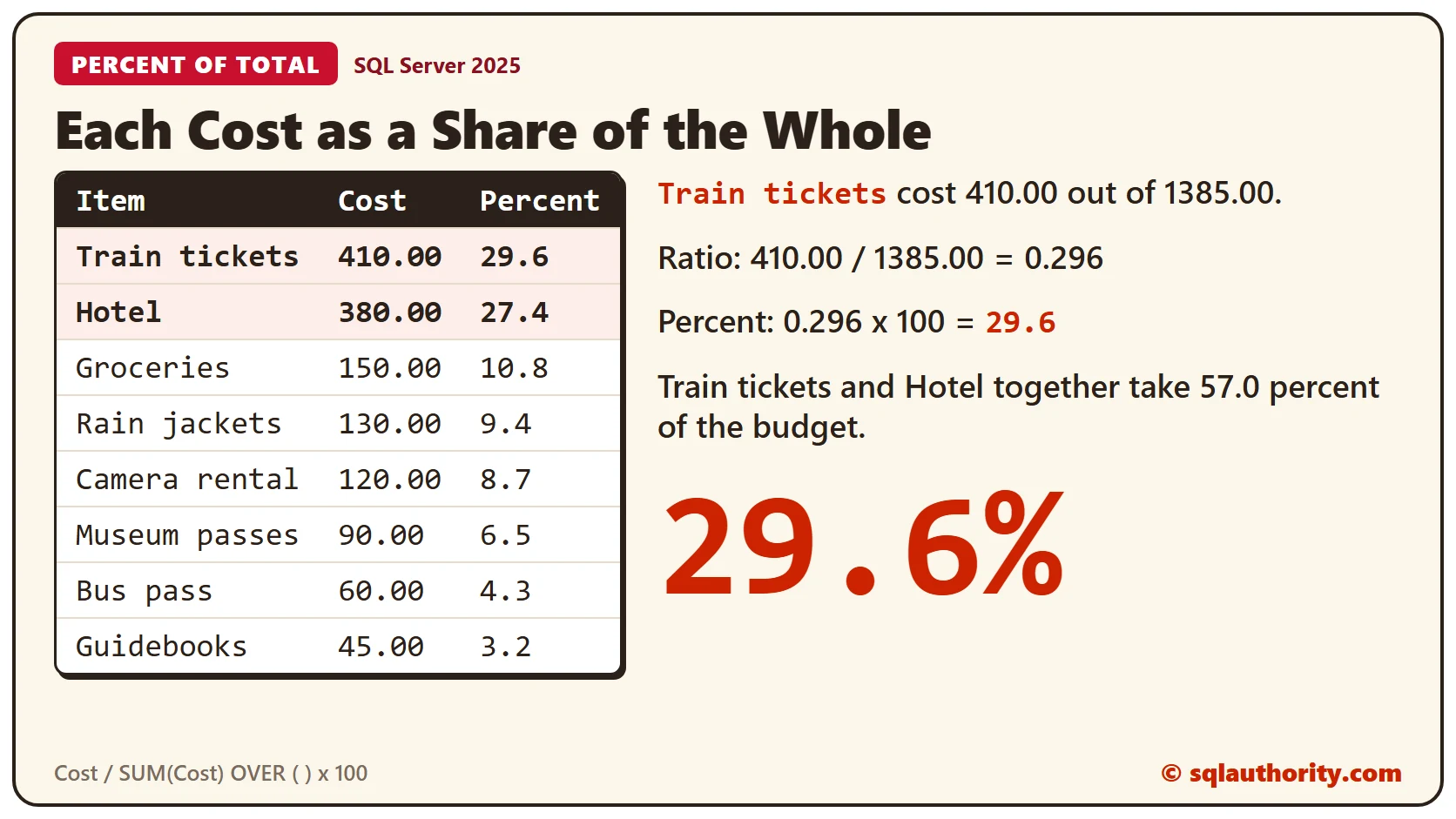
Train tickets have a ratio of about 0.296, which is 29.6 percent of the budget. The hotel is 27.4 percent, so those two take more than half. The CAST rounds the percent to one decimal place. Without it, you get the long string of digits shown in the Ratio column.
The Other Aggregates Work Too
SUM isn’t special. MIN, MAX, AVG and COUNT take the same OVER ( ) clause. This query shows the earliest booking date, the average cost, and each cost’s gap from that average.
SELECT Item, Cost, BookedOn,
  MIN(BookedOn) OVER () AS FirstBooking,
  AVG(Cost) OVER () AS AverageCost,
  Cost - AVG(Cost) OVER () AS AboveAverage,
  COUNT(*) OVER () AS ItemCount
FROM TripCosts
ORDER BY BookedOn;
FirstBooking is 2026-02-25 on every row, and AverageCost is 173.125. Train tickets sit 236.875 above the average, and Guidebooks sit 128.125 below it. ItemCount is 8 on each row.
WHERE Runs Before the Total
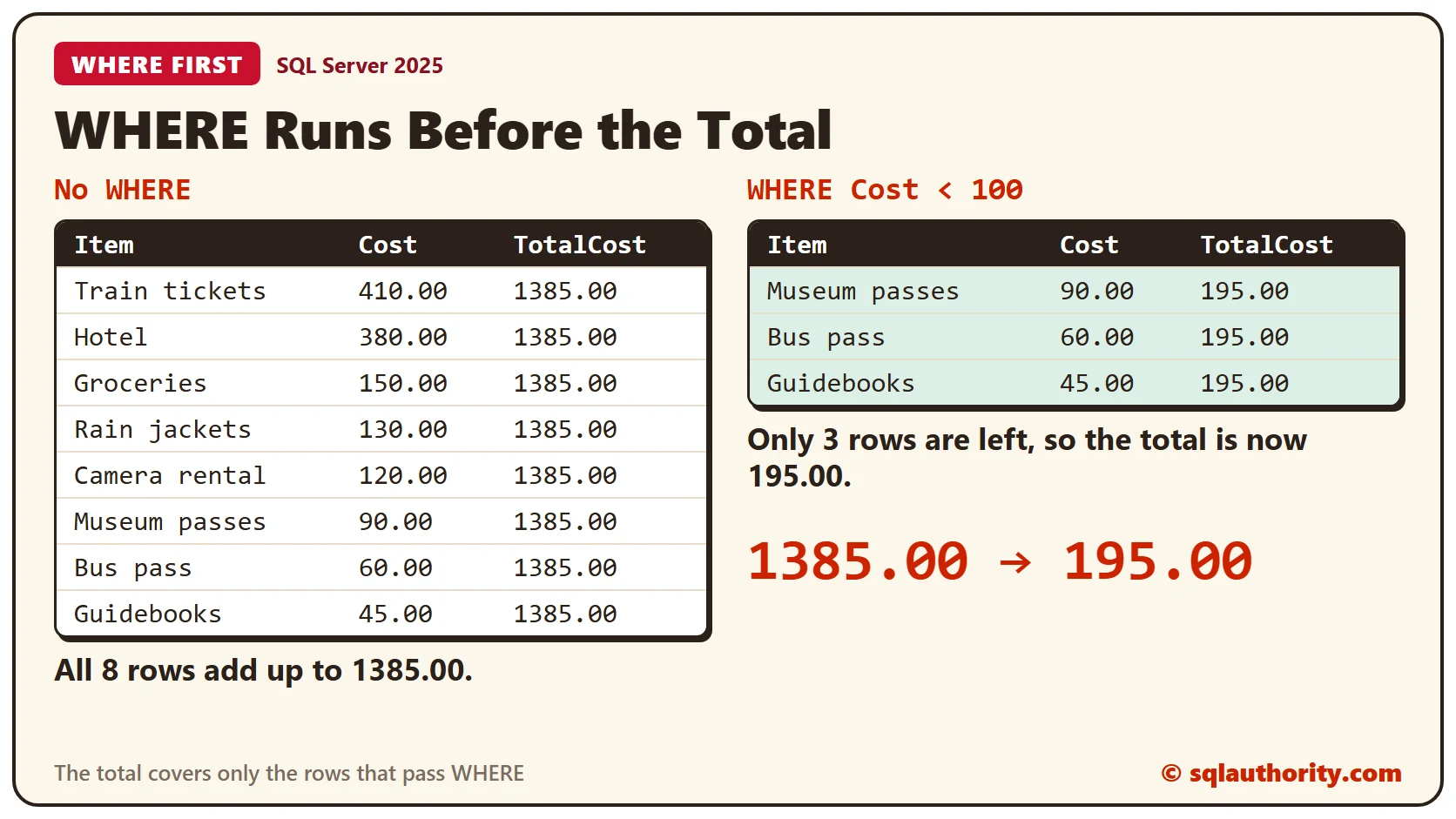
The total covers only the rows that survive the WHERE clause. Filter to costs under 100, and the total shrinks to match.
SELECT Item, Cost, SUM(Cost) OVER () AS TotalCost
FROM TripCosts
WHERE Cost < 100
ORDER BY Cost DESC;
The three rows add up to 195.00, so every row shows that number and the 1385.00 is gone. If you want each cost as a share of the full budget, calculate the share first and filter after.
Filtering on a Windowed Value
You can’t use an OVER calculation in a WHERE clause. SQL Server rejects this query.
SELECT Item, Cost FROM TripCosts WHERE Cost > AVG(Cost) OVER ();The error is message 4108, which says windowed functions can appear only in the SELECT or ORDER BY clauses. Put the calculation in a CTE, then filter the CTE. This version keeps the share of the full budget for the three cheapest items.
WITH Shares AS (
  SELECT Item, Cost, 100.0 * Cost / SUM(Cost) OVER () AS Pct FROM TripCosts
)
SELECT Item, Cost, CAST(Pct AS DECIMAL(5,1)) AS PercentOfTotal FROM Shares WHERE Cost < 100 ORDER BY Cost DESC;
Museum passes are 6.5 percent of the full 1385.00, Bus pass is 4.3 and Guidebooks is 3.2. The total was worked out before the filter, so the shares stay true.
Clean Up
Remove the sample table when you finish.
DROP TABLE TripCosts;What to Remember
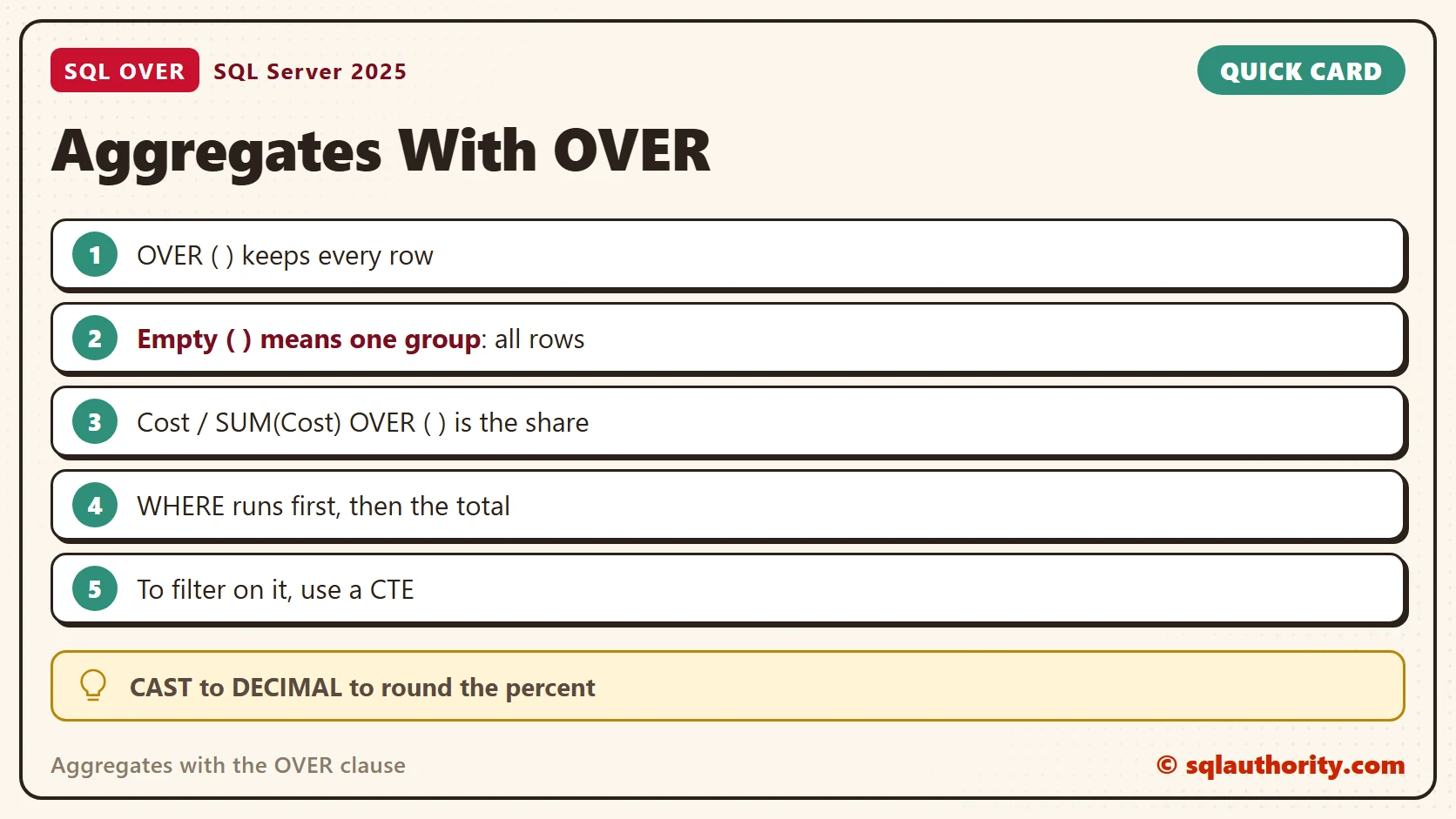
Use OVER ( ) when you need the detail rows and an aggregate together. An empty OVER ( ) covers the whole result set. WHERE shrinks that set before the aggregate runs, and a CTE lets you filter on the result.
To go further, read Percent of Total With SUM() OVER() in One Query, SQL SERVER – Adding Values WITH OVER and PARTITION BY and SQL SERVER – How to Find Running Total in SQL Server.
An aggregate is not a verdict that ends the rows, it is a number you can carry beside them.
Published by Pinal Dave on SQLAuthority. More of my work at pinaldave.com.
Discover more from SQL Authority with Pinal Dave
Subscribe to get the latest posts sent to your email.




3 Comments. Leave new
Answer #3 is correct
SELECT *, Min(HireDate) OVER() as StartDate FROM Employee
and will get the earliest Hire Date in the whole company. We can also add
case when HireDate = MIN(HireDate) OVER() then ‘First Employee’ else ‘Later addition’ end as [Status]
and therefore determine the founders of the company.
I am from USA
select *,HIREDATE -max(hiredate) over() as diff from emp2
It helped me a lot , Thanks