You can update column statistics in SSMS from the Properties window, and a T-SQL line does the same job. The dialog is quick for one statistic. It gives no proof, though. This post adds a check that you can trust.

Where the Dialog Lives
Statistics are the numbers SQL Server uses to guess how many rows a query will return. When a table has changed a lot, an update refreshes them. In Management Studio, open Object Explorer and expand the database, then Tables, then the table. Expand its Statistics folder, right-click the statistic, and choose Properties. These steps follow the SSMS 22 menus.
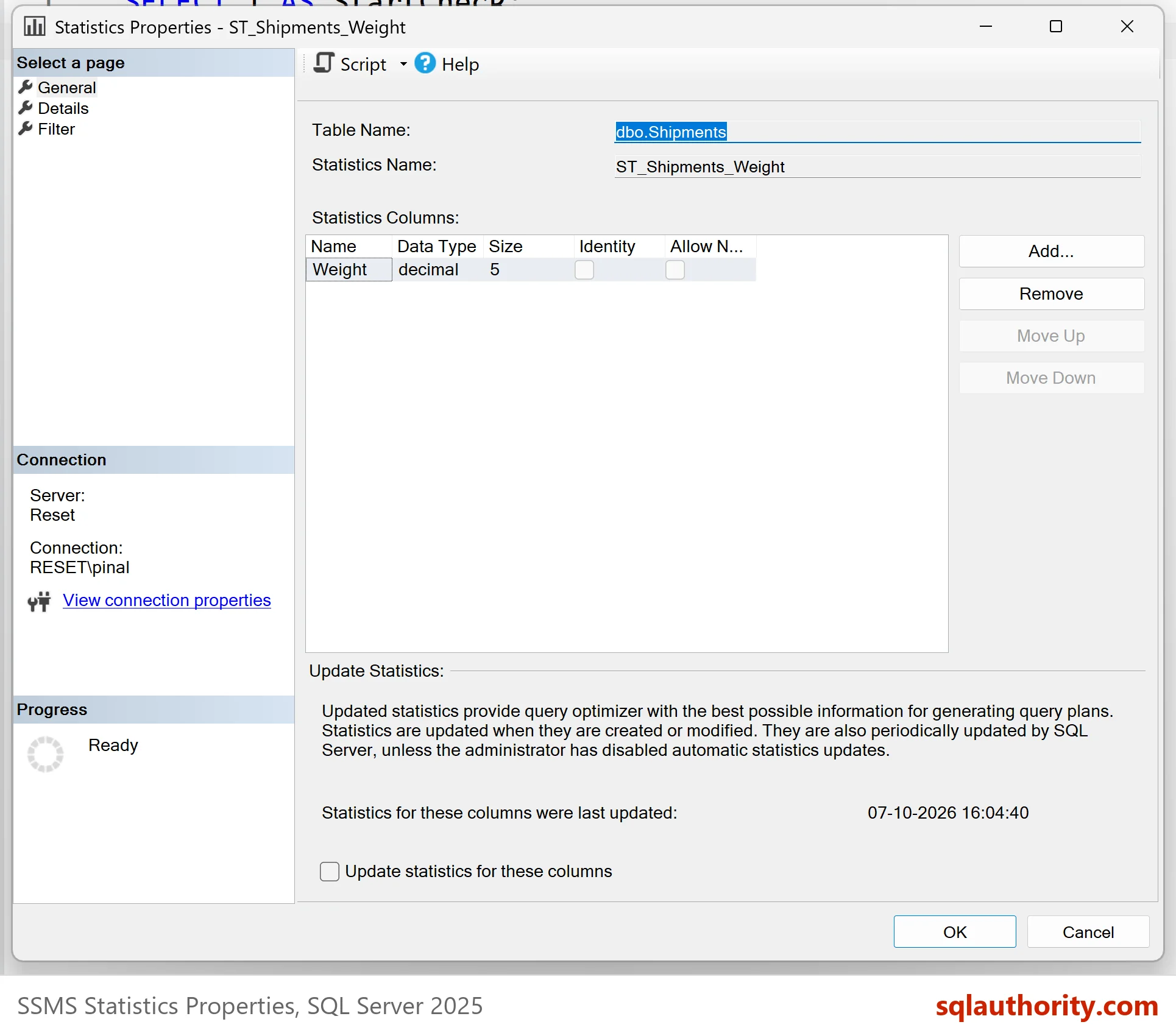
The window shows the columns that the statistic covers. Tick the check box named Update statistics for these columns. Then you have two choices. Click OK to run the update at once. Or use the Script button to write the T-SQL into a query window first. A script can be read before it runs and kept afterward, so use it.
Management Studio before release 18.6 had a bug in this window. Clicking OK, or generating the script, did nothing at all. Many people believed their statistics were fresh when they were not. The release 18.6 fixed it, and the lesson stays: check the result instead of trusting a dialog.
Build a Table to Test On
The demo database is StatsDialogDemo. It holds one table of three million shipments. The script creates a statistic on the Weight column. It uses a deliberately small sample, so the later steps have something to improve. The script can run twice.
IF DB_ID(N'StatsDialogDemo') IS NULL CREATE DATABASE StatsDialogDemo;
GO
USE StatsDialogDemo;
GO
DROP TABLE IF EXISTS dbo.Shipments;
CREATE TABLE dbo.Shipments (
    ShipmentID int NOT NULL CONSTRAINT PK_Shipments PRIMARY KEY,
    Weight     decimal(8,2) NOT NULL,
    Region     int NOT NULL
);
INSERT INTO dbo.Shipments (ShipmentID, Weight, Region)
SELECT TOP (3000000) ROW_NUMBER() OVER (ORDER BY (SELECT NULL)), n % 500 + 0.5, n % 40
FROM (SELECT ROW_NUMBER() OVER (ORDER BY (SELECT NULL)) AS n
      FROM sys.all_objects AS a CROSS JOIN sys.all_objects AS b CROSS JOIN sys.all_objects AS c) AS x;
GO
CREATE STATISTICS ST_Shipments_Weight ON dbo.Shipments (Weight) WITH SAMPLE 1 PERCENT;
GO
UPDATE dbo.Shipments SET Weight = Weight + 1 WHERE ShipmentID <= 100000;
Prove the Statistic Is Stale
The view sys.dm_db_stats_properties reports the state of a statistic. Two columns matter here. The column rows_sampled says how many rows the last update read, and modification_counter says how many changes have happened since.
SELECT s.name, sp.rows, sp.rows_sampled, sp.modification_counter
FROM sys.stats AS s
CROSS APPLY sys.dm_db_stats_properties(s.object_id, s.stats_id) AS sp
WHERE s.name = N'ST_Shipments_Weight';
| name | rows | rows_sampled | modification_counter |
|---|---|---|---|
| ST_Shipments_Weight | 3000000 | 377568 | 100000 |
The statistic read 377,568 of three million rows, and 100,000 changes have piled up since. Now do what the dialog does. The statement below does the same job as the dialog for this one statistic. Click Script in the dialog to see the statement it writes.
UPDATE STATISTICS dbo.Shipments ST_Shipments_Weight;
SELECT s.name, sp.rows, sp.rows_sampled, sp.modification_counter
FROM sys.stats AS s
CROSS APPLY sys.dm_db_stats_properties(s.object_id, s.stats_id) AS sp
WHERE s.name = N'ST_Shipments_Weight';
| name | rows | rows_sampled | modification_counter |
|---|---|---|---|
| ST_Shipments_Weight | 3000000 | 425040 | 0 |
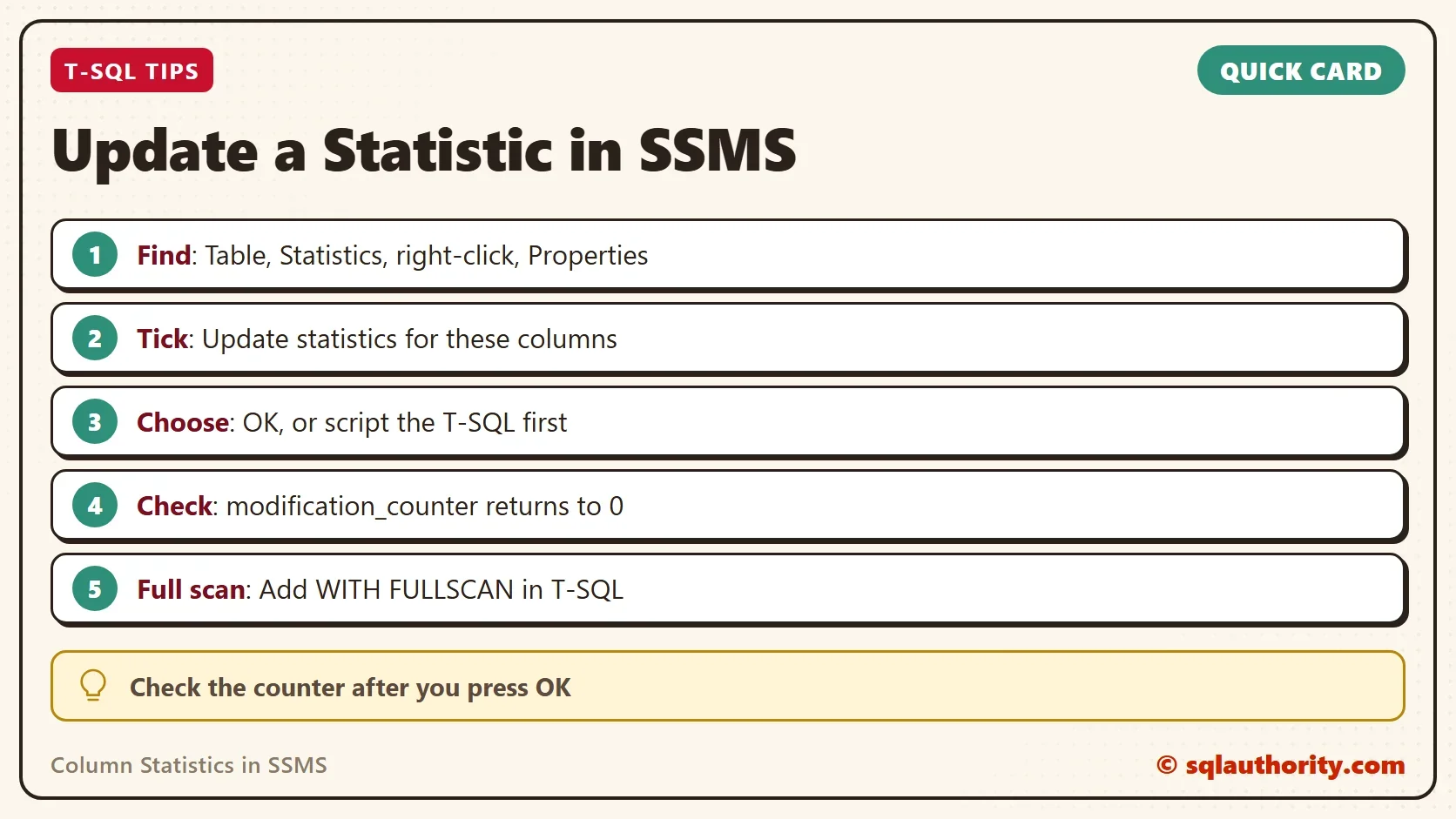
The counter is back to 0, which proves the update ran. Run the same check after you click OK in the dialog. If the counter is unchanged, nothing happened, whatever the window said.
Sample or Full Scan
Notice rows_sampled. The update read 425,040 rows, about 14 percent of the table. That is a sample, and it is what a plain update gives you. The dialog doesn’t offer a full scan. When you need one, script the update and add the option, or write the statement yourself.
UPDATE STATISTICS dbo.Shipments ST_Shipments_Weight WITH FULLSCAN;
SELECT s.name, sp.rows, sp.rows_sampled, sp.modification_counter
FROM sys.stats AS s
CROSS APPLY sys.dm_db_stats_properties(s.object_id, s.stats_id) AS sp
WHERE s.name = N'ST_Shipments_Weight';
| name | rows | rows_sampled | modification_counter |
|---|---|---|---|
| ST_Shipments_Weight | 3000000 | 3000000 | 0 |
Every row was read this time. A full scan costs more time and IO, so use it for the statistics where a sample gives bad plans. A plain update after a full scan goes back to sampling, as the next statement shows. Automatic updates behave the same way unless you tell SQL Server to remember the sample size.
UPDATE STATISTICS dbo.Shipments ST_Shipments_Weight;
SELECT s.name, sp.rows, sp.rows_sampled, sp.modification_counter
FROM sys.stats AS s
CROSS APPLY sys.dm_db_stats_properties(s.object_id, s.stats_id) AS sp
WHERE s.name = N'ST_Shipments_Weight';
| name | rows | rows_sampled | modification_counter |
|---|---|---|---|
| ST_Shipments_Weight | 3000000 | 425040 | 0 |
The sample is back at 425,040 rows. To see when SQL Server runs an update by itself, read When Are Statistics Updated? What Triggers an Automatic Update.
What an Update Changes
An update replaces the statistic and marks the plans that use it for recompilation. Their next run builds a fresh plan from the new numbers. That is the reason to update after a big change and not in the middle of the busiest hour. The permission needed is ALTER on the table, so a login that can only read can’t run it.
The Argument for the Dialog
You could argue that the dialog is faster than a script for one statistic. It is. For ten statistics, or a hundred, it is slower. Leave out the statistic name and the statement updates every statistic of the table. The system procedure sp_updatestats covers a whole database. The dialog is a good way to learn the command, and a poor way to maintain a server.
UPDATE STATISTICS dbo.Shipments;
SELECT s.name, sp.rows, sp.rows_sampled, sp.modification_counter
FROM sys.stats AS s
CROSS APPLY sys.dm_db_stats_properties(s.object_id, s.stats_id) AS sp
WHERE s.object_id = OBJECT_ID(N'dbo.Shipments')
ORDER BY s.name;
| name | rows | rows_sampled | modification_counter |
|---|---|---|---|
| PK_Shipments | 3000000 | 425040 | 0 |
| ST_Shipments_Weight | 3000000 | 425040 | 0 |
Both statistics of the table were updated by one statement, the key statistic as well as the one you made. Update column statistics in SSMS one at a time and you would have clicked twice.
What to Remember
Update column statistics in SSMS through the Properties window, and read the script before you click OK. Then check modification_counter, because a counter that is still high means the update didn’t run. Use WITH FULLSCAN when a sample gives bad plans. When you finish testing, drop the example database.
USE master;
GO
ALTER DATABASE StatsDialogDemo SET SINGLE_USER WITH ROLLBACK IMMEDIATE;
DROP DATABASE StatsDialogDemo;
A statistic is not updated when you click OK, it is updated when the counter says so.
Published by Pinal Dave on SQLAuthority. More of my work at pinaldave.com.
Discover more from SQL Authority with Pinal Dave
Subscribe to get the latest posts sent to your email.