A dynamic SQL output parameter lets a statement built at run time hand a value back to the caller. An input parameter carries a value in, an output parameter carries one back, and one parameter can do both. That is what sp_executesql is for.

Three Directions
A dynamic statement is a string that SQL Server compiles when it runs. By default it can’t see the variables of the batch that built it, and nothing it computes comes back. The procedure sp_executesql fixes both. You list the parameters in a definition string, and each one can go in, come out or do both.
The demo database is ParamExecDemo. It has four customers and six orders. The script can run twice.
IF DB_ID(N'ParamExecDemo') IS NULL CREATE DATABASE ParamExecDemo;
GO
USE ParamExecDemo;
GO
DROP TABLE IF EXISTS dbo.Orders, dbo.Customers;
CREATE TABLE dbo.Customers (CustomerID int NOT NULL PRIMARY KEY, CustomerName nvarchar(40) NOT NULL, City nvarchar(30) NOT NULL);
CREATE TABLE dbo.Orders (OrderID int NOT NULL PRIMARY KEY, CustomerID int NOT NULL, Total decimal(10,2) NOT NULL);
INSERT INTO dbo.Customers VALUES (1, N'Maya Collins', N'Portland'), (2, N'Leo Brennan', N'Austin'),
                                 (3, N'Priya Shah', N'Denver'), (4, N'Noah Kim', N'Austin');
INSERT INTO dbo.Orders VALUES (1, 1, 25.00), (2, 1, 40.50), (3, 2, 99.99), (4, 3, 12.00), (5, 3, 18.00), (6, 3, 30.00);
An Input Parameter
Start with the simplest direction. An input parameter carries a value into the statement. The statement mentions the name, the definition string declares its type, and the call supplies the value.
DECLARE @sql nvarchar(400) = N'SELECT c.CustomerName, o.Total
FROM dbo.Orders AS o JOIN dbo.Customers AS c ON c.CustomerID = o.CustomerID
WHERE c.CustomerID = @id';
EXEC sys.sp_executesql @sql, N'@id int', @id = 3;
| CustomerName | Total |
|---|---|
| Priya Shah | 12.00 |
| Priya Shah | 18.00 |
| Priya Shah | 30.00 |
A Dynamic SQL Output Parameter
An output parameter works the other way. The statement assigns it, and the caller reads it afterward. The keyword OUTPUT appears twice: in the definition string and in the call. If the statement reads several rows, the variable holds the last one. Use an aggregate, or TOP (1) with an ORDER BY.
DECLARE @sql nvarchar(400) = N'SELECT @total = SUM(Total) FROM dbo.Orders WHERE CustomerID = @id';
DECLARE @sum decimal(10,2);
EXEC sys.sp_executesql @sql, N'@id int, @total decimal(10,2) OUTPUT', @id = 3, @total = @sum OUTPUT;
SELECT @sum AS CustomerTotal;
| CustomerTotal |
|---|
| 60.00 |
The names on the two sides of @total = @sum need not match. The left name belongs to the statement, and the right one is the caller’s variable. For one-row rules, table names and JSON results, read Dynamic SQL Result Into a Variable with sp_executesql.
An Input and Output Parameter
One parameter can do both jobs. The caller’s variable goes in with a value. The statement changes it. The new value comes back in the same variable. The count below starts at 5.
DECLARE @sql nvarchar(400) = N'SET @n = @n + 10;';
DECLARE @Counter int = 5;
EXEC sys.sp_executesql @sql, N'@n int OUTPUT', @n = @Counter OUTPUT;
SELECT @Counter AS AfterCall;
| AfterCall |
|---|
| 15 |
The statement read 5 and wrote 15. That is the whole trick. A dynamic SQL output parameter can also carry a running value, such as a counter that several calls build up. The definition looks the same as for a plain output parameter. In SQL Server every OUTPUT parameter is also an input. If you leave the starting value out, the statement sees NULL. NULL plus 10 is NULL, so set the starting value on purpose.
Errors You Will Meet
A parameter named in the definition must receive a value. Leave it out and SQL Server stops before it runs anything.
DECLARE @sql nvarchar(400) = N'SELECT CustomerName FROM dbo.Customers WHERE CustomerID = @id';
EXEC sys.sp_executesql @sql, N'@id int';
Msg 8178, Level 16, State 1, Line 1
The parameterized query '(@id int)SELECT CustomerName FROM dbo.Customers WHERE CustomerID' expects the parameter '@id', which was not supplied.
The message cuts the statement short, but it names the missing parameter. You can also give the parameter a default in the definition string, such as N'@id int = 2'. The call without a value then uses 2. Values can be passed by position or by name. Name them, because a changed definition then can’t shift a value to the wrong parameter.
The return value of sp_executesql is 0 when the statement succeeds. It is not a channel for data, and a dynamic batch can’t return a value.
DECLARE @rc int;
EXEC @rc = sys.sp_executesql N'RETURN 7;';
Msg 178, Level 15, State 1, Line 1
A RETURN statement with a return value cannot be used in this context.
Use an OUTPUT parameter for data.
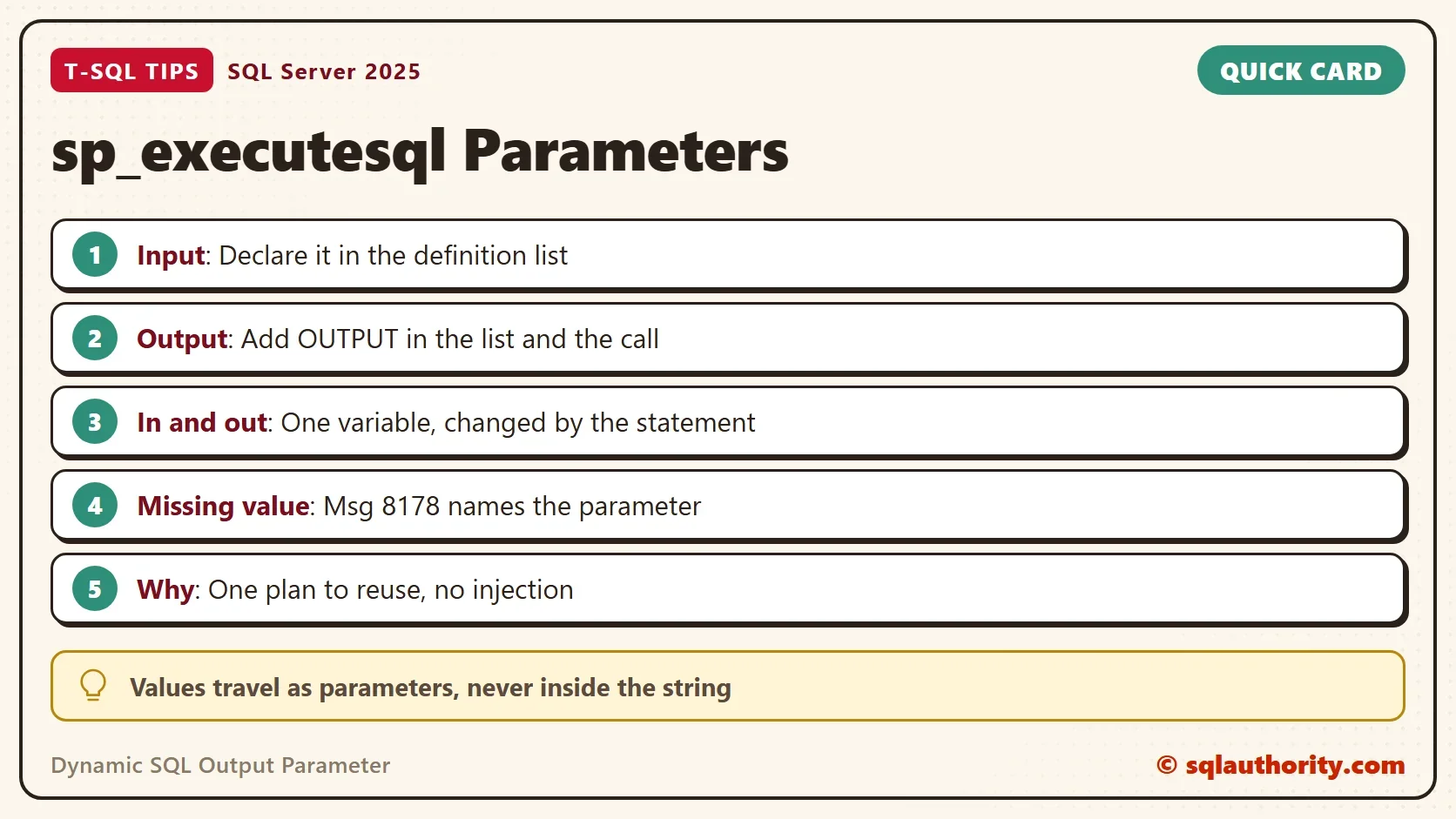
Why Parameters Beat Concatenation
You could argue that gluing the value into the string is shorter. It is, and it costs twice. The first cost is the plan cache. The next script clears the plans of the demo database. It then runs the same two table query ten times with different values. One run glues the values in, and one passes parameters. The statement joins two tables, so SQL Server does not parameterize it on its own.
ALTER DATABASE SCOPED CONFIGURATION CLEAR PROCEDURE_CACHE;
GO
SET NOCOUNT ON;
DECLARE @Sink TABLE (CustomerName nvarchar(40), Total decimal(10,2));
DECLARE @i int = 1, @id int, @sql nvarchar(400);
WHILE @i <= 10
BEGIN
    SET @id = @i % 4 + 1;
    SET @sql = N'SELECT /*concat*/ c.CustomerName, o.Total FROM dbo.Orders AS o JOIN dbo.Customers AS c ON c.CustomerID = o.CustomerID WHERE c.CustomerID = ' + CONVERT(nvarchar(10), @id) + N' AND o.OrderID > ' + CONVERT(nvarchar(10), @i) + N';';
    INSERT INTO @Sink EXEC (@sql);
    SET @i += 1;
END;
GO
DECLARE @Sink TABLE (CustomerName nvarchar(40), Total decimal(10,2));
DECLARE @i int = 1, @id int, @sql nvarchar(400) = N'SELECT /*param*/ c.CustomerName, o.Total FROM dbo.Orders AS o JOIN dbo.Customers AS c ON c.CustomerID = o.CustomerID WHERE c.CustomerID = @id AND o.OrderID > @min;';
WHILE @i <= 10
BEGIN
    SET @id = @i % 4 + 1;
    INSERT INTO @Sink EXEC sys.sp_executesql @sql, N'@id int, @min int', @id = @id, @min = @i;
    SET @i += 1;
END;
GO
SELECT cp.objtype, COUNT(*) AS CachedPlans, SUM(cp.usecounts) AS TotalUses
FROM sys.dm_exec_cached_plans AS cp
CROSS APPLY sys.dm_exec_sql_text(cp.plan_handle) AS st
WHERE st.text LIKE N'SELECT /*concat*/%' OR st.text LIKE N'(@id int, @min int)SELECT /*param*/%'
GROUP BY cp.objtype;| objtype | CachedPlans | TotalUses |
|---|---|---|
| Adhoc | 10 | 10 |
| Prepared | 1 | 10 |
Ten glued statements made ten plans, and each ran once. The parameterized statement made one plan, and it ran ten times. Compile time and plan cache memory add up on a busy server.
The second cost is security. A value glued into the string can carry code. This value turns the filter into a test that is always true.
DECLARE @name nvarchar(40) = N'Nobody'' OR 1 = 1 --';
DECLARE @sql nvarchar(400) = N'SELECT COUNT(*) AS RowsReturned FROM dbo.Customers WHERE CustomerName = N''' + @name + N'''';
PRINT @sql;
EXEC (@sql);
EXEC sys.sp_executesql N'SELECT COUNT(*) AS RowsReturned FROM dbo.Customers WHERE CustomerName = @name', N'@name nvarchar(40)', @name = @name;
The PRINT shows the statement SQL Server received: WHERE CustomerName = N'Nobody' OR 1 = 1 --'. The glued version returns all 4 customers. The parameterized version returns 0 rows, because no customer has that odd name. A parameter is data, never code.
What to Remember
Declare every parameter in the definition string. Name the values in the call. Add OUTPUT to the ones that return data. Set the starting value of an input and output parameter on purpose. Keep values out of the string, and keep only names there, after QUOTENAME.
A dynamic SQL output parameter replaces a temp table or a global variable for a single value. When you finish testing, drop the example database.
USE master;
GO
ALTER DATABASE ParamExecDemo SET SINGLE_USER WITH ROLLBACK IMMEDIATE;
DROP DATABASE ParamExecDemo;
A dynamic statement is not a string with a hole in it, it is a call with parameters.
Published by Pinal Dave on SQLAuthority. More of my work at pinaldave.com.
Discover more from SQL Authority with Pinal Dave
Subscribe to get the latest posts sent to your email.