Claude on SQL Server works best when it can read everything about performance and change nothing in production. A read-only login enforces that rule. A library of past cases then makes each investigation faster than the last.

Where This Comes From
A few of the teams I work with use the same loop every day. Their DBAs and developers find slow queries, test fixes safely and keep a record of what they learned. I asked one team how they run it. They shared their working document, and I removed everything specific to them.
None of it needs new servers or special tools. With Claude, a production server and a staging copy, you can do it yourself, starting this week. Teams that run this loop get evidence every morning. Other teams keep guessing, and the gap grows each week.
How the Loop Fits Together
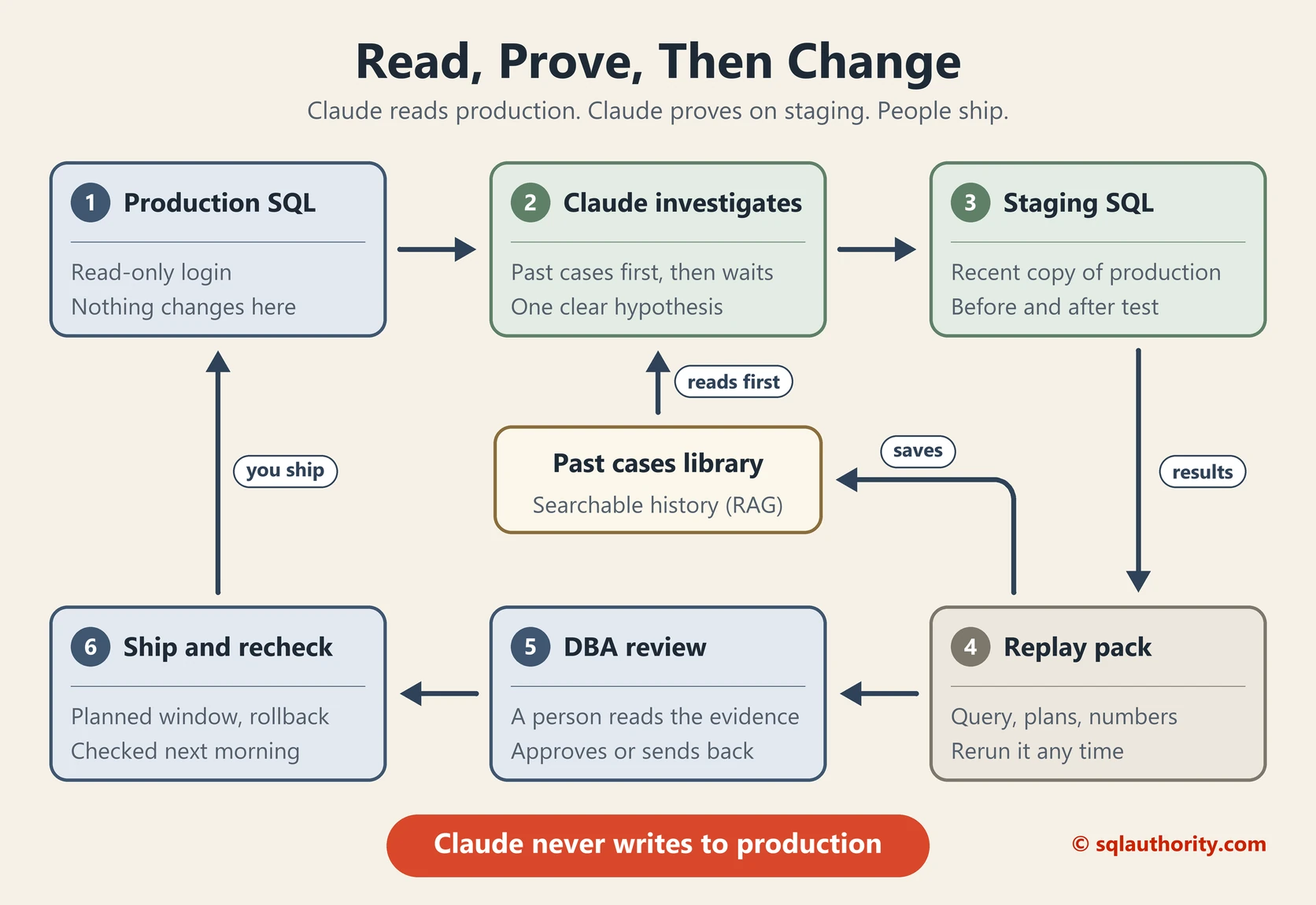
Production only ever sees Claude’s reads. Staging sees Claude’s changes. A person decides what ships. Three stages build on each other: start this week, make it a habit, then automate it.
Stage 1: Start This Week
Five days, one real finding. Aim for one tested fix by Friday.
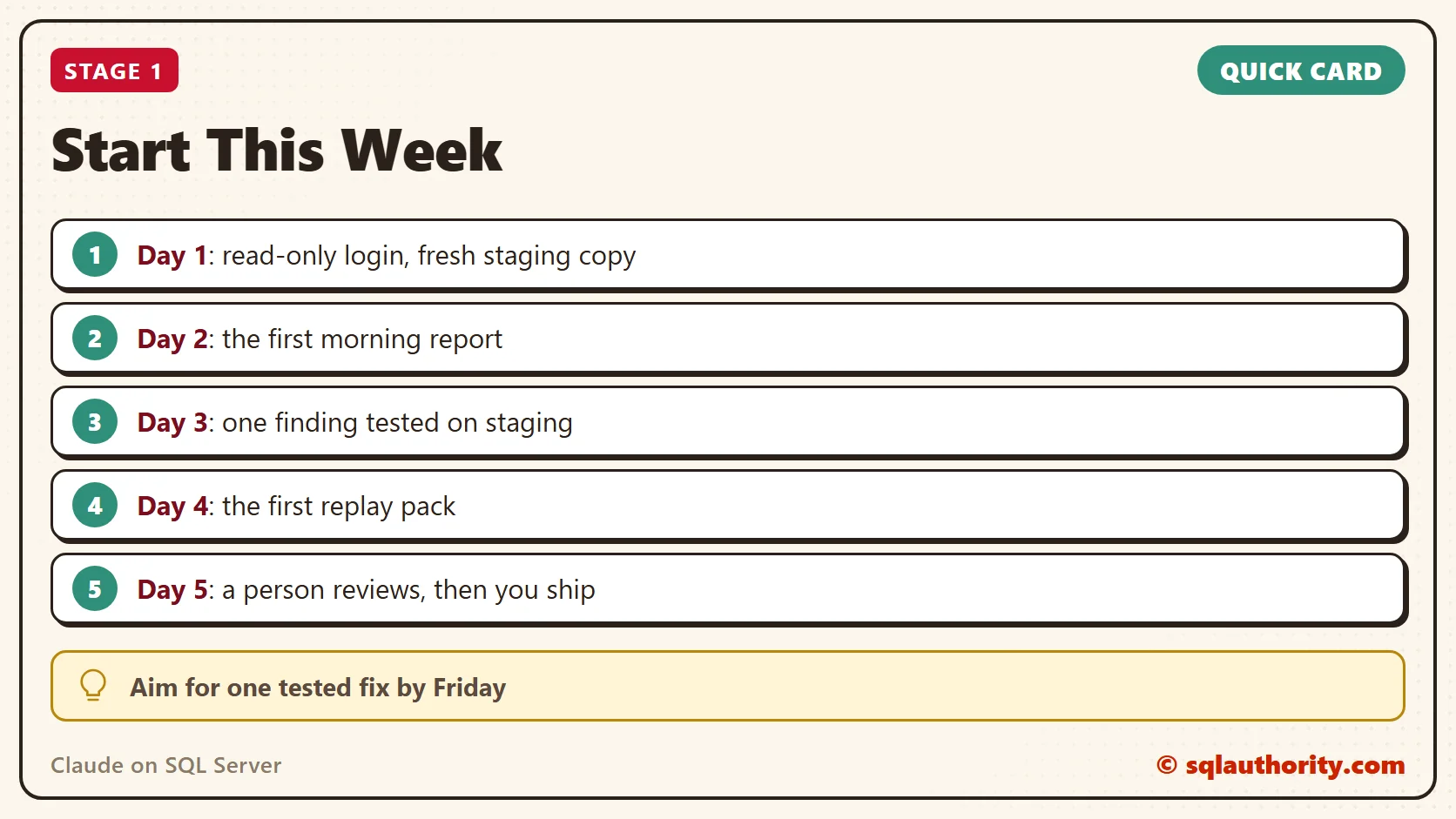
Day 1: The Read-Only Login and a Staging Copy
One login on production sees performance data and definitions, never table rows. Restore a fresh copy of production to staging the same day. The login is the guardrail, not the prompt.
-- On production: a login that can look, not touch
USE master;
CREATE LOGIN claude_reader WITH PASSWORD = 'Your strong password here';
GRANT VIEW SERVER STATE TO claude_reader;
GRANT VIEW ANY DEFINITION TO claude_reader;
-- Repeat in each database Claude should read
USE YourDatabase;
CREATE USER claude_reader FOR LOGIN claude_reader;
GRANT VIEW DATABASE STATE TO claude_reader;
GRANT SHOWPLAN TO claude_reader;
-- SQL Server 2022 and later: VIEW SERVER PERFORMANCE STATE is narrower
In my test on SQL Server 2025, the login read waits, plans and Query Store, and every SELECT on a table failed with Msg 229. Test yours with EXECUTE AS LOGIN before you hand it over.
Day 2: The First Morning Report
Save this prompt in Claude’s project instructions, so every run asks the same questions.
Using the claude_reader login on PROD, review the last 24 hours: top waits,
top queries by CPU and duration from Query Store, plans that changed or got
slower, and blocking. For each finding, give one hypothesis, its evidence and
the test to run on STAGING. Change nothing on PROD.
Claude turns the answers into a short list. Each line carries its evidence and a test, so nobody starts the day guessing.
| Finding | Evidence | Hypothesis and test on staging |
|---|---|---|
| Order history procedure is 4 times slower since Tuesday | Query Store shows a new plan. Average time went from 0.5 to 2.1 seconds. | The plan changed after a statistics update. Test both plans with a small and a large customer. |
| Disk read waits are up since yesterday | PAGEIOLATCH_SH grew the most since the last report. | The nightly invoice report scans the whole table. Test an index on the invoice date. |
| 40 seconds of blocking at 9:05 AM | The stock sync job’s UPDATE led the blocking chain. | One long transaction holds the locks. Test the job in smaller batches. |
This is an illustrative example. The object names and numbers are made up.
Day 3: Prove One Finding on Staging
Pick one finding and ask Claude for one hypothesis you can test. A good hypothesis names an object and a cause. Claude runs the query on staging, applies the change and runs it again. Then it compares duration, CPU, reads and plan shape.
Day 4: Save the First Replay Pack
Save everything from the test in one folder, so anyone can rerun it a month later. A wrong idea gets a pack too. That stops the team testing it twice.
order-history-slowdown\
  notes.md       idea, result
  query.sql      text, parameters
  plan-before    actual plan
  plan-after     actual plan
  baseline.csv   time, CPU, reads
  change.sql     the tested fix
  rollback.sql   how to undo it

Day 5: Review, Decide and Ship
A person reads the evidence, then approves the change, asks for another test or rejects it. The DBA team ships it in a planned window with the rollback ready. Staging can’t copy live traffic, so a gain there is evidence, not a guarantee. The next morning, Claude confirms the gain held on production.
You’re ready for Stage 2 when you have one reviewed fix, one replay pack and a morning report you read every day.
Stage 2: Make It a Habit
Stage 1 proves the loop works. Stage 2 makes it run every day, so it no longer depends on one enthusiastic person.
The Routine
Don’t save this for emergencies. When a crunch comes, the baseline and the replay packs are already there.
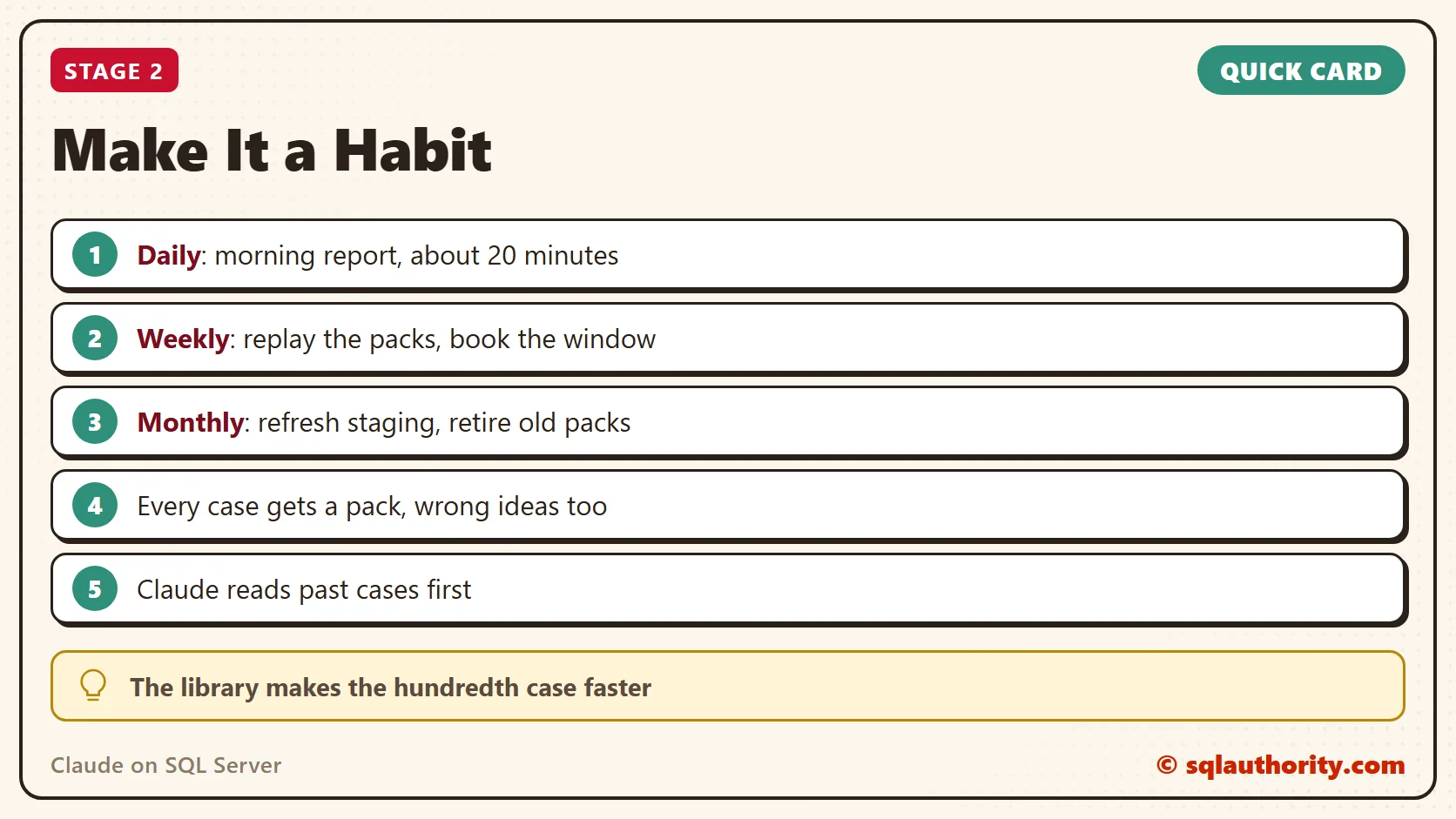
- Daily, about 20 minutes: Claude writes the morning report. The team picks one or two items, and Claude tests them on staging.
- Weekly, about an hour: replay the week’s packs, approve what passed and book the window. Note where Claude was wrong and update its instructions.
- Monthly, half a day: refresh staging from a recent backup, review indexes and statistics, and retire packs that no longer matter.
A Pack for Every Case
Every investigation gets a replay pack, wrong ideas included. Keep the folder layout and the file names identical, so packs are easy to review and easy to search.
The Past Cases Library
Every morning report and replay pack goes into a shared folder that Claude can search. This setup is called RAG, short for retrieval augmented generation. Before a new investigation, Claude reads past cases that touched the same query, table or wait type.
Without that memory, each investigation starts from zero, and lessons leave when someone moves on. With it, the hundredth case is faster than the first. The library becomes the team’s best documentation.

Your first replay pack is the library’s first entry. Then add one sentence to the morning prompt: “Check the past cases library first.”
The Ground Rules
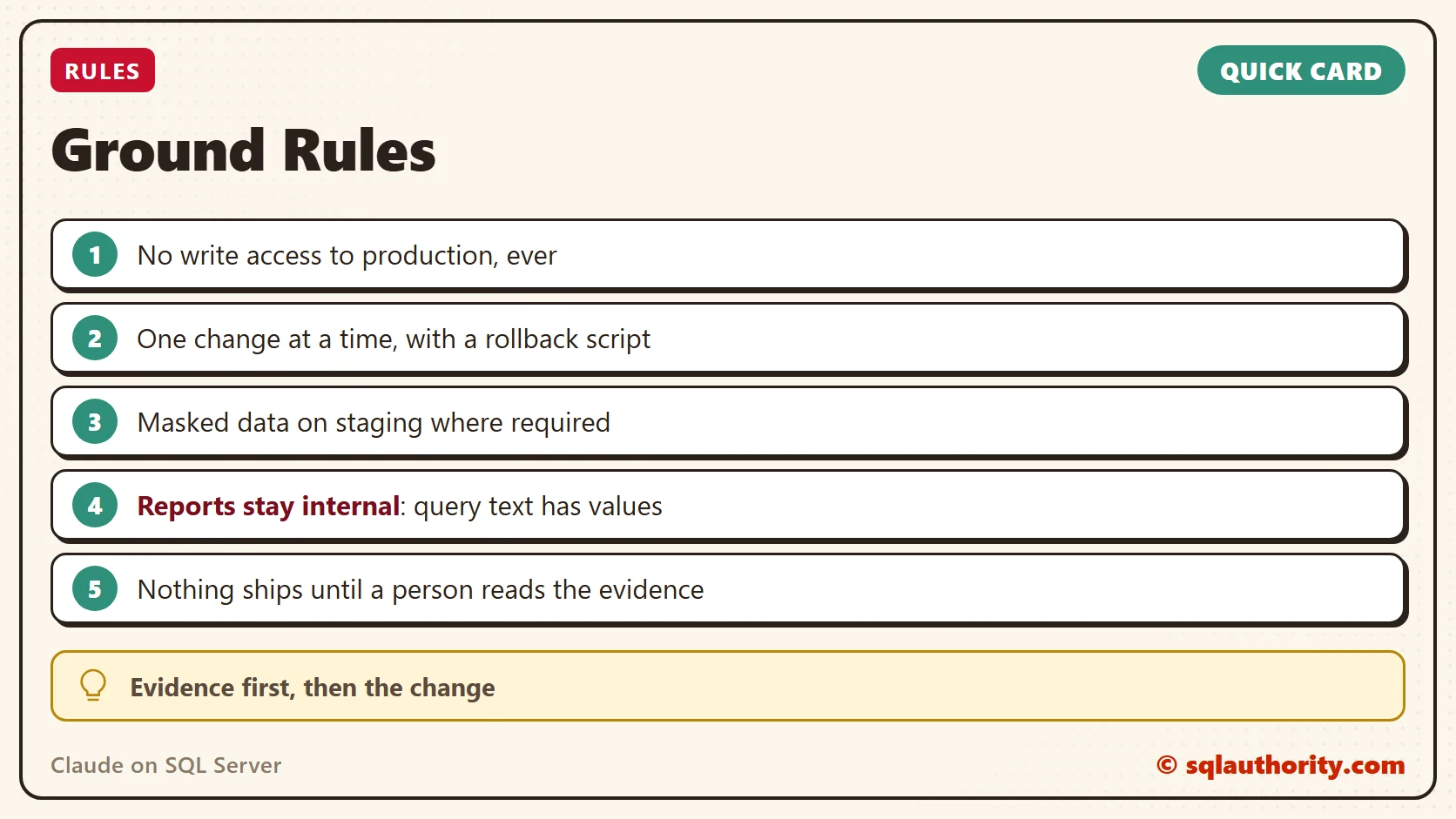
- No write access to production, ever.
- One change at a time, each with a rollback script.
- Staging holds masked data where required.
- Reports stay internal. Query text has values: in my test, the Query Store text of one call showed the date I typed.
- Nothing ships until a person reads the evidence.
You’re ready for Stage 3 when the routine has run for a few weeks without anyone chasing it, and Claude cites past cases in its findings.
Stage 3: The Ultimate Setup
This is where the teams that run the loop every day end up. Each piece builds on what you already have.
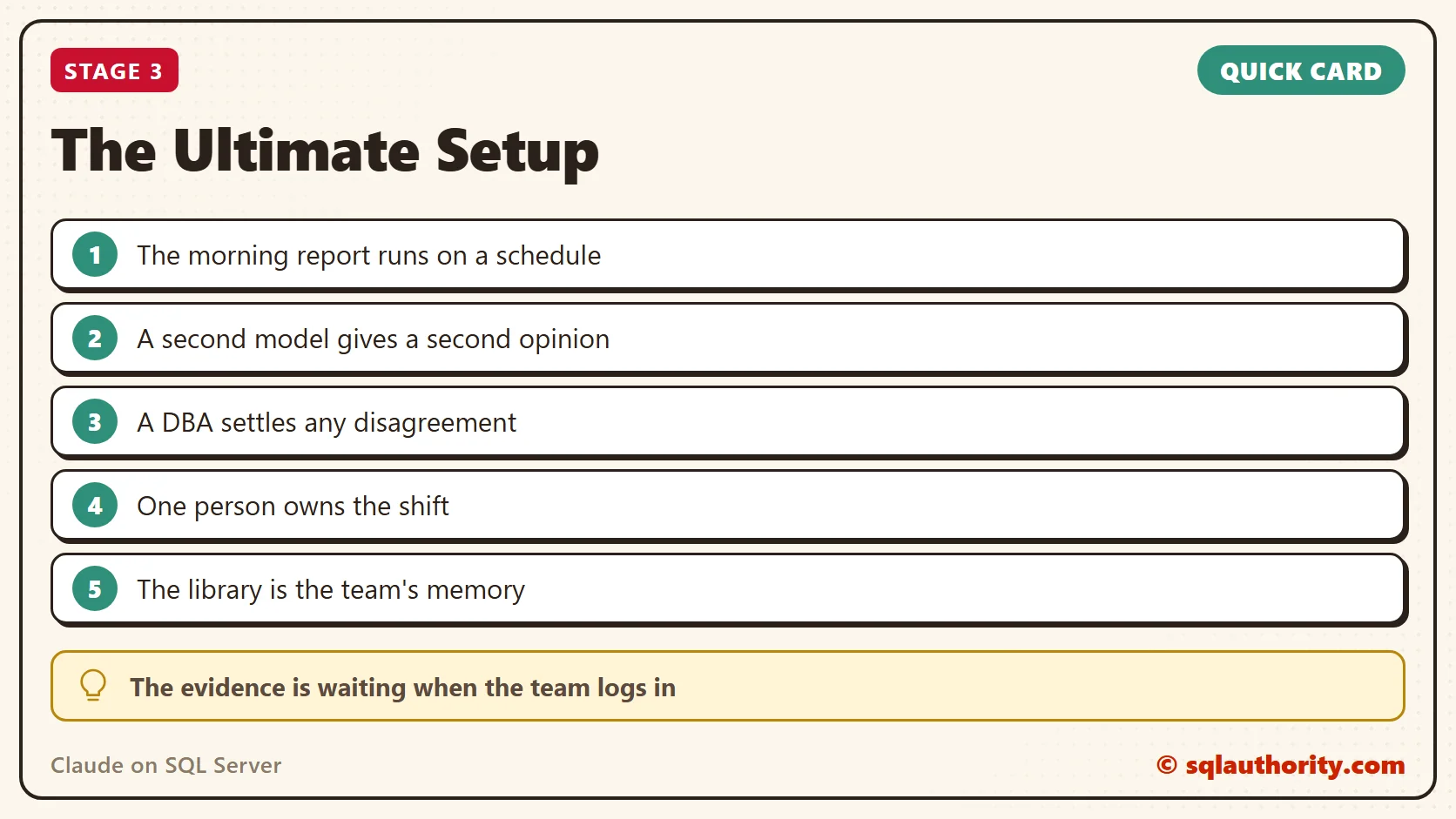
- A schedule: a scheduler calls Claude through the API with the same morning prompt and the same read-only login. The report is waiting when the team logs in.
- A second opinion: the same evidence goes to Claude and to OpenAI’s Codex. A fix moves ahead when both agree, and a DBA settles any difference.
- One person leads: a senior member owns the shift. They keep the instructions and the library current, and bring DBAs and developers into the same loop.
- The library as memory: new people read it to learn the system, and the daily work keeps it current.
A review step is too slow in a real outage. Your DBA acts first, and the loop pays off on the ordinary days around it.
You’ve arrived when the report is waiting every morning, two models have checked each fix and the library is the first place anyone looks.
Advanced: How the Pieces Connect
Claude reaches production through Claude Code on a jump box that the DBA team controls. It connects with sqlcmd, or with an MCP server for SQL Server, and only as claude_reader. Staging gets its own login, which can change things there and nowhere else. Keep both passwords in the operating system’s credential store, never in the prompt.
Start the library as a plain shared folder, one folder per case, with the same file names every time. Claude Code searches it with ordinary text search, and that’s enough while the library is small. As it grows, add a vector index over the notes and reports. Then Claude finds a case by meaning, such as “slow after a statistics update”, not only by exact names. Tag every pack with the query hash, table and wait type, so both kinds of search land on the right case.
Give This Post to Claude
You don’t need to build this by hand. Share this post with Claude and ask:
Here is a guide for tuning SQL Server
with Claude:
https://blog.sqlauthority.com/2026/10/29/claude-on-sql-server-read-prove-then-change/
Help us set it up, one step at a time.
Ask before anything touches a server.
Every stage here is something your team can do on its own. If you’d rather have it running in weeks than months, I set this up for teams. My consulting page has the details.
I wrote about the habit behind the DBA review in How to Check AI Fast. It’s an essay about putting your checking effort where a wrong answer costs the most. It’s one of thirty essays in my book AI: Nobody’s in There. But we’re still in here. All of them are free to read online, and the paperback is on Amazon.
Claude is not a replacement for your DBAs, it is the investigator that gives them evidence every morning.
Published by Pinal Dave on SQLAuthority. More of my work at pinaldave.com.
Discover more from SQL Authority with Pinal Dave
Subscribe to get the latest posts sent to your email.