TempDB operating system error 3 means SQL Server cannot find the path of a tempdb file. The cause is a path that does not exist, such as a typo in the new location. The instance then refuses to start, because tempdb is built again at every start.

What the Error Says
A client of mine wanted tempdb on a faster drive. A small typo went into the drive letter, and SQL Server could not start. The error log held this tempdb operating system error 3 line, with the path that was typed.
CREATE FILE encountered operating system error 3(The system cannot find the path specified.) while attempting to open or create the physical file 'D:\TempDB.mdf'.
Windows error 3 means the path does not exist. Error 2 is a close cousin, and the difference helps. A safe test shows both without touching tempdb. The first statement asks for a database file on a drive the server does not have. The second asks for a folder that does not exist on a real drive. Q is used as the missing drive here, so pick a letter your server lacks.
USE master;
GO
CREATE DATABASE TempPathDemo ON PRIMARY (NAME = N'TempPathDemo', FILENAME = N'Q:\TempFolder\TempPathDemo.mdf', SIZE = 8MB);
GO
DECLARE @sql nvarchar(max) = N'CREATE DATABASE TempPathDemo ON PRIMARY (NAME = N''TempPathDemo'', FILENAME = N''' + CONVERT(nvarchar(260), SERVERPROPERTY('InstanceDefaultDataPath')) + N'NoSuchTempFolder\TempPathDemo.mdf'', SIZE = 8MB);';
EXEC (@sql);
GO
Both statements fail, and no database is created. Here is the message for the missing drive, as it appears in the Messages tab.
Msg 5133, Level 16, State 1, Line 1
Directory lookup for the file "Q:\TempFolder\TempPathDemo.mdf" failed with the operating system error 3(The system cannot find the path specified.).
Msg 1802, Level 16, State 1, Line 1
CREATE DATABASE failed. Some file names listed could not be created. Check related errors.
One missing folder on a real drive returns error 2, and two missing levels return error 3 again. Error 2 reads, The system cannot find the file specified. So error 3 means the drive or a parent folder is missing. Error 2 means only the last folder is missing, and its parent exists.
Two neighbors have their own posts. Error 5 means access denied, and Operating System Error 5 on Backup: Fix Access Denied covers it. Error 21 means the device is not ready. That one is in Device Is Not Ready: Fix Operating System Error 21.
Check the Path Before You Move TempDB
Moving tempdb takes effect at the next start. The typo in the client case reached that restart, so tempdb accepted it.
A user database on SQL Server 2025 behaves differently. ALTER DATABASE ... MODIFY FILE with a missing directory fails at once. The message is Msg 5121, Level 16, State 1, “The path specified by … is not in a valid directory.” Tempdb was not tested, so do not count on a check. To test a path safely, run the same statement on a throwaway user database. If either demo statement above succeeds, drop TempPathDemo.
Check first. This query lists the fixed drives and the free space on each. It needs SQL Server 2016 SP2 or later.
SELECT fixed_drive_path AS Drive, drive_type_desc AS DriveType, free_space_in_bytes / 1073741824 AS FreeGB
FROM sys.dm_os_enumerate_fixed_drives
ORDER BY fixed_drive_path;
The drive in your new path must appear in this list. The folder must exist too, and the SQL Server service account needs write permission on it. Then read the current locations, which are the ones the next start will use. Write them down before you change anything.
SELECT name, physical_name, type_desc FROM sys.master_files WHERE database_id = DB_ID(N'tempdb') ORDER BY file_id;
Every tempdb file appears here, the data files and the log. A move changes each file with its own statement, so a typo in any one of them stops the start.
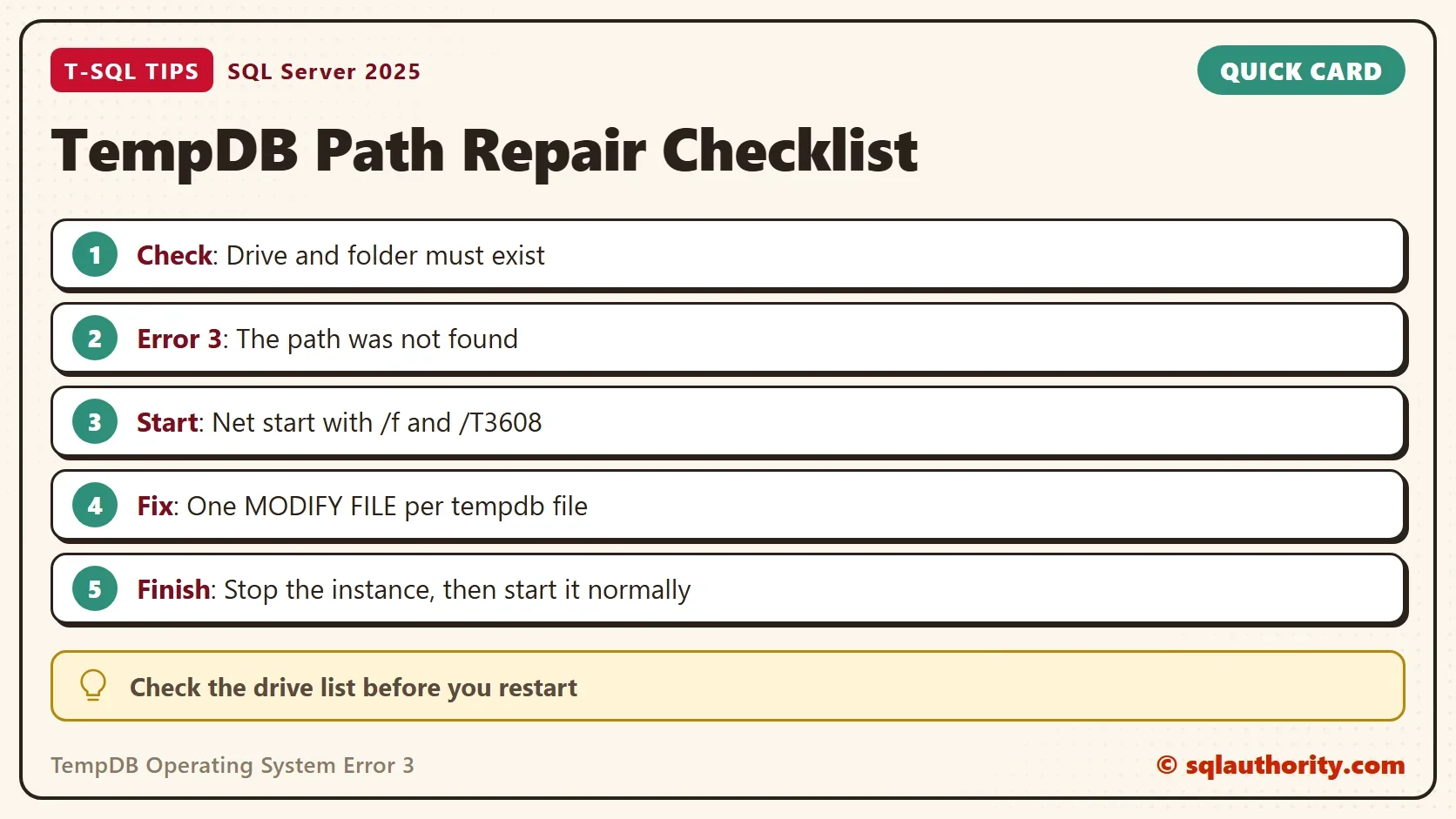
Fix a Wrong Path When the Service Will Not Start
The commands below were not run, because they stop an instance. They follow the documented way to start only master. The flag /f starts SQL Server with a minimal configuration, and trace flag 3608 recovers no database except master. Tempdb is then not built, and the wrong path stays harmless. For a named instance, use the service name MSSQL$INSTANCE. Open the window as an administrator.
net start MSSQLSERVER /f /T3608
sqlcmd -S localhost -E
The minimal start allows one connection, so run the repair in that session. Change every tempdb file whose path is wrong. The first two names below are the default logical names. Add a statement for each extra data file.
ALTER DATABASE tempdb MODIFY FILE (NAME = tempdev, FILENAME = 'E:\CorrectPath\tempdb.mdf');
ALTER DATABASE tempdb MODIFY FILE (NAME = templog, FILENAME = 'E:\CorrectPath\templog.ldf');
GO
EXIT
Then stop the instance with net stop MSSQLSERVER and start it normally. Tempdb files are created fresh at each start, so nothing needs to be copied. The folder must exist before that start. If the typo was a missing folder, the simplest fix is to create the folder and restart. No metadata change is needed then.
Prevent It Next Time
Keep the default location unless a test shows a gain. That avoids tempdb operating system error 3 for good. When you do move tempdb, write the old paths down first. Change one file at a time, and read the list again with the query above. Restart in a quiet window, because a failed start costs less when nobody is waiting.
You could argue that a typo this small should be caught by SQL Server. It is a fair complaint. The statement only records text, and it cannot know the drive exists when the instance starts. The check above is a short habit that covers the gap.
What to Remember
TempDB operating system error 3 means a part of the path is not found, for example a wrong drive letter. Check the drive and the folder before you restart, and keep the old paths. If the service will not start, begin it with /f /T3608. Correct each file with MODIFY FILE and start it again. The demo statements failed to create a database, so there is nothing to clean up unless one of them succeeded.
A tempdb path is not a note to yourself, it is an address the server must find at every start.
Published by Pinal Dave on SQLAuthority. More of my work at pinaldave.com.
Discover more from SQL Authority with Pinal Dave
Subscribe to get the latest posts sent to your email.