Do not rename the distributor_admin login on a server that uses replication. Check first whether replication uses it, and then leave the distributor_admin login name alone.

The Audit That Found a Stranger
A client was doing a security audit and found logins nobody recognized. One of them was distributor_admin, and it had sysadmin rights. The error log also showed failed attempts to sign in with that name. The client wanted to rename it. Renaming a login you do not know looks like a safe way to tidy up. For this login, it is not.
What the Login Is For
SQL Server replication creates distributor_admin when a server is set up as a distributor. Replication uses it in a linked server named repl_distributor, which carries the calls between the publisher and the distributor. The linked server stores the login name and its password. The documentation says to change that password only with sp_changedistributor_password. The replication dialogs in Management Studio work too, because they keep the stored copies in step.
The name is part of that stored setup. The linked server stores the login name. A rename on the distributor leaves the old name in that stored setup. A loopback demo below shows what that does.
Check Whether Your Server Uses It
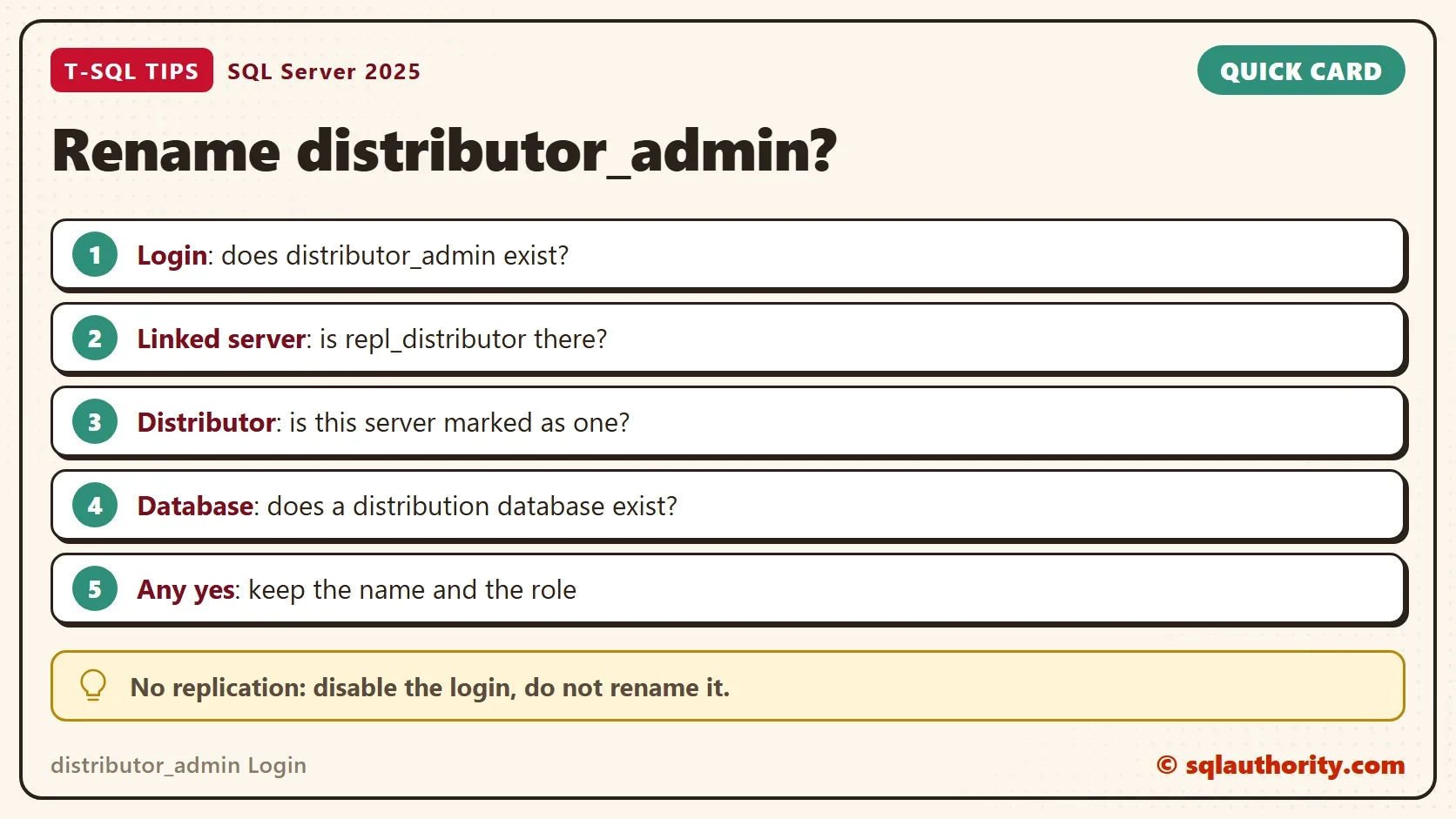
Run a read-only check before any decision. The query asks four questions. Does the login exist? Does the linked server repl_distributor exist? Is this server marked as a distributor? Does it hold a distribution database?
SELECT (SELECT COUNT(*) FROM sys.server_principals WHERE name = N'distributor_admin') AS LoginExists,
       (SELECT COUNT(*) FROM sys.servers WHERE name = N'repl_distributor') AS LinkedServerExists,
       (SELECT is_distributor FROM sys.servers WHERE server_id = 0) AS IsDistributor,
(SELECT COUNT(*) FROM sys.databases WHERE is_distributor = 1) AS DistributionDatabases;| LoginExists | LinkedServerExists | IsDistributor | DistributionDatabases |
|---|---|---|---|
| 0 | 0 | 0 | 0 |
The test server does not use replication, so all four values are zero. On a server that takes part in replication, expect a 1 in at least one of the first two columns. A login with no linked server and no distribution database is a leftover. A login with a linked server is in use.
See What a Rename Breaks
The demo does not touch a real replication setup. It builds the same pattern with throwaway objects. A SQL login named DemoDistributorAdmin has no permissions. Replace the placeholder password with a long random value of your own, in both statements. A linked server named RenameLoopbackDemo points at the same instance and signs in with that login. The linked server plays the part of repl_distributor.
The demo shows the pattern. It does not run on a real distributor. The linked server uses the Microsoft OLE DB Driver for SQL Server. Install it first if the provider is missing.
USE master;
GO
CREATE LOGIN DemoDistributorAdmin WITH PASSWORD = N'ReplaceWithAStrongPassword1!';
EXEC sp_addlinkedserver @server = N'RenameLoopbackDemo', @srvproduct = N'', @provider = N'MSOLEDBSQL', @datasrc = @@SERVERNAME, @provstr = N'TrustServerCertificate=yes';
EXEC sp_addlinkedsrvlogin @rmtsrvname = N'RenameLoopbackDemo', @useself = N'False', @locallogin = NULL, @rmtuser = N'DemoDistributorAdmin', @rmtpassword = N'ReplaceWithAStrongPassword1!';
EXEC sp_serveroption N'RenameLoopbackDemo', N'rpc out', N'true';
The first query asks the linked server which login it signed in with. It works.
SELECT * FROM OPENQUERY(RenameLoopbackDemo, N'SELECT SUSER_NAME() AS RemoteLogin');
| RemoteLogin |
|---|
| DemoDistributorAdmin |
Now rename the login, as the audit wanted to do with distributor_admin.
ALTER LOGIN DemoDistributorAdmin WITH NAME = DemoDistributorRenamed;
The login exists under its new name, and nothing in the linked server changed. Run the same query again in a new window. The linked server still sends the old name, and the sign in fails. In the test, the error also ended the connection that ran the query. Run this statement in its own query window, because the failed sign in can end the connection.
SELECT * FROM OPENQUERY(RenameLoopbackDemo, N'SELECT SUSER_NAME() AS RemoteLogin');
Msg 18456, Level 14, State 1, Line 1
Login failed for user 'DemoDistributorAdmin'.
The message names the old login. A failed login in the error log with that name means something still signs in with it. A replication linked server stores its login name the same way, so the same pattern applies.
What to Do Instead
If replication uses the login, leave the name and the sysadmin role as they are. Treat the account as part of the product. Document it, restrict the network path to the distributor, and change its password only with sp_changedistributor_password. A failed login in the error log means something connects with a wrong name or password. Find the source of the connection instead of renaming the target.
If the check shows no replication, the login is a leftover. Disable it instead of renaming it. A disabled login cannot sign in, and you can enable it again when you need it. Test the change on a copy of the server first. The sa login is a different case, and it can be renamed.
Is Obscurity Worth It?
You could argue that a renamed login is harder to guess. That is true for an attacker who guesses names. It does not help against an attacker who lists the logins. It also breaks the setup that depends on the name. A login you cannot explain is a finding. Explain it, and then decide.
What to Remember
Leave the distributor_admin login name alone on a server that uses replication. Check the four values first, and keep the name when any of them is above zero. Disable a leftover instead of renaming it. Remove the demo objects when you finish.
USE master;
GO
IF EXISTS (SELECT 1 FROM sys.servers WHERE name = N'RenameLoopbackDemo') EXEC sp_dropserver @server = N'RenameLoopbackDemo', @droplogins = 'droplogins';
IF EXISTS (SELECT 1 FROM sys.server_principals WHERE name = N'DemoDistributorAdmin') DROP LOGIN DemoDistributorAdmin;
IF EXISTS (SELECT 1 FROM sys.server_principals WHERE name = N'DemoDistributorRenamed') DROP LOGIN DemoDistributorRenamed;
A login you do not know is not a login to rename, it is a login to explain.
Published by Pinal Dave on SQLAuthority. More of my work at pinaldave.com.
Discover more from SQL Authority with Pinal Dave
Subscribe to get the latest posts sent to your email.