
 After watching the previous two videos here and here lots of people asked me how to change MAXDOP for their server. In this blog post, we will see a quick SQL in Sixty Seconds video and scripts used in the video to change MAXDOP. Let us watch 3 Ways to Configure MAXDOP.
However, before you continue this blog post, you must remember that if you should not change the MAXDOP without properly testing your system with various scenarios. I have used MAXDOP 2 in my example. However, the best value for your system needs more investigation. Use the right value for MAXDOP for your system after consulting your local expert. Setting up the wrong value for MAXDOP can damage your system’s performance.
Here is a quick video:
Method 1: At Server Level
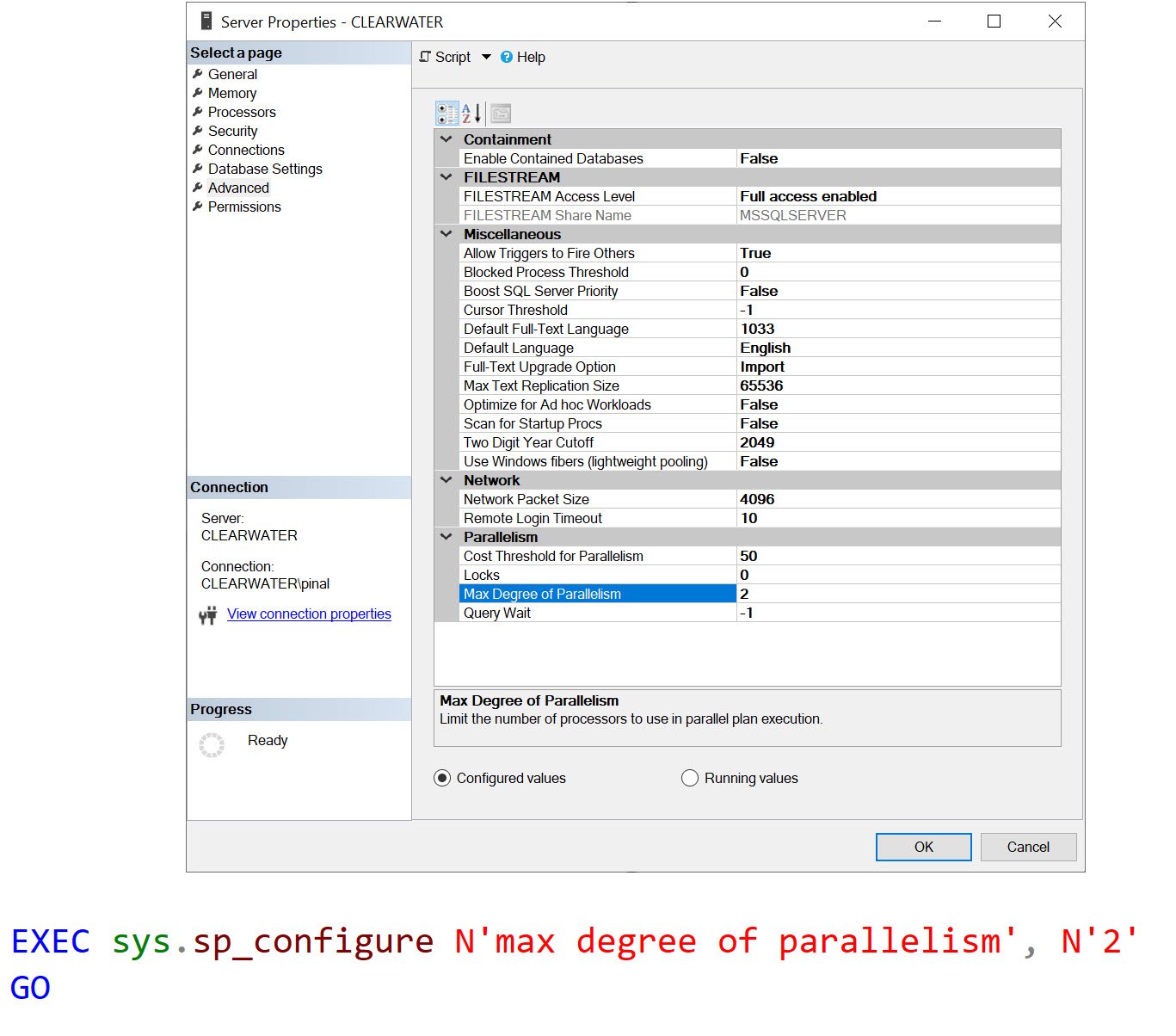
Use this option when you want the impact of MAXDOP for your entire server.
Method 2: At Database Level
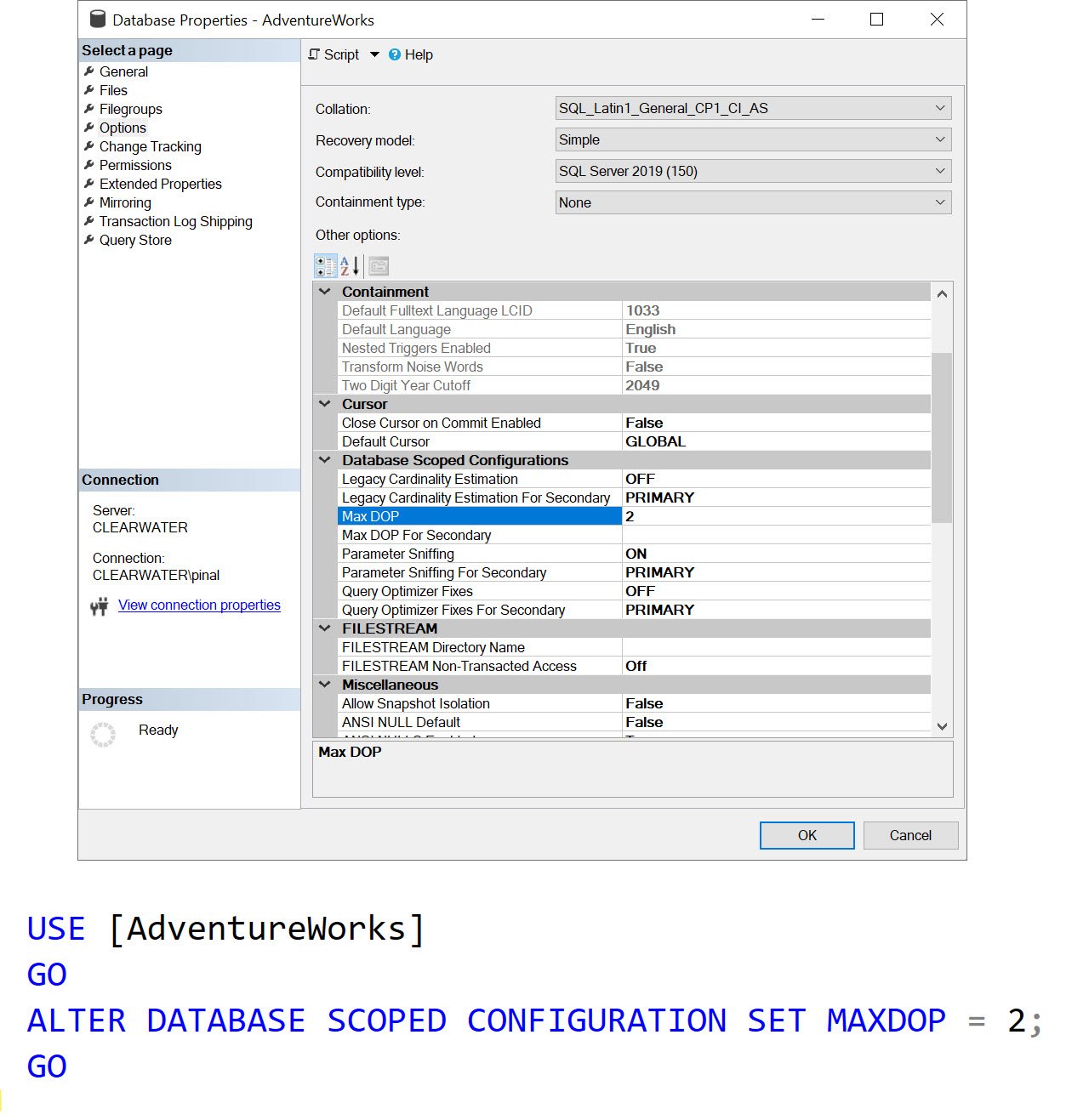
Use this option when you want the impact of the MAXDOP to be limited to your selected database.
Method 3: At Query Level
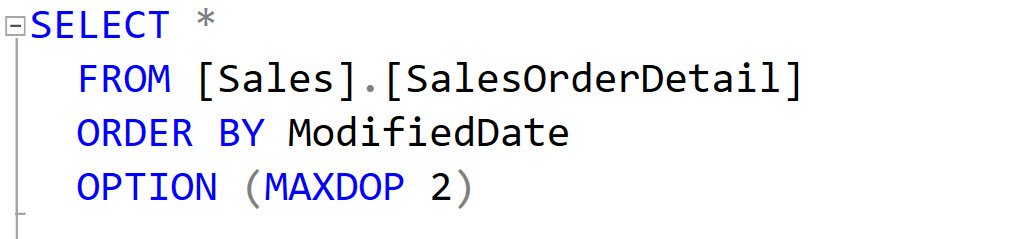
If you want your selected queries to have the impact of MAXDOP, you should use this option.
Well, there you go, in this quick blog post, we discussed 3 Ways to Configure MAXDOP. I will be building a detailed blog post in the future where I will explain what is the most appropriate value of MAXDOP for your system.
Published by Pinal Dave on SQLAuthority. More of my work at pinaldave.com.
Discover more from SQL Authority with Pinal Dave
Subscribe to get the latest posts sent to your email.




1 Comment. Leave new
Hi,
In my MS SQL DB server have 4 virtual processor what MAXDOP should be?