
Question: Where can I download SQL Server 2019 for free?
Answer: First decide what you will use it for. SQL Server 2019 Developer is free for development and testing, but its license does not permit production use. SQL Server 2019 Express is the free edition for a small production application, subject to Express edition limits. An Evaluation download is a 180-day trial, not a perpetual free edition.

Microsoft’s current SQL Server downloads page now offers SQL Server 2025. If your requirement is specifically 2019, check the version before starting an installer. During this update I could not verify a current public 2019 Developer or Express installer page. The old Express link returned 404, so I have removed it rather than label it a working download. Microsoft still provides a SQL Server 2019 Evaluation page, but that is the 180-day trial described above, not Developer or Express.
If you need all Enterprise features for a lab, Developer is the right edition when its 2019 installer is available from Microsoft or your licensed channels. If you need an application that will serve real users, Express may fit, but review its limits before you commit. Microsoft’s 2019 edition comparison gives the details.
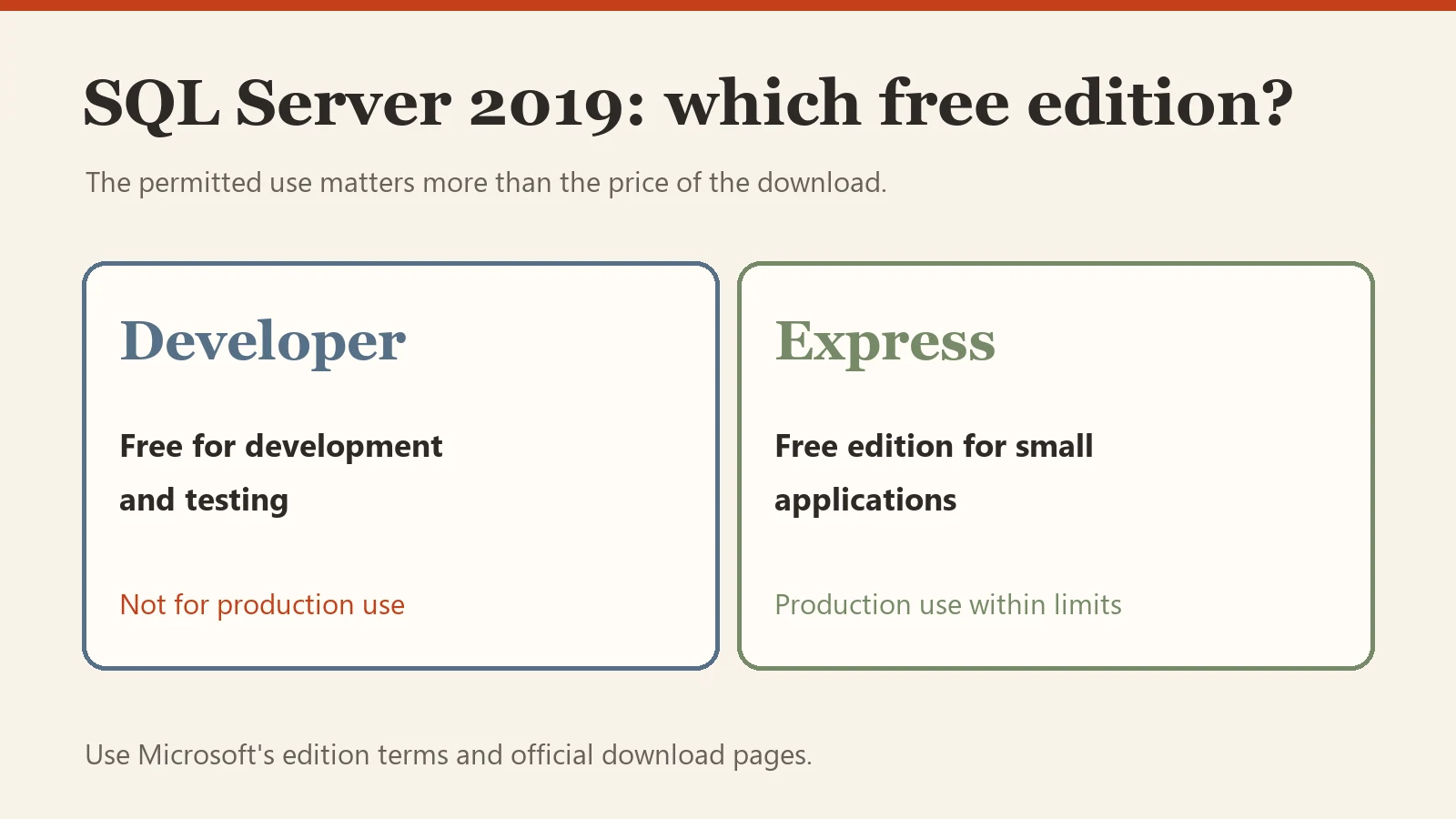
I use both Developer and Express in demonstrations so I can compare the full-featured lab edition with the smaller edition’s constraints. I wrote about the release of SQL Server 2019 when it arrived. The important interview answer has not changed: free download does not mean every free edition is licensed for every use.
Published by Pinal Dave on SQLAuthority. More of my work at pinaldave.com.
Discover more from SQL Authority with Pinal Dave
Subscribe to get the latest posts sent to your email.


1 Comment. Leave new
Why would this be an interview question? Where to download something? Why would you expect me to know that? (I do, but why would you base an interview question on something so pointless?) And then sounds like you have it set as a trick question with the licensing thing. Yes, I can download SQL Server 2019 Enterprise version for free, the download is free. Just can’t use it without a license, so that’s a dishonest question.