
The SSMS ROWCOUNT setting limits every query in your window to a fixed number of rows. It can change the execution plan too.

The Story
A client’s team was tuning a slow query. Every run in SSMS returned about 100 rows, and the plan looked harmless. The same query from the application ran much longer and returned far more rows. The plans also differed between machines.
The cause was one number in the SSMS options. The SET ROWCOUNT value was 100. SSMS ran SET ROWCOUNT 100 on every new connection before any query. The team had been tuning a different query from the one the application ran. After the value went back to 0, the rows and the plans matched.
Where the Setting Lives
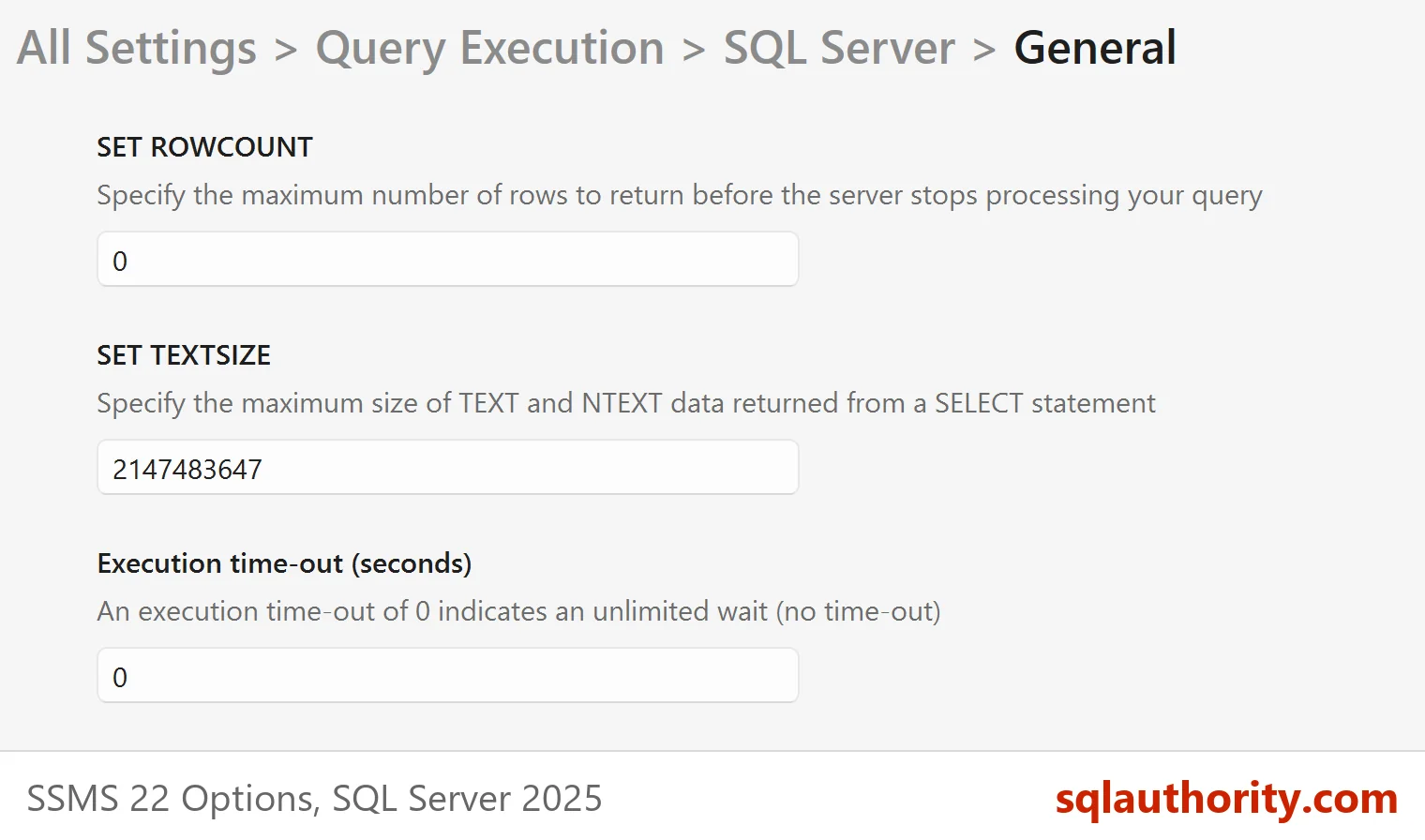
Open Tools, then Options, then Query Execution, then SQL Server, then General. SSMS 22 lists SET ROWCOUNT there, next to SET TEXTSIZE and the execution time-out. The default is 0, which means no limit. Someone has to type a number into the box, so a value of 100 means someone did. The time-out box on the same page is the topic of SSMS Command Timeout: What the Execution Time-out Does.
See the Effect on Rows and Plan
The demo uses a table of 200,000 orders with an index on the order date. Create it on a test server.
IF DB_ID(N'RowcountSettingDemo') IS NULL CREATE DATABASE RowcountSettingDemo;
GO
USE RowcountSettingDemo;
GO
DROP TABLE IF EXISTS dbo.ShopOrders;
CREATE TABLE dbo.ShopOrders (
    OrderId    int           IDENTITY(1,1) NOT NULL PRIMARY KEY,
    CustomerId int           NOT NULL,
    OrderDate  date          NOT NULL,
    Total      decimal(10,2) NOT NULL,
    Checked    bit           NOT NULL DEFAULT (0)
);
INSERT dbo.ShopOrders (CustomerId, OrderDate, Total)
SELECT 1 + (n * 7919) % 5000,
       DATEADD(DAY, -(n % 1000), '2026-10-01'),
       5 + n % 200
FROM (SELECT TOP (200000) ROW_NUMBER() OVER (ORDER BY (SELECT NULL)) AS n
      FROM sys.all_objects AS a CROSS JOIN sys.all_objects AS b CROSS JOIN sys.all_objects AS c) AS x;
CREATE INDEX IX_ShopOrders_OrderDate ON dbo.ShopOrders (OrderDate);
The next script runs the same query with the limit at 100. The query writes into a temporary table, so the grid stays empty and STATISTICS IO prints the reads.
SET NOCOUNT ON;
SET STATISTICS IO ON;
SET ROWCOUNT 100;
SELECT o.OrderId, o.CustomerId, o.OrderDate, o.Total
INTO #Seen
FROM dbo.ShopOrders AS o
ORDER BY o.OrderDate DESC;
SET STATISTICS IO OFF;
SELECT COUNT(*) AS RowsSeen FROM #Seen;
DROP TABLE #Seen;
The second script runs the same query with the limit back at 0.
SET STATISTICS IO ON;
SET ROWCOUNT 0;
SELECT o.OrderId, o.CustomerId, o.OrderDate, o.Total
INTO #Seen
FROM dbo.ShopOrders AS o
ORDER BY o.OrderDate DESC;
SET STATISTICS IO OFF;
SELECT COUNT(*) AS RowsSeen FROM #Seen;
DROP TABLE #Seen;
| SET ROWCOUNT | Rows returned | Logical reads | Plan |
|---|---|---|---|
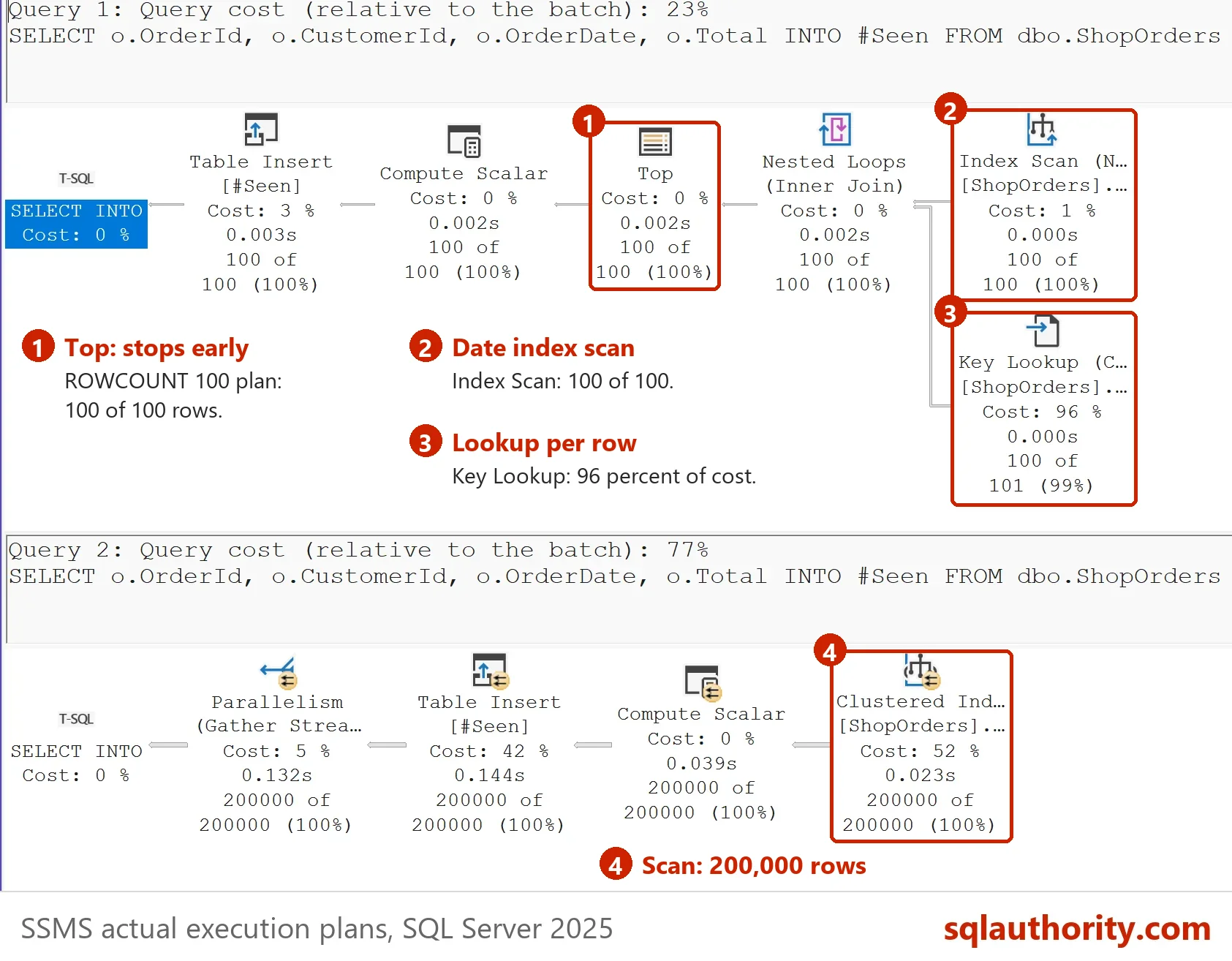
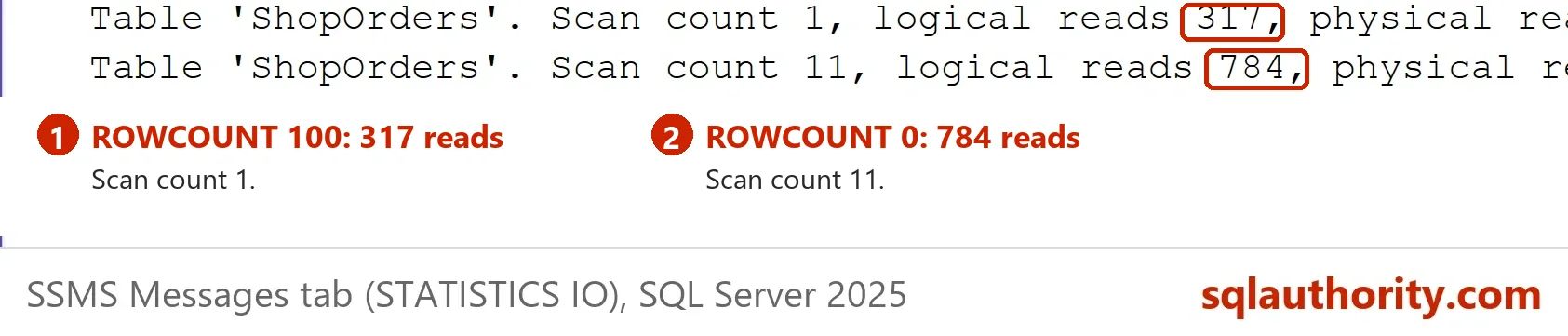
| 100 | 100 | 317 | Top, Nested Loops, Index Scan on the order date, key lookup |
| 0 | 200000 | 748 | Clustered Index Scan |
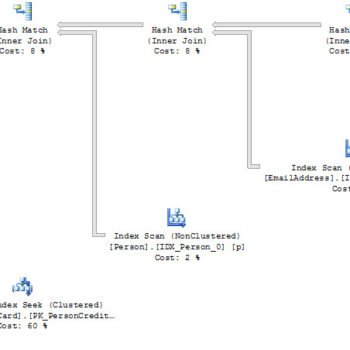
The row count is the obvious difference. The plan is the one that hurts. With a limit of 100, SQL Server picks a plan that can stop early. It reads the date index in order and looks up each row. Without the limit, it scans the whole table. The two plans don’t answer the same question, so tuning one tells you little about the other. The pictures come from a second server, where the full scan read 784 pages instead of 748.
Check Your Own Session
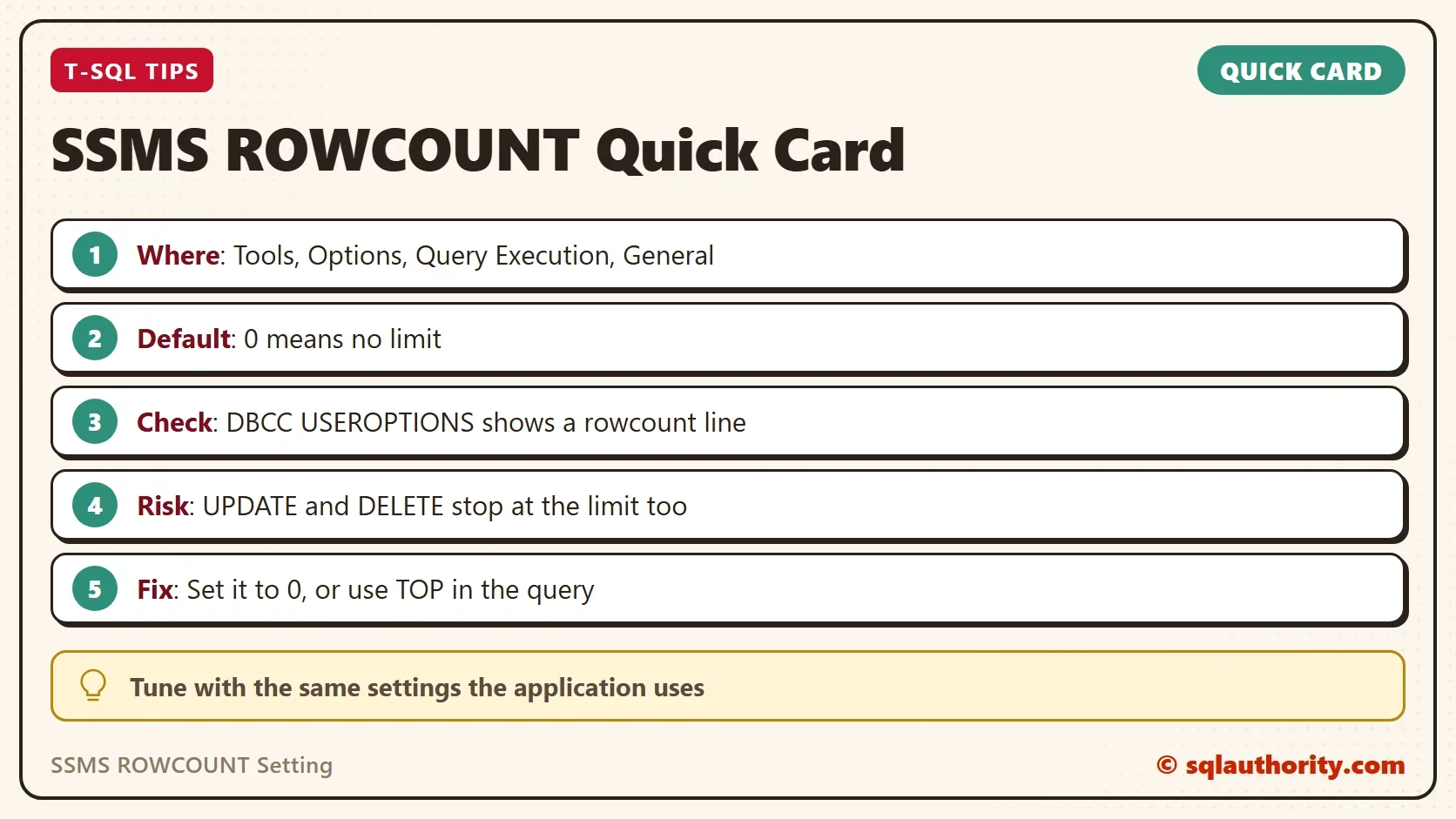
DBCC USEROPTIONS lists the SET options of the current session. The next script copies the list into a temporary table and keeps the rowcount line. After SET ROWCOUNT 0 the line is gone.
SET ROWCOUNT 100;
CREATE TABLE #Options ([Set Option] varchar(40), Value varchar(200));
INSERT #Options EXEC (N'DBCC USEROPTIONS WITH NO_INFOMSGS');
SELECT [Set Option], Value FROM #Options WHERE [Set Option] = N'rowcount';
SET ROWCOUNT 0;
DELETE #Options;
INSERT #Options EXEC (N'DBCC USEROPTIONS WITH NO_INFOMSGS');
SELECT COUNT(*) AS RowcountLines FROM #Options WHERE [Set Option] = N'rowcount';
DROP TABLE #Options;
| Set Option | Value |
|---|---|
| rowcount | 100 |
| RowcountLines |
|---|
| 0 |
The first table is the session with the limit on. The second is the count of rowcount lines after the reset. Run the check in any window that shows odd results. You know in a second whether the setting is the cause.
Compare the whole list with the list from the application, not only the rowcount line. Other differences, such as ARITHABORT, also give each connection its own cached plan. SSMS and an application can start with different values. That is another reason a query behaves differently in each place.
It Limits Changes Too
The setting isn’t only for SELECT. An UPDATE stops after the limit as well. The script below asks to mark every order as checked.
SET ROWCOUNT 100;
UPDATE dbo.ShopOrders SET Checked = 1;
SET ROWCOUNT 0;
SELECT SUM(CASE WHEN Checked = 1 THEN 1 ELSE 0 END) AS RowsUpdated, COUNT(*) AS RowsInTable
FROM dbo.ShopOrders;
| RowsUpdated | RowsInTable |
|---|---|
| 100 | 200000 |
Only 100 of 200,000 rows changed, and no error appeared. A cleanup DELETE would stop the same way. Microsoft documents that SET ROWCOUNT will stop affecting INSERT, UPDATE and DELETE in a future release. It recommends TOP for new code.
Fix It and Keep It Fixed
Set the SSMS ROWCOUNT setting back to 0 in the options. For a single window, put SET ROWCOUNT 0; at the top of the script. When you need a short result, use TOP (100) in the query. A limit written in the query is visible to everyone who reads it.
You could argue that a limit of 100 protects you from a result set of millions of rows. It does. The protection costs you accurate plans and silent partial updates. The query itself is a better place for the limit.
Other boxes on the same options page change a session too. SET TEXTSIZE limits how much text a column returns, and the execution time-out cancels long queries. Check all three whenever SSMS behaves differently from the application.
What to Remember
The SSMS ROWCOUNT setting changes the query SQL Server runs. When a query is fast in SSMS and slow in the application, compare the session settings first. DBCC USEROPTIONS takes a second to run.
When you finish, reset the limit and drop the demo database.
SET ROWCOUNT 0;
USE master;
GO
ALTER DATABASE RowcountSettingDemo SET SINGLE_USER WITH ROLLBACK IMMEDIATE;
DROP DATABASE RowcountSettingDemo;
A hidden row limit is not a convenience, it is a different query.
Published by Pinal Dave on SQLAuthority. More of my work at pinaldave.com.
Discover more from SQL Authority with Pinal Dave
Subscribe to get the latest posts sent to your email.


2 Comments. Leave new
thank you
Interesting observations. I have never encountered a problem with the rowcount setting yet but will definitly remember to check it the next time I have an error. Thank you for the tips!