
The SSMS command timeout sets how many seconds a query window waits before it cancels the batch.

The Puzzle
During a client engagement, the team changed the Execution time-out box in the SSMS options. They saw no effect on their queries. Later tests on other machines, and after restarts of SSMS and SQL Server, gave the same result. That was SSMS 18.5. A reader on version 17.9 reported the same.
Other readers added pieces. One saw every query stop after 9 seconds while the box held 0. A time-out set in the connection fixed it, but it had to be set every time. Another said the box affected index builds. These are reports from older versions. This post doesn’t claim a bug in SSMS 22. It shows how to find out what ends a query on your own server. It also didn’t test the SSMS box itself. The demos use sqlcmd and a .NET command, which stop the same way.
Where a Time-out Can Come From
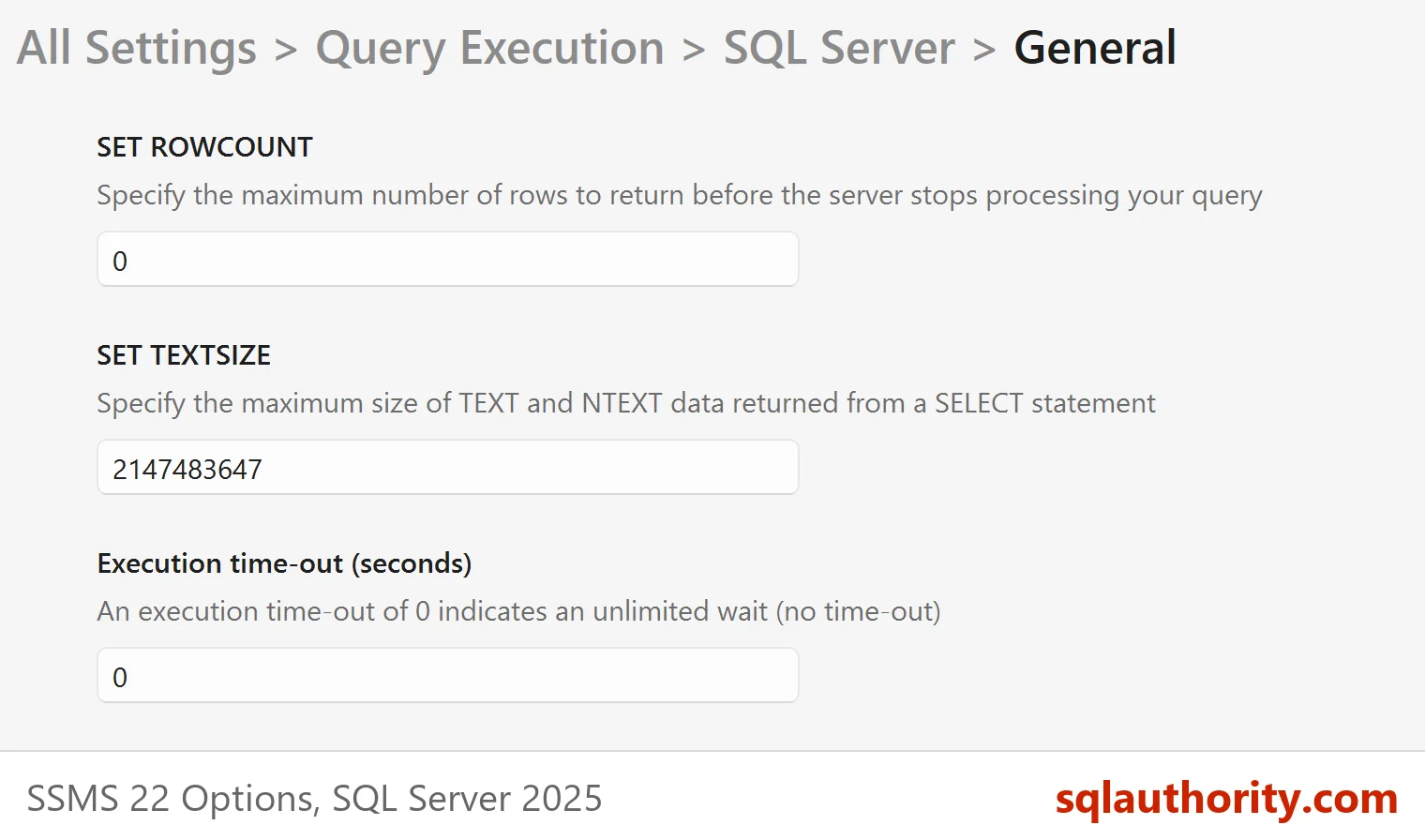
Four time-outs are worth checking first. The first is the SSMS options page. In SSMS 22 it sits under Tools, Options, Query Execution, SQL Server, General. Its default is 0, which means no limit. The same page holds the box that SSMS ROWCOUNT Setting: Why Your Query Stops at 100 Rows explains.
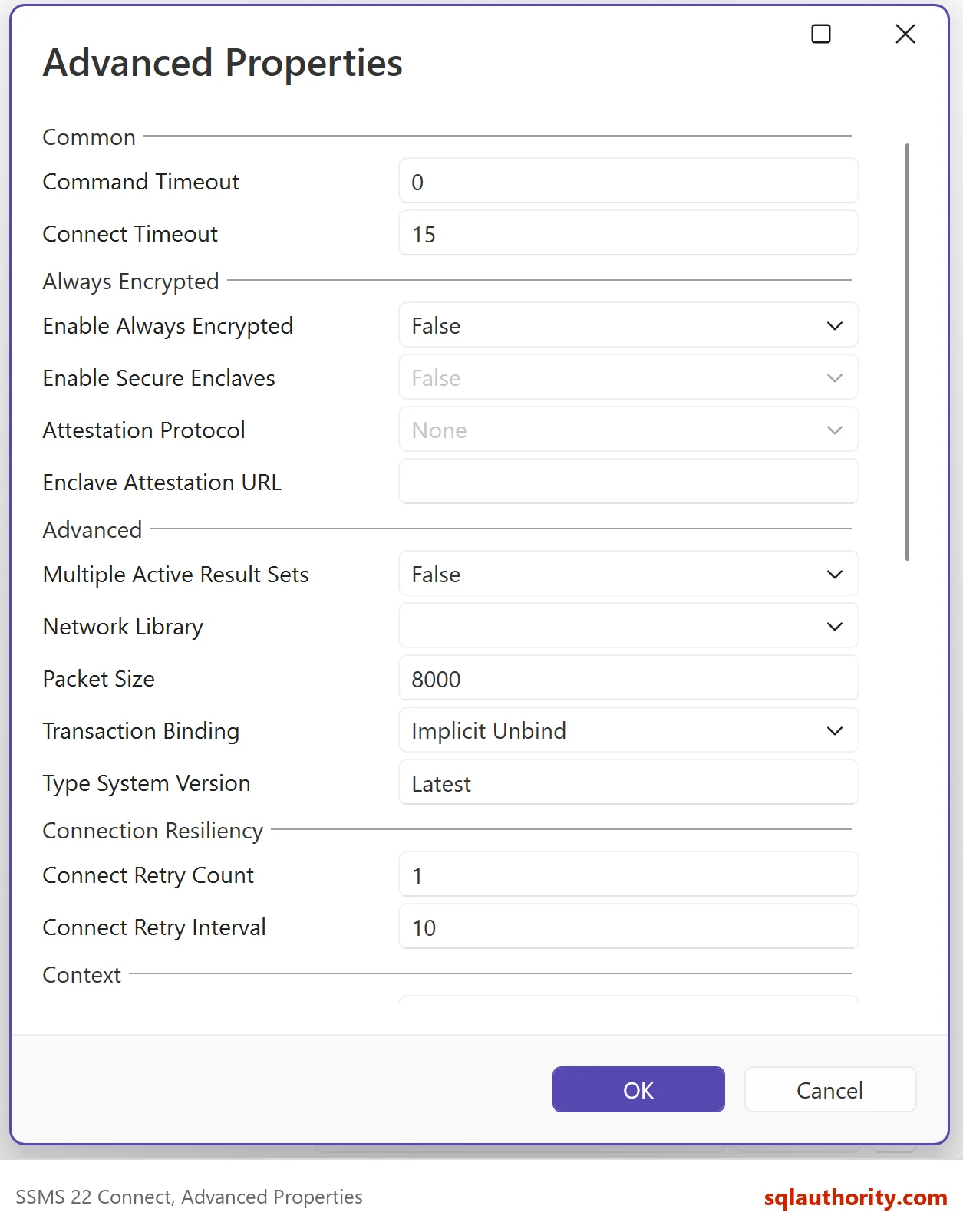
The second is the Connect dialog. In SSMS 22, its Advanced Properties hold a Command Timeout and a Connect Timeout. The third is the application, because every database driver has its own command time-out. The fourth is the server, where SET LOCK_TIMEOUT limits how long a statement waits for a lock.
Make a Client Time-out on Purpose
You can reproduce a client time-out without SSMS. The sqlcmd switch -t sets the query time-out in seconds. This command asks for a six second wait and gives up after two. Replace .\SQLDEV with your server name.
sqlcmd -S .\SQLDEV -E -C -t 2 -Q "WAITFOR DELAY '00:00:06'; SELECT 'finished' AS Result;"
The tool prints Timeout expired after about two seconds, and the SELECT never runs. A program shows the same behavior with its own limit. Run this PowerShell block in Windows PowerShell. It sets a command time-out of two seconds on the same wait.
$connection = New-Object System.Data.SqlClient.SqlConnection 'Server=.\SQLDEV;Integrated Security=True;TrustServerCertificate=True;Application Name=TimeoutDemo'
$connection.Open()
$command = $connection.CreateCommand()
$command.CommandText    = "WAITFOR DELAY '00:00:06'"
$command.CommandTimeout = 2
try { $command.ExecuteNonQuery() | Out-Null }
catch { $_.Exception.InnerException.Message; $_.Exception.InnerException.Number }
$connection.Close()
It prints two lines of message and then the error number, which is -2. This is the output.
Timeout expired.  The timeout period elapsed prior to completion of the operation or the server is not responding.
Operation cancelled by user.
-2
The connection stays open, and the next command on it runs normally.
Prove Who Gave Up
A client time-out leaves no error in the SQL Server log, because the client stops waiting. It leaves one trace. The server receives an attention signal. An Extended Events session can record it with the statement text and the application name. The next script creates a small session that watches one application name. Run it on a test server, with the ALTER ANY EVENT SESSION permission. The last block drops the session.
CREATE EVENT SESSION TimeoutDemoWatch ON SERVER
ADD EVENT sqlserver.attention (
    ACTION (sqlserver.session_id, sqlserver.client_app_name, sqlserver.sql_text)
    WHERE sqlserver.client_app_name = N'TimeoutDemo')
ADD TARGET package0.ring_buffer
WITH (MAX_MEMORY = 1024 KB, STARTUP_STATE = OFF);
ALTER EVENT SESSION TimeoutDemoWatch ON SERVER STATE = START;
Now run the PowerShell block again. It connects as TimeoutDemo, so the session catches it. Then read the ring buffer.
SELECT x.e.value('(@timestamp)[1]', 'datetime2(0)') AS EventTimeUtc,
       x.e.value('(action[@name="session_id"]/value)[1]', 'int') AS SessionId,
       x.e.value('(action[@name="client_app_name"]/value)[1]', 'nvarchar(128)') AS AppName,
       x.e.value('(action[@name="sql_text"]/value)[1]', 'nvarchar(200)') AS SqlText
FROM (SELECT CAST(t.target_data AS xml) AS TargetData
      FROM sys.dm_xe_session_targets AS t
      JOIN sys.dm_xe_sessions AS s ON s.address = t.event_session_address
      WHERE s.name = N'TimeoutDemoWatch' AND t.target_name = N'ring_buffer') AS r
CROSS APPLY r.TargetData.nodes('/RingBufferTarget/event') AS x(e);| EventTimeUtc | SessionId | AppName | SqlText |
|---|---|---|---|
| 2026-10-07 05:57:55 | 80 | TimeoutDemo | WAITFOR DELAY ’00:00:06′ |
The row appears only after the time-out. The time and the session ID will differ on your server. If a query stops and no attention event exists for it, the client didn’t cancel it. Look at a lock time-out, a KILL or an error instead. The filter works because the PowerShell block sets the application name in its connection string. Do the same in your own programs, so that their time-outs are easy to find. Then drop the session.
ALTER EVENT SESSION TimeoutDemoWatch ON SERVER STATE = STOP;
DROP EVENT SESSION TimeoutDemoWatch ON SERVER;
A Lock Time-out Is Different
SET LOCK_TIMEOUT counts only the time spent waiting for a lock. The default is -1, which means wait forever. A value of 0 means don’t wait at all. A statement that hits the limit ends with error 1222, and the server reports it.
SELECT @@LOCK_TIMEOUT AS LockTimeoutMs;
SET LOCK_TIMEOUT 0;
SELECT @@LOCK_TIMEOUT AS LockTimeoutMs;
SET LOCK_TIMEOUT -1;
| LockTimeoutMs |
|---|
| -1 |
| LockTimeoutMs |
|---|
| 0 |
The script sets the value back to -1 on its last line. Without that line, the setting stays on for the rest of the session.
What to Do When a Query Stops
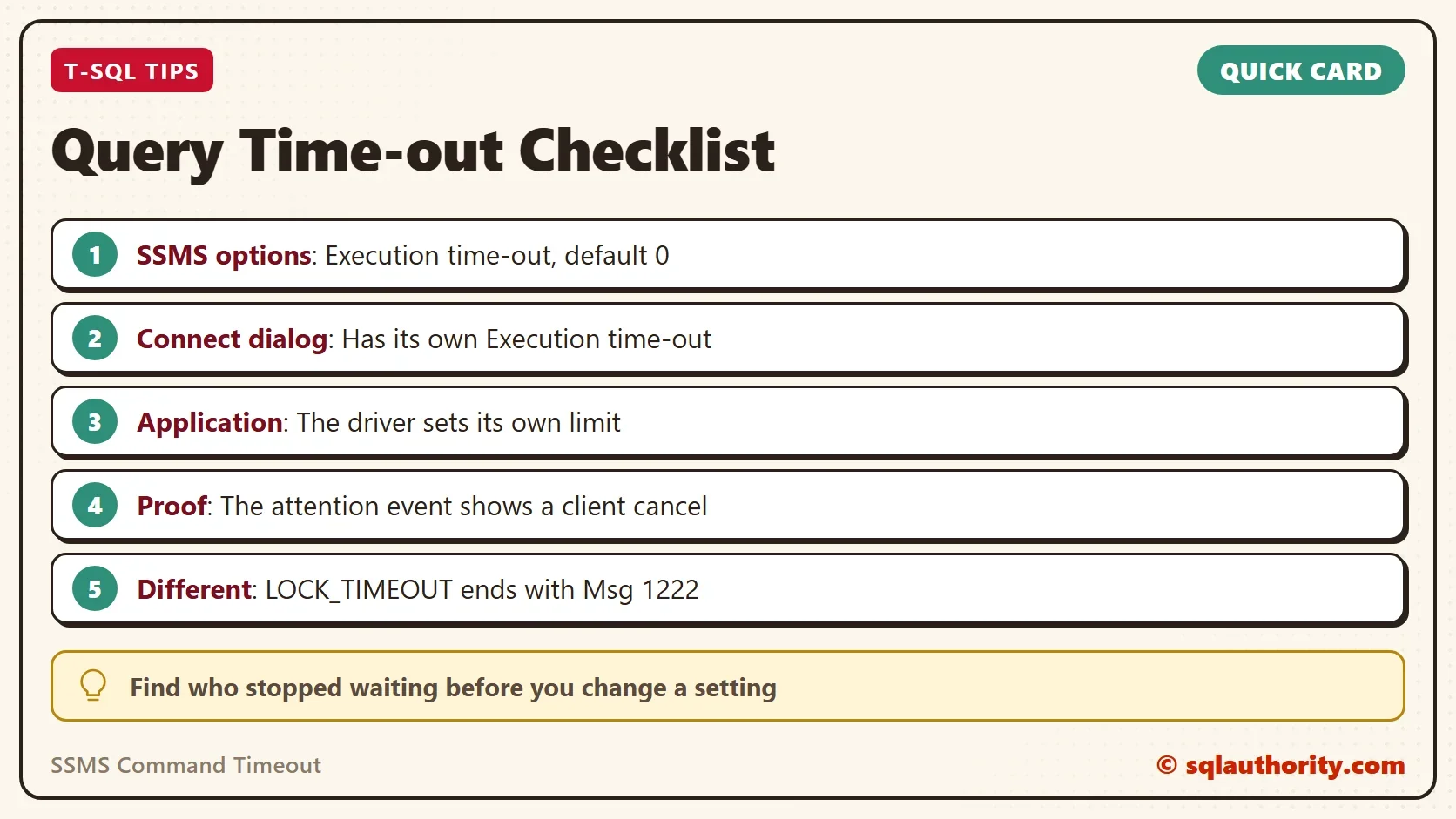
Check the SSMS command timeout box and the connection dialog first. Then ask what the application uses. Watch for the attention event if you need proof. Keep the SSMS box at 0 for ad hoc work. Set a limit in the application, where a hung call affects users.
You could argue that a limit in SSMS protects you from a forgotten runaway query. It does, and you decide the value. The only rule is to know the value. A hidden limit causes the same confusion as a hidden row limit.
What to Remember
The SSMS command timeout is one of four limits to check first. Find which one ended yours before you change anything. The attention event tells you whether a client gave up.
A time-out is not an error in SQL Server, it is a client that stopped waiting.
Published by Pinal Dave on SQLAuthority. More of my work at pinaldave.com.
Discover more from SQL Authority with Pinal Dave
Subscribe to get the latest posts sent to your email.



4 Comments. Leave new
Great tips! Thank you for sharing!
Same problem in v17.9.1
did someone report this bug to MS?
It is terrible: all my queries stopped after 9 seconds. I also tried this to change in settings, but it has no effect. Then I found this article here. OK, I am not so stupid, but it is a bug :-)
Then I followed the link to your article: http://blog.sqlauthority.com/2016/01/26/sql-server-timeout-expired-the-timeout-period-elapsed-prior-to-completion-of-the-operation-or-the-server-is-not-responding/
It looks like this works, but now I have to setup this every time, otherwise I get the 9 second timeout. And I have no idea how this timeout was set. I never change this and it was always 0
Hi Penal
As per my experience, it is nether a bug, nor a broken connection.
It does not have anything with you execute a query, but when you create Index or rebuilt an index, then it gets timed out based on this value you set.
For example, if you SET this value to 30, then your index create will get timed out after 30 second if your table is large enough.
Thanks.