This Policy Based Management Quiz asks which policy mode can stop a bad change before it is saved. The answer decides whether a rule protects your server or only reports on it later. Read the setup, pick your answer, and then run the script to check yourself.

The Quiz
Avery runs a SQL Server instance and wants one rule: every new table name must start with tbl. Policy Based Management (PBM) lets Avery write that rule as a condition and attach it to a policy. Each policy has an evaluation mode, and the mode decides when SQL Server checks the rule.
Later, Jordan runs CREATE TABLE dbo.Orders in the database. The name breaks the rule.
Which evaluation mode stops that statement before the table is created?
A. On demand
B. On schedule
C. On change: log only
D. On change: prevent
Take a moment and pick one before you read on.
The Answer
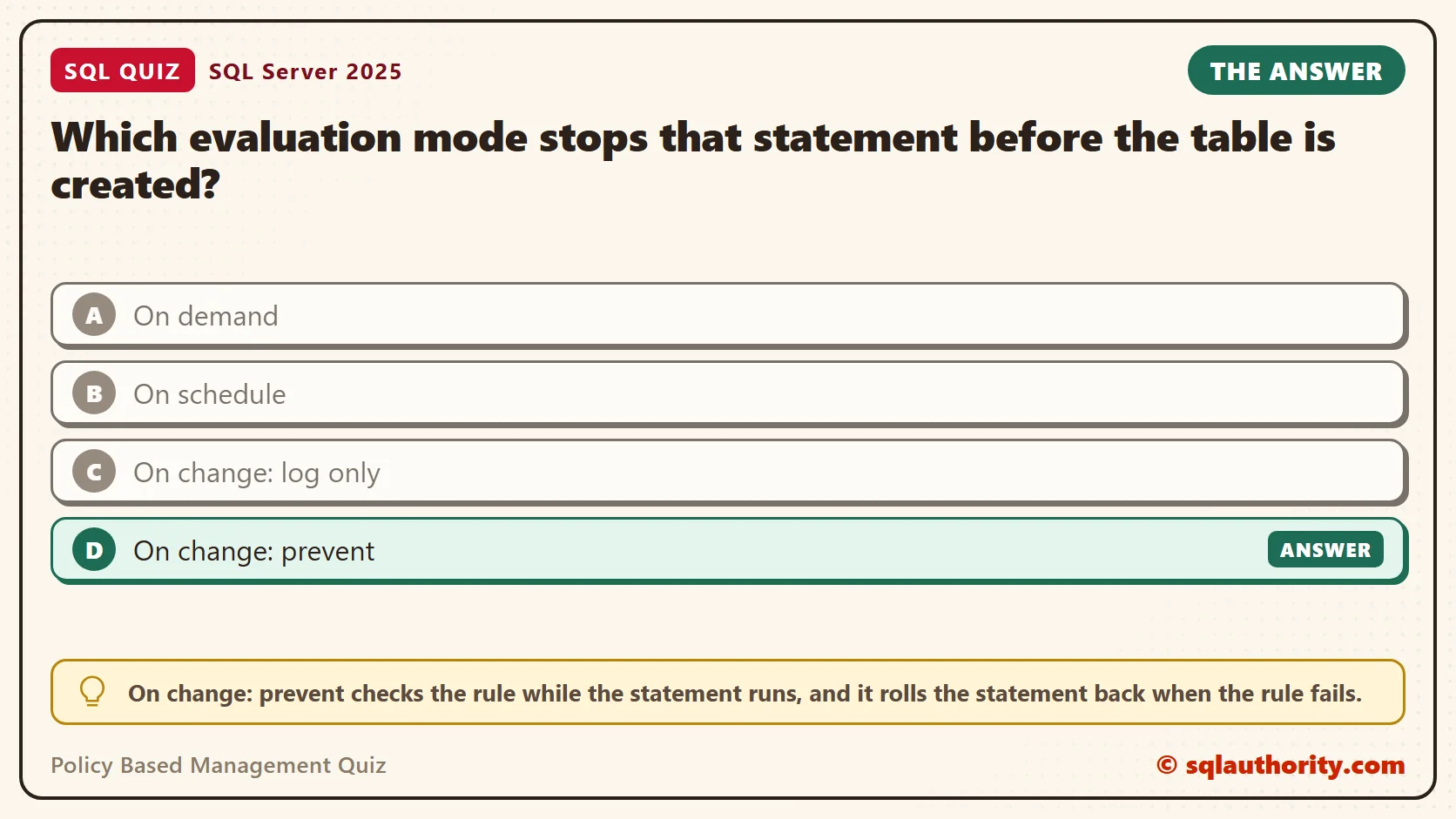
The answer is D. On change: prevent checks the rule while the statement runs, and it rolls the statement back when the rule fails.
SQL Server does this with a server-level DDL trigger. When you enable a prevent policy, a trigger named syspolicy_server_trigger appears on the instance. If a statement breaks the rule, the trigger ends the transaction, and the table is never created.
There is one catch. Prevent works only for facets that a DDL trigger can check, and most facets can’t be checked that way. A later section shows how few can.
Prove It
Here is the quiz as a script. It creates a database called SqlQuizPolicyBasedManagement, and then builds a condition and a policy in msdb. Every object uses that same prefix. Run it on a test server, because the policy trigger covers the whole instance.
IF DB_ID(N'SqlQuizPolicyBasedManagement') IS NULL CREATE DATABASE SqlQuizPolicyBasedManagement;
USE msdb;
GO
IF NOT EXISTS (SELECT 1 FROM dbo.syspolicy_policies WHERE name = N'SqlQuizPolicyBasedManagement_TablePrefixPolicy')
BEGIN
    DECLARE @cond int, @dbcond int, @os int, @ts int, @lv1 int, @lv2 int, @pol int;
    EXEC dbo.sp_syspolicy_add_condition @name = N'SqlQuizPolicyBasedManagement_TableStartsWithTbl',
        @description = N'', @facet = N'IMultipartNameFacet',
        @expression = N'<Operator><TypeClass>Bool</TypeClass><OpType>LIKE</OpType><Count>2</Count><Attribute><TypeClass>String</TypeClass><Name>Name</Name></Attribute><Constant><TypeClass>String</TypeClass><ObjType>System.String</ObjType><Value>tbl%</Value></Constant></Operator>',
        @is_name_condition = 0, @obj_name = N'', @condition_id = @cond OUTPUT;
    EXEC dbo.sp_syspolicy_add_condition @name = N'SqlQuizPolicyBasedManagement_OnlyThisDatabase',
        @description = N'', @facet = N'Database',
        @expression = N'<Operator><TypeClass>Bool</TypeClass><OpType>EQ</OpType><Count>2</Count><Attribute><TypeClass>String</TypeClass><Name>Name</Name></Attribute><Constant><TypeClass>String</TypeClass><ObjType>System.String</ObjType><Value>SqlQuizPolicyBasedManagement</Value></Constant></Operator>',
        @is_name_condition = 1, @obj_name = N'SqlQuizPolicyBasedManagement', @condition_id = @dbcond OUTPUT;
    EXEC dbo.sp_syspolicy_add_object_set @object_set_name = N'SqlQuizPolicyBasedManagement_TablePrefixPolicy_ObjectSet',
        @facet = N'IMultipartNameFacet', @object_set_id = @os OUTPUT;
    EXEC dbo.sp_syspolicy_add_target_set @object_set_name = N'SqlQuizPolicyBasedManagement_TablePrefixPolicy_ObjectSet',
        @type_skeleton = N'Server/Database/Table', @type = N'TABLE', @enabled = 1, @target_set_id = @ts OUTPUT;
    EXEC dbo.sp_syspolicy_add_target_set_level @target_set_id = @ts, @type_skeleton = N'Server/Database/Table',
        @level_name = N'Table', @condition_name = N'', @target_set_level_id = @lv1 OUTPUT;
    EXEC dbo.sp_syspolicy_add_target_set_level @target_set_id = @ts, @type_skeleton = N'Server/Database',
        @level_name = N'Database', @condition_name = N'SqlQuizPolicyBasedManagement_OnlyThisDatabase', @target_set_level_id = @lv2 OUTPUT;
    EXEC dbo.sp_syspolicy_add_policy @name = N'SqlQuizPolicyBasedManagement_TablePrefixPolicy',
        @condition_name = N'SqlQuizPolicyBasedManagement_TableStartsWithTbl', @policy_category = N'', @description = N'',
        @help_text = N'', @help_link = N'', @schedule_uid = N'00000000-0000-0000-0000-000000000000',
        @execution_mode = 1, @is_enabled = 1, @policy_id = @pol OUTPUT, @root_condition_name = N'',
        @object_set = N'SqlQuizPolicyBasedManagement_TablePrefixPolicy_ObjectSet';
END
PBM stores each piece separately. The first condition is the rule itself. The second condition limits the rule to one database. The policy ties them together, and execution mode 1 means prevent.
SELECT name AS PolicyName, execution_mode AS ExecutionMode, is_enabled AS IsEnabled
FROM msdb.dbo.syspolicy_policies WHERE name = N'SqlQuizPolicyBasedManagement_TablePrefixPolicy';

SELECT name AS ServerTrigger FROM sys.server_triggers WHERE name = N'syspolicy_server_trigger';
On SQL Server 2025, the first query showed the policy enabled in mode 1, and the second showed the trigger.
| PolicyName | ExecutionMode | IsEnabled |
|---|---|---|
| SqlQuizPolicyBasedManagement_TablePrefixPolicy | 1 | 1 |
| ServerTrigger |
|---|
| syspolicy_server_trigger |
Now run the quiz. The first CREATE TABLE breaks the rule, and the second follows it.
USE SqlQuizPolicyBasedManagement;
GO
CREATE TABLE dbo.Orders (OrderID int);
GO
CREATE TABLE dbo.tblOrders (OrderID int);
GO
SELECT name FROM sys.tables;
This is the text SSMS shows in the Messages tab. It is output, not code to run.
Policy 'SqlQuizPolicyBasedManagement_TablePrefixPolicy' has been violated by 'SQLSERVER:\SQL\MYSERVER\MYINSTANCE\Databases\SqlQuizPolicyBasedManagement\Tables\dbo.Orders'.
This transaction will be rolled back.
Policy condition: '@Name LIKE 'tbl%''
Policy description: ''
Additional help: '' : ''
Statement: 'CREATE TABLE dbo.Orders (OrderID int)'.
Msg 3609, Level 16, State 1, Procedure msdb.dbo.sp_syspolicy_dispatch_event, Line 65
The transaction ended in the trigger. The batch has been aborted.
In my test, the policy blocked a sysadmin login. It also blocked renaming a table to a name without the prefix. The last query in that script returned one row. Only the correctly named table exists.
| name |
|---|
| tblOrders |
A blocked statement still leaves a record. This query reads the policy history in msdb.
SELECT RIGHT(d.target_query_expression, CHARINDEX(N'\', REVERSE(d.target_query_expression)) - 1) AS Target,
       CASE d.result WHEN 0 THEN N'Violated' ELSE N'Passed' END AS Outcome
FROM msdb.dbo.syspolicy_policy_execution_history_details AS d
JOIN msdb.dbo.syspolicy_policy_execution_history AS h ON h.history_id = d.history_id
JOIN msdb.dbo.syspolicy_policies AS p ON p.policy_id = h.policy_id
WHERE p.name = N'SqlQuizPolicyBasedManagement_TablePrefixPolicy'
ORDER BY d.execution_date;| Target | Outcome |
|---|---|
| dbo.Orders | Violated |
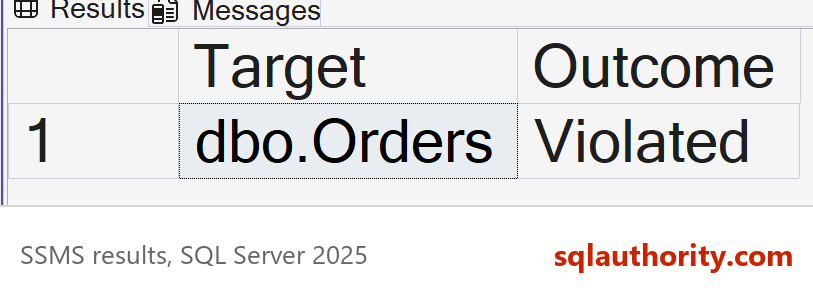
Only the failure is listed. By default, SQL Server logs failed checks and skips the passing ones, so tblOrders doesn’t appear.
Why the Other Answers Are Wrong
A, On demand, waits for a person. Someone has to run the evaluation in SSMS or with PowerShell, and by then the table already exists. It tells you what is wrong. It stops nothing.
B, On schedule, runs the check from a SQL Server Agent job at set times. Between two runs, a badly named table can sit in the database. Like On demand, it reports after the fact.
C, On change: log only, watches the same events but lets the statement finish. The table is created, and the violation is written to the policy history afterward. That makes it a way to measure a rule. It can’t enforce one.
Not Every Facet Can Stop a Change
A facet is a group of properties that a condition can check, such as those of a table. Each facet supports only some modes. This query reads that support list from msdb.
SELECT name AS Facet,
       CASE WHEN execution_mode & 1 = 1 THEN N'Yes' ELSE N'No' END AS CanPrevent,
       CASE WHEN execution_mode & 2 = 2 THEN N'Yes' ELSE N'No' END AS CanLogOnly
FROM msdb.dbo.syspolicy_management_facets
WHERE name IN (N'Table', N'View', N'Database', N'StoredProcedure', N'IMultipartNameFacet')
ORDER BY name;

SELECT SUM(CASE WHEN execution_mode & 1 = 1 THEN 1 ELSE 0 END) AS CanPrevent, COUNT(*) AS AllFacets
FROM msdb.dbo.syspolicy_management_facets;| Facet | CanPrevent | CanLogOnly |
|---|---|---|
| Database | No | No |
| IMultipartNameFacet | Yes | Yes |
| StoredProcedure | Yes | Yes |
| Table | No | No |
| View | No | No |
| CanPrevent | AllFacets |
|---|---|
| 19 | 96 |
Only 19 of the 96 facets can prevent a change. Table and View can’t, and neither can Database. A policy built on the Table facet is accepted and enabled, and then it blocks nothing. SQL Server gives no warning.
The Multipart Name facet, IMultipartNameFacet in T-SQL, is the one that works for names. It covers tables, views, procedures, functions, synonyms, types and XML schema collections. The script uses it for that reason.
The database filter in the script is a name condition, which is the is_name_condition = 1 setting. On-change policies need that kind of database filter.
Switching a Rule Off for One Release
Sooner or later a deployment needs a name that breaks the rule. Deleting the policy is too much. Disable it for the release, and enable it again right after. This script does both, with one CREATE TABLE in between.
USE msdb;
GO
EXEC dbo.sp_syspolicy_update_policy @name = N'SqlQuizPolicyBasedManagement_TablePrefixPolicy', @is_enabled = 0;
GO
SELECT COUNT(*) AS PolicyTriggers FROM sys.server_triggers WHERE name = N'syspolicy_server_trigger';
GO
USE SqlQuizPolicyBasedManagement;
GO
CREATE TABLE dbo.Orders (OrderID int);
GO
USE msdb;
GO
EXEC dbo.sp_syspolicy_update_policy @name = N'SqlQuizPolicyBasedManagement_TablePrefixPolicy', @is_enabled = 1;
GO
SELECT COUNT(*) AS PolicyTriggers FROM sys.server_triggers WHERE name = N'syspolicy_server_trigger';
The first count returned 0, and the second returned 1. While the policy is disabled, SQL Server drops the trigger, so dbo.Orders was created without a complaint. Enabling the policy builds the trigger again, and the rule applies to the next statement.
The window without protection covers every login on the instance, so keep it short. After the release, read the trigger count to confirm the rule is back.
What to Remember
Pick the mode by what the rule has to do. If it must stop a change, use On change: prevent, and check the facet first with the query above. If it only has to report, an on-demand or scheduled check is enough.
Before I turn on a prevent rule, I run it On demand against the objects that already exist. That shows how many would fail, so the first blocked deployment is no surprise. For the SSMS wizard, see SQL SERVER – Policy Based Management – Create, Evaluate and Fix Policies.
When you finish testing, remove the policy first, then its object set and its conditions, and then the example database. The PolicyTriggers query returns 0 once the policy is gone.
USE msdb;
GO
EXEC dbo.sp_syspolicy_delete_policy @name = N'SqlQuizPolicyBasedManagement_TablePrefixPolicy';
EXEC dbo.sp_syspolicy_delete_object_set @object_set_name = N'SqlQuizPolicyBasedManagement_TablePrefixPolicy_ObjectSet';
EXEC dbo.sp_syspolicy_delete_condition @name = N'SqlQuizPolicyBasedManagement_OnlyThisDatabase';
EXEC dbo.sp_syspolicy_delete_condition @name = N'SqlQuizPolicyBasedManagement_TableStartsWithTbl';
GO
SELECT COUNT(*) AS PolicyTriggers FROM sys.server_triggers WHERE name = N'syspolicy_server_trigger';
GO
USE master;
GO
ALTER DATABASE SqlQuizPolicyBasedManagement SET SINGLE_USER WITH ROLLBACK IMMEDIATE;
DROP DATABASE SqlQuizPolicyBasedManagement;
A policy mode is not a schedule for checking, it is a choice between stopping a change and reporting it.
Published by Pinal Dave on SQLAuthority. More of my work at pinaldave.com.
Discover more from SQL Authority with Pinal Dave
Subscribe to get the latest posts sent to your email.