sp_helpdb in SQL Server lists every database, or the files of one database, in a single call.

A Procedure Older Than Most Tools
A client watched a health check call sp_helpdb in SQL Server and was surprised that it exists. It has been there for decades. The first line of its source carries a date in 1995. It still reads the compatibility views from SQL Server 2000. That history explains its habits, and the sections below show them one at a time.
The demo needs three small databases. HelpDbDemo is 24 MB in total, HelpDbDemoBig is 108 MB and HelpDbDemoSmall is 16 MB. The small one also switches to SIMPLE recovery, so the status text has something to tell apart. Run the script on a test server.
IF DB_ID(N'HelpDbDemo') IS NULL
BEGIN
    CREATE DATABASE HelpDbDemo;
    ALTER DATABASE HelpDbDemo MODIFY FILE (NAME = HelpDbDemo, SIZE = 16MB);
END;
IF DB_ID(N'HelpDbDemoBig') IS NULL
BEGIN
    CREATE DATABASE HelpDbDemoBig;
    ALTER DATABASE HelpDbDemoBig MODIFY FILE (NAME = HelpDbDemoBig, SIZE = 100MB);
END;
IF DB_ID(N'HelpDbDemoSmall') IS NULL CREATE DATABASE HelpDbDemoSmall;
ALTER DATABASE HelpDbDemoSmall SET RECOVERY SIMPLE;
List Every Database
Called with no name, sp_helpdb in SQL Server returns one row per database. The columns are name, db_size, owner, dbid, created, status and compatibility_level. A plain call prints every database on the server. The next script saves the rows in a temporary table and keeps only the demo databases. That also lets you filter the result with a normal query.
CREATE TABLE #Databases (
    name sysname, db_size nvarchar(13), owner sysname, dbid smallint,
    created nvarchar(11), status nvarchar(600), compatibility_level tinyint
);
INSERT #Databases EXEC sp_helpdb;
SELECT name, db_size, compatibility_level
FROM #Databases
WHERE name LIKE N'HelpDbDemo%'
ORDER BY name;| name | db_size | compatibility_level |
|---|---|---|
| HelpDbDemo | 24.00 MB | 170 |
| HelpDbDemoBig | 108.00 MB | 170 |
| HelpDbDemoSmall | 16.00 MB | 170 |
The status column is one long piece of text. It reads like Status=ONLINE, Updateability=READ_WRITE, UserAccess=MULTI_USER, Recovery=FULL and goes on with the version, the collation and a list of options. Everything in it is a fact you could ask for in a typed column.
Ask About One Database
Add a database name and the procedure returns two result sets. The first is the same row as before. The second lists every file of that database.
EXEC sp_helpdb N'HelpDbDemo';
The file list has eight columns. The table keeps seven, because the folder in the filename column is different on every server.
| name | fileid | filegroup | size | maxsize | growth | usage |
|---|---|---|---|---|---|---|
| HelpDbDemo | 1 | PRIMARY | 16384 KB | Unlimited | 65536 KB | data only |
| HelpDbDemo_log | 2 | NULL | 8192 KB | 2147483648 KB | 65536 KB | log only |
The log file has no filegroup, so that column shows NULL. A growth of 65536 KB means the file grows by 64 MB each time it fills up. On this server that is the default for new databases. A data file with maxsize Unlimited can grow until the disk is full.
Read db_size Carefully
The db_size value is text, not a number. It carries the unit MB and padding spaces, and it adds the data and log files together. HelpDbDemo shows 24.00 MB because it has a 16 MB data file and an 8 MB log file. The catalog views give the same sizes as numbers.
SELECT d.name,
       SUM(CASE WHEN f.type = 0 THEN f.size END) * 8 / 1024 AS DataMB,
       SUM(CASE WHEN f.type = 1 THEN f.size END) * 8 / 1024 AS LogMB,
       d.recovery_model_desc AS RecoveryModel
FROM sys.databases AS d
JOIN sys.master_files AS f ON f.database_id = d.database_id
WHERE d.name LIKE N'HelpDbDemo%'
GROUP BY d.name, d.recovery_model_desc
ORDER BY d.name;| name | DataMB | LogMB | RecoveryModel |
|---|---|---|---|
| HelpDbDemo | 16 | 8 | FULL |
| HelpDbDemoBig | 100 | 8 | FULL |
| HelpDbDemoSmall | 8 | 8 | SIMPLE |
To sort or filter that text by size, strip the padding and the unit, and then convert it.
SELECT name,
       CAST(LEFT(LTRIM(db_size), CHARINDEX(N' ', LTRIM(db_size)) - 1) AS decimal(12, 2)) AS SizeMB
FROM #Databases
WHERE name LIKE N'HelpDbDemo%'
ORDER BY SizeMB DESC;| name | SizeMB |
|---|---|
| HelpDbDemoBig | 108.00 |
| HelpDbDemo | 24.00 |
| HelpDbDemoSmall | 16.00 |
The status text can be searched too. This query finds the databases in FULL recovery, and the SIMPLE one stays out.
SELECT name
FROM #Databases
WHERE name LIKE N'HelpDbDemo%' AND status LIKE N'%Recovery=FULL%'
ORDER BY name;
| name |
|---|
| HelpDbDemo |
| HelpDbDemoBig |
A search of that kind works until a word in the text changes. The recovery_model_desc column of sys.databases holds the same fact in a column of its own. It is the safer filter.
What sp_helpdb Doesn’t Tell You
The procedure shows how big a file is. It doesn’t show how full the file is. For that, ask the database itself with FILEPROPERTY and its SpaceUsed property. The result is in 8 KB pages, so divide by 128 to get MB.
USE HelpDbDemo;
GO
SELECT f.name,
       CAST(f.size / 128.0 AS decimal(9, 2)) AS SizeMB,
       CAST(FILEPROPERTY(f.name, 'SpaceUsed') / 128.0 AS decimal(9, 2)) AS UsedMB
FROM sys.database_files AS f;| name | SizeMB | UsedMB |
|---|---|---|
| HelpDbDemo | 16.00 | 2.94 |
| HelpDbDemo_log | 8.00 | 0.40 |
The numbers move with the version and the work done, so your used space will differ. The procedure has one more limit. Its source checks HAS_DBACCESS for every database and skips the ones you can’t open, with a message. On a server where your login sees only some databases, the list is shorter than the server’s real list.
You can read the whole procedure yourself with OBJECT_DEFINITION(OBJECT_ID(N'sys.sp_helpdb')). It builds the size of each database with its own dynamic query. On a server with many databases, that is a lot of small work.
Why It Still Has a Place
You could argue that sys.databases and sys.master_files make the procedure pointless. They return typed columns and answer one question at a time. That is true for scripts. For a quick look at a client’s server, one short command is hard to beat. It shows size, owner, creation date and files, and it is short enough to type from memory.
What to Remember
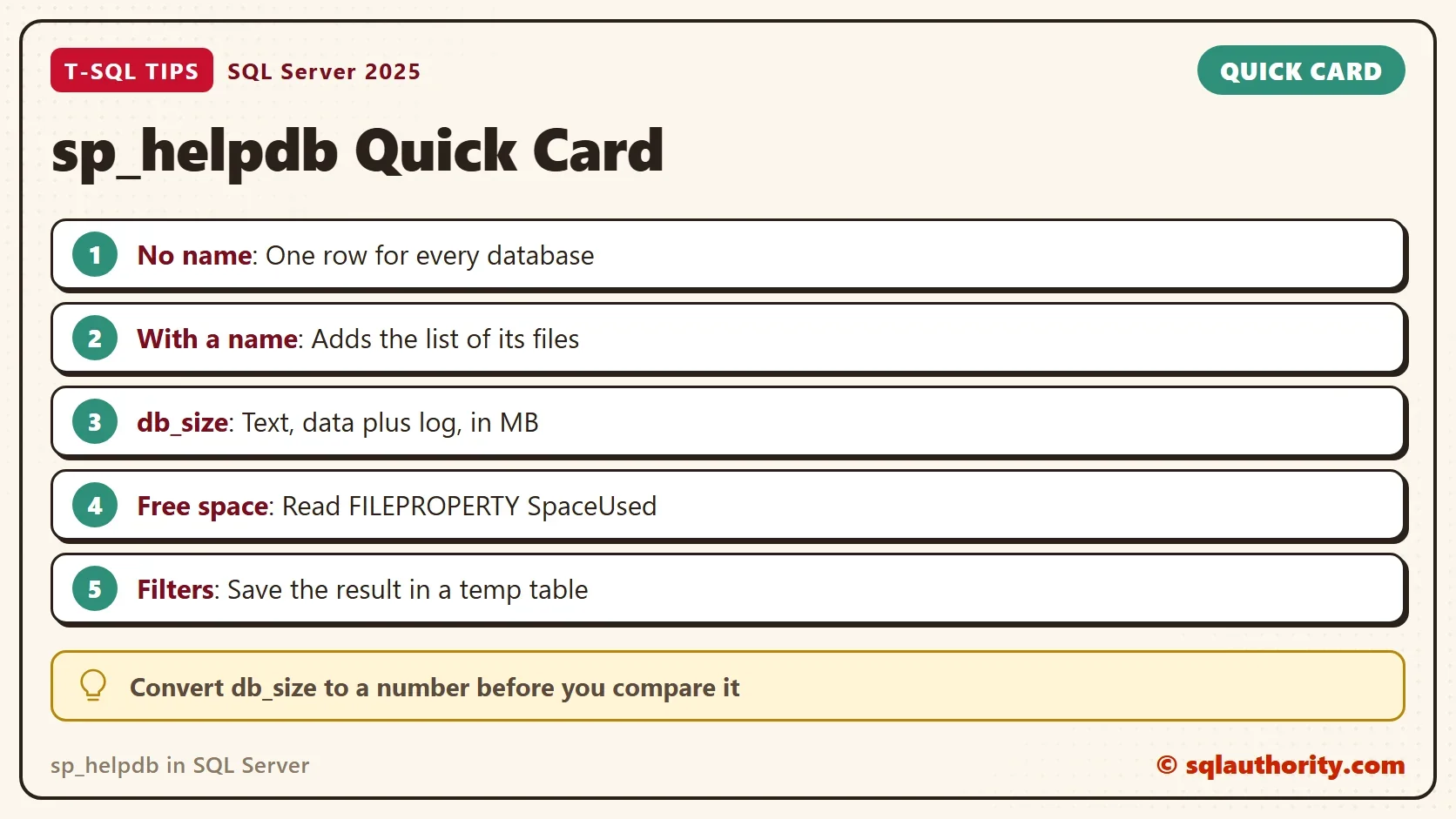
Call sp_helpdb in SQL Server with no name to list databases. Give it a name to get the file list too. Treat db_size as text that adds data and log. For free space, a filter or a script, use FILEPROPERTY and the catalog views.
When you finish, drop the demo databases.
USE master;
GO
DROP TABLE IF EXISTS #Databases;
DROP DATABASE IF EXISTS HelpDbDemo;
DROP DATABASE IF EXISTS HelpDbDemoSmall;
DROP DATABASE IF EXISTS HelpDbDemoBig;
A system procedure is not a relic, it is a shortcut that someone built before you asked.
Published by Pinal Dave on SQLAuthority. More of my work at pinaldave.com.
Discover more from SQL Authority with Pinal Dave
Subscribe to get the latest posts sent to your email.