SQL Always-On feature is so tied to cluster that sometimes you would need to look at various logs to fix a failure. In this blog I would share my learning about fixing error LogonUserExEx fails for user & GetToken – Logging on as the CNO failed with error 1326.
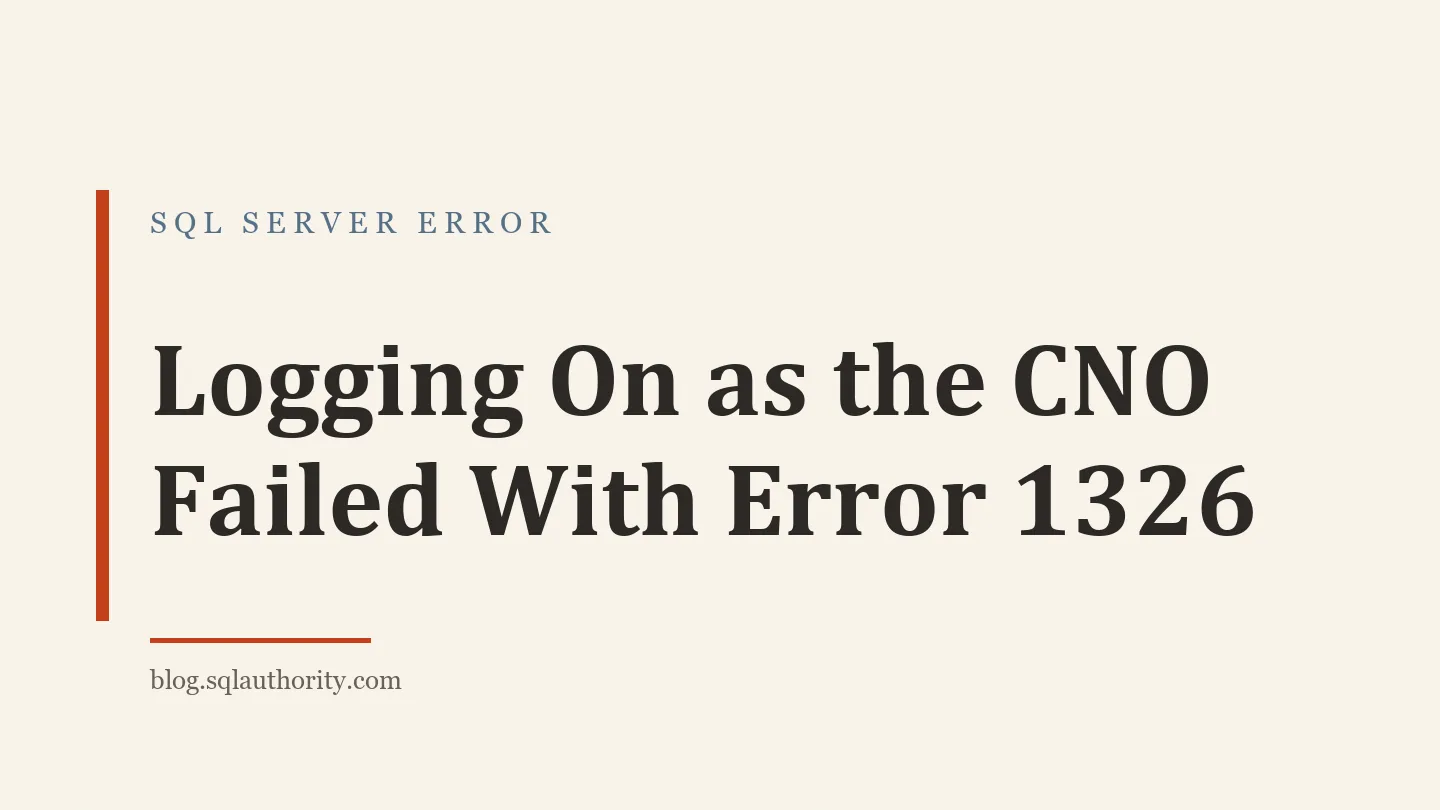
Let me explain the situation and the steps I took to fix the error. The issue was that the listener network name resource was not coming online in the cluster manager. When I checked the properties of the resource, I found the below messages.
On the properties window, I have highlighted these messages.
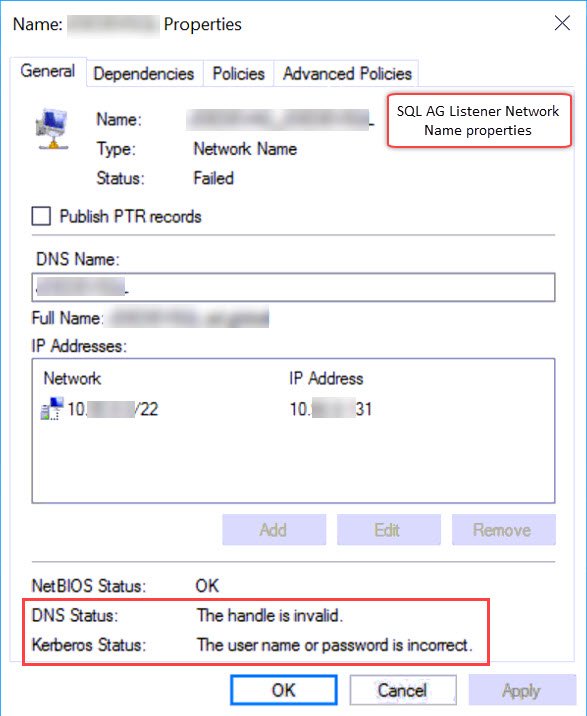
DNS Status: The handle is invalid.
Kerberos: The user name or password is incorrect.
I asked my client to generate a cluster log. Here is the article which you can follow to generate the logs. SQL SERVER – Steps to Generate Windows Cluster Log?
In the cluster log, the relevant lines are below.
INFO [RES] Network Name: [NNLIB] PopulateKerbKDCLookupCache – DC flags 0
INFO [RES] Network Name: [NNLIB] LsaCallAuthenticationPackage success with a request of size 96, result size 0 (status: 0, subStatus: 0)
INFO [RES] Network Name: [NNLIB] Priming local KDC cache to \\dc.domain.com for domain label ad
INFO [RES] Network Name: [NNLIB] LsaCallAuthenticationPackage success with a request of size 82, result size 0 (status: 0, subStatus: 0)
WARN [RES] Network Name: [NNLIB] LogonUserExEx fails for user SQLAUTHCLU01$: 1326 (useSecondaryPassword: 0)
WARN [RES] Network Name: [NNLIB] LogonUserExEx fails for user SQLAUTHCLU01$: 1326 (useSecondaryPassword: 1)
INFO [RES] Network Name: [NNLIB] Logon failed for user SQLAUTHCLU01$ (Error 1326), DC \\dc.domain.com, domain domain.com
ERR [RES] Network Name: [NN] GetToken – Logging on as the CNO failed with error 1326
ERR [RES] Network Name : Dns: Obtaining token threw exception, error 6
ERR [RES] Network Name : Dns: Failed DNS registration with error 6 for Name: SQLAUTHCLU01 (Type: Singleton)
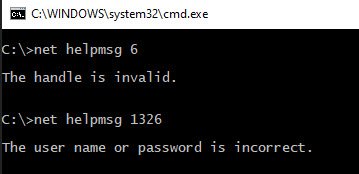
We can see two errors in above log, 1326 and 6. The meaning of those is matching with what was shown in the UI.
WORKAROUND/SOLUTION – GetToken
I search at various places on the internet and found that this can be fixed by repair of the computer objects. Below is the screenshot for that.
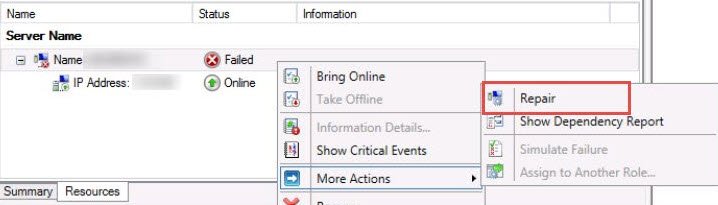
After that, I also asked them to restart the nodes and then the listener came online.
Have you seen such errors in cluster logs?
Published by Pinal Dave on SQLAuthority. More of my work at pinaldave.com.
Discover more from SQL Authority with Pinal Dave
Subscribe to get the latest posts sent to your email.