LogonUserExEx fails in the cluster log when the cluster cannot log on as its own computer object, the CNO. Always On is so tied to the cluster that sometimes you have to read several logs to fix a failure. This is what I learned while fixing this one.
The Error
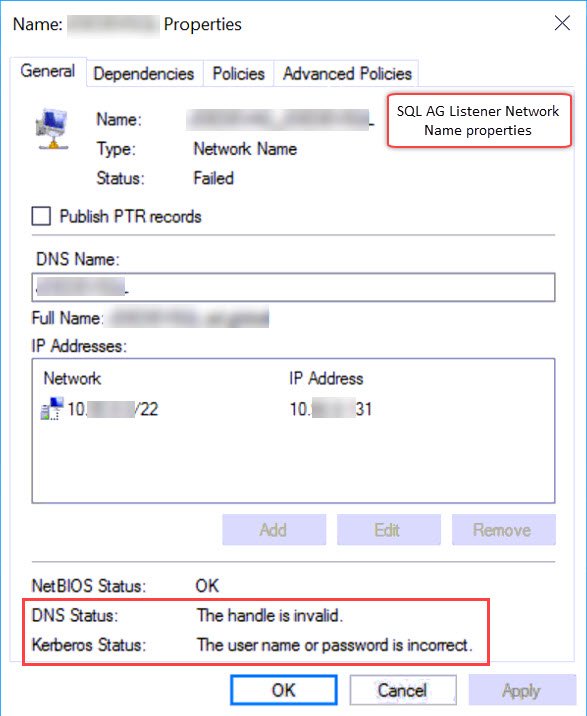
The properties of the listener network name resource showed these two messages:
DNS Status: The handle is invalid.
Kerberos Status: The user name or password is incorrect.
What the Client Saw
The listener network name resource wasn’t coming online in the cluster manager. When I checked the properties of the resource, I found the messages above. Here is the properties window, with the messages highlighted:
I asked my client to generate a cluster log. If you need help, follow my steps to generate a Windows cluster log. These are the relevant lines:
INFO [RES] Network Name: [NNLIB] PopulateKerbKDCLookupCache - DC flags 0
INFO [RES] Network Name: [NNLIB] LsaCallAuthenticationPackage success with a request of size 96, result size 0 (status: 0, subStatus: 0)
INFO [RES] Network Name: [NNLIB] Priming local KDC cache to \\dc.domain.com for domain label ad
INFO [RES] Network Name: [NNLIB] LsaCallAuthenticationPackage success with a request of size 82, result size 0 (status: 0, subStatus: 0)
WARN [RES] Network Name: [NNLIB] LogonUserExEx fails for user SQLAUTHCLU01$: 1326 (useSecondaryPassword: 0)
WARN [RES] Network Name: [NNLIB] LogonUserExEx fails for user SQLAUTHCLU01$: 1326 (useSecondaryPassword: 1)
INFO [RES] Network Name: [NNLIB] Logon failed for user SQLAUTHCLU01$ (Error 1326), DC \\dc.domain.com, domain domain.com
ERR [RES] Network Name: [NN] GetToken - Logging on as the CNO failed with error 1326
ERR [RES] Network Name : Dns: Obtaining token threw exception, error 6
ERR [RES] Network Name : Dns: Failed DNS registration with error 6 for Name: SQLAUTHCLU01 (Type: Singleton)
Why It Happens
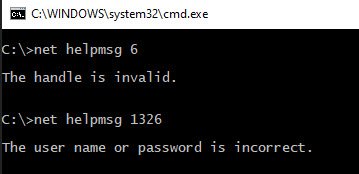
The log shows two errors, 1326 and 6. Their meanings match what the properties window showed. The cluster logged on to Active Directory as the CNO, SQLAUTHCLU01$, and the logon failed with error 1326. Without a token, the DNS registration failed with error 6.
Here are both error codes decoded in a command window:
How to Check
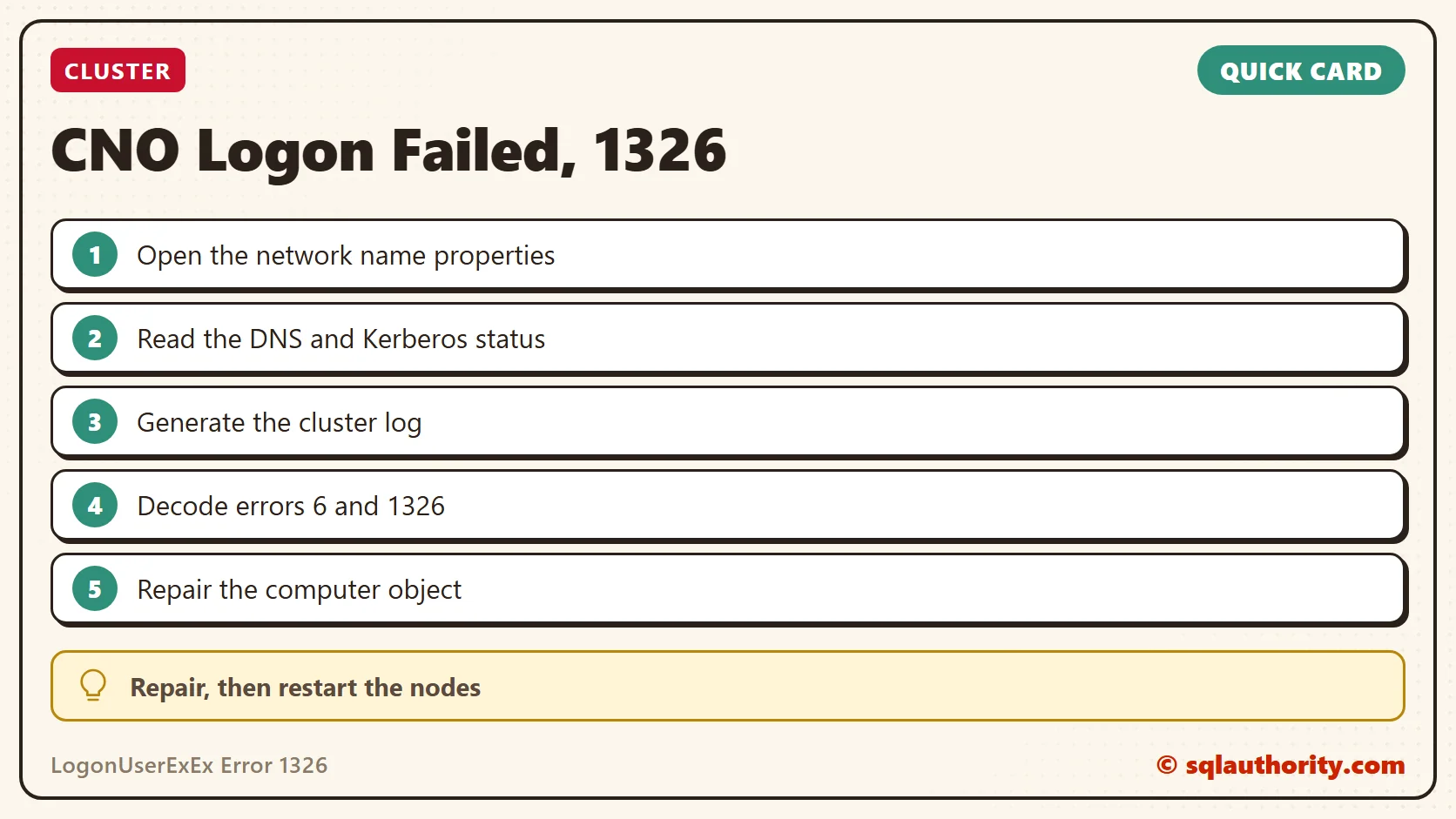
Open the properties of the listener network name resource and read the DNS and Kerberos status lines. Then generate the cluster log, and look for LogonUserExEx and GetToken near the ERR lines.
The Fix
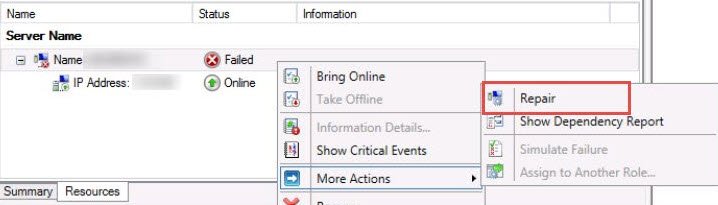
I searched at various places on the internet and found that this can be fixed by repairing the computer objects. In the cluster manager, the Repair option is under More Actions on the failed resource:
Confirm It Worked
After the repair, I also asked them to restart the nodes. Then the listener came online.
How to Prevent It
When the CNO can’t log on, read both status lines and the ERR lines in the cluster log. Do it before you chase DNS. The DNS error follows the failed logon. Have you seen such errors in cluster logs? Tell me in the comments.
The DNS error is not the cause, it is what follows a failed CNO logon.
Published by Pinal Dave on SQLAuthority. More of my work at pinaldave.com.
Discover more from SQL Authority with Pinal Dave
Subscribe to get the latest posts sent to your email.